Best Value Managed WordPress Hosting Plans for Global Users
You’ve built a beautiful WordPress site. You have killer content, a sleek design, and a product people want. But if your site takes ten seconds to load for a visitor in Tokyo while your server sits in Texas, you have a problem.
For website owners targeting a global audience, speed isn’t just a luxury—it’s the backbone of user experience and SEO rankings.
This is where managed WordPress hosting comes in. Unlike generic shared hosting, managed hosting is a concierge service for your website. It handles the technical heavy lifting—server optimization, security patches, daily backups, and caching—so you can focus on growing your business.
But “managed” often comes with a hefty price tag. Finding a plan that balances premium features with affordability is a challenge, especially when you need reliable performance across multiple continents.
In this guide, we break down exactly what makes a hosting plan “high value” for international users. We’ll explore the specific features that matter most for global reach, how to evaluate providers beyond just the sticker price, and which current plans offer the best bang for your buck.
Why Choose Managed WordPress Hosting?
If you’ve ever woken up to a “White Screen of Death” or spent hours debugging a plugin conflict, you already know why unmanaged hosting can be a nightmare. Managed WordPress hosting removes those headaches by providing an environment specifically tuned for WordPress.
Performance Advantages
Managed hosts configure their servers specifically for WordPress architecture. This often includes server-level caching (so you don’t need heavy plugins), the latest PHP versions, and NGINX or LiteSpeed servers. The result is a website that loads significantly faster right out of the box.
Security and Peace of Mind
Cyber threats are global. A managed host typically includes firewalls, malware scanning, and free SSL certificates as standard features. More importantly, they handle daily backups automatically. If something goes wrong, restoring your site usually takes a single click.
Expert Support
When your site goes down at 3 AM, you don’t want to talk to a generalist who reads from a script. Managed hosting providers employ WordPress experts who understand the nuances of the platform. They can troubleshoot specific error codes, recommend optimization tips, and fix issues faster than general support teams.
Global Reach
For international sites, standard shared hosting often falls short because it relies on a single server location. Managed hosts frequently integrate with Content Delivery Networks (CDNs) and offer multiple data centers, ensuring your content is delivered quickly whether your visitor is in London, Sydney, or São Paulo.
What Defines “Best Value”?
“Value” doesn’t mean the cheapest option. A $3/month plan that crashes every time you get a traffic spike ends up costing you far more in lost revenue and brand reputation than a stable $20/month plan.
When evaluating value for global managed hosting, look for:
- Speed and Uptime: Does the host offer a 99.9% uptime guarantee? Do they use high-performance hardware like NVMe SSD storage?
- Geographic Coverage: Can you choose your data center location? This is crucial for reducing latency for your primary audience.
- Price-to-Feature Ratio: Are you paying extra for essentials like backups, migrations, or SSL, or are they included?
- Scalability: Can the plan grow with you? You don’t want to migrate your entire site just because you had a good month of traffic.
Key Features to Look For
Before we dive into specific plans, here is a checklist of non-negotiable features for any serious global website.
Global CDN Included
A Content Delivery Network stores copies of your site’s static files (images, CSS, JavaScript) on servers around the world. When a user visits your site, they download these files from the server closest to them. For a global audience, a built-in CDN is mandatory.
Auto-Scaling Resources
Traffic is rarely consistent. A great value plan will handle unexpected surges without taking your site offline. Some hosts offer “auto-scaling” where they temporarily allocate more resources to your site during spikes.
Staging Environments
Never test changes on your live site. A staging environment lets you clone your website with one click, test new plugins or code, and then push the changes live only when you know they work.
Daily Backups
Data loss happens. Whether it’s a hacker or a human error (deleting the wrong file), you need a safety net. Ensure your host offers automatic daily backups and keeps them for at least 14 to 30 days.
Top Managed WordPress Hosting Plans for Global Users
We’ve analyzed the market to find providers that offer the sweet spot between performance, global reach, and cost.
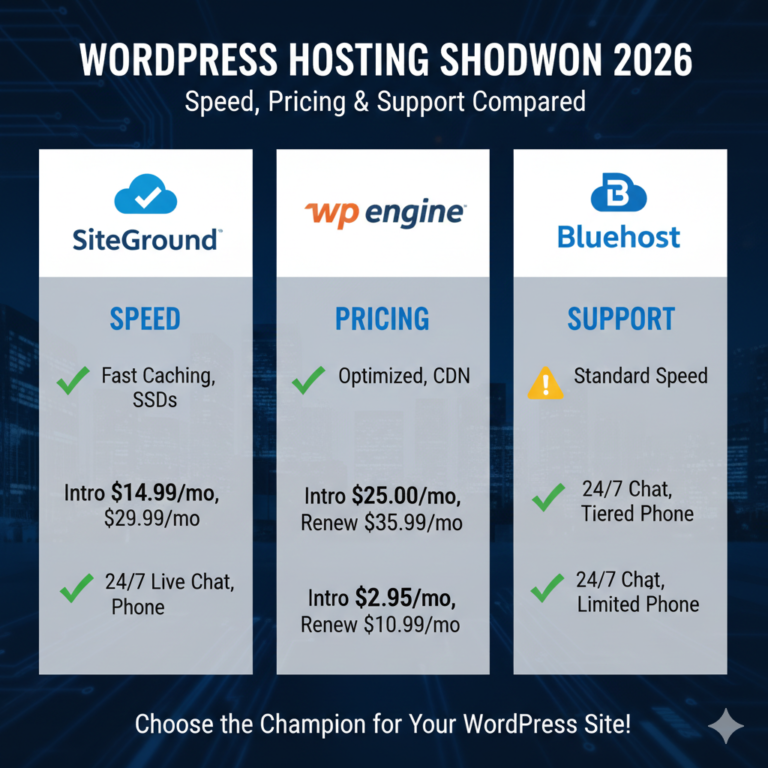
1. SiteGround (GoGeek Plan) — Best Budget Performance
SiteGround blurs the line between shared and managed hosting, offering managed features at a very accessible price point.
- Key Features: built-in caching (SuperCacher), free CDN, daily backups, and staging.
- Global Reach: Data centers in USA, Europe, Asia, and Australia.
- Why it’s good value: The GoGeek plan gives you priority support and more server resources than standard shared plans, often for under $15/month (introductory price). It’s an incredible entry point for new global sites.
2. WP Engine — Best for Scalability and Reliability
WP Engine is arguably the most famous name in managed WordPress hosting. They focus purely on WordPress and it shows.
- Key Features: Genesis Framework included, automated migration plugin, daily backups, and enterprise-grade security.
- Global Reach: Partnered with Google Cloud Platform and AWS, offering data centers globally. Their proprietary EverCache technology makes sites fly.
- Why it’s good value: While their starting price is higher (around $20-$30/month), the reliability is unmatched. If your business depends on uptime, WP Engine pays for itself.
3. Kinsta — Best for High-Performance Global Sites
Kinsta runs entirely on the Google Cloud Platform Premium Tier. This means your data travels on Google’s high-speed private network, not the public internet.
- Key Features: 35+ data center locations, free Cloudflare Enterprise integration (huge value), Application Performance Monitoring (APM).
- Global Reach: The sheer number of data center options allows you to place your server right next to your audience. The Cloudflare integration ensures fast delivery everywhere else.
- Why it’s good value: You get enterprise-level infrastructure starting at relatively low monthly rates. The inclusion of Cloudflare Enterprise alone (which usually costs hundreds) makes this a steal.
4. Cloudways — Best Price-to-Performance Ratio
Cloudways is a bit different. It’s a “managed cloud” platform that lets you choose the infrastructure provider (DigitalOcean, Vultr, Linode, AWS, or Google Cloud).
- Key Features: Pay-as-you-go pricing, vertical scaling, choice of 5 cloud providers, advanced caching (Varnish, Redis).
- Global Reach: Since you can choose providers like AWS or Google, you have access to virtually any region in the world.
- Why it’s good value: You aren’t paying a premium for the brand name; you pay for the server resources. Plans can start as low as $10-12/month for incredibly fast speeds, though it requires slightly more technical confidence than WP Engine.
5. Flywheel — Best for Agencies and Designers
Owned by WP Engine, Flywheel is designed with creatives in mind. The interface is beautiful and the workflow tools are top-notch.
- Key Features: Blueprint tool (save site templates), easy collaboration features, free migrations, nightly backups.
- Global Reach: Powered by Google Cloud Platform, ensuring solid global speeds.
- Why it’s good value: If you manage sites for clients, the workflow tools save you hours of billable time. Time is money, making Flywheel excellent value for freelancers and agencies.
6. Hostinger (Business WordPress) — Best Economy Choice
Hostinger has aggressively improved its WordPress offering. It’s incredibly cheap but surprisingly robust for the price.
- Key Features: LiteSpeed servers, free email, unmetered bandwidth, daily backups.
- Global Reach: Data centers in USA, UK, France, India, Singapore, Brazil, Lithuania, and the Netherlands.
- Why it’s good value: For beginners or side projects with a global audience, it’s hard to beat the price. You get a global presence and LiteSpeed performance for the cost of a coffee.
How to Choose the Right Plan for Your Website
With so many options, making the final call can be tough. Here is a framework to help you decide.
1. Identify Your Traffic Needs
Be realistic. If you are starting a new blog, you don’t need a plan that handles 100,000 visits a month. Look for a host that makes upgrading easy so you can start small and scale up.
2. Pinpoint Your Primary Audience
Check your Google Analytics. Where are the majority of your visitors coming from? If 70% of your traffic is from Europe, choose a host with a data center in London, Frankfurt, or Amsterdam. If your audience is truly scattered globally, prioritize a host with a robust CDN integration like Kinsta or Cloudways.
3. Evaluate Support Responsiveness
Read reviews specifically about support. When a server error hits, do you want a live chat that responds in 30 seconds (like Kinsta or WP Engine) or are you okay waiting for an email ticket (common with budget hosts)?
4. Look for Transparent Pricing
Watch out for renewal rates. Many hosts offer a low introductory price that triples after the first year. A “best value” plan is one you can afford in the long run.
Performance Tips for Global Audiences
Even with the best hosting, you need to optimize your site for international speed.
- Leverage Global CDN Networks: Even if your host doesn’t include one, you can often set up Cloudflare’s free plan yourself. It’s the single most effective way to speed up a site globally.
- Optimize Images: Large images are bandwidth killers. Use tools like ShortPixel or Smush to compress images automatically.
- Use Localized DNS: Domain Name System (DNS) lookups take time. A premium DNS service (like Cloudflare or Amazon Route 53) ensures that the “lookup” process happens fast, no matter where the user is.
- Monitor Performance: Don’t guess. Use tools like GTmetrix or Google PageSpeed Insights. Test from different server locations (e.g., test from London and Tokyo) to see what your global users are actually experiencing.
Frequently Asked Questions
Is managed hosting really worth the extra cost?
For most serious businesses, yes. The time you save on maintenance, security configuration, and troubleshooting is worth far more than the $10-$20 difference in monthly price.
Can small websites benefit from managed plans?
Absolutely. Managed hosting isn’t just for giants. Small sites benefit from the speed boost (which helps SEO) and the security features, preventing hacks that could destroy a small business.
What is the difference between shared and managed WordPress hosting?
In shared hosting, you share server resources with hundreds of other sites, and the support is generic. In managed hosting, the server is optimized specifically for WordPress, resources are often ring-fenced, and support is provided by WordPress experts.
Do global users really need server locations near them?
Yes. The physical distance data has to travel (latency) impacts load times. However, a good CDN can mitigate this by serving static content from a server near the user, making the physical location of your origin server slightly less critical, though still important.
Investing in Your Digital Foundation
Choosing a web host is like choosing the foundation for your house. You can build a stunning structure, but if the foundation is weak, cracks will appear.
For global websites, “value” is found in reliability and reach. It’s about ensuring that a customer in Singapore has the same seamless experience as a customer in New York. While budget is always a factor, the best value plans are those that protect your reputation, secure your data, and deliver your content at lightning speed.
Whether you opt for the robust infrastructure of Kinsta, the scalability of Cloudways, or the budget-friendly performance of SiteGround, moving to managed hosting is one of the highest-ROI decisions you can make for your online presence.
Start by auditing your current traffic and speed. If you find your global users are lagging behind, it might be time to pack your digital bags and move to a host that truly speaks your language—and theirs.