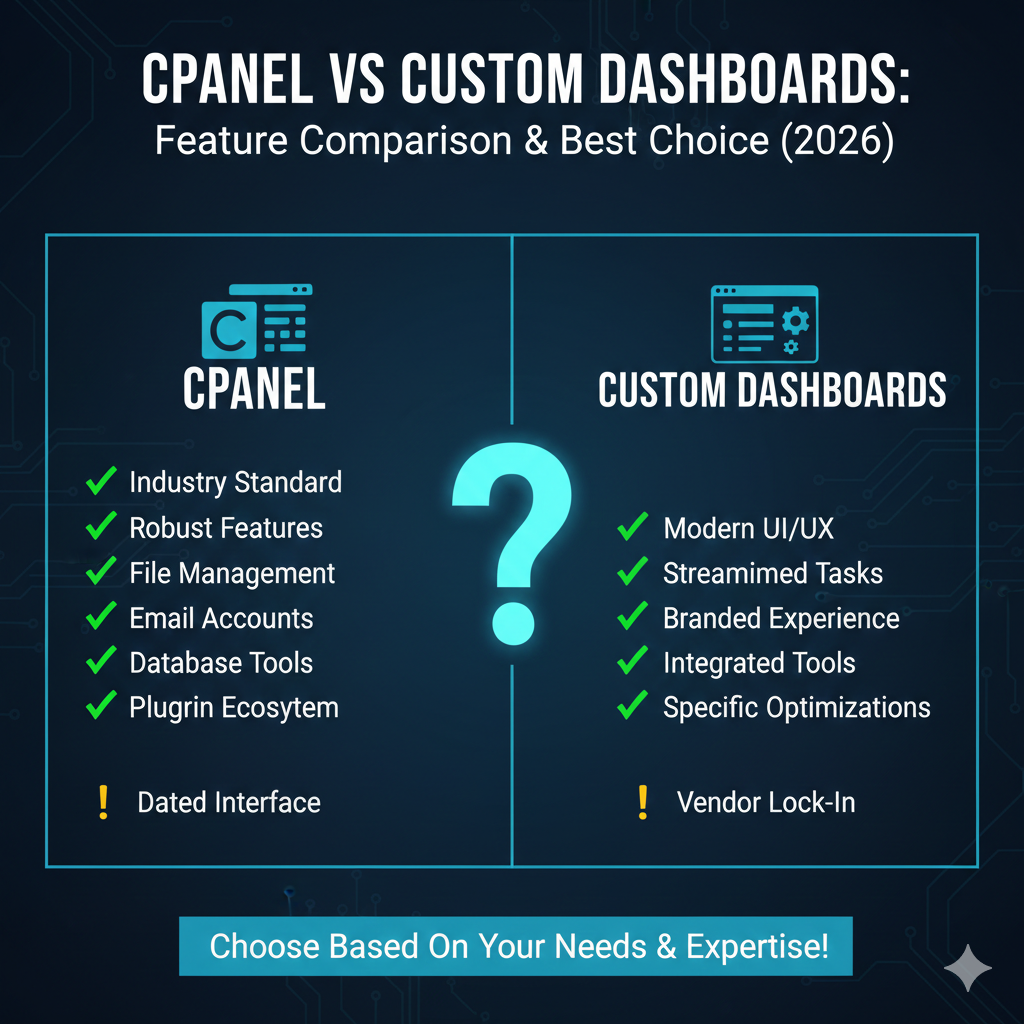
cPanel vs Custom Dashboards: Feature Comparison & Best Choice (2026)
When you purchase web hosting, you aren’t just buying server space; you are buying the tools to manage it. For decades, one name has dominated this landscape: cPanel. It has been the industry standard, the familiar interface that millions of site owners learned to navigate.
However, the hosting landscape of 2026 looks significantly different. Rising licensing costs and a demand for more modern, streamlined user experiences have driven many top-tier hosting providers to develop their own proprietary control panels. These custom dashboards promise better performance, cleaner interfaces, and tighter integration with the host’s specific infrastructure.
For a new website owner or a developer looking for a new home for their projects, the choice between cPanel and a custom dashboard is no longer just about preference—it’s about workflow, cost, and long-term scalability. This comprehensive guide compares the two options, dissecting their features, security, performance, and pricing to help you decide which hosting control panel is best for your needs in 2026.
What Is cPanel?
Overview
cPanel is a Linux-based web hosting control panel that provides a graphical interface (GUI) and automation tools designed to simplify the process of hosting a website. Since its release in the 90s, it has become synonymous with “web hosting” for many users. It acts as a middleman between you and the server’s command line, allowing you to manage files, databases, and email accounts without needing deep technical knowledge of Linux.
Core Features
cPanel is known for its “everything and the kitchen sink” approach. It offers a massive suite of tools, typically organized into categories like:
- Files: File Manager, Images, Directory Privacy.
- Databases: phpMyAdmin, MySQL Database Wizard.
- Domains: Site Publisher, Addon Domains, DNS Zone Editor.
- Email: Email Accounts, Forwarders, Spam Filters.
- Metrics: Awstats, Bandwidth, Visitors.
- Security: SSL/TLS, IP Blocker, Hotlink Protection.
Typical Hosting Environments
You will most often find cPanel on shared hosting, VPS (Virtual Private Server), and dedicated server environments. It is licensed software, meaning the hosting provider pays a fee per account or server, a cost that is almost always passed down to the customer.
What Are Custom Hosting Dashboards?
Definition
A custom hosting dashboard is a proprietary control panel developed in-house by a web hosting company. Unlike cPanel, which is a third-party software installed onto a server, a custom dashboard is often built directly into the host’s infrastructure stack.
Examples
In 2026, many of the world’s leading hosts rely on custom solutions:
- hPanel: Used by Hostinger, offering a streamlined, icon-based interface similar to cPanel but with a modern UX.
- Site Tools: Used by SiteGround, designed to be faster and more intuitive than the legacy cPanel interface they previously used.
- Cloudways Platform: A specialized dashboard for managing cloud servers (DigitalOcean, AWS, Google Cloud) without the complexity of traditional server management.
- MyKinsta: A premium dashboard focused specifically on Managed WordPress hosting.
Why Hosts Build Custom Panels
The shift toward custom hosting dashboards is driven by several factors. First, it allows hosts to control the user experience entirely, removing the clutter of unused cPanel features. Second, it reduces reliance on third-party licensing (and the associated price hikes). Finally, it allows for better performance optimization, as the panel doesn’t need to be compatible with every server configuration in existence—only the specific infrastructure of that host.
Feature Comparison – cPanel vs Custom Dashboards
To make an informed decision, we need to look beyond the aesthetics and dig into the actual functionality. How do these platforms handle the daily tasks of website management?
File Management
cPanel: The cPanel File Manager is legendary for its utility. It allows code editing, permission changes, zipping/unzipping, and moving files with ease. However, the interface can feel dated and clunky compared to modern standards.
Custom Dashboards: Most custom panels offer a simplified file manager. While they look better and are easier to navigate, some power users find they lack granular features (like complex permission settings or specific code editor distincts) found in cPanel. However, for 99% of tasks like uploading plugins or editing a wp-config.php file, they are more than adequate.
Database Management
cPanel: Uses the standard MySQL Database Wizard and phpMyAdmin. It’s reliable, but setting up a database and connecting a user often requires multiple steps across different screens.
Custom Dashboards: Often streamline this process significantly. Many custom panels allow you to create a database and a user in a single click. Most still integrate phpMyAdmin for advanced query management, ensuring you don’t lose technical capability.
Email Tools
cPanel: Offers robust email management, including Webmail (Roundcube), forwarders, and spam filters (SpamAssassin). It is a full-fledged mail server interface.
Custom Dashboards: This varies. Some custom panels offer excellent email suites comparable to cPanel. Others, particularly Managed WordPress hosts, may not offer email hosting at all, encouraging users to use Google Workspace or Outlook instead.
Backup Options
cPanel: Usually offers a “Backup Wizard” or integrates with “JetBackup.” Users can download full site backups manually.
Custom Dashboards: This is often where custom panels shine. Because the panel is integrated with the infrastructure, many offer one-click automated daily backups and, more importantly, one-click restores. cPanel restores can sometimes be complex or require support intervention depending on the host’s configuration.
Security Controls
cPanel: Features like IP Blocker, SSL/TLS status, and Hotlink Protection are standard. You can also view raw access logs.
Custom Dashboards: Security is often automated. SSL certificates are usually auto-installed and renewed without user input. Custom panels often simplify complex security tasks, such as blocking countries or managing bot traffic, into simple toggle switches.
Performance Tools
cPanel: Includes rudimentary caching controls depending on the host (like “Optimize Website”).
Custom Dashboards: Hosts build custom caching engines (like NGINX or Varnish configurations) directly into the dashboard. You can often flush the cache or toggle CDNs (Content Delivery Networks) directly from the main screen, which is rarely as seamless in cPanel.
[Compare Hosting Plans and Features]
Ease of Use & Learning Curve
Beginner Friendliness
If you are starting your first website in 2026, custom dashboards generally win this category. cPanel presents the user with dozens of icons, many of which (like MIME types or Cron Jobs) can be intimidating to a novice.
Custom dashboards are designed with UX (User Experience) as a priority. They usually employ a cleaner layout, grouping the most critical tools (WordPress installation, Domain management, SSL) at the top. The onboarding process is typically more guided.
UI Consistency
cPanel: The interface (often the “Paper Lantern” or “Jupiter” theme) looks relatively the same regardless of the host. If you learn cPanel once, you can use it on any host that supports it.
Custom Dashboards: Every host has a unique interface. If you move from Host A with a custom panel to Host B with a different custom panel, you have to relearn the workflow.
Documentation and Tutorials
cPanel: Because it has been around for decades, the internet is flooded with cPanel tutorials. If you have a problem, a Google search will yield thousands of solutions.
Custom Dashboards: You are reliant on the documentation provided by that specific hosting company. Fortunately, major hosts investing in custom panels usually maintain extensive knowledge bases, but third-party advice is scarcer.
Speed, Performance & Resource Usage
Panel Overhead
cPanel is a comprehensive piece of software that runs on top of the server’s operating system. It consumes system resources (RAM and CPU) just to run itself. On lower-tier shared hosting plans, a heavy cPanel interface can contribute to sluggish backend performance.
Custom dashboards are often decoupled from the hosting environment or are designed to be extremely lightweight. They generally feel snappier to navigate and place less load on the server resources allocated to your website.
Dashboard Responsiveness
Navigation in custom dashboards typically utilizes modern web technologies (like React or Vue.js), resulting in page loads that feel instantaneous. cPanel, while functional, often requires full page reloads when clicking between different tools, which can slow down management workflows.
Server Resource Impact
Because custom panels allow hosts to configure their server stacks without worrying about breaking cPanel compatibility, they can often squeeze better performance out of the hardware. They can implement the latest PHP versions or database technologies faster than cPanel might roll out official support.
Security & Updates
Patch Management
cPanel: Updates are released by the cPanel company. The web host must then test and roll out these updates to their servers. While generally secure, there is a delay between a patch release and implementation.
Custom Dashboards: The host controls the code. If a vulnerability is found, they can patch it immediately across their entire fleet without waiting for a third-party vendor.
Vulnerability Exposure
Because cPanel is the most widely used control panel globally, it is a massive target for hackers. Automated bots constantly scan the web for cPanel login pages and known vulnerabilities.
Custom dashboards utilize “security through obscurity” to some degree. Because their architecture is unique to the host, they are less likely to be targeted by generic, mass-market exploit kits designed to crack cPanel.
Access Controls
Both options offer Two-Factor Authentication (2FA), which is essential in 2026. Custom dashboards often integrate better with team collaboration features, allowing you to grant access to a developer without giving them your master billing credentials—a feature that can be clunky to configure in standard cPanel setups.
Pricing & Licensing Impact
cPanel Licensing Costs
This is the elephant in the room. Over the last few years, cPanel has shifted its pricing model, significantly increasing the cost for hosting companies. These costs are inevitably passed to the consumer. This is why “cheap cPanel hosting” is becoming harder to find, or why renewal prices on cPanel plans have jumped.
How Custom Dashboards Affect Pricing
By building their own panels, hosting companies eliminate the licensing fees paid to cPanel. This allows them to:
- Keep hosting plan prices lower.
- Invest the saved money into better hardware or support.
If you are looking for the most cost-effective hosting in 2026, plans using proprietary custom dashboards are frequently cheaper than their cPanel counterparts.
[Check Hosting Pricing]
Compatibility & Ecosystem
Plugin Support
One major advantage of cPanel is “Softaculous,” the one-click installer that supports hundreds of scripts (WordPress, Joomla, Drupal, etc.).
Custom dashboards usually focus heavily on WordPress. While they may support other CMS platforms, the ecosystem is rarely as broad as Softaculous. If you are running a niche script or an older forum software, cPanel is likely the safer bet.
Migration Compatibility
The cPanel Lock-in: Moving from one cPanel host to another is incredibly easy. You generate a “Full Backup” in cPanel, give it to the new host, and they restore it. Everything (files, emails, databases) moves over perfectly.
Custom Dashboard Friction: Migrating away from a custom dashboard can be trickier. Because there isn’t a standardized export format, you often have to migrate the website manually (or use a migration plugin) and manually recreate email accounts and settings at the new host. However, many hosts now offer free automated migration plugins to help pull your site in to their custom panel.
API Access
For developers and agencies automating site creation, cPanel offers a documented API. However, modern custom dashboards (especially cloud-based ones) often provide cleaner, RESTful APIs that are more attractive to modern DevOps workflows.
Which Dashboard Is Best for Different Users?
The “best” control panel depends entirely on who you are and what you need to achieve.
Beginners
Winner: Custom Dashboard
The learning curve is significantly flatter. The clean interfaces, guided setups, and removal of technical jargon make managing a website less intimidating. If you just want to launch a WordPress site and write content, a custom panel removes the friction.
Developers
Winner: Tie (Depends on workflow)
Developers who grew up on the LAMP stack might prefer cPanel’s raw access and familiarity. However, modern developers working with Git, staging environments, and cloud deployments often prefer the advanced custom panels found on managed cloud hosting, which cater specifically to these workflows.
Agencies
Winner: Custom Dashboard (Cloud/Managed)
Agencies managing dozens of client sites benefit from the centralized “Hub” style dashboards offered by companies like Cloudways or SiteGround. These panels allow for easy team management and client handoff features that superior to standard cPanel reseller setups.
Budget Users
Winner: Custom Dashboard
To get the absolute lowest price without sacrificing performance, choosing a host with a custom panel avoids the “cPanel tax” added to your monthly bill.
Pros & Cons Comparison Table
| Feature | cPanel | Custom Dashboards |
|---|---|---|
| Familiarity | High (Industry Standard) | Low (Unique to each host) |
| Portability | Excellent (Easy migrations) | Low (Manual migrations required) |
| User Interface | Functional but dated | Modern, clean, intuitive |
| Performance | Resource heavy | Lightweight & optimized |
| Cost | Higher (Licensing fees) | Lower (Included in hosting) |
| Full suite included | Varies (Sometimes omitted) | |
| Ecosystem | Massive (Softaculous, etc.) | Focused (Usually WordPress) |
| Updates | Slow rollout | Instant implementation |
FAQs – cPanel vs Custom Dashboards
Is cPanel better than custom dashboards?
Not necessarily. cPanel is better for portability and familiarity. Custom dashboards are generally better for ease of use, performance, and price. “Better” depends on whether you prioritize standardizing your workflow across hosts or optimizing for a specific host’s infrastructure.
Why are hosting companies moving away from cPanel?
The primary driver is cost. cPanel has increased licensing prices multiple times, impacting the profit margins of hosting companies. Additionally, hosts want to differentiate themselves with unique, user-friendly experiences that cPanel’s standardized interface cannot offer.
Are custom dashboards secure and reliable?
Yes, generally. Reputable hosting companies invest millions in developing and securing their proprietary panels. In some cases, they are more secure than cPanel because they present a smaller, obscure attack surface to hackers.
Can I migrate from cPanel to a custom dashboard?
Yes. Most hosts with custom dashboards offer free migration plugins or professional migration services to help you move your WordPress site from a cPanel host. However, moving email accounts usually requires manual IMAP transfer tools.
Does cPanel make hosting more expensive?
Yes. Hosting providers usually add the cost of the cPanel license to your monthly subscription. Plans without cPanel are often 10-20% cheaper because they utilize free or proprietary management tools.
Which dashboard is best for beginners?
Custom dashboards (like hPanel or Site Tools) are generally best for beginners. They hide complex, unnecessary features and present a cleaner, step-by-step interface for common tasks like installing WordPress or setting up SSL.
What is the best hosting control panel in 2026?
There is no single “best” panel, but trends favor custom dashboards for Managed WordPress hosting and cPanel for generic Shared Hosting where email and legacy script support is required.
Conclusion
The era of cPanel’s total monopoly is over. While it remains a powerful and reliable tool—especially for those who value the ability to switch hosts at a moment’s notice—custom hosting dashboards have matured into superior alternatives for the average user.
If you are a non-technical user, a small business owner, or someone looking for the best performance-per-dollar, a host with a modern custom dashboard is likely your best choice in 2026. You will enjoy a faster interface, lower costs, and a more intuitive experience.
However, if you are a reseller, a sysadmin who relies on specific cPanel scripts, or someone who anticipates moving hosts frequently, the standardization of cPanel remains unbeatable.
Ultimately, the dashboard is a means to an end. The best dashboard is the one that gets out of your way and lets you focus on building your website.