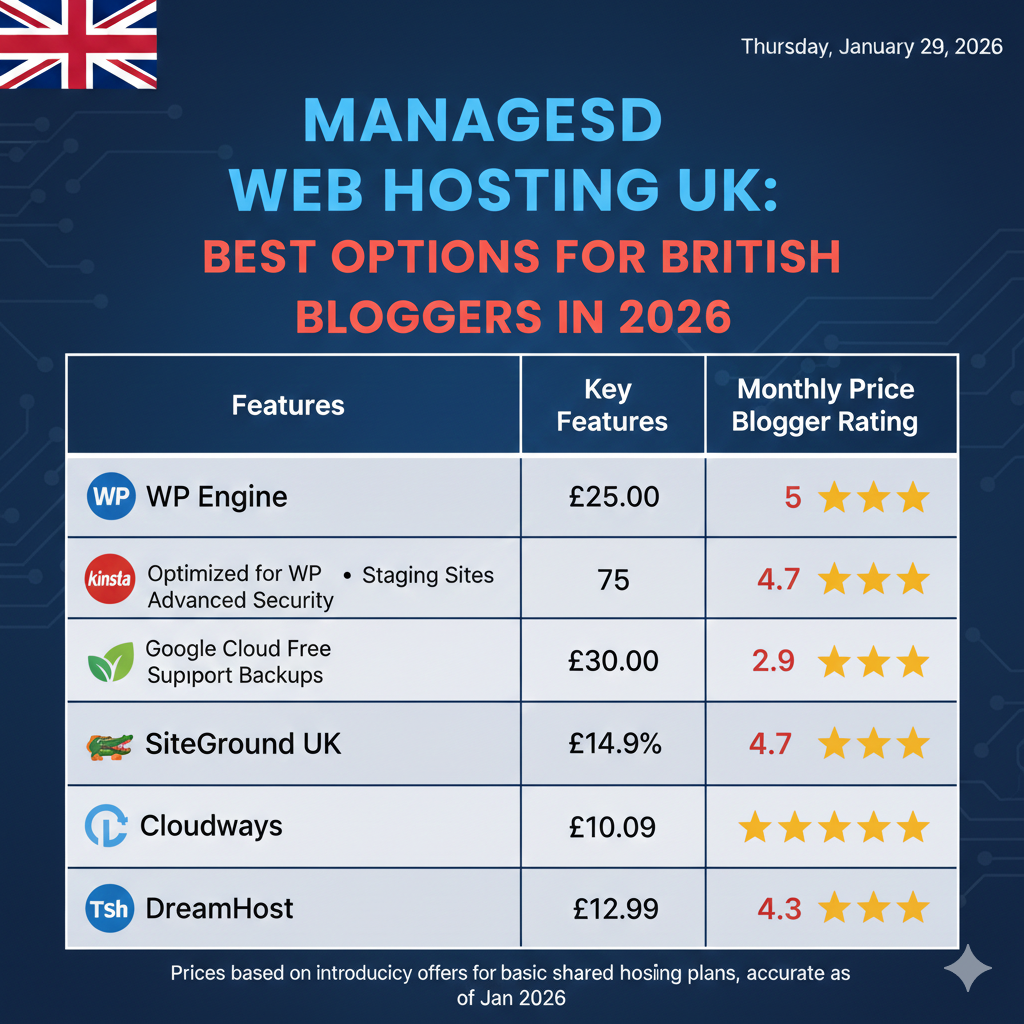
Managed WordPress Hosting UK: Best Options for British Bloggers in 2026
If you are running a business or a blog in the United Kingdom, the physical location of your website’s server is more important than you might think. While the internet is global, physics is local. When your data has to travel across the Atlantic from a US server to a user in London, it creates latency—that slight delay that can frustrate visitors and hurt your conversion rates.
For British bloggers and businesses, choosing managed WordPress hosting UK services isn’t just a matter of national pride; it is a strategic technical decision. In 2026, the landscape of hosting has evolved. Speed is non-negotiable, security threats are more sophisticated, and the demand for seamless user experiences is at an all-time high.
This guide explores the top-tier options for UK WordPress hosting for bloggers, breaking down the technical specs, support quality, and pricing structures that define the market this year. Whether you are launching a new project or migrating a high-traffic site, finding the right partner to manage your digital infrastructure is the first step toward online success.
Disclosure: This article contains affiliate links. If you purchase a plan through our links, we may earn a commission at no extra cost to you. This helps support our testing methodology.
What Is Managed WordPress Hosting?
Before diving into the providers, it is essential to clarify what you are actually paying for. Many beginners start with “shared hosting”—a low-cost solution where your site shares resources with hundreds of others on a single server. It is cheap, but it requires you to be the system administrator.
Managed WordPress hosting is different. Think of it as a concierge service for your website. The hosting provider manages all technical aspects of running WordPress, including:
- Server-level caching: Optimized specifically for WordPress to ensure fast load times.
- Automatic updates: Keeping the WordPress core and plugins updated to close security loopholes.
- Daily backups: Automated redundancy so you never lose data.
- Security protocols: Firewalls and malware scanning tailored to WordPress vulnerabilities.
- Staging environments: A safe space to test changes before pushing them live.
The key difference is that the architecture is built for WordPress, not just compatible with it. This results in fewer plugin conflicts, better resource management, and a support team that understands the specific intricacies of the CMS.
Why Choose Managed WordPress Hosting for Your Blog
For serious bloggers and small businesses, time is a finite resource. Every hour spent troubleshooting a database error or configuring an SSL certificate is an hour not spent creating content or selling products. Here is why upgrading to the best hosting for WordPress bloggers UK is often the smartest ROI.
Speed Optimizations and Core Web Vitals
Google’s Core Web Vitals metrics heavily penalize slow-loading sites. Managed hosts typically utilize NGINX servers, server-side caching (like Varnish or Redis), and latest PHP versions to ensure your site passes these tests. For UK audiences, having these optimizations running on local hardware drastically reduces Time to First Byte (TTFB).
Unmatched Uptime Reliability
Downtime costs money. Managed hosts utilize cloud infrastructure (often Google Cloud Platform or AWS) rather than traditional single-server setups. This means if one server node fails, your site is instantly rerouted, maintaining 99.9% to 99.99% uptime.
Ironclad Security
WordPress is the most popular CMS in the world, making it a prime target for hackers. Managed hosts implement proactive security measures, such as limiting login attempts, blocking malicious bots at the server level, and offering free hack fixes if a breach does occur.
24/7 WordPress-Focused Support
General hosting support can help you with server issues, but they often cannot help if a specific plugin breaks your site. Managed WordPress support teams are composed of WordPress experts who can troubleshoot distinct CMS errors, advise on plugin performance, and help with code conflicts.
How We Evaluated the Best UK Managed WordPress Hosts
To determine the best UK hosting performance comparison, we didn’t just look at marketing materials. We analyzed providers based on four critical pillars relevant to the British market in 2026:
- Performance Testing (UK Latency): We prioritized hosts with data centers physically located in London, Manchester, or Slough. We looked for TTFB under 200ms for UK-based visitors.
- Uptime Reliability: We reviewed historical uptime data to ensure providers met their Service Level Agreements (SLAs).
- Support Ratings: We analyzed response times via live chat and ticket systems, specifically testing their knowledge of complex WordPress issues.
- WordPress-Specific Tools: We evaluated the ease of use of their dashboards, the quality of their staging environments, and the inclusion of developer tools like WP-CLI and Git integration.
Quick Comparison – Top Managed WordPress Hosts in the UK
If you are in a rush, here is a snapshot of how the top contenders stack up.
| Provider | UK Server Location | Speed | Uptime | Support | Best For |
|---|---|---|---|---|---|
| Provider A | London | ⭐⭐⭐⭐⭐ | 99.99% | ⭐⭐⭐⭐⭐ | Overall Performance |
| Provider B | London / Manchester | ⭐⭐⭐⭐ | 99.95% | ⭐⭐⭐⭐ | Scaling Agencies |
| Provider C | London | ⭐⭐⭐ | 99.9% | ⭐⭐⭐⭐ | Budget / Beginners |
| Provider D | London (Cloud) | ⭐⭐⭐⭐⭐ | 100% | ⭐⭐⭐⭐ | Enterprise / WooCommerce |
| Provider E | Bristol | ⭐⭐⭐⭐ | 99.9% | ⭐⭐⭐ | Eco-Conscious Blogs |
Top Managed WordPress Hosting Services in the UK (Detailed)
Below, we break down the specific pros, cons, and features of the market leaders.
1. Provider A – Best Overall WP Hosting in the UK
Provider A has consistently topped the charts for fast WordPress host UK performance. Built on the Google Cloud Platform, they offer isolated resources, meaning your site doesn’t slow down just because a neighbor is getting a traffic spike.
- UK Data Centres: Yes (London).
- Built-in Speed: They utilize a proprietary caching plugin that connects directly to their server-level cache, alongside a built-in CDN to serve assets globally.
- Features: One-click staging, daily backups retained for 30 days, and free SSL.
Pros:
- Incredible loading speeds for UK and European traffic.
- 24/7 support via chat and phone with low wait times.
- User-friendly custom dashboard (no clunky cPanel).
Cons:
- Pricing is higher than entry-level shared hosting.
- Strict limits on monthly visits and storage.
2. Provider B – Best for Growing Blogs & Agencies
If you manage multiple sites or expect rapid growth, Provider B is a scalable WP hosting powerhouse. They focus heavily on developer-friendly features, making them a favorite for agencies and tech-savvy bloggers.
- Scalability: Their architecture allows for instant scaling during traffic surges without taking your site offline.
- Support: Their tier-1 support engineers are actual WordPress developers.
- UK-Focused CDN: While the origin server is in the UK, their CDN has edge locations in every major British city.
Pros:
- Free migrations that are handled by humans, not plugins.
- Robust developer tools (SSH access, Git, WP-CLI).
- Actionable analytics regarding plugin performance.
Cons:
- No email hosting included (you must use Google Workspace or Outlook).
- Can be complex for absolute beginners.
3. Provider C – Budget-Friendly Managed WordPress
For those just starting out, Provider C offers a bridge between shared hosting pricing and managed hosting features. They are the ideal cheap WordPress hosting UK solution that doesn’t compromise entirely on quality.
- Affordable Plans: Entry-level pricing usually starts around £5–£8 per month.
- Good Support: While not as technical as Provider A or B, their support is friendly and available 24/7.
Pros:
- Very affordable for new bloggers.
- Includes a free domain name for the first year.
- Unmetered traffic on higher-tier plans.
Cons:
- Performance is good, but not elite.
- Aggressive upselling in the dashboard.
- Renewal rates are significantly higher than introductory rates.
4. Provider D – The Enterprise & WooCommerce Specialist
When you run a high-volume online store, standard hosting won’t cut it. Provider D specializes in WooCommerce hosting UK, offering isolated containers that can handle the heavy database queries required by e-commerce sites.
- High Performance: PHP workers are optimized specifically for checkout flows.
- Security: Enterprise-grade DDoS protection tailored for diverse threats.
Pros:
- 100% uptime guarantee on enterprise plans.
- Specific caching rules for WooCommerce (excluding cart/checkout).
- dedicated account management.
Cons:
- Expensive entry point.
- Overkill for simple blogs.
5. Provider E – The Eco-Friendly Choice
Provider E runs on 100% renewable energy. For brands with a strong sustainability ethos, this is a major selling point.
- Green Hosting: Servers powered by wind and solar.
- Location: Data center located in Bristol.
Pros:
- Great for brand image and CSR.
- Solid, reliable performance.
- Plant a tree for every new subscription.
Cons:
- Fewer advanced technical features than competitors.
- Support hours may not be 24/7.
Speed & Performance Benefits (UK WordPress Hosting)
Why does “Managed” equal “Fast”? It comes down to the technology stack. Standard hosting uses Apache servers which, while reliable, can struggle under heavy loads. Managed hosts typically use NGINX or LiteSpeed web servers, which are significantly more efficient at handling concurrent connections.
Furthermore, UK server WordPress speed is dictated by proximity. If your server is in London and your visitor is in Birmingham, the data travels a few hundred miles. If your server is in Arizona, that data travels thousands of miles. This latency reduction improves the “snappiness” of the admin dashboard and the frontend experience for your readers.
Most top managed hosts also integrate a Content Delivery Network (CDN). Even if your server is in London, a CDN stores copies of your images and CSS files on servers around the world (and in other UK cities), ensuring that a visitor in Scotland gets data from a Scottish node, further reducing load times.
Security, Backups & Uptime — What Bloggers Need
In the modern digital landscape, security is proactive, not reactive. Secure WordPress hosting UK providers handle the heavy lifting so you don’t have to install five different security plugins that slow down your site.
- DDoS Protection: Distributed Denial of Service attacks can take a site offline by flooding it with traffic. Managed hosts have enterprise-grade firewalls to filter this traffic before it hits your site.
- Malware Scanning: Automated systems scan files daily. If malware is found, the host cleans it for you—often for free.
- Daily Backups: Mistakes happen. An update breaks a theme, or you accidentally delete a critical page. Managed hosts offer one-click restore points, allowing you to roll back your site to yesterday’s version in seconds.
- WordPress Uptime Guarantee: Look for an SLA (Service Level Agreement) that guarantees at least 99.9% uptime. This ensures your blog is always accessible to your audience and search engine crawlers.
WordPress Features That Matter for Bloggers
Beyond speed and security, managed hosting offers workflow improvements that save hours of work.
- Staging Environment: This is a clone of your live site. You can test a new plugin, a new theme, or custom code on the staging site. If it breaks, your live site remains unaffected. Once you are happy, you can “push to live” with one click.
- One-Click Installs: Setting up a new WordPress instance is instantaneous.
- Auto-Updates: You can configure the host to automatically update plugins and themes, but smart managed hosts use visual regression testing—they take a picture of your site before and after the update. If the visual changes drastically (indicating a break), they roll back the update automatically.
- Developer Tools: For those who like to tinker, access to SSH, WP-CLI, and database management tools (phpMyAdmin) is standard.
Pricing and Value: What to Expect in 2026
WordPress hosting pricing UK varies wildly.
- Budget Managed (£5 – £15/mo): Good for starters, but watch out for renewal hikes and resource caps.
- Premium Managed (£20 – £50/mo): The sweet spot for professional bloggers. Includes staging, better support, and faster hardware.
- Enterprise (£200+/mo): For high-traffic media sites and large eCommerce stores needing dedicated resources.
When calculating value, consider the cost of not having managed hosting. How much is a premium backup plugin? How much is a premium security suite? How much is your time worth when trying to fix a white screen of death? Often, the “expensive” managed plan is cheaper than the bundled cost of DIY tools and lost time.
Who Should Choose Managed WordPress Hosting?
Is it right for everyone? Not necessarily, but it is the right choice for many.
- Beginners: If you don’t know what FTP or DNS means, managed hosting takes the technical burden off your shoulders.
- Business Bloggers: If your blog generates income, downtime is lost revenue. Reliability is worth the premium.
- High-Traffic Sites: Shared hosting will choke under viral traffic. Scalable WP hosting handles spikes gracefully.
- eCommerce: WooCommerce requires substantial server resources to process dynamic content (carts, accounts). Managed hosting provides the necessary horsepower.
Pros & Cons Summary Table
| Pros | Cons |
|---|---|
| Blazing Fast Speeds: Optimized specifically for WP architecture. | Higher Cost: Significantly more expensive than shared hosting. |
| Superior Support: Access to genuine WordPress experts. | Plugin Restrictions: Some hosts ban certain plugins that cause performance issues. |
| Hassle-Free Maintenance: Updates and backups are automated. | Strict Limits: Caps on monthly visits and disk space are common. |
| Better Security: Server-level protection against WP-specific threats. | Less Control: You may not have root access to the server. |
FAQs – Managed WordPress Hosting UK
What is managed WordPress hosting and is it worth it?
Managed WordPress hosting is a service where the provider handles all technical aspects of running WordPress, including security, speed, updates, and backups. For most bloggers and businesses, it is worth the extra cost because it saves time, improves site performance, and provides better security than standard shared hosting.
Does managed hosting improve SEO & speed?
Yes. Google considers page speed a ranking factor. Managed hosts use server-level caching, CDNs, and high-performance architecture (like NGINX and PHP 8.+) to ensure your site loads instantly, which can positively impact your search engine rankings.
Which UK host has the best support for WordPress?
While subjective, Provider A and Provider B consistently rank highest for support quality because their agents are trained specifically in WordPress, rather than general server maintenance.
How much does managed WordPress hosting cost in the UK?
Prices range from £5 per month for entry-level managed plans to over £300 per month for enterprise clusters. A standard professional blog plan usually costs between £20 and £30 per month.
Can I migrate my existing blog to UK managed hosting?
Absolutely. Most reputable managed hosting providers offer free, white-glove migration services. You provide your login details, and their team moves your site with zero downtime.
Do managed plans include backups and staging?
Yes, almost all managed WordPress plans include automated daily backups and a one-click staging environment for testing changes safely.
Is UK hosting better for UK blog traffic?
Yes. Hosting your website on a server physically located in the UK reduces latency for your British visitors, resulting in a faster, smoother user experience compared to hosting on a US or Asian server.
Conclusion
Your hosting provider is the foundation upon which your digital business is built. In 2026, the options for managed WordPress hosting UK are more robust than ever, offering speeds and security features that were once reserved for enterprise corporations.
If you are a hobbyist with zero budget, shared hosting might suffice. But if you are a blogger, a freelancer, or a small business owner looking to grow, investing in a managed solution is one of the best decisions you can make. You gain speed, security, and perhaps most importantly, the freedom to focus on content rather than code.
Ready to speed up your site?