CRM Security Best Practices
Your Customer Relationship Management (CRM) system is more than just a digital rolodex; it is the central nervous system of your business. It houses your most valuable assets: proprietary sales data, financial records, and, most importantly, the Personally Identifiable Information (PII) of your customers.
As we move through 2026, the threat landscape has shifted aggressively. Cybercriminals are no longer just targeting credit card numbers; they are hunting for the rich, contextual data stored within CRMs to execute sophisticated identity theft and corporate espionage campaigns. With the cost of data breaches reaching record highs and regulatory bodies in the US, UK, and Germany tightening enforcement, the margin for error has vanished.
Prioritizing CRM data protection is no longer solely an IT ticket—it is a boardroom imperative. A single breach can dismantle years of brand trust and result in crippling fines. This guide covers the essential CRM security best practices you need to implement immediately to secure your infrastructure, maintain compliance, and protect your customers.
What Is CRM Security?
CRM security refers to the collective measures, protocols, and tools used to protect a CRM database from cyber threats, unauthorized access, and data corruption. It encompasses both the technical defenses (like encryption and firewalls) and the human policies (like access governance) that keep data safe.
Understanding the scope of CRM security requires recognizing what you are actually protecting. Modern CRMs store a “goldmine” of data types that are highly lucrative on the black market:
- Personally Identifiable Information (PII): Names, home addresses, email addresses, phone numbers, and social security or national insurance numbers.
- Financial Data: Purchase history, credit limits, bank account details, and invoicing schedules.
- Behavioral & Interaction Data: Call logs, email correspondence, support tickets, and internal notes about client preferences.
- Corporate Intelligence: Sales forecasts, pipeline data, and strategic partnership details.
When you secure a CRM, you are not just securing software; you are securing the identity of your customers and the future revenue of your company.
Common CRM Security Threats
To build a robust defense, you must understand the attack vectors. While movies depict hackers breaking through firewalls with complex code, the reality of CRM security risks is often more mundane but equally devastating.
Unauthorized Access
This is the most straightforward threat. If an attacker gains valid login credentials, they can bypass most perimeter defenses. This often occurs through “credential stuffing,” where attackers use passwords stolen from other website breaches to try and unlock your CRM accounts, banking on the fact that users reuse passwords.
Insider Threats
Not all attacks come from the outside. Insider threats involve current or former employees misusing their access. This could be malicious, such as a sales rep downloading the client list before leaving for a competitor, or accidental, such as an employee falling for a social engineering scam.
Phishing and Credential Theft
Phishing remains the primary entry point for most major breaches. Attackers send emails mimicking CRM notifications (e.g., “Your Salesforce password has expired”), tricking users into entering their credentials on a fake login page. Once the attacker has the login, they have the keys to the kingdom.
API Vulnerabilities
Modern CRMs rely heavily on Third-Party Integrations. You likely connect your CRM to your email marketing tool, accounting software, or VoIP system via APIs (Application Programming Interfaces). If these APIs are insecure or if the connected third-party app is breached, it creates a backdoor directly into your CRM data.
CRM Access Control Best Practices
The most effective way to limit damage from a potential breach is to limit who has access to what. You must move away from “open access” cultures and adopt strict governance.
Role-Based Access Control (RBAC)
Never give every user administrator privileges. Implementing Role-Based Access Control (RBAC) ensures that employees can only access the data necessary for their specific job function. A junior sales representative does not need the ability to export the entire database, nor does a marketing intern need access to invoicing details.
The Least-Privilege Principle
This security concept dictates that a user, program, or process should have only the bare minimum privileges necessary to perform its function. If a user account is compromised, the “least privilege” principle limits the blast radius of the attack. If the compromised user only had read-access to a tiny segment of data, the hacker cannot delete databases or steal global records.
Multi-Factor Authentication (MFA)
If you implement only one step from this guide, make it this one. Multi-Factor Authentication (MFA) requires users to provide two or more verification factors to gain access—usually something they know (password) and something they have (a code on their phone).
MFA is the single most effective deterrent against credential theft. Even if a hacker successfully phishes a user’s password, they cannot access the CRM without the second factor. Ensure MFA is mandatory for every user, with no exceptions for executives.
Data Encryption & Secure Storage
Encryption transforms readable data into an unreadable format that can only be deciphered with a decryption key. It is the final line of defense; if a hacker steals encrypted data, it is useless to them without the key.
Encryption at Rest and in Transit
- Encryption in Transit: This protects data while it is moving between the user’s browser and the CRM servers. Ensure your CRM uses Transport Layer Security (TLS) for all connections. You can verify this by looking for “HTTPS” in the browser URL bar.
- Encryption at Rest: This protects data stored on the CRM’s servers. If a physical server is stolen or a database is breached, encryption at rest ensures the files remain unreadable.
Secure Backups and Disaster Recovery
Ransomware attacks are increasingly common, where attackers lock you out of your data and demand payment. The only safeguard against this is a robust backup strategy.
- Frequency: Backups should happen automatically and frequently (daily or real-time).
- Isolation: Backups should be stored separately from the main network so that a ransomware infection cannot spread to the backups.
- Testing: Regularly test your disaster recovery plan to ensure you can actually restore data from your backups quickly.
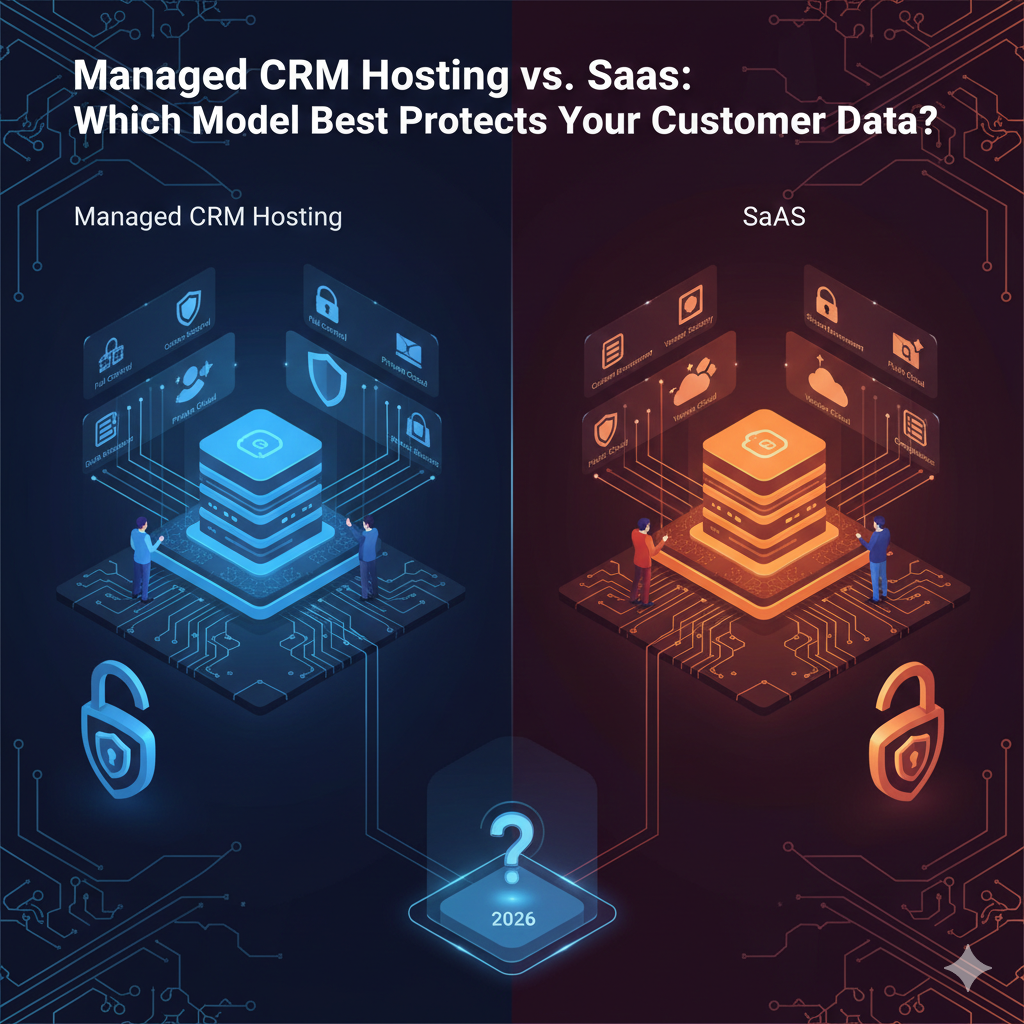
Cloud CRM vs Self-Hosted CRM: Security Differences
The debate between cloud (SaaS) and self-hosted (on-premise) solutions often centers on cost, but the security implications are profound.
The Shared Responsibility Model
In a Cloud CRM environment (like Salesforce or HubSpot), security is a shared responsibility.
- The Vendor: Is responsible for the security of the cloud (physical servers, network architecture, patching software vulnerabilities).
- The Customer (You): Is responsible for security in the cloud (user passwords, access permissions, API connections, data input).
Many businesses mistakenly believe the vendor handles everything. This is dangerous. If your admin sets a password to “password123,” the vendor’s military-grade server security cannot save you.
Data Ownership and Control
In a Self-Hosted CRM, you have total control, but also total liability. You are responsible for firewalls, updates, physical security, and threat detection. While this offers “data sovereignty”—appealing to strict compliance regions like Germany—it requires a dedicated, highly skilled security team to manage effectively. For most Small to Mid-sized Businesses (SMBs), a reputable cloud provider often offers better security than an on-premise server room.
Compliance & Regulatory Best Practices
Navigating the legal landscape of data privacy is critical. Non-compliance results in massive fines and reputational suicide.
GDPR (EU & Germany)
The General Data Protection Regulation (GDPR) sets the global standard for privacy. If you have customers in the EU, you must comply. Germany, known for its strict Bundesdatenschutzgesetz (BDSG), often interprets these rules even more rigorously.
- Right to Access: You must be able to provide a customer with all data you hold on them.
- Right to Erasure: If a customer asks to be “forgotten,” you must be able to permanently delete their data from your CRM and backups.
UK GDPR
Following Brexit, the UK retained the GDPR framework. The principles remain largely the same as the EU version, requiring strict consent for data collection and mandatory breach reporting within 72 hours.
CCPA / US Privacy Laws
The California Consumer Privacy Act (CCPA) applies to businesses dealing with California residents. While the US lacks a single federal GDPR equivalent, the CCPA grants consumers the right to know what data is collected and to opt-out of its sale.
Audit Readiness
To be a compliant CRM user, you must be audit-ready. This means keeping detailed records of who accessed data, when consent was given, and how data is processed. Regularly review your CRM against these standards to avoid surprises during a regulatory audit.
Monitoring, Logging & Incident Response
Security is not “set and forget.” You need visibility into what is happening inside your system.
Activity Logging
Enable comprehensive logging features in your CRM. You should have a digital paper trail that answers:
- Who logged in?
- When did they log in?
- What records did they view, edit, or export?
- Where did they log in from (IP address)?
Intrusion Detection
Utilize tools that analyze these logs for anomalies. For example, if a user who typically logs in from Berlin suddenly logs in from a device in a different continent at 3 AM and attempts to download 5,000 leads, your system should flag this as a high-priority alert.
CRM Incident Response Plans
When a breach occurs, panic is the enemy. You need a pre-written Incident Response Plan (IRP). This document should outline:
- Identification: How to confirm the breach.
- Containment: Steps to lock down accounts and stop data loss.
- Eradication: How to remove the threat.
- Notification: Who to tell (legal team, affected customers, regulatory bodies) and when.
Employee Training & Security Policies
Technology can fail, but human error is inevitable. Statistics consistently show that employees are the weakest link in the cybersecurity chain.
Human Error as a Security Risk
Employees may share passwords, leave laptops unlocked in coffee shops, or click on malicious links. These aren’t malicious acts; they are mistakes born of ignorance or convenience.
Security Awareness Training
Regular training is essential. This shouldn’t be a once-a-year boring video.
- Phishing Simulations: Send fake phishing emails to employees to see who clicks, then provide immediate educational feedback.
- Clean Desk Policy: Ensure sensitive client notes aren’t left written on Post-it notes.
- Social Media Hygiene: Train sales teams not to overshare client info on LinkedIn, which can be used for social engineering.
CRM Security Checklist (Quick Reference)
Use this checklist to audit your current CRM security posture.
- MFA Enabled: Multi-factor authentication is active for all users.
- RBAC Audited: User roles are reviewed quarterly; privileges are limited to need-to-know.
- Offboarding Process: Accounts for terminated employees are revoked immediately.
- Strong Password Policy: Enforce length and complexity requirements; disallow reuse.
- API Review: Audit all third-party integrations; remove unused connections.
- Data Backup: Automated backups are active and tested for restoration.
- Software Updates: CRM software (if self-hosted) and all devices are patched.
- Activity Logs: Logging is enabled and reviewed for anomalies.
- Training: Staff has completed security awareness training within the last 6 months.
- Incident Plan: An incident response plan exists and has been rehearsed.
FAQs
What are CRM security best practices?
CRM security best practices include enabling Multi-Factor Authentication (MFA), using Role-Based Access Control (RBAC), encrypting data both in transit and at rest, performing regular security audits, and training employees on how to recognize phishing attempts.
How do you secure a CRM system?
Securing a CRM system involves a layered approach: technical controls (firewalls, encryption), access management (strong passwords, MFA), and administrative policies (regular audits, employee training). It also requires keeping the software updated to patch vulnerabilities.
Is cloud CRM secure?
Yes, cloud CRMs are generally very secure—often more so than on-premise servers for small businesses—because major providers (like Salesforce or Microsoft Dynamics) invest billions in security infrastructure. However, they rely on the “Shared Responsibility Model,” meaning you are still responsible for securing user access and data entry.
How does CRM encryption work?
CRM encryption scrambles data using a mathematical formula so it appears as gibberish to anyone without the decryption key. “Encryption in transit” protects data moving over the internet (using TLS/SSL), while “encryption at rest” protects data stored on the server’s hard drive.
What compliance standards apply to CRM data?
The standards depend on your location and industry. Common ones include GDPR (Europe/UK) for general data privacy, CCPA (California) for consumer rights, HIPAA (USA) for healthcare data, and PCI-DSS (Global) if you store credit card information within your CRM.
How often should CRM security audits be done?
A comprehensive security audit should be conducted at least annually. However, access privileges (who can see what) should be reviewed quarterly, and vulnerability scans (for software issues) should be continuous or monthly.
Can CRM vendors access my data?
Technically, CRM vendors have physical access to the servers where your data lives. However, reputable vendors have strict protocols preventing their staff from accessing customer data without explicit permission (usually granted only for support tickets). Using “Customer Managed Keys” for encryption can further prevent vendors from seeing your data.
What is the biggest CRM security risk?
The biggest risk is usually human error. This includes weak passwords, falling for phishing scams, or an employee accidentally exporting and sharing a sensitive database. While hackers are a threat, internal negligence causes a significant percentage of data breaches.
Conclusion
Securing your CRM is not a one-time project; it is an ongoing culture of vigilance. As we navigate the complexities of 2026—from evolving AI-driven cyber threats to stricter GDPR enforcement—the businesses that thrive will be those that view security as a competitive advantage rather than a burden.
By implementing these CRM security best practices, you demonstrate to your clients that their privacy is your priority. You protect your revenue, your reputation, and your future. Don’t wait for a breach to reveal the holes in your defense. Start with the checklist provided above, audit your access controls today, and build a fortress around your most valuable data.