Hidden Costs in Managed WordPress Hosting and How to Avoid Them
Signing up for managed WordPress hosting often feels like hiring a team of experts to watch over your website. The promise is enticing: lightning-fast speeds, fortress-like security, and automated updates, all for a flat monthly fee. For business owners and creators tired of wrestling with server configurations, it seems like the perfect solution.
However, the invoice doesn’t always match the initial price tag. As your site grows or your needs change, you might notice small charges creeping onto your bill. A few dollars here for backups, a surcharge there for extra visitors. Suddenly, that affordable hosting plan has doubled in price.
These hidden costs are the industry’s open secret. While the entry-level pricing is attractive, the business model relies on upselling features that many users assume are included. Understanding these potential pitfalls is the only way to protect your budget.
This guide breaks down exactly where the extra fees hide in managed WordPress contracts. You will learn how to identify these costs before you sign up, how to differentiate between necessary upgrades and “junk fees,” and how to choose a provider that values transparency over tricky billing.
What Is Managed WordPress Hosting? (Quick Recap)
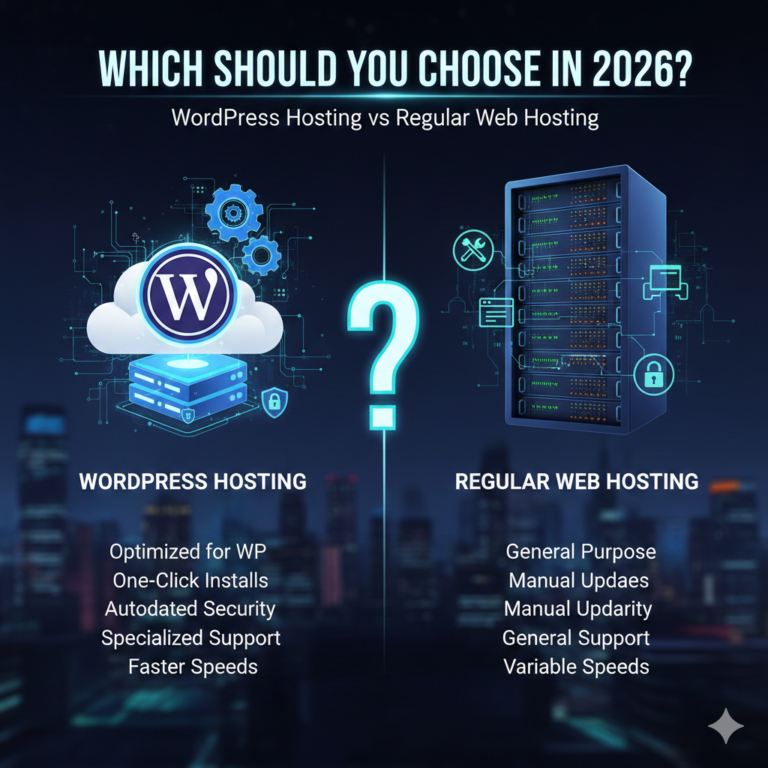
Before dissecting the costs, it is helpful to understand what you are actually paying for. Unlike shared hosting, where you are renting a sliver of space on a crowded server with little support, managed WordPress hosting is a concierge service. The host takes care of the technical heavy lifting so you can focus on creating content or selling products.
Core features typically include:
- Automatic updates: WordPress core, themes, and plugins are kept current.
- Server-level caching: specialized configurations to make WordPress run faster.
- Expert support: Access to technicians who actually understand WordPress.
- Security protocols: Proactive scanning for malware and vulnerabilities.
Because the host manages the infrastructure specifically for WordPress, the base price is naturally higher than generic shared hosting. You are paying for performance and peace of mind. However, because the infrastructure is more specialized, the limits on resources are often stricter, and that is where the hidden costs begin to accumulate.
Common Hidden Costs in Managed WordPress Hosting
When you look at a pricing page, you usually see the “starting at” price. But beneath the bold numbers lies a complex web of limits and caps. Here are the seven most common areas where costs can spiral out of control.
3.1 Visitor & Traffic Overage Fees
This is often the most shocking expense for successful websites. Many managed hosting plans cap the number of “visits” allowed per month. A starter plan might allow 25,000 monthly visits. If a marketing campaign succeeds or a blog post goes viral, you blow past that limit.
Hosts handle this in two ways. Ideally, they simply ask you to upgrade to the next tier. Less ideally, they charge “overage fees.” This is often calculated per 1,000 extra visits. For example, you might be charged $1 or $2 for every 1,000 visitors over your cap.
If you have a sudden spike of 50,000 extra visitors—which is a great thing for business—you could be hit with a $50 to $100 surcharge on top of your monthly bill. In the hosting world, this is effectively a tax on your success.
3.2 Storage and Bandwidth Limits
Managed hosts often use high-performance solid-state drives (SSD) or NVMe storage. This hardware is faster but more expensive than traditional hard drives. Consequently, storage space on managed plans is often surprisingly low—sometimes as little as 10GB for entry-level accounts.
If you run a photography portfolio, a podcast network, or a media-rich eCommerce store, you will consume that space quickly. Once you hit the cap, you face a choice: delete content or pay for more space.
The cost for “add-on” storage is rarely competitive with cloud storage rates. You might pay a premium monthly fee for every extra 5GB block. Additionally, bandwidth (the amount of data transferred to visitors) is also monitored. If you host large video files directly on your server rather than using a third-party service like YouTube or Vimeo, you will hit bandwidth caps rapidly, triggering further overage charges.
3.3 Paid Backups and Restores
Backups are non-negotiable for website security. Most managed hosts advertise “daily backups” as a selling feature. The hidden cost usually isn’t in the creation of the backup, but in the restoration or retention of it.
Some providers offer automated daily backups but charge you if you want to create an “on-demand” backup right before you update a plugin. Others might hold your backups for 30 days but charge a fee if you need to download a ZIP file of your site to move it elsewhere.
The most frustrating hidden cost is the “restore fee.” In this scenario, the host confirms they have your backup, but if your site breaks and you need them to roll it back, they charge a service fee for the technician’s time to execute the restoration.
3.4 Premium CDN or Bandwidth Charges
A Content Delivery Network (CDN) stores copies of your site’s images and assets on servers around the world, ensuring fast load times for global visitors. Many managed hosts include a “free CDN.”
However, check the fine print. The free tier often has a bandwidth cap. Once your CDN traffic exceeds a certain amount (e.g., 50GB), the CDN stops working, or you are automatically billed for the excess.
Furthermore, some hosts differentiate between regional delivery. They might deliver content for free to visitors in North America and Europe but charge extra for delivery to Asia or Australia, where bandwidth costs are higher. If you have a global audience, these regional surcharges can add up significantly.
3.5 Add-on Security Features
Security is a primary selling point for managed hosting, so it feels counterintuitive that it would generate extra fees. Yet, many hosts operate on a “protection vs. cure” pricing model. They include firewalls and scanning for free, but fixing a problem costs money.
If your site gets hacked despite their protection, some hosts charge a hefty “malware removal fee” to clean it up. This can cost upwards of $150 per incident. Other hosts might upsell you on an “advanced security pack” that includes a Web Application Firewall (WAF) or DDoS protection, features that arguably should be standard on a premium “managed” plan.
3.6 Email Hosting Costs
If you are coming from a shared hosting background (like Bluehost or GoDaddy), you are likely used to getting free email accounts (e.g., info@yourdomain.com) included with your plan. Managed WordPress hosts generally do not offer email hosting.
They do this for a good reason: email hosting is complex and affects server reputation. However, it represents a hidden cost because you now have to pay a third party. You will need to sign up for Google Workspace, Microsoft 365, or a distinct email provider like Rackspace. While this results in better email deliverability, it adds an extra $6 to $15 per user, per month, to your total operational costs.
3.7 Staging, Cloning, and Development Tools
A staging site allows you to test changes in a safe environment before pushing them live. It is a standard requirement for any serious business site. While most managed hosts offer this, some restrict it to mid-tier plans and above.
If you are on a “Starter” or “Personal” plan, the button to create a staging site might be grayed out, forcing an upgrade. Similarly, cloning tools (used to duplicate a site for testing or development) might incur extra fees or require a more expensive subscription level.
Renewal Price Increases
This is the classic “bait and switch” of the hosting industry, and managed WordPress hosting is not immune. You might sign up for a three-year term at an attractive rate of $15 per month. The landing page usually displays this price in large font, with a strikethrough next to a higher price.
That higher price is the renewal rate. When your initial term ends, the discount evaporates. Your bill doesn’t just go up by inflation; it often jumps by 100% to 200%. That $15/month plan becomes $45/month overnight. Because migrating a complex site to a new host is time-consuming and technically daunting, many customers simply pay the higher rate to avoid the hassle.
How to Avoid Hidden Hosting Costs
Avoiding these fees doesn’t mean you have to settle for bad hosting. It means you have to be a vigilant consumer.
Read the Fair Usage Policy: Don’t just look at the features list; look for the “Acceptable Use” or “Fair Usage” policy. This document defines what happens when you use too many resources. Look for keywords like “throttle,” “cap,” and “overage.”
Choose Flexible or Scalable Plans: Some hosts offer “autoscaling” where you pay a small fee for extra resources during spikes, rather than being forced to upgrade to a massive plan permanently. This is usually more cost-effective for sites with seasonal traffic.
Monitor Your Usage: Don’t set it and forget it. Log in to your hosting dashboard monthly to check your disk space and traffic. If you are creeping up on your limits, optimize your images or offload media to an external storage service like Amazon S3 or Google Cloud Storage before you get hit with fees.
Bundle Features: If you know you need premium security, a CDN, and a staging environment, calculate the total cost of a higher-tier plan versus a base plan with add-ons. Often, simply jumping to the “Pro” plan is cheaper than paying for three separate add-ons on the “Starter” plan.
Affordable Managed Hosting vs “Cheap” Plans
It is vital to distinguish between value and price. There is a reason some managed hosting plans cost $5/month and others cost $35/month.
“Cheap” plans usually aggressively monetize the hidden costs mentioned above. They count on you exceeding limits or needing paid support. They may also crowd more users onto a single server, which degrades performance and leads to the very resource issues that trigger overage fees.
“Affordable” hosting provides transparency. A provider charging $30/month might include unmetered traffic, free migrations, and free malware removal. In the long run, the $30 plan is often cheaper than the $5 plan that hits you with $50 in overage fees and $150 for a malware cleanup.
When evaluating cost, factor in your time. If a cheap host requires you to manually manage backups or constantly dispute billing errors, you aren’t saving money.
Who Is Most Affected by Hidden Costs?
Not everyone needs to worry equally. A small personal blog with steady, low traffic will likely stay within the bounds of a starter plan indefinitely. The hidden costs tend to target specific types of users:
- Growing Websites: Sites that are scaling up often hit traffic caps unexpectedly.
- eCommerce Sites: WooCommerce stores are database-heavy and require more processing power (PHP workers). Cheap plans will throttle these sites, forcing expensive upgrades.
- Agencies: If you manage 20 client sites, small per-site fees for backups or SSL certificates compound into thousands of dollars annually.
- Media-Heavy Blogs: Photographers and videographers are most susceptible to storage and bandwidth penalties.
Questions to Ask Before Buying Managed WordPress Hosting
Before you enter your credit card information, open a chat window with the sales team and ask these specific questions:
- “What exactly happens if I exceed my visitor limit? Is there a hard cap, a throttling of speed, or an automatic fee?”
- “Does the included backup service cover one-click restores, or is there a fee for restoration?”
- “Are there any limits on the ‘free’ CDN? Does it cover global traffic?”
- “Is malware removal included in the monthly price, or is it a paid add-on?”
- “What will the renewal price be after my initial term expires?”
- “Do you provide email hosting, or will I need to purchase that separately?”
Transparency is Key
The managed WordPress hosting market is crowded, and competition is fierce. This benefits the consumer, provided you know what to look for. The best hosting providers are the ones that make their pricing boring. They don’t hide limits in the fine print or punish you for growing your audience.
Hidden costs are usually a symptom of a mismatched partnership. If your host charges you for success (traffic) or security (malware removal), they aren’t invested in your growth. By auditing your needs, asking the right questions, and prioritizing transparency over rock-bottom introductory rates, you can find a hosting partner that supports your business without draining your bank account.