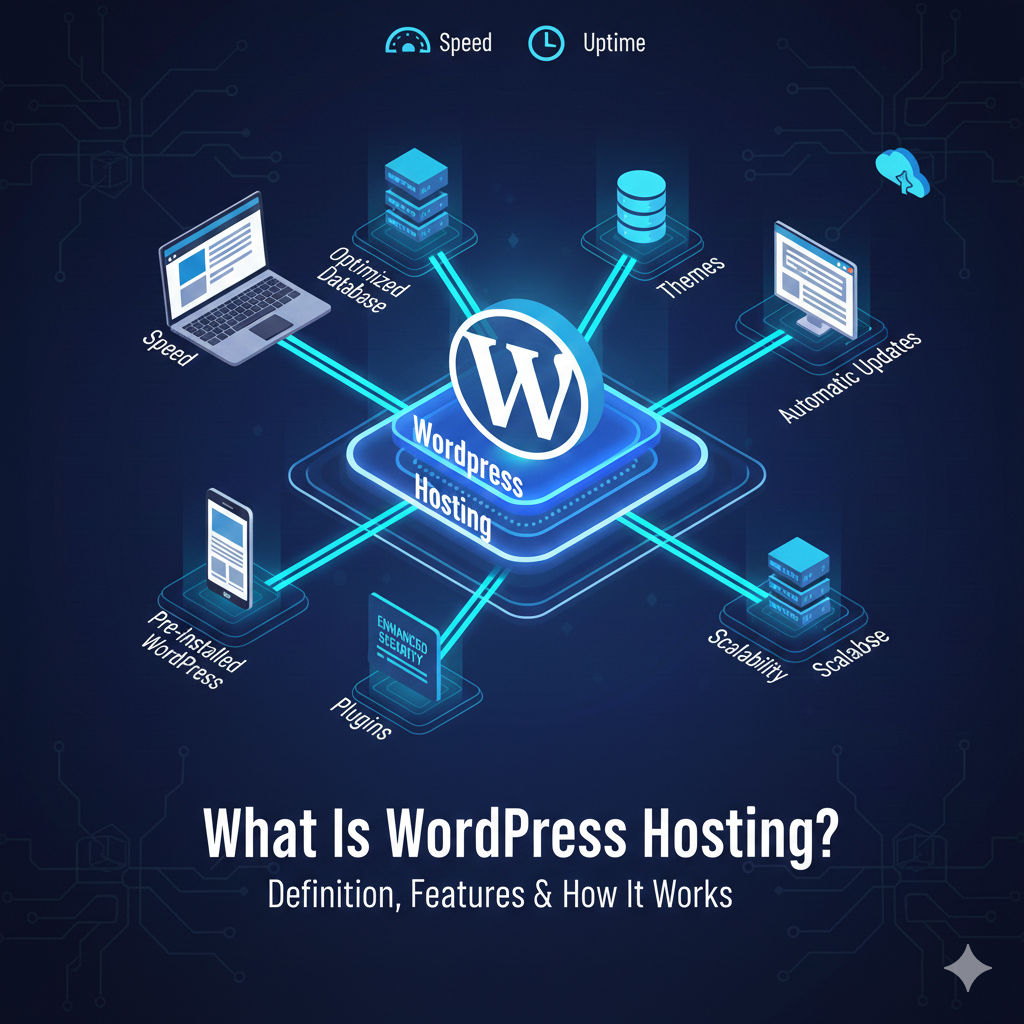
What Is WordPress Hosting? Meaning, Benefits & How It Works
Building a website is an exciting journey, but the technical jargon can quickly become overwhelming. If you have decided to use WordPress—the world’s most popular Content Management System (CMS)—you have likely stumbled across the term “WordPress hosting.”
But what is WordPress hosting, exactly? Is it different from regular web hosting? And most importantly, do you really need it to run a successful site?
In short, WordPress hosting is a form of web hosting specifically optimized to run WordPress websites. While you can technically run WordPress on almost any standard web server, specialized WordPress hosting offers an environment designed to make your site faster, more secure, and easier to manage. Think of it like buying a suit: you can buy one off the rack (regular hosting) and it will cover you, or you can buy one tailored to your exact measurements (WordPress hosting) for a better fit and sharper look.
In this guide, we will break down the WordPress hosting meaning, explore the different types available, and help you decide if it is the right investment for your online presence.
See also: The Evolution of Web Hosting: From Shared Servers to Cloud Infrastructure
What Is WordPress Hosting? (Definition)
At its core, WordPress hosting is a hosting service where the technical backend is tuned specifically for WordPress sites.
When you sign up for a generic hosting plan, the server is often configured to run a wide variety of software and website builders. It’s a jack-of-all-trades environment. However, WordPress has specific resource requirements to run at peak performance. WordPress hosting providers configure their servers to meet these exact needs.
This optimization usually happens at two levels:
- Software: The hosting environment comes pre-installed with necessary tools and the latest version of WordPress.
- Hardware: The servers are configured to handle the specific way WordPress queries databases, resulting in faster load times.
Managed vs. Unmanaged
When defining this service, it is crucial to understand the two main categories:
- Unmanaged WordPress Hosting: You get the optimized server space, but you are responsible for maintenance, security patches, and updates. It is cheaper but requires more work.
- Managed WordPress Hosting: The provider handles the technical heavy lifting. They update your site, back it up daily, scan for malware, and optimize speed. This is the “concierge” experience.
How Does WordPress Hosting Work?
To understand how WordPress hosting works, you have to look under the hood of a website server.
Every website lives on a server—a powerful computer that stores your site’s files and delivers them to visitors’ screens. In a WordPress-specific environment, the provider streamlines this process through several key mechanisms:
Pre-Installed Software
With standard hosting, you often have to manually upload WordPress files or use an auto-installer script. With WordPress hosting, the CMS is usually pre-installed. You can log in and start building immediately after purchase.
Server-Level Optimization
WordPress relies heavily on PHP (a scripting language) and MySQL (a database management system). A WordPress host will optimize these specific technologies. For example, they might allocate more PHP memory power to your site, preventing it from crashing when you install a resource-heavy plugin.
Automatic Updates and Backups
One of the most significant features is automation. WordPress releases core software updates regularly to patch security vulnerabilities. A dedicated WordPress host will often apply these updates for you automatically. Furthermore, they perform daily backups, ensuring that if something goes wrong, you can restore your site with a single click.
Types of WordPress Hosting
Not all WordPress hosting is created equal. Depending on your budget and traffic levels, you will likely choose from one of the following four types of WordPress hosting.
Shared WordPress Hosting
This is the entry-level option. Your website resides on a single server alongside hundreds of other websites. You share resources like memory and bandwidth.
- Best for: Beginners, personal blogs, and low-traffic sites.
- Pros: Very affordable.
- Cons: If another site on the server gets a traffic spike, your site might slow down.
Managed WordPress Hosting
As mentioned earlier, this is a service-based option. You are paying for better hardware and a team of experts to manage the server for you.
- Best for: Small businesses, professional bloggers, and anyone who isn’t tech-savvy.
- Pros: Hands-off maintenance, superior support, and high speed.
- Cons: More expensive than shared plans.
VPS WordPress Hosting
VPS stands for Virtual Private Server. It is still a shared physical server, but it is partitioned so that you have a dedicated slice of resources that no one else can touch.
- Best for: Growing businesses and developers who need custom configurations.
- Pros: More stable and powerful than shared hosting.
- Cons: Requires some technical knowledge to manage effectively.
Cloud WordPress Hosting
Instead of living on one physical server, your website is hosted on a cluster of cloud servers. If one server fails, another takes over instantly.
- Best for: High-traffic sites and large eCommerce stores.
- Pros: Incredible reliability and scalability (you can add more power instantly).
- Cons: Can get expensive as you scale.
Key Features of WordPress Hosting
Why choose this over a generic plan? It comes down to specific WordPress hosting features that save you time and headaches.
Caching and CDN
Caching stores a static version of your website so it loads faster for repeat visitors. Regular hosts require you to install plugins to handle this. WordPress hosts often have caching built directly into the server (server-side caching), which is significantly more efficient. Many also include a free Content Delivery Network (CDN) to serve your images from servers closer to your visitors’ physical locations.
Security Hardening
WordPress is the most targeted CMS by hackers simply because it is the most popular. WordPress hosts implement security protocols specifically designed to block known WordPress threats, such as login brute-force attacks and XML-RPC exploits.
One-Click Staging
This is a lifesaver for site owners. A “staging site” is a clone of your live website. You can test new plugins, themes, or code changes on the staging site without affecting your public site. Once you are happy with the changes, you can push them to the live site with one click.
Expert WordPress Support
When you contact support at a generic host, the agent might know a little about everything. With specialized hosting, the support team consists of WordPress experts who understand the nuances of the platform, themes, and plugins.
WordPress Hosting vs Regular Web Hosting
This is the most common question beginners ask: “Do I really need specialized hosting?” Here is a comparison of WordPress hosting vs regular hosting to help you decide.
| Feature | Regular Web Hosting | WordPress Hosting |
|---|---|---|
| Performance | Standard performance; resources shared with non-WP sites. | Optimized specifically for WordPress scripts and databases. |
| Security | General firewalls; you must install security plugins. | Firewalls configured to block specific WordPress threats. |
| Support | General technical support. | WordPress-specific experts. |
| Maintenance | You handle updates and backups manually. | Automatic updates and daily backups are standard. |
| Setup | Manual installation or script installers. | WordPress comes pre-installed. |
While you can run a WordPress site on regular hosting, you are essentially trading money for time. You will spend less cash on regular hosting, but you will spend more time managing security and performance plugins yourself.
How Much Does WordPress Hosting Cost?
The WordPress hosting cost varies wildly depending on the level of service and performance you need.
- Entry-Level (Shared): $3 – $15 USD per month. This is great for hobbyists. Be aware that the lowest price is usually an introductory offer (e.g., pay for 3 years upfront).
- Mid-Range (Managed): $15 – $50 USD per month. This is the sweet spot for small businesses. You are paying for the “managed” features like backups, staging, and premium support.
- High-End (Enterprise/Cloud): $100 – $500+ USD per month. This is for high-traffic media sites or large eCommerce stores processing thousands of transactions.
Note on Pricing: Always check the renewal price. It is common practice in the hosting industry to offer a massive discount for the first term (e.g., $2.99/mo) that renews at the regular rate (e.g., $10.99/mo) after the initial period ends.
Who Should Use WordPress Hosting?
Is this service right for you? Here are the user profiles that benefit most.
Beginners
If you have never built a website, managed WordPress hosting is ideal. The technical barriers are removed. You don’t need to worry about databases or FTP clients; you just log in and write content.
Bloggers
Speed is a ranking factor for Google. If you want your blog to rank high in search results, the speed optimizations provided by a WordPress host can give you a competitive edge over blogs hosted on slower, generic servers.
Small Businesses
For a business, a website crash means lost revenue. The reliability, security monitoring, and daily backups of WordPress hosting act as an insurance policy for your online reputation.
eCommerce Sites (WooCommerce)
Online stores are resource-intensive. They require high security (SSL certificates) and fast load times to prevent cart abandonment. Specialized WooCommerce hosting (a subset of WordPress hosting) is essential here.
How to Choose the Best WordPress Hosting Provider
With thousands of hosts available, finding the best WordPress hosting providers requires looking at four key metrics.
- Speed Metrics: Look for hosts that offer NGINX servers, PHP 8.0+ support, and built-in caching. Check independent reviews for “Time to First Byte” (TTFB) scores.
- Uptime Guarantee: Your host should guarantee at least 99.9% uptime. This ensures your site is rarely offline.
- Security Features: Do they offer free SSL certificates? Do they scan for malware automatically? Do they have a firewall?
- Support Quality: Test their live chat before you buy. Ask a technical question and see if they answer with a generic link or a genuine, helpful response.
How to Get Started with WordPress Hosting
Ready to launch? Here is how to start WordPress hosting in four simple steps.
- Choose Your Provider: Select a host that fits your budget and traffic needs (Shared for starters, Managed for business).
- Register Your Domain: Most hosts allow you to buy your domain name (e.g., yoursite.com) during the checkout process. Some even include the first year for free.
- Install WordPress: If it didn’t come pre-installed, look for a “One-Click Install” button in your hosting dashboard. Create your admin username and password.
- Launch Your Site: Log in to your new WordPress dashboard, select a theme, and publish your first page.
Pros and Cons of WordPress Hosting
To summarize, here is an honest look at the WordPress hosting pros and cons.
Pros:
- Speed: servers are tuned specifically for the platform.
- Security: Proactive protection against specific WordPress hacks.
- Convenience: Automatic updates and backups save time.
- Support: Access to experts who know the software inside out.
Cons:
- Price: Managed plans are more expensive than generic shared hosting.
- Flexibility: You generally cannot run other software (like Drupal or Joomla) on the same account.
- Plugin Bans: Some managed hosts ban certain plugins (like caching or backup plugins) because they conflict with the host’s internal tools.
FAQs – What Is WordPress Hosting?
Is WordPress hosting worth it?
For most users, yes. The time saved on maintenance, updates, and security configurations usually outweighs the slightly higher monthly cost compared to generic hosting. If you value convenience and speed, it is a worthy investment.
Can I run WordPress on regular hosting?
Absolutely. You can install WordPress on almost any Linux-based web hosting plan. However, you will miss out on the pre-configured performance tweaks and specialized support that come with WordPress-specific plans.
What is the difference between managed and shared WordPress hosting?
Shared WordPress hosting puts you on a crowded server where you manage the site yourself. Managed WordPress hosting gives you a “concierge” service where the host handles updates, security, and performance optimization for you.
Which WordPress hosting is fastest?
Generally, cloud-based managed WordPress hosts (like Kinsta, WP Engine, or Rocket.net) offer the fastest speeds because they utilize premium cloud infrastructure (like Google Cloud Platform) rather than traditional physical servers.
Is WordPress hosting good for beginners?
Yes, it is the best option for beginners. Pre-installed software and easy-to-use dashboards remove the intimidation factor of managing a web server.
How much does WordPress hosting cost per month?
It ranges from $3/month for basic shared plans to $30+/month for quality managed hosting. Enterprise plans can cost hundreds of dollars.
Does WordPress hosting improve SEO?
Indirectly, yes. Google uses page speed and uptime as ranking factors. Because WordPress hosting is optimized for faster load times and better reliability, it provides a solid foundation for your SEO efforts.
Conclusion
Choosing the right foundation for your website is one of the most critical decisions you will make online. What is WordPress hosting? It is simply the most efficient, secure, and hassle-free way to power a WordPress site.
While you can certainly get by with generic hosting, the specialized features of WordPress hosting—like server-side caching, automatic updates, and expert support—allow you to focus on creating content and growing your business rather than fighting with technical backend issues.
If you are ready to take your website seriously, upgrading to a host that understands your software is the first step toward success.
Related articles: