Cloud Infrastructure for Business Explained
For decades, if you wanted to build a serious business, you had to build a server room. You needed racks of humming hardware, expensive cooling systems, and a dedicated IT team just to keep the lights on. It was a massive capital expense that slowed down agility and ate into profit margins.
Those days are effectively over.
Cloud infrastructure has democratized access to enterprise-grade technology. Now, a two-person startup can access the same computing power as a Fortune 500 company, paying only for what they use. But for many business owners, the “cloud” remains a vague concept—an abstract idea rather than a tangible asset.
Understanding cloud infrastructure is no longer just for the CTO. It is a financial and strategic necessity for modern leadership. This guide breaks down exactly what cloud infrastructure is, how it differs from traditional IT, and how you can leverage it to make your business faster, leaner, and more secure.
What Is Cloud Infrastructure?
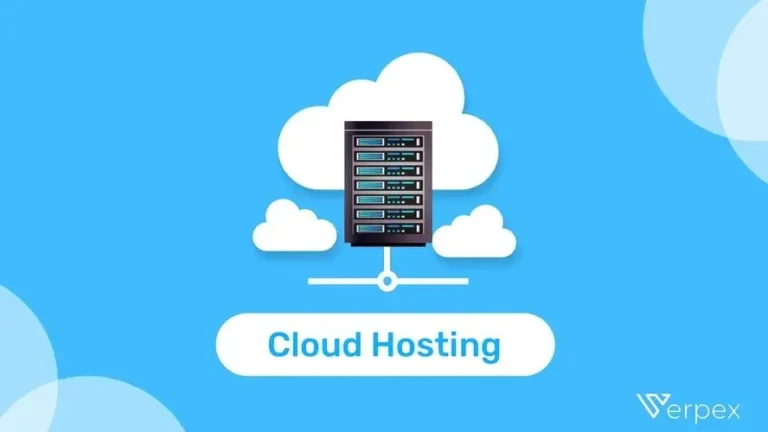
At its simplest level, cloud infrastructure is the practice of renting computing resources over the internet rather than buying and maintaining physical hardware yourself.
Think of it like the electricity grid. You don’t build a power plant in your backyard to run your office lights. Instead, you plug into a massive, existing grid managed by a utility company, and you pay a bill based on how much electricity you consume.
Cloud infrastructure works the same way for computing. Instead of buying servers (the power plant), you connect to a provider like Amazon Web Services (AWS), Microsoft Azure, or Google Cloud. They manage the physical data centers, the hardware, and the virtualization technology. You simply log in and use the resources you need to run your applications, store your data, and serve your customers.
How cloud infrastructure works
The magic behind the cloud is a technology called virtualization.
Physical servers in a data center are massive and powerful. Virtualization software slices a single physical server into multiple “virtual” machines. Each virtual machine acts like its own independent computer with its own operating system and applications.
Because the provider can run many virtual machines on one physical server, they maximize efficiency. They pass that efficiency on to you in the form of on-demand access. You can spin up a new server in minutes to handle a project and shut it down just as fast when you are done.
Core Components of Cloud Infrastructure
When you move your business to the cloud, you aren’t just buying “space.” You are typically assembling a solution from three main building blocks: compute, storage, and networking.
Compute Resources
This is the “brain” of your infrastructure. Compute resources handle the processing power required to run applications and perform tasks.
- Virtual Machines (VMs): These are digital versions of physical computers. You choose the CPU power and memory (RAM) you need. They are perfect for running standard business applications, databases, or legacy software.
- Containers: These are lighter than VMs. Instead of simulating a whole computer, they bundle just the application code and the libraries it needs to run. Containers (often managed by tools like Kubernetes) are the standard for modern, fast-moving software development because they start up instantly and use fewer resources.
Storage Systems
This is where your data lives. Cloud providers offer different types of storage depending on what you are saving.
- Object Storage: ideal for unstructured data like photos, videos, backups, and archives. It is highly scalable and generally cheaper.
- Block Storage: Used for data that needs to be accessed quickly and frequently, such as the files running an operating system or a database. It functions like a hard drive attached to a computer.
- File Storage: This mimics a traditional file server (like a shared office drive) where multiple users or applications can access shared folders and documents.
Networking
If compute is the brain and storage is the memory, networking is the nervous system connecting it all.
- Virtual Networks: You create a private network within the cloud provider’s massive infrastructure. It separates your resources from other customers.
- Load Balancers: These act like traffic cops. If your website suddenly gets 10,000 visitors, the load balancer distributes that traffic across multiple servers so no single server crashes.
- Firewalls: These are security gates that define what traffic is allowed in and out of your network, blocking malicious attempts to access your data.
Types of Cloud Infrastructure
Not all clouds look the same. Businesses generally choose from four deployment models based on their security needs and budget.
Public cloud
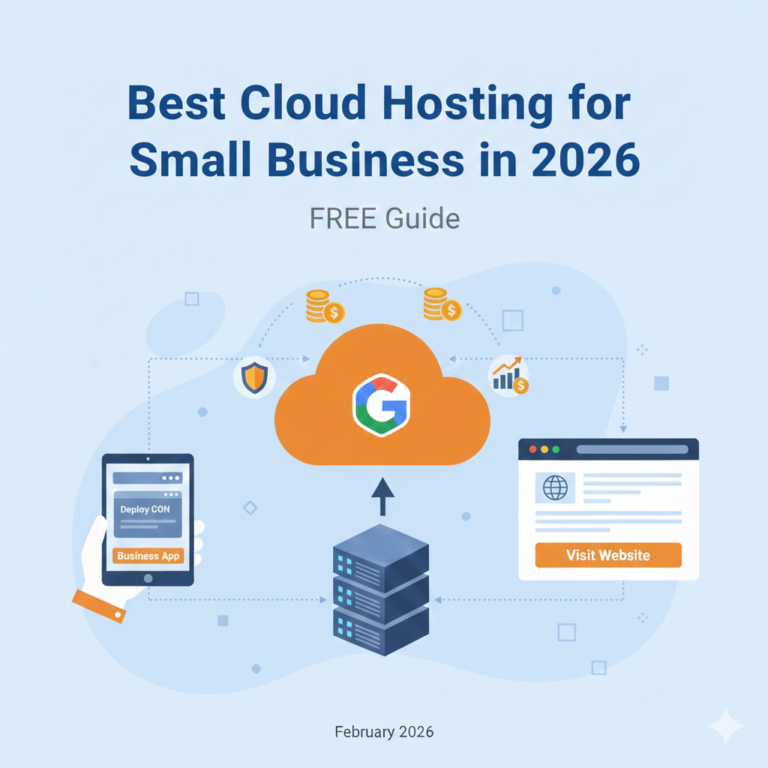
This is the most common model. The infrastructure is owned by a third-party provider (like AWS or Google) and shared among many businesses.
- Pros: Lowest cost, zero maintenance, near-infinite scalability.
- Cons: Less control over the physical hardware; “noisy neighbor” issues can occasionally impact performance (though this is rare now).
- Best for: Most small to mid-sized businesses, web hosting, and development environments.
Private cloud
The infrastructure is dedicated exclusively to your business. It can be hosted on-site at your office or by a third-party provider.
- Pros: Maximum security, total control, easy compliance with strict regulations.
- Cons: Expensive to build and maintain; harder to scale quickly.
- Best for: Government agencies, financial institutions, and healthcare providers with strict data privacy laws.
Hybrid cloud
A combination of public and private clouds. You might keep sensitive customer financial data on a private server but run your public-facing website on the public cloud.
- Pros: Best of both worlds—security where you need it, scalability where you want it.
- Cons: Complex to manage and integrate.
- Best for: Established enterprises transitioning away from legacy systems.
Multi-cloud setups
This involves using two or more public cloud providers (e.g., using AWS for storage and Azure for machine learning).
- Pros: Prevents vendor lock-in; allows you to cherry-pick the best features from each provider.
- Cons: Requires a highly skilled technical team to manage different platforms.
- Best for: Large tech companies and enterprises mitigating risk.
Why Businesses Use Cloud Infrastructure
Why are companies migrating away from owning their own hardware? The motivation usually comes down to agility and the bottom line.
Scalability and flexibility
In a traditional setup, if you expect a spike in traffic (like Black Friday), you have to buy enough servers to handle the peak. For the rest of the year, those servers sit idle, wasting money.
In the cloud, you can “auto-scale.” You can configure your infrastructure to automatically add more servers when traffic spikes and delete them when traffic drops. You always have exactly the capacity you need.
Cost efficiency
Cloud infrastructure shifts IT spending from Capital Expenditure (CapEx) to Operational Expenditure (OpEx).
- CapEx: Buying a $20,000 server (a depreciating asset) upfront.
- OpEx: Paying a $300 monthly bill for cloud services.
This frees up cash flow for other areas of the business, like marketing or hiring.
Global availability
If you host your own servers in New York, customers in London will experience a delay (latency) when loading your site. Cloud providers have data centers all over the world. You can host your application in multiple regions simultaneously, ensuring a fast experience for customers regardless of their location.
Reliability and uptime
Cloud providers invest billions in redundancy. If one hard drive fails, your data is instantly available on another. If a whole data center loses power, traffic is rerouted to a different facility. Achieving this level of uptime on your own would require a massive investment in backup hardware.
Cloud Infrastructure vs Traditional IT
To truly understand the value, it helps to compare the two models side-by-side.
Cost comparison
- Traditional IT: You pay for the hardware, the software licenses, the electricity to run it, the cooling system to keep it from overheating, and the square footage of the server room. You also pay for the staff to physically fix it when it breaks.
- Cloud: You pay a subscription fee. The provider pays for the electricity, cooling, real estate, and hardware maintenance.
Maintenance and management
- Traditional IT: Your IT team spends a significant amount of time “keeping the lights on”—patching servers, replacing failed hard drives, and managing cables.
- Cloud: The provider handles the physical maintenance. Your team focuses on high-value tasks, like configuring the software, optimizing security, and developing new features.
Deployment speed
- Traditional IT: If a developer needs a new server environment, it can take weeks or months to get budget approval, order the hardware, wait for delivery, and install it.
- Cloud: A developer can log into a dashboard and provision a new server in less than five minutes. This speed allows businesses to experiment and innovate much faster.
Cloud Infrastructure Pricing Explained
Pricing is often the most confusing part of the cloud for business owners. It is rarely a flat fee.
Pay-as-you-go models
Most cloud services charge by the hour or second. If you run a high-powered server for 3 hours to process a data set, you pay for 3 hours. If you turn it off, the billing stops. This is ideal for unpredictable workloads.
Fixed vs usage-based costs
- Reserved Instances: If you know you need a server running 24/7 for the next year, providers will offer a massive discount (up to 70%) if you commit to a 1-year or 3-year contract.
- Spot Instances: You can bid on unused cloud capacity for very cheap prices, but the provider can reclaim the capacity with short notice. This is great for background tasks that aren’t time-sensitive.
Common cost drivers
Be aware of what actually drives up the bill:
- Data Egress: Moving data into the cloud is usually free. Moving data out (downloading it) often incurs a fee.
- Storage Tiers: Storing data on fast access drives is expensive. Archiving data on “cold” storage (where retrieval takes longer) is very cheap.
Business Use Cases for Cloud Infrastructure
How does this look in the real world? Here are common ways businesses utilize these resources.
Website and app hosting
This is the most standard use case. Hosting your website in the cloud ensures it stays online even during traffic surges. Content Delivery Networks (CDNs) can cache your website images globally so they load instantly for users anywhere.
Data storage and backups
Many businesses use the cloud simply as a safety net. They automatically back up their on-premise computers to the cloud. If their office suffers a fire or a ransomware attack, they can restore their data from the cloud backup.
E-commerce platforms
Online stores require high reliability. If your site goes down, you lose money immediately. Cloud infrastructure allows e-commerce platforms to handle millions of transactions securely and scale up resources instantly during sales events.
SaaS and internal tools
Rather than installing software on every employee’s laptop, businesses host internal tools (like CRMs, HR portals, or project management systems) in the cloud. Employees can access these tools securely from home, a coffee shop, or the office via a web browser.
Security and Compliance Considerations
A common myth is that the cloud is less secure than on-premise servers. In reality, major cloud providers invest more in security than any single company could afford. However, security in the cloud works differently.
Data protection basics
Cloud providers offer robust encryption. They encrypt data “at rest” (when it is sitting in storage) and “in transit” (when it is moving over the internet). This means even if someone intercepted the data, they couldn’t read it without the decryption key.
Compliance standards
If you are in a regulated industry, you need to ensure your infrastructure meets specific standards (like HIPAA for healthcare or PCI-DSS for credit cards). Major providers are certified compliant with dozens of global standards, making it easier for you to pass audits.
Shared responsibility model
This is the most critical concept for business owners to understand.
- The Provider is responsible for the security of the cloud (the physical buildings, the hardware, the global network).
- You are responsible for security in the cloud (who has passwords, how your firewall is configured, and encryption settings).
- The Risk: Most cloud breaches happen because the customer misconfigured a setting, not because the provider was hacked.
How to Choose the Right Cloud Infrastructure
Selecting a provider (AWS, Azure, Google Cloud, DigitalOcean) depends on your specific business profile.
Business size and workload needs
- Small Business/Startup: You might prioritize simplicity and ease of use. Providers like DigitalOcean or Heroku offer simpler interfaces than the “Big Three” (AWS/Azure/Google).
- Enterprise: You likely need deep feature sets, advanced machine learning tools, and global reach, making AWS or Azure the standard choice.
Budget considerations
Look beyond the sticker price. Consider tools that help you manage costs. Does the provider offer budget alerts? Do they have a calculator to estimate monthly spend? Transparency is key.
Technical skill requirements
Who will manage this?
- Low Skill: Look for “Managed Services” where the provider handles the patching and updates.
- High Skill: If you have a DevOps team, you can opt for “Unmanaged Services” which give you full control but require more work.
Common Challenges and Risks
Transitioning to the cloud is not without pitfalls. Awareness is your best defense.
Cost overruns
It is incredibly easy to spin up a powerful server and forget to turn it off. We call these “zombie resources,” and they can drain thousands of dollars from your budget unnoticed. You must implement strict monitoring and budget alerts.
Vendor lock-in
If you build your entire application using proprietary tools specific to one provider, moving to a different provider later becomes very difficult and expensive. Using open-source technologies (like Kubernetes) helps mitigate this risk.
Performance misconfigurations
Just because it’s in the cloud doesn’t mean it’s fast. If you choose a server located in Asia to serve customers in the US, it will be slow. If you choose a server with too little RAM for your database, it will crash. Proper architecture planning is essential.
FAQs – Cloud Infrastructure for Business
What is cloud infrastructure in simple terms?
It is renting computers and storage space over the internet from a big provider, rather than buying and keeping the hardware in your own office.
Is cloud infrastructure expensive?
It can be cheaper than traditional IT because you don’t buy hardware upfront. However, costs can spiral if you don’t monitor usage. It is cost-efficient if managed correctly.
Is cloud infrastructure secure for businesses?
Yes, often more secure than small on-premise server rooms. Providers use enterprise-grade physical and digital security. However, you are still responsible for managing your passwords and access settings.
Can small businesses use cloud infrastructure?
Absolutely. The cloud is ideal for small businesses because it requires zero upfront capital. You can start with a bill of $50/month and grow as you need to.
How does cloud infrastructure scale with growth?
It scales instantly. You can change a setting to add more power or storage capacity in minutes, accommodating growth without the weeks-long delay of ordering new hardware.
Future-Proofing Your Operations
Moving to cloud infrastructure is more than a technical upgrade; it is a strategic shift in how your business operates. It turns IT from a rigid, capital-intensive cost center into a flexible, scalable asset.
By leveraging the cloud, you gain the ability to pivot quickly, serve customers globally, and access cutting-edge tools without the heavy upfront investment. While challenges regarding cost management and security configuration exist, they are manageable with the right planning.
If your business is still relying on a server closet down the hall, it is time to look up. The future of business efficiency is already in the cloud.