Shared vs VPS Hosting Compared: When an Upgrade Makes Sense
Every website journey begins with a decision: where will it live? For many, the answer starts simple and cheap, but as ambitions grow, so do the technical requirements. The hosting landscape is vast, yet the debate often settles on two primary contenders for small to mid-sized projects: shared hosting and Virtual Private Server (VPS) hosting.
Choosing between the two isn’t just about budget. It is a strategic decision that impacts site speed, security, and scalability. Many website owners start on shared plans, drawn in by low monthly costs and ease of use. But success brings traffic, and traffic brings complexity.
The transition from a small blog to a bustling e-commerce store or a high-traffic media site often necessitates a shift in infrastructure. Understanding the nuances of shared environments versus virtualized private servers is critical for maintaining uptime and user satisfaction. This guide dissects the mechanics, benefits, and limitations of both options, helping you identify exactly when your digital growth demands an upgrade.
Background and Hosting Types Explained
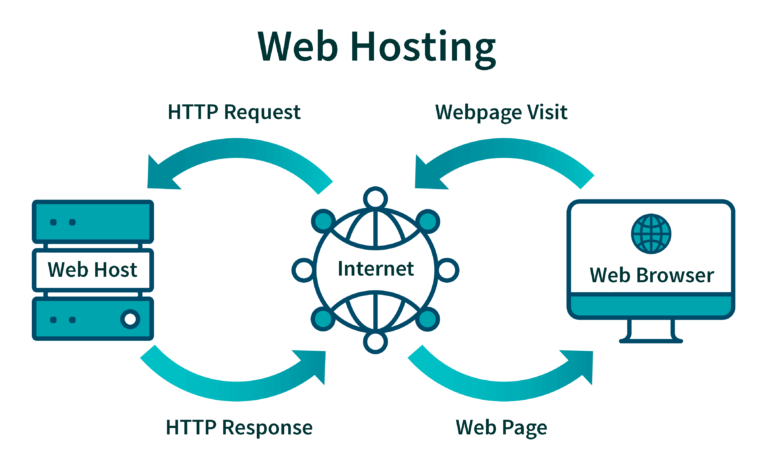
To make an informed decision, you must first understand the architecture beneath the marketing jargon. Hosting is essentially renting space on a physical server, but how that space is partitioned defines your experience.
What shared hosting is and how it works
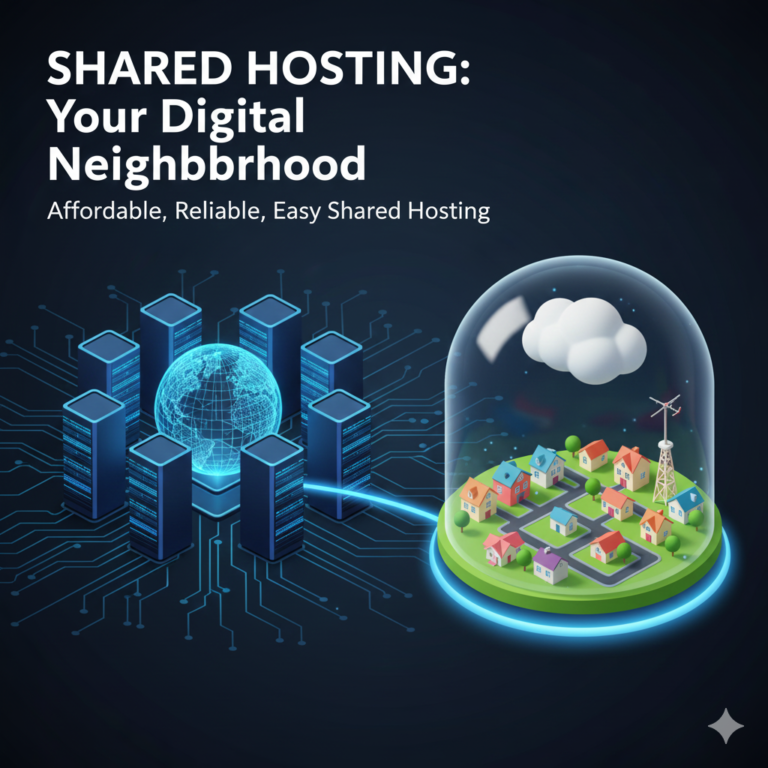
Shared hosting is often compared to living in a large apartment complex or dormitory. In this environment, hundreds—sometimes thousands—of websites reside on a single physical server. They all draw from the same pool of resources: CPU, RAM, and disk space.
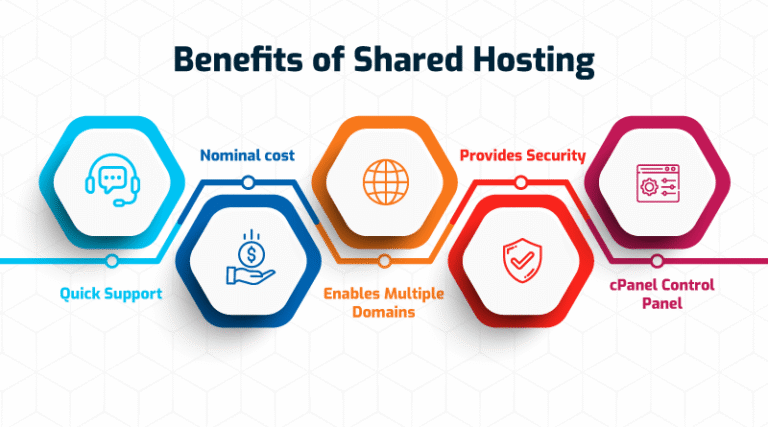
The primary appeal here is simplicity and cost-efficiency. Because the costs of the server are split among many users, providers can offer plans for the price of a cup of coffee. Maintenance, security updates, and server configuration are generally handled by the host, making this the “hands-off” option ideal for beginners, hobbyists, and static brochure sites.
However, the “bad neighbor effect” is a real risk. If one website on your shared server experiences a massive traffic spike or gets infected with malware, it can consume the server’s resources, causing your site to slow down or even crash, despite no fault of your own.
What VPS hosting offers compared to shared plans
If shared hosting is a dorm room, VPS hosting is a townhouse. You still have neighbors in the same building (the physical server), but you have your own dedicated entrance, kitchen, and bathroom.
VPS hosting uses virtualization technology (like a hypervisor) to split a single physical server into multiple private environments. Each environment functions as its own standalone server. You get a guaranteed slice of the pie—dedicated RAM, CPU cores, and storage that no other user can touch.
This architecture offers significantly more stability. Even if another VPS on the same physical machine is under heavy load, your container remains unaffected because your resources are ring-fenced. It provides a middle ground between the affordability of shared hosting and the immense power of a dedicated server.
Performance and Resource Differences
Performance is often the primary driver for users looking to leave shared hosting behind. The technical differences in how resources are allocated play a massive role in page load times and reliability.
Resource sharing and contention on shared hosting
In a shared environment, resources are finite and communal. Providers oversell server space, betting that not every website will hit peak traffic simultaneously. When they calculate correctly, everything runs smoothly. When they don’t, or when a user abuses the system, “contention” occurs.
Contention happens when multiple sites fight for the processor’s attention. This results in high “Wait Time” (Time to First Byte), meaning a visitor’s browser sits idle waiting for the server to respond. For dynamic sites—like those running WordPress with heavy plugins or WooCommerce stores—this lag can be devastating. Database queries queue up, and the site feels sluggish.
Dedicated resource allocation in VPS environments
VPS hosting eliminates the fighting. When you purchase a VPS plan with 4GB of RAM and 2 CPU cores, those resources are reserved exclusively for you. They are available 24/7, regardless of what other users on the physical machine are doing.
This isolation allows for consistent performance. You can run complex scripts, handle simultaneous database connections, and process higher volumes of traffic without the fear of being throttled by a neighbor’s activity. Furthermore, because you have root access (administrative control), you can optimize the server environment specifically for your application, tweaking caching configurations or PHP versions to squeeze out maximum speed.
Cost and Value Considerations
Price is almost always the first filter users apply when shopping for hosting, but value is the metric that matters most for long-term growth.
Entry-level affordability of shared hosting
The economics of shared hosting are unbeatable for new projects. With plans often starting under $5 per month, the barrier to entry is nonexistent. This low cost includes more than just server space; it typically comes with a user-friendly control panel (like cPanel), one-click installers for software like WordPress, and basic email hosting.
For a personal blog, a portfolio, or a local business page receiving a few hundred visits a month, the value proposition is high. Spending $50 a month on advanced hosting for a site that generates no revenue and has low traffic is generally an unnecessary expense.
Cost predictability and scaling with VPS hosting
VPS hosting represents a jump in price, typically ranging from $20 to $100+ per month depending on specifications and management levels. However, the cost comes with predictability.
In shared hosting, a sudden traffic spike might violate the “fair use policy,” leading the host to suspend your site or force an upgrade. With VPS, you pay for a defined limit. If you need more power, most VPS providers allow for vertical scaling—adding more RAM or CPU with a simple reboot—without needing to migrate to a new server. This scalability ensures that your hosting bill grows in alignment with your business revenue and traffic, providing a clear path for expansion.
Key Signs It May Be Time to Upgrade
Migrating a website is a task most owners delay until necessary. So, what are the red flags indicating that your shared hosting plan is holding you back?
Traffic growth and performance bottlenecks
The most obvious sign is sluggishness during peak hours. If your site loads quickly at 3 AM but drags at 1 PM, you are likely hitting resource caps.
Monitoring tools become essential here. If you frequently see “503 Service Unavailable” or “508 Resource Limit Reached” errors, your shared host is throttling your connection. Most shared plans can comfortably handle 10,000 to 25,000 monthly visits, depending on optimization. Once you consistently surpass this—or if you have bursts of concurrent users (e.g., 50 people on the site at once)—shared infrastructure will buckle.
Security and compliance requirements
Shared hosting poses inherent security risks. While cross-site contamination is rare with reputable hosts, it is not impossible. If a hacker gains root access to the main server via a vulnerability in a neighbor’s outdated script, your site could theoretically be compromised.
For businesses handling sensitive customer data, credit card transactions, or medical information, the isolation of a VPS is often a requirement for compliance standards like PCI-DSS or HIPAA. A VPS allows you to implement strict firewalls, configure custom security rules, and limit access protocols in ways that shared hosting simply does not permit.
Application and customization needs
Shared servers come pre-configured. You get a specific version of PHP, MySQL, and strict limits on software installation. If you are a developer looking to run a Node.js application, a Python script, or a specific database caching engine like Redis or Memcached, you will likely hit a wall.
A VPS provides a blank canvas. You have root access to the operating system. You can install any software, change configuration files, and tweak the environment to suit your specific application’s needs. If your project moves beyond a standard WordPress install, a VPS is usually mandatory.
Why This Decision Matters Globally
The internet may be borderless, but data must travel physical distances. Your hosting choice impacts how you serve a global audience.
Impact of downtime and slow performance on global audiences
Latency is the time it takes for data to travel from the server to the user. On a shared host, you rarely have a choice of server location. If your server is in New York but your audience is in London and Tokyo, the physical distance combined with server contention can lead to frustrating load times.
Furthermore, downtime on shared hosting can be unpredictable. If the server goes down for maintenance or due to another user’s error, your global audience sees a blank screen. For an e-commerce brand, even an hour of downtime during a peak shopping window in a different time zone translates to lost revenue and damaged reputation.
Hosting choices for businesses serving international users
VPS hosting often allows you to select your data center location during setup. By placing your server geographically closer to your primary user base, you reduce latency immediately.
Additionally, VPS environments integrate more effectively with Content Delivery Networks (CDNs). While shared hosting can use basic CDNs, a VPS allows for advanced caching rules at the server level (like Varnish) that work in tandem with global CDNs to ensure users in Australia get the same snappy experience as users in the US.
Current Trends in Website Hosting Upgrades
The hosting industry is shifting. As web technologies become more resource-intensive, the line between “beginner” and “pro” hosting is blurring.
Gradual migration from shared to VPS hosting
We are seeing a trend where the “middle class” of websites is disappearing. Sites either stay very small or grow large enough to require VPS quickly. The migration path is becoming standardized: launch on shared, validate the idea, and migrate to VPS within the first 12 to 18 months. Hosting companies are facilitating this by offering “hybrid” or “semi-dedicated” plans that ease the transition, offering VPS-like resources with shared-hosting-like simplicity.
Demand for managed VPS solutions
Historically, VPS hosting required Linux command-line knowledge. This terrified many business owners. The market has responded with the rise of “Managed VPS.” In this model, the hosting provider takes care of the technical heavy lifting—security patches, updates, and backups—while the user enjoys the dedicated resources.
This trend has democratized high-performance hosting. Business owners no longer need to hire a system administrator to run a VPS; they simply pay a premium for a managed service, bridging the gap between ease of use and raw power.
Expert Insights and Data-Backed Analysis
Making the switch shouldn’t be based on a hunch. Industry data provides a clear roadmap for when upgrades are necessary.
Industry benchmarks for shared hosting limits
Performance benchmarks generally suggest that shared hosting performance degrades significantly once a database exceeds 1GB in size or when concurrent processes rise.
Google’s Core Web Vitals have made speed a ranking factor for SEO. Studies consistently show that sites on VPS infrastructure have better “Largest Contentful Paint” (LCP) scores compared to those on crowded shared servers. If SEO is a primary channel for your business, the infrastructure upgrade provides a direct ROI by helping you meet these technical benchmarks.
Common upgrade paths for growing websites
The typical lifecycle of a successful website involves specific triggers for upgrades:
- Launch Phase: Shared Hosting (0 – 10k visits/month). Focus is on content and design.
- Growth Phase: Optimized Shared or Entry VPS (10k – 50k visits/month). Focus shifts to speed and user retention.
- Scale Phase: High-Performance VPS or Cloud (50k+ visits/month). Focus is on reliability, security, and complex functionality.
Recognizing where you sit on this curve prevents you from paying for power you don’t need, or conversely, choking your growth with inadequate infrastructure.
What to Watch Next
The hosting landscape is not static. New technologies are constantly reshaping what is possible at different price points.
Hosting plan changes aimed at entry-level users
We are seeing a shift where shared hosting is becoming more “cloud-like.” Providers are using containerization technology (like CloudLinux) on shared servers to better isolate users. This means the gap between high-end shared hosting and low-end VPS is narrowing, offering better stability for entry-level users before they need to make the full leap.
Indicators that suggest moving beyond VPS
Just as you graduate from shared to VPS, there comes a time when a single VPS isn’t enough. When you require high availability—meaning your site must stay online even if a server fails—you move toward clustered cloud hosting or dedicated servers. Indicators for this include needing to handle massive, unpredictable traffic spikes (like Black Friday sales) or requiring complex load balancing across multiple servers.
Frequently Asked Questions
Is shared hosting sufficient for small websites?
Yes, absolutely. For personal blogs, small portfolios, or local business landing pages with low to moderate traffic, shared hosting provides the necessary tools at the best price point. It is the most cost-effective way to start online.
When does VPS hosting become necessary?
A VPS becomes necessary when your site experiences slow load times due to traffic, requires custom software configurations not allowed on shared plans, or handles sensitive data requiring stricter security isolation. If you are running a growing e-commerce store, a VPS is highly recommended.
Does upgrading to VPS improve website speed?
Generally, yes. Because you have dedicated resources (RAM and CPU) that are not contested by other users, your server responds faster. However, a VPS also requires proper configuration; an unoptimized VPS can sometimes perform worse than a well-optimized shared account.
Can websites move back from VPS to shared hosting?
Technically, yes, but it is rare and often difficult. Moving “down” involves migrating data to a more restrictive environment. You may face issues if your site relies on custom configurations or exceeds the resource limits of the shared plan. It is usually better to scale down the VPS size rather than revert to shared hosting.
Conclusion
The journey from a shared hosting plan to a Virtual Private Server is a rite of passage for growing websites. It signals that your project has moved beyond a hobby or a placeholder and has become a destination requiring reliability and power.
While shared hosting serves its purpose as an affordable launchpad, staying there too long can stifle your growth through slow load times and security vulnerabilities. By monitoring your traffic, watching for performance bottlenecks, and understanding the architecture of your hosting environment, you can time your upgrade perfectly. A VPS offers the freedom, stability, and speed required to take your digital presence to the next level—ensuring that when visitors arrive, your site is ready to welcome them, instantly.