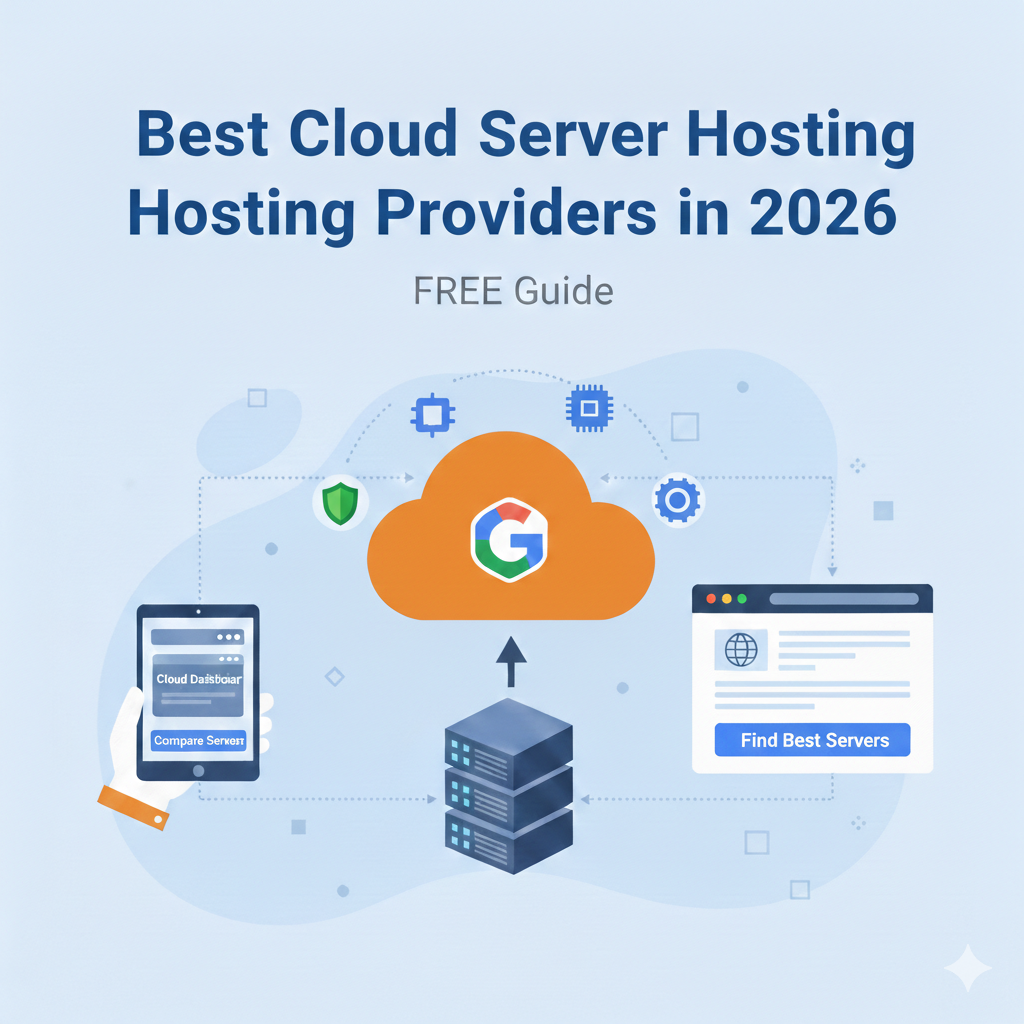
Best Cloud Server Hosting Providers in 2026
The cloud hosting landscape has matured significantly over the last few years. What was once a choice between “cheap” and “enterprise” has evolved into a sophisticated spectrum of providers offering specialized services for everything from AI model training to high-traffic e-commerce platforms.
For decision-makers and developers in 2026, the challenge isn’t finding a cloud host; it’s finding the right one. The wrong choice can lead to vendor lock-in, unexpected billing surges, or performance bottlenecks that stifle growth.
This guide breaks down the top cloud server hosting providers for 2026, analyzing performance, scalability, and value to help you make an informed infrastructure decision.
What Is Cloud Server Hosting?
Cloud server hosting utilizes a network of virtual or physical servers to host applications and websites. Unlike traditional hosting, where your data resides on a single physical machine, cloud hosting distributes resources across multiple servers. If one server fails, another takes over, ensuring high availability.
Core Benefits
- High Reliability: The distributed nature of the cloud minimizes downtime.
- On-Demand Scalability: Resources like CPU and RAM can be increased instantly.
- Pay-as-You-Go: You typically only pay for the resources you consume.
Cloud vs Traditional Hosting
Traditional hosting (Shared or Dedicated) relies on fixed hardware limits. If you outgrow a dedicated server, you have to migrate to a new machine—a painful and risky process. Cloud hosting abstracts the hardware layer, allowing you to scale vertically (more power) or horizontally (more instances) with a few API calls or clicks.
How to Choose the Best Cloud Server Hosting in 2026
Selecting a provider requires balancing technical requirements with budget constraints. Here are the three pillars of a sound cloud strategy.
Performance & Uptime
Speed is a ranking factor for SEO and a critical metric for user retention. Look for providers that offer NVMe storage as standard, high-performance CPUs (like the latest AMD EPYC or ARM-based processors), and global data center locations to reduce latency. An SLA guaranteeing 99.99% uptime is the industry baseline for 2026.
Scalability and Pricing
Can the host handle a sudden traffic spike during a Black Friday sale? Look for auto-scaling features. Regarding pricing, beware of hidden costs. Egress fees (data transfer out) are often where bills explode. Transparent, predictable pricing models are essential for long-term planning.
Support & Additional Features
For unmanaged clouds, community documentation is vital. For managed services, 24/7 access to engineers is non-negotiable. Also, consider the ecosystem: Does the provider offer managed databases, object storage, or Kubernetes clusters?
Top Cloud Server Hosting Providers (2026)
We have analyzed the market leaders based on performance benchmarks, feature sets, and user feedback.
1. Best Overall Cloud Server Host: AWS (Amazon Web Services)
AWS remains the heavyweight champion of the cloud world. Its sheer depth of services makes it the default choice for serious infrastructure.
Features and Pricing
AWS offers EC2 (Elastic Compute Cloud) with hundreds of instance types optimized for compute, memory, or storage. Their ecosystem includes everything from serverless functions (Lambda) to AI/ML tools (SageMaker). Pricing is complex and granular; you pay for exactly what you use, but cost management tools are necessary to avoid surprises.
Ideal Use Cases
- Complex enterprise architectures.
- Applications requiring specific compliance certifications.
- Projects leveraging advanced AI or machine learning.
Pros:
- Unmatched feature set.
- Global availability zones.
- Massive community and talent pool.
Cons:
- Steep learning curve.
- Billing complexity.
2. Best for Small Businesses: DigitalOcean
DigitalOcean has maintained its reputation for simplicity. It strips away the complexity of hyperscalers like AWS, making it accessible for lean teams.
Performance vs Cost
DigitalOcean offers “Droplets” (virtual machines) with transparent monthly pricing. Their Premium Intel and AMD Droplets provide excellent price-to-performance ratios for SMB workloads. Bandwidth allowances are generous compared to larger competitors.
Support and Ease of Use
The interface is intuitive. A non-technical founder could deploy a server in minutes. Their documentation library is arguably the best in the industry, solving problems before you need to contact support.
Pros:
- Predictable flat-rate pricing.
- Developer-friendly UI.
- Managed databases and Kubernetes available.
Cons:
- Fewer enterprise-grade features than AWS.
- Limited granular permissions for large teams.
3. Best for Developers & Tech Projects: Vultr
Vultr appeals to developers who want raw performance and cutting-edge hardware availability across a massive geographic footprint.
Flexibility and Tools
Vultr often beats competitors to market with the latest hardware, including high-frequency compute instances and GPU cloud servers. They offer bare metal instances, allowing developers direct access to hardware without virtualization overhead.
API & Automation Features
Vultr’s API is robust and well-documented, making it easy to automate infrastructure deployment using tools like Terraform or Ansible.
Pros:
- 32+ global data center locations.
- High-frequency compute options.
- Direct connect options for hybrid clouds.
Cons:
- Support is ticket-based (no live chat for basic tiers).
- Backup features cost extra.
4. Best for High Traffic & Enterprise: Google Cloud Platform (GCP)
GCP is the choice for data-heavy applications and those needing massive global scale.
Scalability and Reliability
Running on the same infrastructure that powers Google Search and YouTube, GCP offers incredible network speeds and reliability. Their global fiber network is a distinct advantage for latency-sensitive apps.
Advanced Services
GCP shines in data analytics (BigQuery) and container orchestration (GKE is the gold standard for managed Kubernetes).
Pros:
- Superior global network and latency.
- Best-in-class Kubernetes support.
- Strong innovation in data and AI.
Cons:
- Fewer services than AWS.
- Support costs can be high.
5. Best Budget Cloud Server Hosting: Linode (Akamai)
Since being acquired by Akamai, Linode has expanded its network capabilities while keeping prices low.
Affordable Plans
Linode offers some of the best price-per-GB of RAM in the market. Their “Nanode” plans are perfect for hobbyists or testing environments.
What You Trade Off
You won’t find hundreds of managed services here. It is a “meat and potatoes” cloud: excellent Linux servers, reliable storage, and decent networking. If you need advanced PaaS features, you’ll have to build them yourself.
Pros:
- Excellent customer support (real humans).
- Simple, flat pricing.
- Backed by Akamai’s massive security network.
Cons:
- Limited geographic footprint compared to AWS/Azure.
- Basic feature set.
Pricing Comparison Table
Note: Prices are estimates based on standard 2026 entry-level configurations (e.g., 2GB RAM, 1 vCPU).
| Provider | Starting Price (Monthly) | Bandwidth Pricing | Storage Costs | Support Tier |
|---|---|---|---|---|
| AWS | ~$9.50 (t4g.small) | High (Pay per GB out) | Moderate (EBS) | Basic included, Premium starts high |
| DigitalOcean | $6.00 | Generous allowance | Included in Droplet | Ticket support included |
| Vultr | $5.00 | Generous allowance | Included in instance | Ticket support included |
| Google Cloud | ~$10.00 (e2-micro) | High | Moderate | Basic included |
| Linode | $5.00 | Generous allowance | Included in instance | 24/7 Phone/Ticket included |
Cloud Server Features to Look For
Beyond the brand name, ensure your chosen provider offers these technical essentials.
Auto-scaling
Your infrastructure should grow with your traffic. Auto-scaling monitors your applications and automatically adjusts capacity to maintain steady, predictable performance at the lowest possible cost.
Backups & Snapshots
Data loss is inevitable without precautions. Look for one-click backups and the ability to take system snapshots before major updates. Vultr and DigitalOcean make this incredibly easy; AWS requires more configuration via lifecycle policies.
Load Balancers
A load balancer distributes incoming network traffic across multiple servers. This ensures no single server bears too much demand. By spreading the work evenly, load balancers improve responsiveness and increase availability.
Security Protections
At a minimum, your host should offer free DDoS protection. For enterprise needs, look for Virtual Private Cloud (VPC) capabilities to isolate your network, and Identity and Access Management (IAM) to control who can edit your infrastructure.
Cloud Server Hosting Use Cases
Different workloads require different architectures.
Web Apps & APIs
- Recommended: DigitalOcean or Heroku.
- Why: Focus on code deployment rather than server management. Easy scaling for unpredictable user growth.
E-commerce
- Recommended: AWS or GCP.
- Why: High reliability is critical. Every second of downtime is lost revenue. These providers offer robust database solutions and CDNs to serve product images globally.
SaaS Platforms
- Recommended: Vultr or Linode.
- Why: Predictable costs are vital for SaaS margins. These providers allow you to scale resources linearly without your infrastructure bill eating your profits.
Media Streaming
- Recommended: Akamai (Linode).
- Why: Akamai’s edge network is legendary for content delivery, reducing buffering and latency for end-users.
Managed vs Unmanaged Cloud Servers
This is the “build vs buy” decision of hosting.
Differences Explained
- Unmanaged (IaaS): You get the raw server (OS and hardware). You are responsible for security patches, software updates, firewalls, and fixing it if it breaks. (Example: Standard EC2, basic Droplets).
- Managed: The provider handles the OS, security, and updates. You often get a control panel and support engineers to help with configurations. (Example: Cloudways, Managed AWS services).
When to Choose Managed
Choose managed hosting if your team lacks a dedicated DevOps engineer or SysAdmin. The extra cost is usually less than the salary of a full-time employee. Choose unmanaged if you need total root access, custom kernel configurations, or are optimizing for the absolute lowest cost.
Summary: Making the Decision
The “best” cloud host in 2026 depends entirely on your specific context.
- For pure power and global reach: Choose AWS.
- For developer experience and simplicity: Choose DigitalOcean.
- For raw performance and hardware access: Choose Vultr.
- For big data and analytics: Choose Google Cloud.
- For budget-conscious reliability: Choose Linode.
Test your top two choices. Most providers offer free credits for new accounts. Spin up a server, run your benchmarks, and see which interface makes your life easier.
FAQs – Best Cloud Server Hosting in 2026
What cloud host is best for startups?
DigitalOcean is widely considered the best for startups due to its predictable pricing, excellent documentation, and ease of use, allowing founders to focus on product rather than infrastructure.
Are cloud servers better than VPS?
Technically, most modern VPS are cloud servers. However, true cloud hosting offers better redundancy. If a traditional VPS hardware node fails, your site goes down. In a cloud environment, your instance usually migrates to healthy hardware automatically.
How much does cloud server hosting cost?
Entry-level servers start as low as $4–$6 per month. However, enterprise-grade setups with load balancers, managed databases, and redundant storage can easily range from hundreds to thousands of dollars per month.
Can cloud servers handle traffic spikes?
Yes, but only if configured correctly. You must set up auto-scaling or load balancing. A single cloud server has a fixed capacity just like a physical one; the “cloud” advantage is how quickly you can add more servers to help it.
Do cloud hosts offer support?
It varies. Premium providers (AWS, Google) charge significant extra fees for fast-response technical support. Providers like Linode are famous for including high-quality support in their base price. Always check the support SLA before committing.