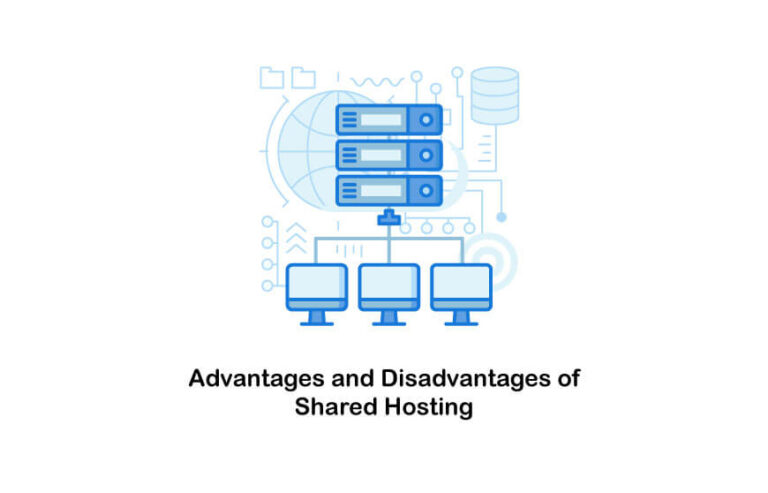
Advantages and Disadvantages of Shared Hosting
Choosing the right web hosting is one of the first—and most critical—decisions you’ll make when launching a website. It’s the digital real estate where your site lives, and like real estate, there are different types of housing available. You could rent a massive private estate (Dedicated Hosting), a modern condo (VPS), or a room in a shared apartment.
That “shared apartment” is what we call shared hosting. It is the most popular entry point for beginners, bloggers, and small businesses because it is accessible and affordable. But is it the right choice for your specific needs?
While the low price tag is attractive, shared hosting isn’t a one-size-fits-all solution. It comes with trade-offs in performance, security, and scalability that could impact your site’s growth down the line. To make an informed decision, you need to weigh the pros against the cons.
This comprehensive guide breaks down the advantages and disadvantages of shared hosting, helping you decide if it’s the perfect launchpad for your website or if you should look elsewhere.
What Is Shared Hosting? (Quick Overview)
Before diving into the merits and drawbacks, let’s clarify what shared hosting actually is.
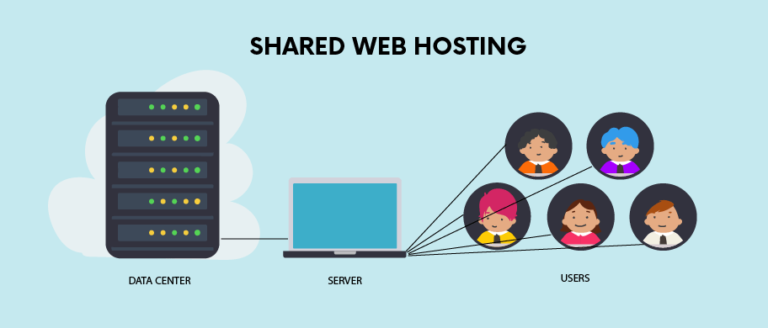
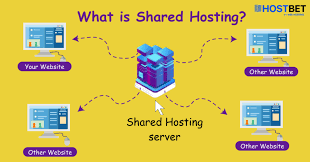
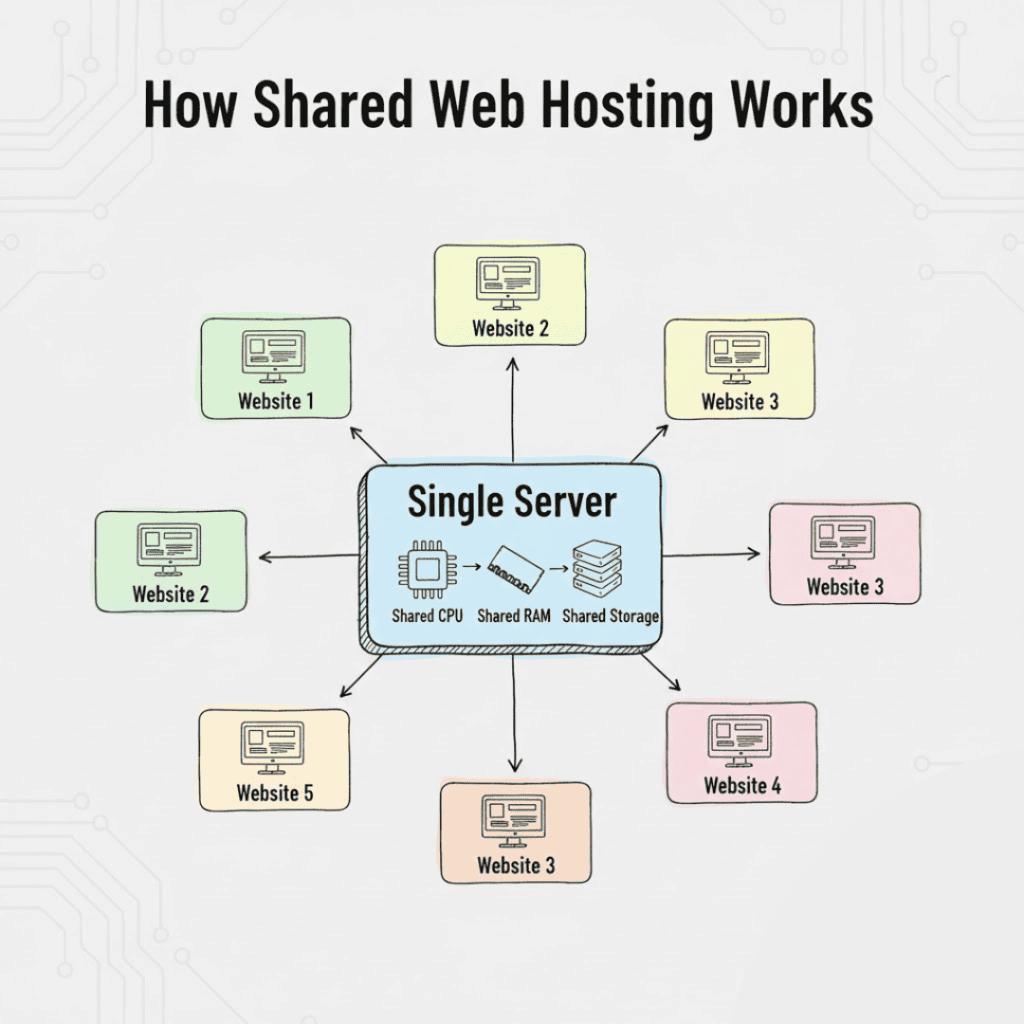
In simple terms, shared hosting is a web hosting service where multiple websites reside on a single web server connected to the internet. Think of it like public transportation: a bus carries many passengers to different destinations using the same vehicle and fuel. It’s cost-effective because everyone splits the cost of the ride.
How Shared Hosting Works
When you sign up for a shared hosting plan, your website is stored on a server alongside hundreds—sometimes thousands—of other websites. All these sites share the same system resources, including:
- CPU (Central Processing Unit) time
- RAM (Memory)
- Disk space
- Bandwidth
Why It Is Called “Shared” Hosting
The name is literal. You aren’t paying for the entire server; you are paying for a slice of it. Because the hosting provider can stack many customers onto one machine, they can charge significantly less per user. This infrastructure model allows anyone to get online for the price of a cup of coffee per month, but it also means your site’s performance is tied to the collective activity of that server.
Advantages of Shared Hosting
For the vast majority of new websites, shared hosting is the default starting point. Here is why it remains the dominant choice for beginners.
Low Cost
The most significant advantage of shared hosting is the price. Because the server maintenance costs are distributed among many users, hosting companies can offer incredibly low rates.
- Affordable monthly pricing: You can often find introductory plans ranging from $2 to $10 per month.
- Ideal for beginners and small budgets: If you are testing a business idea, starting a hobby blog, or launching a portfolio, you don’t need to invest hundreds of dollars upfront. The low barrier to entry makes it risk-free to start.
Easy to Use
Shared hosting is designed with the non-technical user in mind. Hosting providers know that their shared hosting customers likely aren’t server administrators, so they simplify the experience.
- Beginner-friendly control panels: Most hosts provide a dashboard (like cPanel or Plesk) where you can manage your website, email accounts, and databases through a graphical interface rather than command lines.
- One-click app installs: Installing a Content Management System (CMS) like WordPress, Joomla, or Drupal usually takes just one click. You don’t need to know how to create a database or upload files manually to get the basic software running.
No Technical Maintenance
Owning a dedicated server is like owning a house; when the pipes burst, you have to fix them. Shared hosting is like renting; maintenance is the landlord’s problem.
- Hosting provider manages servers: The technical “heavy lifting” is done by the provider. They handle hardware upgrades, network maintenance, and power outages.
- Automatic updates and basic security: The host ensures the operating system is up to date and often runs basic security protocols at the server level, saving you from having to become a cybersecurity expert overnight.
Quick Setup
Time is money, and shared hosting allows you to move fast. Since the server environment is already configured, you don’t need to spend days setting up software.
- Website can go live fast: After purchasing a plan, your account is usually activated instantly. You receive your login details and can start building your site immediately.
- Minimal configuration required: You skip the complex setup phase required by VPS or dedicated servers, allowing you to focus on content creation and design rather than backend architecture.
Good for Small Websites
If you aren’t expecting millions of visitors overnight, shared hosting offers more than enough power.
- Blogs, portfolios, and small business sites: A standard shared plan can comfortably handle the traffic levels of a local dentist’s office, a freelance portfolio, or a personal blog. Until you start seeing significant traffic spikes (thousands of visitors a day), shared resources are usually sufficient.
Disadvantages of Shared Hosting
While the price and ease of use are compelling, shared hosting is not without its flaws. The “shared” nature of the service creates inherent limitations that growing businesses need to consider.
Limited Performance
The biggest drawback of shared hosting is the “Bad Neighbor Effect.” Because you are sharing resources, if another website on your server suddenly receives a massive spike in traffic or runs a poorly coded script, it can hog the server’s CPU and RAM.
- Shared server resources: You do not have guaranteed resources. If the server is overloaded, your site might slow down.
- Slower speeds during high traffic: Generally, shared hosting has higher latency (load times) compared to dedicated options. In an era where page speed impacts Google rankings and user retention, this can be a disadvantage if your site becomes popular.
Less Control
Shared hosting is a managed environment, which means you play by the host’s rules. You generally do not have “root access” to the server.
- Limited server customization: You cannot change the server’s operating system or tweak advanced settings to optimize performance for your specific application.
- Restricted software options: If you need to run specific software or a custom script that isn’t supported by the host’s standard configuration, you are often out of luck. You are stuck with the software versions (PHP, MySQL, etc.) that the host provides.
Security Risks
While hosting providers work hard to secure their servers, the shared environment introduces unique vulnerabilities.
- Other websites share the same server: If a hacker compromises a different website on your server, there is a small risk that they could gain access to the main directory or affect the server’s stability.
- Depends on hosting provider quality: On cheap, low-quality hosts, the security isolation between accounts might be weak. If a “neighbor” site gets blacklisted for sending spam email, your site’s IP address might also be blacklisted, affecting your email deliverability.
Scalability Issues
Shared hosting has a ceiling. It is great for starting out, but it struggles to keep up with rapid growth.
- Not suitable for fast-growing websites: If your marketing campaign goes viral and 50,000 people try to visit your site at once, a shared server will likely crash or temporarily suspend your account for exceeding resource limits.
- Upgrade required as traffic increases: Eventually, successful sites must migrate to VPS or dedicated hosting. While usually straightforward, this migration can sometimes be technically challenging if your site has become complex.
Advantages vs Disadvantages of Shared Hosting (Quick Comparison)
To summarize the trade-offs, here is a quick comparison of how shared hosting stacks up across key categories.
| Feature | Pros | Cons |
|---|---|---|
| Cost | Extremely affordable; low entry barrier. | “Unlimited” plans often have hidden caps. |
| Performance | Sufficient for low traffic. | Speed fluctuates based on other users; slower load times. |
| Ease of Use | Beginner-friendly; pre-configured. | limited control for advanced users. |
| Security | Provider handles basic updates. | “Bad neighbor” risks; IP blacklisting issues. |
| Scalability | Good for starting small. | Difficult to handle sudden traffic spikes; requires migration eventually. |
Who Should Use Shared Hosting?
Given the pros and cons, shared hosting is the clear winner for specific types of users. You should choose this option if you are:
- First-time website owners: If this is your first site, there is no need to overcomplicate things. Shared hosting lets you learn the ropes without a heavy financial commitment.
- Personal blogs: For hobbyists writing about travel, cooking, or lifestyle, shared hosting provides all the necessary tools.
- Small businesses with low traffic: A local bakery, a law firm, or a plumber typically needs a “brochure” style website that provides information but doesn’t process heavy data. Shared hosting is perfect for this.
- Informational websites: Sites that are static (mostly text and images) and don’t require complex user interactions run very well on shared servers.
Who Should Avoid Shared Hosting?
Conversely, shared hosting can be a liability for certain projects. You should look into VPS or dedicated hosting if you run:
- High-traffic websites: If you already have an audience and expect thousands of daily visitors, shared hosting will lead to slow load times and potential crashes.
- Online stores: E-commerce sites (using WooCommerce or Magento) require more processing power and strict security. A slow checkout page on a shared server leads to abandoned carts and lost revenue.
- Membership or SaaS platforms: If users are logging in, uploading files, and interacting with a database constantly, you need the dedicated resources of a VPS.
- Resource-heavy applications: Sites with custom coding, video streaming, or heavy data processing will likely violate the “fair use” policies of shared hosting contracts.
Is Shared Hosting Worth It Today?
In the current landscape of web hosting, shared hosting absolutely still has a place. It remains the most cost-effective way to get a presence on the internet.
When shared hosting makes sense
If your budget is tight ($5/month or less) and your technical skills are limited, shared hosting is worth it. It removes the barriers to entry, allowing you to focus on your content and business idea rather than server management.
When upgrading is a better choice
However, the moment your website starts generating revenue or becomes a critical part of your business operations, upgrading becomes necessary. If a slow website costs you sales, the money you save on shared hosting is actually money lost.
Cost vs performance balance
Ultimately, it comes down to a balance. You are trading peak performance for affordability. For a new site with zero visitors, paying for a dedicated server is a waste of money. Shared hosting allows you to start small, prove your concept, and upgrade only when the traffic justifies the cost.
Frequently Asked Questions
Is shared hosting safe?
Generally, yes. Reputable hosting companies use firewalls, monitoring systems, and security patches to protect their servers. However, it is less secure than a dedicated server because you are sharing the environment. You should always use strong passwords and keep your website software (like WordPress plugins) updated to minimize risk.
Can I upgrade from shared hosting later?
Yes, almost all hosting providers allow you to upgrade your plan. You can usually move from a shared plan to a Virtual Private Server (VPS) or a dedicated server as your site grows. The host will often help you migrate your data to the new, more powerful server.
How much traffic can shared hosting handle?
This varies by provider, but a typical shared hosting plan can handle anywhere from 10,000 to 100,000 monthly visitors, provided the traffic is spread out evenly over the month. If you get 10,000 visitors in a single hour, a shared server will likely crash.
Is shared hosting good for SEO?
Shared hosting itself doesn’t hurt SEO, but the side effects might. Google prioritizes fast-loading websites. If your shared server is overcrowded and slow, your search rankings could suffer. Additionally, if your server is down frequently (downtime), Google may penalize your site. However, for most small sites, a good quality shared host provides sufficient speed for SEO.
Final Thoughts: Advantages and Disadvantages of Shared Hosting
Shared hosting is the training wheels of the internet. It is the perfect starting point for the vast majority of new websites. The advantages of shared hosting—specifically the low cost, ease of use, and lack of technical maintenance—make it unbeatable for beginners and small businesses.
However, you must stay aware of the disadvantages of shared hosting. The limitations on performance, security risks, and lack of control are real. If you try to run a massive e-commerce empire on a $3/month shared plan, you are setting yourself up for frustration.
The verdict? Start small.
If you are just launching, sign up for a reputable shared hosting provider. It’s the smartest financial move. Monitor your traffic and your site speed. As your audience grows and your needs become more complex, you can always graduate to a more powerful hosting solution. But for today, shared hosting offers the most accessible key to opening your digital doors to the world.