Shared Hosting vs Other Hosting Types: Which One Is Right for You?
Launching a website is an exciting milestone. You have your domain name picked out, your design ideas are flowing, and you’re ready to share your content with the world. But before you can go live, you face one critical decision: choosing a web hosting plan.
With so many options available—shared, VPS, cloud, dedicated, managed WordPress—the technical jargon can feel overwhelming. Many beginners gravitate toward shared hosting because of its low price tag, but is it actually the right choice for your specific needs? Or will you find yourself needing to upgrade in three months when your traffic picks up?
Choosing the wrong hosting type can lead to slow load times, security vulnerabilities, and unnecessary expenses. Conversely, overpaying for resources you don’t need burns a hole in your budget that could be better spent on marketing or content creation.
This guide breaks down exactly how shared hosting compares to the other major hosting types. We will explore the performance differences, cost implications, and scalability factors so you can make a confident decision for your website’s future.
What Is Shared Hosting?
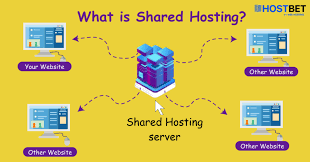
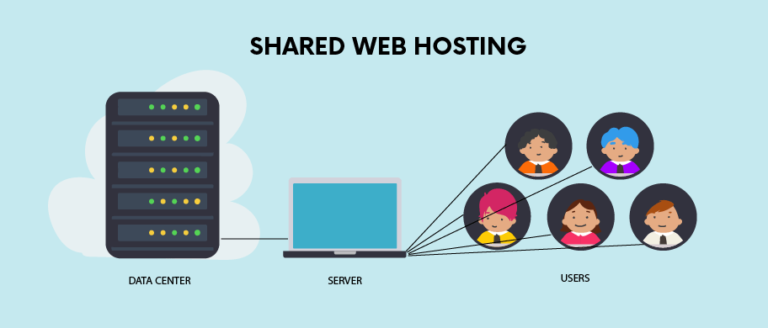
At its core, shared hosting is exactly what it sounds like. It is a web hosting service where multiple websites reside on a single web server connected to the internet.
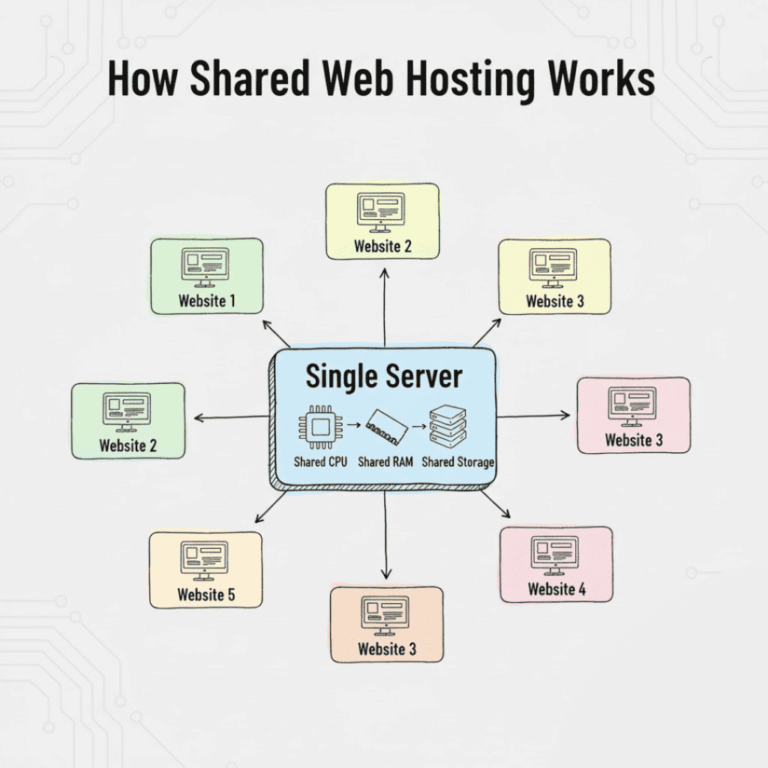
Think of it like living in a large apartment complex. You have your own private unit (your website files and content), but you share the building’s resources—like water, electricity, and the parking lot—with hundreds of other tenants. In hosting terms, these shared resources are the server’s CPU, RAM, and disk space.
How shared hosting works
When a user types your URL into their browser, the browser sends a request to the server where your site is stored. Because that server is hosting many other sites simultaneously, it splits its processing power to handle requests for everyone. Hosting providers use software to manage these resources, ensuring that one site doesn’t completely monopolize the server, though “noisy neighbors” can sometimes impact performance.
Why beginners often start with shared hosting
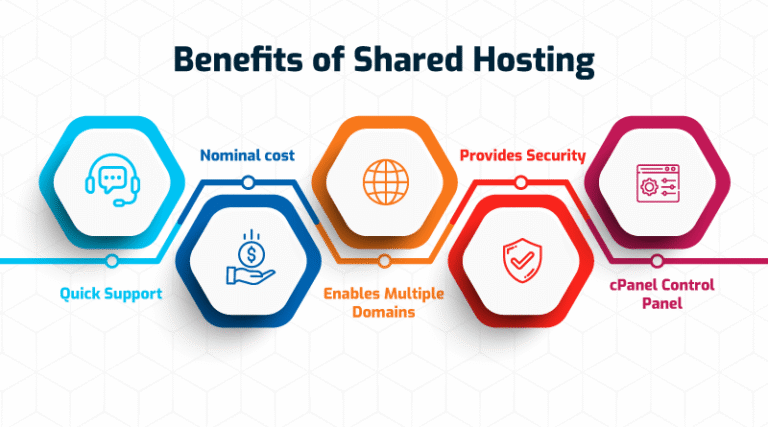
The primary appeal of shared hosting is accessibility. Because the cost of the server is split among many users, hosting providers can offer plans for a few dollars a month. It also requires very little technical knowledge. The host manages the server maintenance, security updates, and technical backend, allowing you to focus on building your site using tools like cPanel or a one-click WordPress installer.
What Are the Main Types of Web Hosting?
Before comparing them directly, it helps to understand the landscape of web hosting. Here is a brief overview of the four main players in the hosting game:
- Shared Hosting: As described above, this is the entry-level option where resources are shared among many users. It is the most affordable and easiest to set up.
- VPS (Virtual Private Server) Hosting: This is the middle ground. While you still share a physical server with others, virtualization technology gives you a dedicated slice of resources that no one else can touch. It’s like owning a condo instead of renting an apartment—you have fewer neighbors and more control.
- Cloud Hosting: This modern solution uses a network of connected servers. If one server goes down or gets overloaded, another picks up the slack. It offers incredible reliability and scalability.
- Dedicated Hosting: The heavyweight champion of hosting. You rent an entire physical server exclusively for your website. You have 100% of the resources and total control over the environment.
Shared Hosting vs VPS Hosting
Moving from shared hosting to a Virtual Private Server (VPS) is the most common upgrade path for growing websites. Here is how they stack up against each other.
Performance differences
On shared hosting, your site’s speed can fluctuate based on what other sites on the server are doing. If a neighbor gets a sudden viral traffic spike, your site might slow down. VPS hosting eliminates this issue. Because you have dedicated RAM and CPU allocations, your performance is stable and predictable, regardless of what other users on the physical machine are doing.
Resource allocation
In a shared environment, resources are a free-for-all. In a VPS environment, a “hypervisor” creates virtual barriers. If you pay for 4GB of RAM on a VPS, you get 4GB of RAM. It is reserved strictly for you.
Cost comparison
Shared hosting usually costs between $3 to $10 per month. VPS hosting is a step up, typically ranging from $20 to $60 per month, depending on the resources you need. While more expensive, the price gap has narrowed in recent years, making VPS a viable option for serious small businesses.
Best use cases for each
- Choose Shared Hosting if: You are starting a personal blog, a portfolio, or a small business site with low traffic.
- Choose VPS Hosting if: You run a business that generates revenue, you have consistent traffic, or you need custom software configurations that shared hosting doesn’t allow.
Shared Hosting vs Cloud Hosting
Cloud hosting has surged in popularity because of its flexibility. It compares to shared hosting quite differently than traditional server setups.
Scalability explained simply
Shared hosting is rigid. You have a set limit of storage and bandwidth. If you hit that limit, your site might go offline or you’ll be forced to upgrade your plan manually. Cloud hosting is elastic. If you need more resources, you can often scale up instantly with a few clicks—or even automatically—to handle a surge, and then scale back down when things get quiet.
Traffic handling
Cloud hosting is superior for handling unpredictable traffic. Because your site draws resources from a cluster of servers, a sudden influx of visitors won’t crash your site. Shared hosting struggles under heavy loads because the single server has a hard capacity ceiling.
Reliability and uptime
Reliability is the cloud’s biggest selling point. If a hardware failure occurs on a shared server, every site on that server goes down until the part is fixed. In a cloud setup, if one server fails, your site is instantly migrated to another working server in the cluster. This redundancy ensures maximum uptime.
Pricing differences
Shared hosting usually involves a flat monthly fee. Cloud hosting often operates on a “pay-as-you-go” model. You pay for the resources you actually consume. While this can be cost-effective, it can also be more expensive than shared hosting if you aren’t monitoring your usage.
Shared Hosting vs Dedicated Hosting
This is the comparison between a bicycle and a Ferrari. They both get you moving, but the power difference is immense.
Server control and resources
With dedicated hosting, you don’t share anything. The entire machine is yours. This gives you root access to configure the operating system, install custom scripts, and tweak security settings to your exact specifications. Shared hosting offers almost no server-level control; you are limited to the settings the provider chooses for you.
Security level
Shared hosting carries a slight “bad neighbor” risk. While rare, a security breach on one site in a shared environment could theoretically affect others on the same server if the host hasn’t properly isolated them. Dedicated servers offer the highest security because you are the only tenant. You can build your own firewalls and implement strict security protocols without worrying about anyone else’s vulnerabilities.
Cost and complexity
Dedicated hosting is the most expensive option, often starting at $100 per month and going up into the hundreds. It also requires a high level of technical skill. Unless you pay extra for a “managed” dedicated server, you are responsible for updates, patches, and server health. Shared hosting requires zero technical maintenance on the server side.
Who should choose dedicated hosting
Dedicated hosting is overkill for 99% of websites. It is designed for massive enterprise sites, high-traffic e-commerce stores processing thousands of transactions, or applications with specific compliance and security requirements (like handling medical data).
Shared Hosting vs Managed WordPress Hosting
Managed WordPress hosting is a specialized form of hosting designed specifically for WordPress sites. It is often technically a form of shared or cloud hosting, but the service wrapper is different.
Ease of use
Shared hosting is generic; it supports WordPress, Drupal, Joomla, and custom code. Managed WordPress hosting is concierge-level service. The dashboard is tailored for WordPress, making it incredibly easy to add plugins, access staging environments, and manage content.
Performance optimization
Managed WordPress servers are configured specifically for WordPress. They have server-level caching and database optimizations that make WordPress sites load significantly faster right out of the box. On shared hosting, you often have to install and configure caching plugins yourself to get similar speeds.
Maintenance and updates
On shared hosting, you are responsible for updating your WordPress core, themes, and plugins. On managed hosting, the provider handles these updates for you, often testing them first to ensure they don’t break your site. They also handle daily backups automatically.
Cost differences
Managed WordPress hosting generally costs more than generic shared hosting, often starting around $15 to $30 per month. You are paying for the specialized support and time-saving features rather than just the raw server resources.
Hosting Types Comparison Table
To help visualize the differences, here is a quick comparison of the major hosting types.
| Feature | Shared Hosting | VPS Hosting | Cloud Hosting | Dedicated Hosting |
|---|---|---|---|---|
| Price | Low ($) | Medium ($$) | Medium/High ($$-$$$) | High ($$$$) |
| Performance | Basic | Stable & Fast | High & Reliable | Maximum |
| Scalability | Limited | Moderate | Excellent | Moderate (Hardware limits) |
| Tech Skill | Beginner | Intermediate | Intermediate | Advanced |
| Best For | Blogs, Portfolios | Small Business, Growing Sites | SaaS, Apps, Variable Traffic | Enterprise, High Security |
Pros and Cons of Shared Hosting
Before making your final decision, let’s summarize the good and the bad of sticking with shared hosting.
Pros
- Low Cost: It is the most budget-friendly way to get online.
- Beginner-Friendly: Most plans come with a pre-configured environment and easy-to-use control panels (cPanel).
- No Server Management: The host takes care of the technical maintenance, hardware, and network uptime.
Cons
- Limited Resources: You have strict limits on storage, memory, and processing power.
- Slower Performance Under Load: Your site may slow down if the server is busy or if you get a traffic spike.
- Less Control: You cannot customize the server environment or install specialized software.
Which Hosting Type Is Right for You?
Still on the fence? Here is a breakdown based on your specific situation.
Personal blog or small website
If you are starting a food blog, a local hobby site, or an online resume, Shared Hosting is the perfect starting point. You likely won’t max out the resources, and the low cost allows you to experiment without financial risk.
Growing business website
If you are a small business that depends on your website for leads or sales, reliability is key. VPS Hosting or Managed WordPress Hosting is usually the better choice. The extra cost ensures that your site loads quickly for customers and doesn’t crash during business hours.
High-traffic website
If you are receiving tens of thousands of visitors a month, shared hosting will bottleneck your growth. Cloud Hosting is ideal here because it can scale with your traffic spikes without manual intervention.
Online store or application
E-commerce sites need speed and security. If you are running a large store, look into VPS or Dedicated Hosting. You need the isolated resources to process transactions securely and ensure product pages load instantly to prevent cart abandonment.
When Should You Upgrade from Shared Hosting?
You don’t have to stay on shared hosting forever. In fact, most successful websites eventually move on. Here are the signs it is time to upgrade.
Performance issues
If your website feels sluggish even after you have optimized your images and code, it is likely a server issue. If your “Time to First Byte” (TTFB) is high, the shared server is struggling to process your request.
Traffic increases
Most shared plans can handle a few thousand visitors a month comfortably. If you start hitting 10,000, 20,000, or more monthly visitors, you will likely exceed your bandwidth limits or see performance degradation.
Business growth
As your business grows, your tolerance for downtime decreases. If a 10-minute outage costs you money, you need the reliability of VPS or Cloud hosting. Additionally, if you need to install custom software or security certificates that your shared host doesn’t support, it is time to move.
Frequently Asked Questions
Is shared hosting good for beginners?
Yes, absolutely. It is the most cost-effective entry point and requires the least amount of technical knowledge. It allows you to focus on content and design rather than server administration.
Can I switch hosting types later?
Yes. Most hosting providers make it easy to upgrade from a shared plan to a VPS or cloud plan. They often handle the migration of your files and database for you to ensure a smooth transition.
Is shared hosting safe?
Generally, yes. Reputable hosts have security measures in place to isolate accounts. However, because you share the server, there is a slightly higher risk compared to isolated environments like VPS. Always use strong passwords and keep your software updated.
Which hosting is best for SEO?
Speed and uptime are ranking factors for Google. While you can rank well on shared hosting, faster hosting types like VPS or Managed WordPress hosting generally offer better performance (Core Web Vitals), which can give you a slight SEO edge.
Final Verdict: Shared Hosting vs Other Hosting Types
Choosing a web host is about matching your current needs with your budget.
For the vast majority of new websites, Shared Hosting is the logical choice. It is affordable, easy to manage, and provides enough power to get your project off the ground. Don’t feel pressured to buy expensive hosting “just in case” you get famous overnight.
However, remember that shared hosting is a starting line, not necessarily the finish line. Start small, validate your idea, and save your budget. Once your traffic grows and your site begins to generate revenue, you can seamlessly upgrade to VPS or Cloud hosting to support your success.