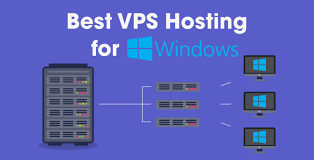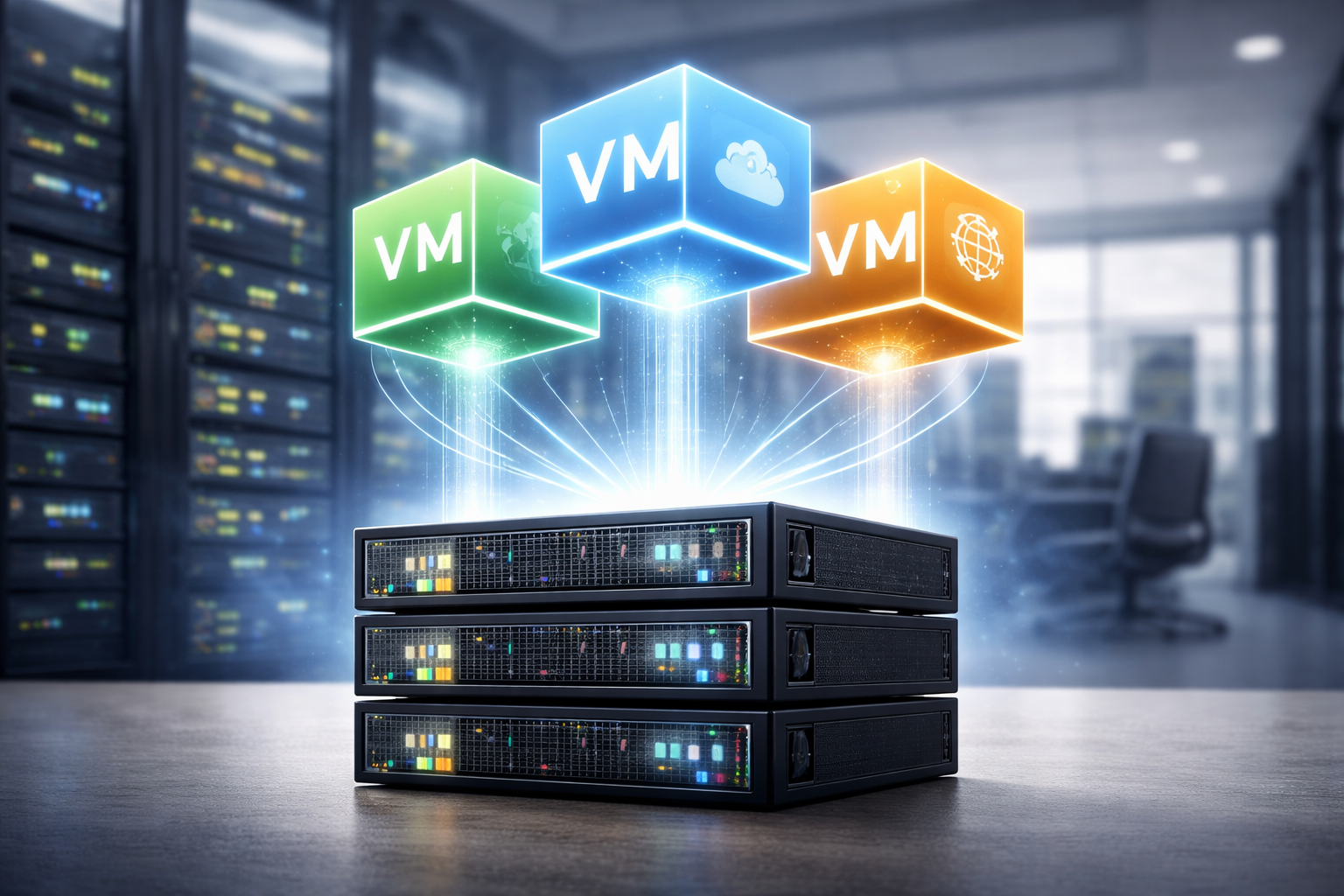
How Virtualization Powers VPS Hosting Architecture
When you visit a website or use a web application, you are interacting with code that lives on a physical server somewhere in a data center. For decades, the only way to run a website was to either rent an entire physical server—which was expensive and often wasteful—or share a server with hundreds of other users, risking security and performance issues.
Virtual Private Server (VPS) hosting emerged as the perfect middle ground, offering the power and isolation of a dedicated server at a fraction of the cost. But how is it possible to split one physical machine into dozens of independent, powerful servers that don’t interfere with one another?
The answer lies in virtualization.
Virtualization is the invisible engine driving modern cloud computing and VPS architecture. It creates a software-defined layer that decouples the operating system from the underlying hardware. For developers, IT managers, and business owners, understanding how virtualization works isn’t just academic trivia. It is essential for making informed decisions about scalability, security, and resource management.
This guide explores the architectural mechanics of VPS hosting, how virtualization acts as the backbone of the industry, and why it remains the gold standard for deploying applications in the digital age.
Background and Virtualization Explained
To understand VPS architecture, we must first look at what happens at the foundational layer of computing.
What virtualization means in computing
In a traditional computing environment, an operating system (OS) like Windows or Linux is installed directly onto the hardware. The OS assumes it owns 100% of the CPU, RAM, and storage. If you run an application that only uses 10% of the server’s power, the other 90% sits idle. The OS generally cannot “give away” that idle power to a completely different OS on the same machine.
Virtualization changes this paradigm. It introduces a software abstraction layer that tricks the operating system into thinking it is running on dedicated hardware, when in reality, it is sharing that hardware with other instances. This allows multiple operating systems to run simultaneously on a single physical machine.
Think of a physical server as a large office building. Without virtualization, one massive company (the OS) occupies the entire building, even if they only have five employees. With virtualization, the building is subdivided into distinct suites. Each company gets its own suite, its own key, and its own resources, maximizing the utility of the real estate.
Evolution of virtualization in web hosting
The concept of virtualization dates back to the mainframe era of the 1960s, specifically with IBM, but it didn’t become a staple of web hosting until the early 2000s.
Before widespread virtualization, “shared hosting” was the norm for small websites. In shared hosting, users had accounts on the same operating system. If one user ran a script that crashed the server, everyone went down. If one user had a security vulnerability, the whole server was at risk.
As hardware became more powerful (multi-core processors and vast amounts of RAM), the inefficiency of the “one server, one OS” model became undeniable. Technologies like VMware and later open-source solutions like Xen and KVM (Kernel-based Virtual Machine) democratized virtualization. This allowed hosting providers to create Virtual Private Servers—environments that behaved exactly like dedicated servers but shared the underlying metal. This evolution paved the way for the flexible, scalable internet infrastructure we rely on today.
Core Components of VPS Hosting Architecture
A VPS setup is not just a single piece of software; it is a stack of technologies working in unison. There are three critical layers to this architecture.
Physical server hardware
At the bottom of the stack is the “bare metal” or the host node. This is the actual physical computer sitting in a data center rack.
For VPS hosting, this hardware is usually enterprise-grade. It typically includes:
- High-core count CPUs: Processors from Intel Xeon or AMD EPYC lines designed to handle hundreds of simultaneous threads.
- ECC RAM: Error-correcting code memory that prevents data corruption, crucial when running dozens of virtual machines.
- Storage Arrays: Modern VPS nodes use NVMe or SSD storage configured in RAID (Redundant Array of Independent Disks) to ensure speed and data redundancy.
While the user never touches this hardware, the quality of the host node dictates the potential performance of the VPS.
Hypervisors and virtualization layers
The hypervisor is the most critical component of VPS architecture. It is the software (or firmware) that creates and runs virtual machines (VMs).
The hypervisor sits between the hardware and the virtual machines. Its job is to act as a traffic cop. When a virtual machine requests CPU time or memory access, the hypervisor intercepts that request and schedules it on the physical hardware. It ensures that VM #1 cannot access the memory addresses assigned to VM #2, maintaining strict isolation.
Without the hypervisor, there is no VPS. It translates the instructions from the virtual environment into instructions the physical processor can understand.
Virtual machines and operating systems
The top layer is what the customer actually sees: the Guest OS.
Inside the virtual environment created by the hypervisor, the user installs an operating system (Ubuntu, CentOS, Debian, Windows Server). To this Guest OS, the environment looks like a physical computer. It sees a hard drive, a network card, and a processor. It doesn’t “know” these are virtual representations created by the hypervisor.
This is where the user interacts with the system, installing web servers (Nginx, Apache), databases, and application code.
How Virtualization Enables VPS Hosting
The magic of VPS hosting is that it provides a dedicated experience on shared infrastructure. Virtualization achieves this through three specific mechanisms.
Resource allocation and isolation
In a shared hosting environment, resources are often a “free-for-all.” If one website gets a traffic spike, it consumes all available RAM, slowing down other sites on the server.
Virtualization solves this through “hard” resource limits. When a VPS is provisioned with 4GB of RAM and 2 CPU cores, the hypervisor reserves those specific resources for that container or VM. Even if a neighboring VPS is under a heavy load, it cannot “steal” resources from your allocated slice. This guarantees that your application has the fuel it needs to run, regardless of what is happening elsewhere on the node.
Performance consistency and scalability
Because resources are partitioned logically, performance becomes predictable. This is vital for businesses running databases or e-commerce stores where page load speed directly impacts revenue.
Furthermore, virtualization allows for “hot scaling.” If you are running a physical server and run out of RAM, you have to shut down the server, open the case, and physically install new memory sticks. In a VPS environment, adding RAM is a software configuration change. The hosting provider can allocate more resources to your VM instantly (often without a reboot), allowing your infrastructure to grow alongside your business.
Security boundaries between virtual servers
Security is perhaps the strongest argument for VPS architecture. Virtualization encapsulates the operating system.
If a hacker compromises a website on a shared server, they often gain access to the underlying file system, potentially compromising every other user on that server. In a VPS architecture, the hypervisor enforces a strict boundary. If a hacker compromises a VPS, they are trapped inside that specific virtual machine. They cannot escape the VM to access the host node or jump over to a neighboring VM. This containment is critical for hosting sensitive data.
Key Virtualization Technologies Used in VPS Hosting
Not all virtualization is created equal. The industry primarily relies on two approaches, each serving different needs.
Type 1 vs Type 2 hypervisors
Hypervisors are categorized by how they interact with the hardware.
- Type 1 (Bare Metal): These hypervisors are installed directly on the physical hardware. There is no underlying operating system. KVM (Kernel-based Virtual Machine), Microsoft Hyper-V, and VMware ESXi are examples. This is the industry standard for VPS hosting because it offers the best performance and stability. The hypervisor has direct access to the hardware without having to go through a “middleman” OS.
- Type 2 (Hosted): These run as an application inside an existing operating system. Examples include VirtualBox or VMware Workstation, which you might run on your laptop. These are rarely used for professional VPS hosting because the extra layer of the host OS introduces latency and reduces performance.
Container-based vs VM-based virtualization
Within the Type 1 category, there is a further distinction between full virtualization (VMs) and containerization.
- KVM (Kernel-based Virtual Machine): This provides full virtualization. It allows the kernel to function as a hypervisor. Each VPS has its own completely isolated kernel. You can run Linux on the host and Windows inside the KVM VPS. This offers maximum isolation and is generally preferred for resource-heavy applications.
- LXC/OpenVZ (Containerization): This is OS-level virtualization. The host and the guests share the same kernel. This makes the “containers” incredibly lightweight and fast to boot, but they are less isolated than KVM. You typically cannot run a different OS kernel (e.g., you can’t run Windows inside a Linux container). While efficient, many providers are moving toward KVM for better security and stability.
Why VPS Architecture Matters for India and Emerging Markets
The adoption of VPS technology is particularly impactful in rapidly digitizing economies like India. The specific architecture of VPS hosting addresses unique regional challenges.
Cost-efficient infrastructure scaling in India
The Indian market is highly price-sensitive but demands enterprise-grade reliability. Dedicated servers require significant capital expenditure (CapEx) or high monthly fees, which can be prohibitive for early-stage startups and SMEs.
VPS architecture allows hosting providers to maximize the density of their hardware. By safely hosting multiple clients on high-end hardware, providers can offer powerful hosting plans at a fraction of the cost of a dedicated server. This lowers the barrier to entry for Indian businesses looking to move from basic shared hosting to a more robust, root-access environment.
Role of VPS hosting in regional digital growth
With the explosion of the startup ecosystem in cities like Bengaluru, Hyderabad, and Gurugram, there is a massive demand for agile infrastructure. Indian developers need environments where they can test, deploy, and scrap applications quickly.
VPS architecture supports this agility. A developer can spin up a VPS in a Mumbai data center in seconds, deploy an app for low-latency access to local users, and scale it up as traffic grows. The ability to localize data through VPS nodes in India also helps businesses comply with data residency laws, which is becoming a crucial factor in the region.
Current Trends in Virtualization Technology
Virtualization is not a stagnant technology. It continues to evolve, driven by the needs of modern software development.
Adoption of lightweight virtualization and containers
While traditional KVM VPSs remain popular, there is a massive shift toward “micro-virtualization” using technologies like Docker and Kubernetes. While technically different from standard VPS, they operate on similar principles of isolation.
Many VPS providers are now offering “Application VPS” or “One-Click Docker” instances. These are optimized specifically to run containerized applications, stripping away the overhead of a full Guest OS where it isn’t needed. This results in faster boot times and higher density.
Integration with cloud and orchestration platforms
The line between a standard VPS and “Cloud Hosting” is blurring. Modern VPS architecture is increasingly integrated with cloud orchestration platforms like OpenStack.
This means that a VPS is no longer just a slice of a single server; it can be part of a distributed storage network. If the physical node running your VPS fails, the orchestration platform can instantly restart your VPS on a different healthy node. This high-availability capability, once reserved for expensive enterprise clouds, is becoming standard in VPS architecture.
Expert Insights and Data-Backed Analysis
For decision-makers, looking at the data behind virtualization helps separate marketing fluff from technical reality.
Industry standards for VPS performance and isolation
Benchmarks consistently show that KVM virtualization retains roughly 97% to 98% of the CPU performance of bare metal execution. This effectively debunks the old myth that virtualization destroys performance.
However, “noisy neighbor” issues can still occur if a provider over-sells their hardware (putting too many VMs on one node). Industry experts recommend looking for providers who utilize “dedicated CPU threads” or “pinned CPU” options. This architectural choice guarantees that specific physical cores are bonded to your VM, ensuring 100% stable performance regardless of other users.
Common misconceptions about virtualization overhead
A common misconception is that the virtualization layer consumes massive amounts of RAM. While there is some overhead (the hypervisor needs memory to manage the translation tables), modern hardware features like Intel VT-x and AMD-V have moved much of this work from software to the CPU silicon itself.
This hardware-assisted virtualization means the overhead is negligible for most web applications. The flexibility gained—snapshots, backups, easy migration—far outweighs the minimal resource cost of the hypervisor.
What to Watch Next
As we look toward the future of hosting architecture, two key areas are poised for change.
Advancements in hypervisor performance
We are seeing the rise of “Unikernels”—specialized, single-address-space machine images constructed by using library operating systems. They strip away everything in an OS that the specific application doesn’t need. This could lead to VPS instances that boot in milliseconds and require a fraction of the memory of current Linux distributions.
Security developments in virtualization platforms
With cyber threats evolving, hypervisors are becoming more hardened. Technologies like AMD SEV (Secure Encrypted Virtualization) allow the memory of a virtual machine to be encrypted. This means that even if a bad actor (or a rogue employee at the data center) gained access to the physical host machine, they could not read the data inside your VPS memory. This level of hardware-enforced privacy is likely to become a standard offering in premium VPS packages.
Moving Forward with Virtualization
Virtualization is the silent workhorse of the internet. It transforms static, expensive hardware into fluid, scalable, and secure software-defined infrastructure.
For businesses and developers, understanding the architecture behind VPS hosting—from the hypervisor to the hardware—unlocks the ability to optimize performance and costs. Whether you are launching a startup in India or managing a global e-commerce platform, the virtualized foundation of the VPS remains the most versatile tool in your digital arsenal.
Frequently Asked Questions
What is the role of a hypervisor in VPS hosting?
The hypervisor is the software layer that sits between the physical hardware and the virtual machines. It manages resources, ensuring that each VPS gets its allocated CPU and RAM, and isolates the virtual machines from one another so they operate securely and independently.
How is VPS different from shared hosting technically?
In shared hosting, hundreds of users share the same operating system instance and file system. In VPS hosting, a hypervisor creates separate virtual machines. Each VPS has its own isolated operating system, file system, and dedicated resources, providing better security and stability.
Does virtualization affect server performance?
Technically, there is a very small amount of overhead (typically 1-3%) compared to a bare-metal server. However, for the vast majority of web applications, this difference is imperceptible. The benefits of scalability and management far outweigh the minute performance cost.
Are containers the same as VPS hosting?
Not exactly. A standard VPS (like KVM) virtualizes the hardware, allowing you to run a full operating system kernel. Containers (like Docker or LXC) virtualize the operating system, sharing the host’s kernel. Containers are more lightweight but offer slightly less