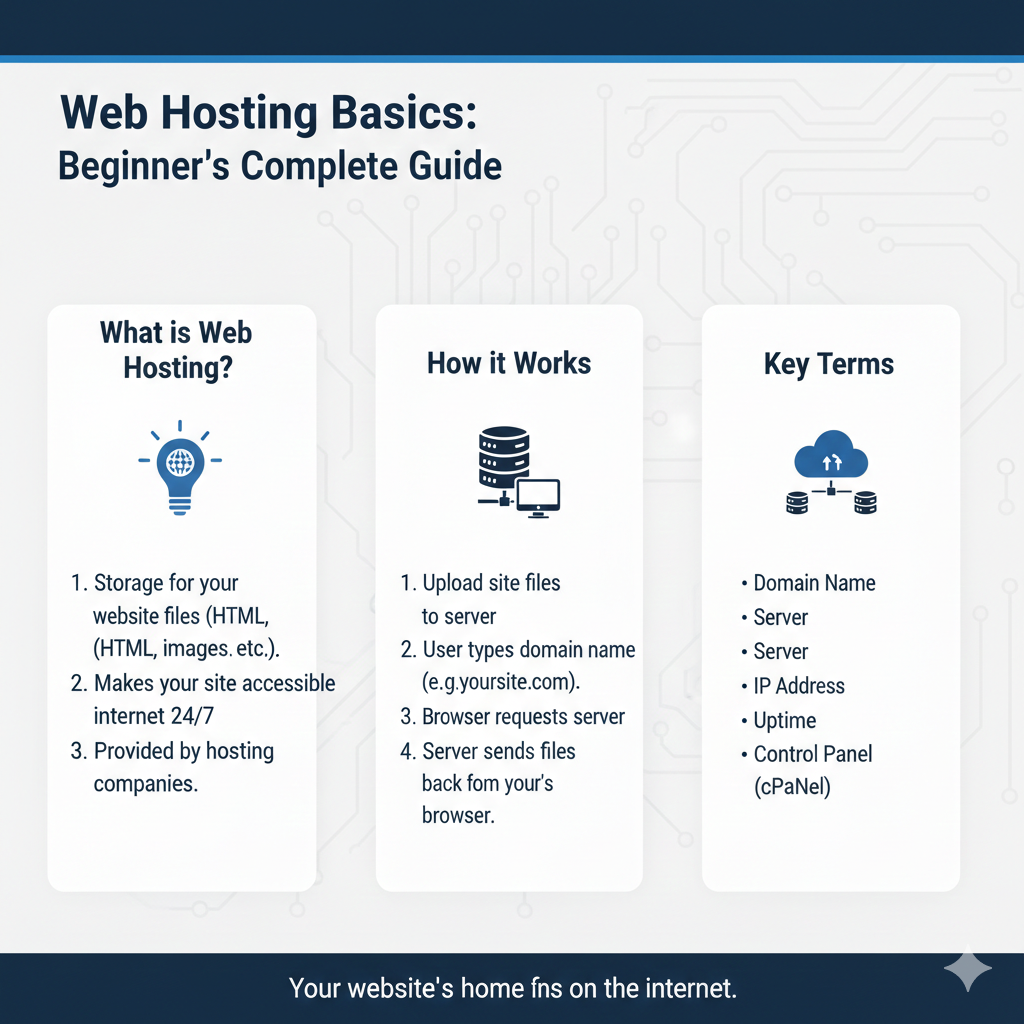
Web Hosting Basics: Beginner’s Complete Guide
If you’re planning to launch a website, understanding web hosting is essential. Without it, your site simply can’t exist online. But for many beginners, the terminology can feel overwhelming—domains, servers, DNS, IP addresses, bandwidth. What does it all mean?
This guide breaks down the fundamentals of web hosting in plain language. You’ll learn what hosting actually is, how it works behind the scenes, and what key terms you need to know before choosing a hosting plan. By the end, you’ll have a clear understanding of how all the pieces fit together to bring your website to life.
Let’s start with the basics.
What Is Web Hosting?
Web hosting is a service that allows your website to be accessible on the internet. Think of it like renting space in a building. Your website’s files—images, text, code—need somewhere to live so people can visit them. That “somewhere” is a web host.
When you sign up for hosting, you’re essentially renting space on a server (a powerful computer that stays on 24/7) where your website files are stored. When someone types your website address into their browser, the hosting server delivers those files so the site appears on their screen.
To dive deeper into what web hosting means, it helps to understand how the server itself operates.
What Is a Server?
A server is a specialized computer designed to store and deliver website data. Unlike your personal computer, servers are built to handle constant traffic and run without interruption.
There are two main types of servers:
Physical servers are actual hardware machines located in data centers. They have powerful processors, large amounts of memory, and are optimized for speed and reliability.
Virtual servers are partitions of a physical server. Using virtualization technology, one physical machine can host multiple virtual servers, each operating independently. This is how many hosting providers offer affordable shared and VPS hosting plans.
Understanding server fundamentals gives you insight into how hosting companies manage resources and deliver performance. But having a server is only part of the equation—you also need a way for people to find your site.
What Is a Domain Name?
A domain name is your website’s address on the internet—like www.yoursite.com. It’s what people type into their browser to visit your site.
Here’s the key distinction: your domain name and your web hosting are two separate things. The domain is the address; the hosting is the building where your website lives. You can purchase a domain from one company and hosting from another, though many providers offer both services together for convenience.
When you register a domain, you’re claiming a unique name that points to your hosting server. This connection is managed through a system called DNS, which we’ll cover next.
For a clearer breakdown of the [difference between domain and hosting](Foundation-related domain blog), it’s helpful to see how they interact through the domain name system.
What Is DNS and How Does It Work?
DNS stands for Domain Name System. It’s essentially the internet’s phonebook, translating human-friendly domain names into IP addresses that computers can understand.
Here’s how it works: when someone types your domain name into their browser, a DNS query is triggered. The DNS server looks up which IP address is associated with that domain, then directs the browser to the correct server where your website files are stored.
Without DNS, users would need to memorize long strings of numbers (IP addresses) to visit websites. DNS makes the internet user-friendly by handling this translation automatically.
To understand [how DNS works](DNS foundation blog) in more detail, it helps to also grasp what an IP address is and why it matters.
What Is an IP Address?
An IP address is a unique numerical identifier assigned to every device connected to the internet, including web servers. Think of it as a phone number for your website’s server.
There are two versions of IP addresses:
IPv4 addresses look like this: 192.168.1.1. They consist of four sets of numbers separated by periods.
IPv6 addresses are longer and look like this: 2001:0db8:85a3:0000:0000:8a2e:0370:7334. IPv6 was introduced to accommodate the growing number of internet-connected devices.
When you host a website, your hosting provider assigns an IP address to your server. Your domain name points to this IP address through DNS. When someone visits your site, their browser uses the IP address to retrieve your website files from the server.
Learning about the role of an [IP address in hosting](IP-related blog) helps demystify how data travels across the internet. But speed and reliability also depend on other factors.
Bandwidth, Storage & Uptime Explained
When comparing hosting plans, you’ll often see terms like bandwidth, storage, and uptime. Here’s what they mean:
Bandwidth refers to the amount of data that can be transferred between your website and its visitors within a given time period. Higher bandwidth means your site can handle more traffic without slowing down. If you expect heavy traffic or host large files like videos, you’ll need more bandwidth.
Storage is the amount of space available on the server to store your website files—HTML, images, databases, videos, and so on. A simple blog might only need a few gigabytes, while an e-commerce site with thousands of product images will require much more.
Uptime is the percentage of time your website is accessible and functioning properly. Most reputable hosts guarantee 99.9% uptime or higher. Even a small amount of downtime can result in lost visitors and revenue, so uptime reliability is critical.
These three factors are core hosting performance factors that determine how well your website runs. Choosing a plan with adequate bandwidth, storage, and strong uptime guarantees ensures a smooth experience for your visitors.
Now that you understand the building blocks of hosting, let’s look at how different hosting types use these fundamentals.
How Hosting Types Fit Into These Basics
All hosting plans rely on the same foundational concepts—servers, domains, DNS, IP addresses, bandwidth, and storage. What differs is how these resources are allocated and managed.
For example:
Shared hosting places multiple websites on a single server, sharing resources like bandwidth and storage. It’s affordable and beginner-friendly but can be slower during traffic spikes.
VPS hosting uses virtual servers to give you dedicated resources within a shared environment. You get more control and better performance than shared hosting.
Dedicated hosting provides an entire physical server just for your website. You have full control and maximum resources, but it’s significantly more expensive.
Cloud hosting spreads your website across multiple servers, offering flexibility and scalability. If one server fails, another takes over, ensuring high uptime.
Each hosting type builds on the same basics but offers different levels of performance, control, and cost. To explore which option suits your needs, check out our guide on different types of hosting.
Frequently Asked Questions
What is the difference between domain and hosting?
A domain is your website’s address (like www.example.com), while hosting is the server space where your website files are stored. You need both for a website to be accessible online, but they are purchased separately (though often bundled by providers).
Do I need hosting for a website?
Yes. Without hosting, there’s nowhere for your website files to live, and visitors won’t be able to access your site. Even if you build a website on your computer, it needs to be uploaded to a hosting server to be visible on the internet.
What is bandwidth in hosting?
Bandwidth is the amount of data transferred between your website and its visitors. If you have high traffic or large files (like videos), you’ll need more bandwidth to ensure your site loads quickly and doesn’t crash.
Is shared hosting good for beginners?
Yes, shared hosting is ideal for beginners. It’s affordable, easy to set up, and requires minimal technical knowledge. However, as your site grows and traffic increases, you may need to upgrade to a more robust hosting plan.
How does DNS connect domain to server?
DNS translates your domain name into an IP address, which directs browsers to the server where your website is hosted. When someone types your domain into their browser, DNS looks up the associated IP address and connects them to your site.
Ready to Choose Your Hosting?
Understanding web hosting basics empowers you to make informed decisions when launching your website. You now know what hosting is, how servers and domains work together, and what factors like bandwidth and uptime really mean.
The next step is choosing the right hosting type for your needs. Consider your website’s size, expected traffic, and budget. Start with a beginner-friendly option like shared hosting, and scale up as your site grows.
Armed with this knowledge, you’re ready to take your website from idea to reality.