Why UK Data Centers Matter for Local SEO Rankings in 2026
magine you are trying to hold a conversation with someone across a crowded, noisy room. It takes longer for your voice to reach them, and there’s a higher chance of misinterpretation. Now, imagine standing right next to them. The communication is instant, clear, and effortless.
This is exactly how server location works for your website.
When your website is hosted on a server halfway across the world from your target audience, the data has to travel thousands of miles through fiber optic cables to reach their screens. This physical distance creates latency—a delay that might seem invisible but has tangible consequences for user experience and search engine optimization (SEO).
In the competitive digital landscape of 2026, Google’s algorithms are more sophisticated than ever. They prioritize speed, user satisfaction, and local relevance. For businesses targeting the United Kingdom, hosting your site in UK data centers for SEO purposes is no longer just a technical preference; it is a strategic necessity.
This guide explores the critical relationship between server location and local SEO, explaining why proximity to your users is one of the most underrated factors in achieving high search rankings.
What Is a Data Center and Server Location?
Before diving into ranking factors, it is important to understand the infrastructure that powers the internet.
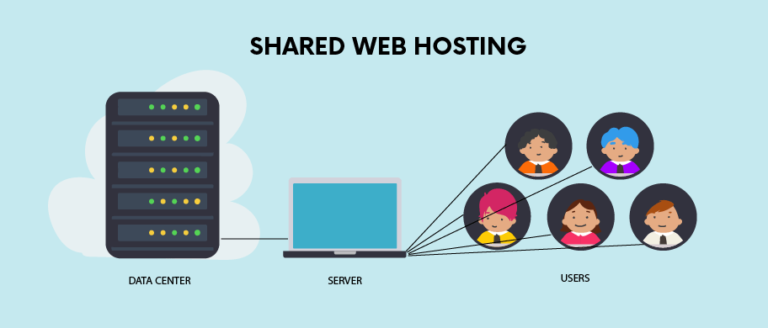
A data center is a physical facility used to house computer systems and associated components, such as telecommunications and storage systems. When you pay for web hosting, you are essentially renting space on a server—a powerful computer—that lives inside one of these facilities.
Server location explained simply is the geographic physical location of that data center. If you choose a hosting provider based in London, your website’s files (images, code, text) physically reside on a hard drive in London.
How websites are delivered
When a user types your URL into their browser, a request is sent from their device to your server. The server processes this request and sends the data back to the user’s device to render the webpage. This round trip of data is bound by the laws of physics. Even traveling at the speed of light, data takes time to traverse distance.
If a user in Manchester tries to access a website hosted in California, the signal must cross the Atlantic Ocean and the continental US. If that same user accesses a site hosted in a UK data center, the trip is drastically shorter.
[Check Server Location]
How Server Location Affects Website Speed
Speed is the currency of the modern web. In 2026, users expect instantaneous load times. The primary metric influenced by server location is latency.
Latency and Response Time
Latency refers to the delay before a transfer of data begins following an instruction for its transfer. In networking terms, it’s often measured as Time to First Byte (TTFB). This is the time between the browser asking for the page and the server sending the first byte of information.
- Low Latency: The server responds almost immediately.
- High Latency: There is a noticeable pause before the page begins to load.
Hosting latency impact is direct and measurable. A server located 100 miles away will always have lower latency than one located 4,000 miles away, assuming all other hardware factors are equal.
Distance Impact: A Practical Example
Let’s look at a hypothetical comparison of server location and website speed for a user based in Birmingham, UK:
- Scenario A (UK Hosting): The server is in London. The data travels approximately 120 miles. The round-trip time (ping) might be 10-20 milliseconds.
- Scenario B (US Hosting): The server is in Texas. The data travels over 4,500 miles. The round-trip time could be 150-250 milliseconds.
While milliseconds sound negligible, they compound. A webpage is made of dozens (sometimes hundreds) of requests for images, scripts, and CSS files. If every request carries a latency penalty, the total load time increases significantly.
Page Speed as a Google Ranking Factor
Google has been transparent about speed being a ranking factor for years. However, in 2026, the nuance of how they measure speed has evolved through Core Web Vitals.
Core Web Vitals and Hosting
Core Web Vitals are a set of specific factors that Google considers important in a webpage’s overall user experience. The most relevant metric here is Largest Contentful Paint (LCP), which measures how long it takes for the main content of a page to load.
High latency caused by distant servers directly negatively impacts your LCP score. If the server takes 500ms just to “wake up” and acknowledge the user (TTFB), you have already eaten into nearly 20% of your budget for a “Good” LCP score (which is 2.5 seconds or less).
Page speed SEO ranking correlation is strong. A site that fails Core Web Vitals is less likely to appear in the top spots of Google Search, particularly for competitive keywords.
Mobile Performance
Mobile devices often rely on cellular networks (4G/5G), which can be less stable than hardwired fiber connections. High server latency exacerbates connection issues on mobile networks. Since Google uses mobile-first indexing—meaning it primarily looks at the mobile version of your site to determine ranking—core web vitals hosting performance is critical.
UK Data Centers and Local Search Visibility
Beyond raw speed, UK data centers aid local SEO by sending specific signals to search engines about who your website is intended for.
Geo-Relevance Signals
Search engines want to return the most relevant results to users. If a user in Leeds searches for “emergency plumber,” Google wants to show plumbers in Leeds, UK, not Leeds, Alabama.
While Google uses many signals to determine location (address on the page, Google Business Profile, currency, country code TLD like .co.uk), the IP address of your server remains a foundational signal. Hosting your site on a server with a UK IP address reinforces your relevance to the UK market. It acts as a tie-breaker signal that confirms, “Yes, this business operates here.”
Local Crawling Efficiency
Googlebot (Google’s web crawler) generally crawls from IPs based in the US, but it also has local crawling capabilities. For local SEO hosting UK, ensuring your site loads quickly for users (and bots) in that region ensures that your content is indexed efficiently. If your site is slow to respond, search engine crawlers may abandon the request or crawl fewer pages on your site, which can hurt your visibility over time.
User Experience Signals That Impact Rankings
SEO in 2026 is less about tricking a robot and more about pleasing a human. Google tracks how users interact with your website to judge its quality. User experience SEO impact is profound.
Bounce Rate
If your site takes 4 seconds to load because the server is in Singapore but your customer is in Scotland, that customer will likely hit the “Back” button. This is a “bounce.” A high bounce rate (or more accurately, “short clicks”) tells Google that users didn’t find what they were looking for—or couldn’t wait for it to load.
Session Duration and Engagement
Faster sites encourage exploration. When pages snap open instantly, users are more likely to click through to a second or third page, increasing their session duration. Website engagement metrics SEO experts track, such as dwell time, generally improve when server response times are low.
Conversion Signals
Ultimately, you want users to buy, sign up, or inquire. Slow hosting kills conversions. Studies consistently show that for every second of delay in page load, conversions drop by significant percentages.
CDN vs Local Data Centers – What’s Better?
A common question arises: “Can’t I just use a Content Delivery Network (CDN) and host anywhere?”
A CDN stores copies of your static files (images, CSS) on servers around the world. When a user visits your site, the CDN serves those static files from the server closest to them.
CDN Limitations
While CDNs are excellent for global CDN performance, they are not a complete replacement for a local origin server.
- Dynamic Content: The HTML document itself—the core of your page—usually still has to be generated by the origin server. If your origin server is in the US, the user still waits for that initial connection.
- Cost: High-performance enterprise CDNs can be expensive.
- Complexity: Configuring a CDN to handle dynamic content caching is technically complex.
Edge Caching Benefits
Modern “Edge” technology is bridging this gap, allowing some code to run closer to the user. However, for the majority of small to medium businesses, a CDN vs server location SEO strategy shouldn’t be an “either/or” choice.
The best practice is: Host locally (UK data center) AND use a CDN.
This ensures the base connection is fast (server location) and the heavy assets load instantly (CDN).
When UK Server Location Matters Most
Not every website needs to worry equally about server geography. However, for specific business models, local website hosting UK is non-negotiable.
1. Local Businesses
If you are a dentist in Bristol, a restaurant in Edinburgh, or a law firm in London, 99% of your traffic comes from the UK. Hosting in the US offers zero benefits and only downsides (latency). For best hosting for UK business, local servers are essential.
2. eCommerce Stores
Online shoppers are impatient. If your checkout page hangs because the server is communicating with a data center in Asia, you will lose the sale. UK-based eCommerce stores need the snappiest possible response times to maximize revenue.
3. Service Providers
Accountants, consultants, and tradespeople relying on lead generation forms need those forms to load and submit instantly. Friction causes drop-offs.
When Server Location Has Less Impact
There are scenarios where the physical location of the server becomes secondary to other factors.
Global Audiences
If you run a blog with readers in the UK, US, Australia, and Japan, there is no single “perfect” location. In this case, global website hosting usually involves picking a central hub (like the US East Coast) and relying heavily on a premium CDN to distribute content.
Heavy CDN Usage (Static Sites)
If your website is purely static (HTML/CSS only, no database), and you host it entirely on a CDN (like Netlify or Cloudflare Pages), the “origin” server matters less because the entire site lives on the “edge” nodes closest to every user.
However, for international SEO hosting, if you are targeting specific countries, using country-specific subdirectories (e.g., /uk/, /us/) and ensuring fast delivery to those regions is still key.
How to Check Your Current Server Location
Unsure where your website is currently hosted? It is easy to find out.
IP Lookup Tools
You can use free tools to check server location website data:
- Open a command prompt (Windows) or Terminal (Mac).
- Type
ping yourwebsite.com. - Copy the IP address that appears.
- Paste that IP address into a tool like
iplocation.net.
Hosting Dashboards
Log into your hosting provider’s admin panel. Most transparent providers will list the data center location (e.g., “London,” “Slough,” “Maidenhead”). If it says “Virginia” or “Frankfurt,” and your audience is in the UK, it might be time to migrate.
[Check Server Location]
How to Choose Hosting with UK Data Centers
If you have decided to move your site closer to home, here is how to select the right UK hosting providers.
Provider Checklist
When reviewing hosts, look for the following:
- Physical Location: Do they explicitly state they have data centers in the UK? (Common locations include London, Manchester, and Slough).
- Performance: Do they use NVMe SSD storage? (This is faster than traditional SSD).
- Connectivity: Do they have direct peering agreements with major UK internet service providers (BT, Virgin, Sky)? This ensures the shortest digital path to your users.
- Support: Is their support team based in the UK time zone?
Performance Benchmarks
Look for independent reviews that test Time to First Byte (TTFB). For a hosting with UK data centers, you should expect a TTFB of under 200ms (ideally under 100ms) when tested from a UK location.
SEO Benefits Summary Table
Here is a quick reference guide on how local hosting impacts your SEO efforts.
| SEO Factor | UK Hosting Impact | Why It Matters |
|---|---|---|
| Core Web Vitals | High Positive Impact | Lowers latency, improving LCP scores. |
| Crawl Budget | Moderate Positive Impact | Faster response allows Googlebot to index more pages. |
| Local Relevance | Moderate Positive Impact | UK IP helps signal geographic intent to search engines. |
| User Experience | High Positive Impact | Faster load times reduce bounce rates and increase dwell time. |
| Mobile Ranking | High Positive Impact | Compensates for slower mobile network connections. |
FAQs – UK Data Centers & Local SEO
Here are the most common questions regarding hosting location and search rankings.
Does server location affect Google rankings?
Yes. While it is not a direct “ranking signal” in the sense that Google gives points just for being in London, the indirect effects are massive. Server location dictates speed (latency). Speed is a Core Web Vital. Core Web Vitals are ranking factors. Therefore, server location affects rankings.
Is UK hosting better for UK businesses?
Absolutely. For businesses primarily serving UK customers, hosting with UK data centers ensures the fastest possible connection speeds, better user experience, and helps reinforce local relevance signals to search engines.
Can a CDN replace local hosting for SEO?
Not entirely. A CDN improves the delivery of images and scripts, but the initial connection to your website usually depends on the origin server. A combination of a UK-based server plus a CDN is the gold standard for performance.
How much speed difference does server location make?
It can be the difference between a site loading in 0.8 seconds vs 2.5 seconds. In the world of high-speed internet, that 1.7-second delay is enough to frustrate users. The “latency penalty” of hosting overseas typically adds 100-200ms to every single request made to the server.
Does IP location matter for SEO in 2026?
IP location is less critical than it was in 2010, but it is still a relevance signal. Google is smart enough to know that a .co.uk domain is for the UK, but a UK IP address aligns all your technical signals, leaving zero doubt about your target audience.
Should international businesses use UK servers?
Only if the UK is their primary market. If you are a US company trying to rank in the UK, you might consider a specific UK subdirectory hosted on a UK server, or a robust enterprise CDN. If you host in the UK but your customers are in New York, you are simply reversing the latency problem.
How do I migrate my website to a UK server?
Contact your current host to see if they have a UK node you can switch to. If not, find a new UK hosting provider. Most quality hosts offer free migration services where they move your files and database for you, ensuring zero downtime.
Summary and Next Steps
In 2026, the digital marketplace is crowded. Every millisecond of delay is an opportunity for a potential customer to leave your site and visit a competitor.
While content remains king in SEO, infrastructure is the castle it lives in. Hosting your website in UK data centers for local SEO provides a solid foundation of speed, reliability, and geographic relevance. It improves your Core Web Vitals, keeps your bounce rates low, and signals to Google that you are a local entity worthy of ranking.
If your target audience is in the UK, bring your data home. It’s one of the easiest, most effective wins available for your technical SEO strategy.