What Is Shared Hosting? A Complete Beginner’s Guide Worldwide
tarting a website feels like learning a new language. You have to navigate terms like domain names, SSL certificates, bandwidth, and the most fundamental one of all: web hosting.
If you’ve been looking for a place to house your new website, you’ve almost certainly come across the term “shared hosting.” It is the most popular entry point for beginners, largely because it’s affordable and relatively easy to manage. But what exactly is it? Is it safe? And most importantly, is it the right choice for your specific project?
This guide breaks down everything you need to know about shared hosting. We will move past the technical jargon to explain how it works, who it is for, and why it might be the perfect—or worst—solution for you.
See also: The Evolution of Web Hosting: From Shared Servers to Cloud Infrastructure
What Is Shared Hosting?
At its core, shared hosting is a web hosting service where multiple websites reside on a single web server connected to the internet. This is generally the most economical option for hosting, as the overall cost of server maintenance is amortized over many customers.
Shared Hosting Meaning Explained
Think of a web server as a powerful computer. This computer has hard drive space (storage), a central processing unit (CPU), and memory (RAM). When you buy shared hosting, you are renting a small slice of that computer’s resources alongside hundreds or even thousands of other users.
It is called “shared” because you are not the exclusive user of the server’s hardware. You share the system resources—processor time, memory, and disk space—with everyone else on that machine.
A Real-World Analogy
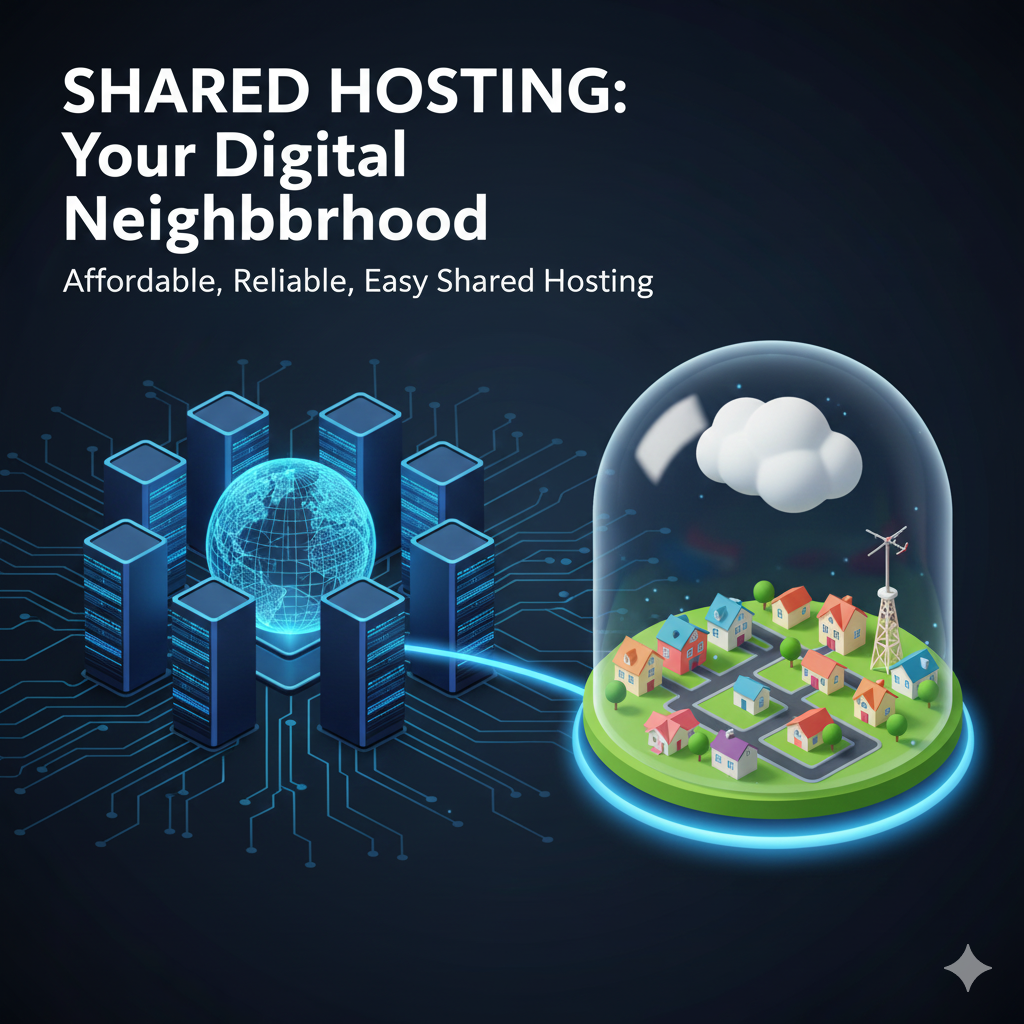
To visualize this, imagine living in an apartment complex. You have your own private unit (your website), which you can decorate and furnish however you like. However, you share the building’s resources with your neighbors. You all use the same water supply, the same electricity grid, the same parking lot, and the same main entrance.
If one neighbor decides to throw a massive party (a traffic spike), the elevator might be slow, or the noise might disturb you. Shared hosting works the same way. It is communal living for websites.
How Shared Hosting Works
To understand the mechanics, we first need to define a web server. A server is a physical computer that stores website files (images, code, text) and delivers them to a user’s browser when they type in a URL.
On a dedicated server, one machine serves one client. On a shared server, the hosting provider installs software that allows the server to manage multiple accounts separately. Each account has its own login and section of the hard drive, but under the hood, they are all fighting for the same computing power.
What Resources Are Shared?
When you sign up for a plan, you are sharing three main components:
- CPU (Central Processing Unit): The brain of the server. It handles requests and processes PHP scripts. If one site on the server runs a complex script, it uses up CPU cycles that are then unavailable to others.
- RAM (Memory): This is short-term memory used to run applications. If the server runs out of RAM because too many sites are active at once, your website might display an error message.
- Storage: While you are usually allotted a specific amount of disk space, the physical drive reads and writes data for everyone. High activity on other sites can slow down data retrieval for yours.
This setup is how hosting companies can offer plans for a few dollars a month. By stacking many users onto one machine, they maximize the utility of the hardware.
Advantages of Shared Hosting
Despite the sharing of resources, this type of hosting remains the number one choice for new websites. Here is why:
- Cost-Effectiveness: This is the biggest draw. Since the server costs are split among many users, plans can be incredibly cheap—often less than the price of a cup of coffee per month.
- Beginner-Friendly Setup: You don’t need to know Linux commands or how to configure a firewall. Most shared hosting comes with a control panel (like cPanel or Plesk) that makes managing your site intuitive.
- Maintenance Is Managed: The hosting provider handles the technical “grunt work.” They upgrade the hardware, update the operating system, and fix network outages. You just focus on building your site.
- One-Click Installs: Most providers offer tools to install popular platforms like WordPress, Joomla, or Drupal with a single click.
- Scalability for Starters: If you are starting from zero, you don’t need the power of a supercomputer. Shared hosting provides exactly what a new site needs without the waste.
Disadvantages of Shared Hosting
The low price tag does come with trade-offs. It is important to be aware of the limitations before you commit.
Limited Performance and “The Bad Neighbor Effect”
Referring back to the apartment analogy: if your neighbor clogs the plumbing, your sink might back up. On a shared server, if another website gets a sudden viral surge of traffic or is poorly coded, it can hog the server’s CPU and RAM. This can cause your website to load slowly or even go offline temporarily. This is known as the “bad neighbor effect.”
Security Risks
While hosting companies work hard to isolate accounts, the reality is that you are on the same machine as others. If a hacker gains root access to the server through a vulnerability in another user’s site, there is a small theoretical risk to your data. Additionally, if someone on your server sends out spam email, the server’s IP address could get blacklisted, meaning your emails might end up in spam folders too.
Customization Limits
You generally cannot install custom software or change system-wide settings on a shared server. You are stuck with the configuration the host provides. For most beginners, this doesn’t matter, but for developers, it can be frustrating.
Who Is Shared Hosting Best For?
Given the pros and cons, shared hosting is not a one-size-fits-all solution. It is specifically designed for:
- Beginners: If this is your first website, start here. It is the lowest barrier to entry.
- Bloggers: Personal blogs usually don’t require heavy resources until they become very famous.
- Small Business Sites: A local bakery, a plumber, or a consultant typically needs a “brochure” style site that provides information but doesn’t process massive amounts of data.
- Portfolios: Creatives showing off their work will find shared hosting adequate.
- Testing Environments: Developers often use cheap shared hosting to test ideas before moving them to production environments.
When Shared Hosting Is NOT a Good Choice
You should skip the shared plan and look for something more robust if you fall into these categories:
- High-Traffic Websites: If you are expecting tens of thousands of visitors a day, shared hosting will crash.
- Large eCommerce Stores: If you have thousands of products and high transaction volumes, you need a server that guarantees speed and security. Slow loading times kill sales.
- Resource-Heavy Apps: Websites that do heavy video processing, complex calculations, or run custom software applications need dedicated resources.
- Regulatory Requirements: Certain industries (like healthcare or finance) may have strict data privacy laws that require isolated environments, which shared hosting cannot always guarantee.
Shared Hosting vs. Other Types of Hosting
To truly understand where shared hosting sits in the ecosystem, it helps to compare it to the alternatives.
Shared Hosting vs. VPS Hosting
VPS (Virtual Private Server) hosting is the middle ground. You still share a physical server, but the server is virtually partitioned. You get a guaranteed amount of RAM and CPU that no one else can touch.
- Analogy: Owning a townhouse. You share walls, but you have your own entrance and control over what happens inside your specific unit.
- Verdict: VPS is faster and more stable but costs more and requires more technical knowledge.
Shared Hosting vs. Cloud Hosting
Cloud hosting uses a network of servers rather than a single machine. If one server fails, another takes over. It is highly scalable.
- Analogy: Checking into a hotel chain. If one room (server) has an issue, they just move you to another one immediately.
- Verdict: Cloud hosting is more reliable and flexible but can be more expensive than shared options.
Shared Hosting vs. Dedicated Hosting
Dedicated hosting means you rent the entire physical server. It is all yours.
- Analogy: Owning a detached house on a private island. You have total control, privacy, and space, but you are responsible for everything, and it is expensive.
- Verdict: Dedicated hosting provides maximum performance but is overkill for 99% of websites.
How to Choose the Best Shared Hosting Provider
Not all shared hosts are created equal. Some overload their servers, while others maintain strict limits to ensure quality. Here is what to look for:
- Uptime Guarantee: Look for a provider that guarantees 99.9% uptime. Downtime means your site is invisible to customers.
- Customer Support: When your site breaks at 2 AM, is there a 24/7 chat support team? Test their response time before buying.
- Storage and Bandwidth: Many hosts claim “unlimited” bandwidth. Read the fine print. There is always a limit on “fair use.” Ensure the actual limits fit your needs.
- Security Features: Do they offer a free SSL certificate? Do they perform daily backups? These are non-negotiable in 2024.
- Ease of Use: A clean, modern dashboard makes a huge difference. If the backend looks like it was built in 1995, stay away.
Is Shared Hosting Good for SEO?
Search Engine Optimization (SEO) is how you get found on Google. There is a myth that shared hosting kills SEO. That is not entirely true, but there are nuances.
Website Speed Matters
Google uses page speed as a ranking factor. Because shared servers can be slower during peak times, your site might take longer to load than a competitor on a VPS. If your site takes 5 seconds to load, visitors will leave, and Google will notice.
Uptime Matters
If your shared host has frequent outages, Google’s bots can’t crawl your site. If they can’t crawl it, they can’t index it.
The Bottom Line
For a new site, shared hosting is perfectly fine for SEO. A well-optimized site on a good shared host will outrank a poorly optimized site on a dedicated server. However, once you are competing for highly competitive keywords and getting massive traffic, upgrading your hosting will become necessary to maintain your rankings.
Frequently Asked Questions About Shared Hosting
Is shared hosting safe?
Generally, yes. Reputable hosts use firewalls and security monitoring to protect servers. However, it is never as safe as a dedicated environment. You must keep your own website software (like WordPress plugins) updated to prevent breaches.
Can I upgrade later?
Absolutely. This is the standard growth path. You start on a $5/month shared plan, and when your traffic grows, you contact your host to migrate you to a VPS or Cloud plan. It is usually a seamless process.
How much traffic can shared hosting handle?
This varies wildly by provider, but a typical shared plan can handle between 10,000 to 100,000 monthly visits comfortably. If you spike above that, you may be asked to upgrade.
Is shared hosting good for WordPress?
Yes. Most shared hosting is specifically optimized for WordPress, offering one-click installations and caching features designed to make WordPress run smoothly.
Final Thoughts: Should You Use Shared Hosting?
If you are launching a new blog, a small business site, or a personal portfolio, shared hosting is the logical choice. It provides the most value for money and removes the technical headaches of server management.
Think of hosting as a journey. You don’t need a Ferrari to learn how to drive; a reliable sedan gets you from A to B perfectly fine. Start small with a reputable shared hosting provider. Focus your energy on creating great content and building your audience. When—and only when—your site slows down due to too much success, that is the time to upgrade.