Step-by-Step Guide to Buying Domain + Hosting Together
Every great website begins with two fundamental components: a memorable name and a reliable place to live online. For beginners launching a blog, portfolio, or small business site, the technical jargon surrounding “domains” and “hosting” can feel like a barrier to entry. But here is the good news: getting online is easier than you think, especially when you handle both steps at once.
Buying your domain and hosting together is the smartest way to start your journey. It streamlines the technical setup, saves you money through bundle deals, and keeps all your administrative tasks under one roof. Instead of juggling multiple logins and DNS settings, you can manage your entire digital presence from a single dashboard.
This guide is designed for complete beginners ready to take action. We will walk you through exactly what these terms mean, why bundling them is beneficial, and provide a clear, step-by-step tutorial on how to buy a domain and hosting together. By the end of this post, you will have the knowledge—and the confidence—to launch your website today.
What Is a Domain Name and Web Hosting? (Beginner Overview)
Before you spend a penny, it is crucial to understand exactly what you are buying. Think of your website like a house.
Domain Name Explained
Your domain name is your address on the internet. It is what people type into their browser bar to find you (e.g., google.com or yourwebsite.co.uk). Without a domain name, visitors would have to type in a long string of numbers (an IP address) to access your site, which is neither practical nor memorable.
When you ask, “what is a domain name,” simply think of it as the signpost that directs traffic to your digital property.
Web Hosting Explained
If the domain is the address, web hosting is the actual house where your website’s files, images, and content live. A web host is a company that owns powerful computers (servers) connected to the internet 24/7. When you rent space on these servers, your website becomes accessible to the world.
So, what is web hosting? It is the service that keeps the lights on and the doors open for your visitors.
How Domain and Hosting Work Together
You cannot have a functioning website without both. If you have a domain name but no hosting, visitors will arrive at your address only to find an empty lot. If you have hosting but no domain, you have a fully furnished house that nobody can find.
While it is possible to buy them separately from different companies, purchasing them as a package ensures they are automatically connected, removing a major technical headache for beginners.
Benefits of Buying Domain and Hosting Together
Many new website owners wonder if they should keep their services separate. While there are niche reasons to do so, for 99% of beginners, the benefits of a bundle far outweigh the cons.
One Dashboard Management
Simplicity is key when you are just starting. When you buy a cheap domain and hosting bundle from a single provider, you only have one login to remember and one support team to contact if something goes wrong. You won’t need to learn how to update “nameservers” or transfer DNS records manually.
Free Domain Offers
This is the biggest financial incentive. Most top web hosting companies offer a free domain name for the first year when you sign up for an annual hosting plan. This instantly saves you between £10 and £15.
Faster Setup
When purchased separately, you might wait up to 48 hours for the domain to “propagate” (connect) to the hosting server after you change the settings. When you buy domain and hosting together, the provider links them instantly during the checkout process, meaning you can start building your site immediately.
Cost Savings
Beyond the free domain, providers often discount the hosting rate significantly for new customers who bundle services. It is generally the most cost-effective way to launch.
Best Domain and Hosting Providers in 2026
Choosing the right partner is critical. You want a provider that balances performance, support, and price. Here are the categories you should look for when searching for the best domain hosting providers.
Reliability and Uptime
Your host needs to be reliable. Look for a guaranteed “uptime” of 99.9%. This ensures your website is rarely offline.
Pricing and Renewal Rates
Be aware that introductory prices are often lower than renewal prices. The best providers are transparent about what you will pay in year two.
Features
Top web hosting companies will include essential extras in their bundles, such as:
- Free SSL Certificate: For security.
- Email Accounts: Professional addresses (e.g.,
info@yourdomain.com). - One-Click Installers: To set up WordPress easily.
Note: Popular providers often recommended for bundles include Bluehost, Hostinger, and SiteGround, though you should always check current reviews for the latest performance data.
Step-by-Step Guide to Buying Domain + Hosting Together
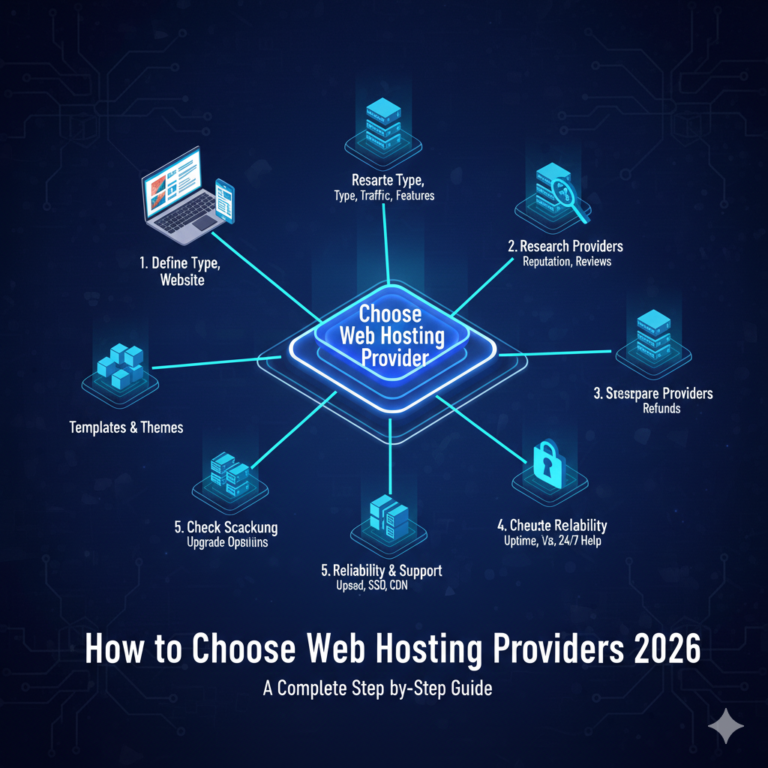
Ready to get started? Follow this walkthrough to register a domain name and set up your hosting account.
Step 1: Choose a Domain Name
Brainstorming is the fun part. Your name should be short, easy to spell, and relevant to your brand. Avoid hyphens and numbers if possible, as they can be confusing when spoken aloud.
Step 2: Check Domain Availability
Go to your chosen hosting provider’s website. They will have a search bar on their homepage. Type in your desired name to see if it is available. If your preferred .com or .co.uk is taken, the tool will usually suggest alternatives or different extensions (like .net or .org).
Step 3: Select a Hosting Plan
Most providers offer tiers like “Basic,” “Plus,” or “Pro.”
- Basic/Single: Good for one website. Best for personal blogs.
- Plus/Premium: Allows multiple websites and more storage. Better for small businesses.
- Pro/Business: Highest performance. Necessary for high-traffic sites.
For most beginners asking how to set up web hosting, the “Basic” or “Shared” plan is a perfect starting point.
Step 4: Add Free SSL and Extras
During checkout, ensure the “SSL Certificate” is selected (it is usually free). This gives you the padlock icon in the browser bar and is essential for security and Google rankings. Be wary of other upsells like “SiteLock Security” or “SEO Tools”—you can often add these later or find free plugins that do the same job.
Step 5: Complete Checkout
Enter your payment details. Remember, paying for 12 months (or even 36 months) upfront usually unlocks the free domain offer and the lowest monthly rate.
Step 6: Connect Domain Automatically
Since you are learning how to buy domain and hosting together, this step happens in the background! The provider automatically points your new domain to your new server space.
Step 7: Install WordPress or Website Builder
Once logged in, look for a button that says “Create a Site” or “Install WordPress.” Modern hosts make this a one-click process. Within minutes, the skeleton of your website will be live.
How Much Does Domain and Hosting Cost?
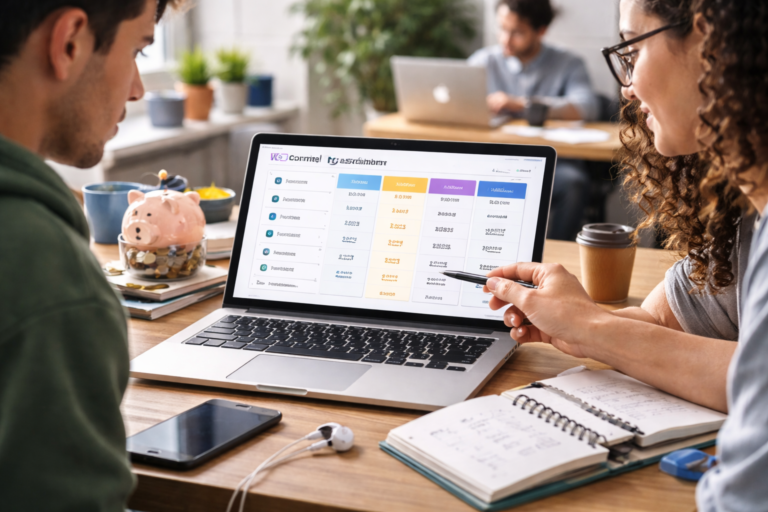
Budgeting is a major concern for new website owners. The domain and hosting cost per year can vary wildly depending on the provider and the package.
Typical Pricing
- Promotional Year 1: You can often find cheap web hosting for beginners for as little as £2.50 to £5.00 per month. With a free domain included, your total upfront cost for the first year could be around £30–£60.
- Renewal Pricing: After the promotional period ends, standard rates apply. Hosting might jump to £8–£12 per month, and the domain renewal will cost around £10–£15 per year.
Hidden Charges
Watch out for “Domain Privacy Protection” (sometimes added automatically to your cart) and setup fees. Always review your final bill before clicking pay.
Common Mistakes to Avoid When Buying Domain + Hosting
Even with a guide, it is easy to make small errors that cause headaches later.
Choosing the Wrong Domain Extension
While funky extensions like .xyz or .club are cheap, they don’t carry the same trust as .com or .co.uk. Stick to established extensions if you want your business to appear professional.
Overpaying for Add-ons
hosting checkout pages are notorious for pre-ticking boxes. You rarely need “Premium Email” or “Daily Backups” immediately if you are on a tight budget. Start lean and upgrade only when necessary.
Ignoring Renewal Pricing
Don’t just look at the big font price (e.g., “£1.99/mo”). Look at the small print that says “renews at £7.99/mo.” Ensure your business model can support the regular price, not just the sale price.
How to Secure and Protect Your Domain & Hosting
Website security for beginners doesn’t have to be complicated, but it is non-negotiable.
SSL Certificates
We mentioned this earlier, but it bears repeating: never launch a site without an SSL certificate for website security. It encrypts data between your site and your visitors. If your host charges extra for this, consider looking for a different provider, as most reputable companies now include it for free.
Domain Privacy Protection
By default, your personal name, address, and phone number are listed in a public database called WHOIS when you register a domain. “Domain Privacy” replaces your details with the hosting company’s information. It is worth the small extra fee (usually £5-£10/year) to avoid spam calls and emails.
Backups
Computers crash and hacks happen. Check if your hosting plan includes automated backups. If not, make sure you install a backup plugin on your website immediately after launching.
What to Do After Buying Domain and Hosting
Congratulations! You are officially a website owner. Here is your immediate checklist.
Website Setup Checklist
- Log in to WordPress (or your builder): Familiarise yourself with the dashboard.
- Choose a Theme: Pick the design template for your site.
- Create Key Pages: Build your Home, About, and Contact pages.
Email Setup
Use your hosting dashboard to create your professional email address (e.g., contact@yourdomain.com). Add this to your phone so you never miss an enquiry.
Basic SEO Setup
Install an SEO plugin (like Yoast or RankMath) to help Google understand what your new site is about.
FAQ – Buying Domain and Hosting (High-Intent SEO)
Q1: Can I buy domain and hosting together?
Yes, and it is highly recommended for beginners. Buying them together simplifies management, usually includes a free domain for the first year, and ensures your website connects instantly without technical manual setup.
Q2: What is the cheapest way to buy domain and hosting?
The cheapest method is to look for “shared hosting” bundles from major providers like Hostinger or Bluehost. These providers often run sales where you can secure a year of hosting and a free domain for under £40 total.
Q3: Which is the best provider to buy domain and hosting?
The “best” depends on your needs, but top-rated web hosting companies for beginners typically include SiteGround (for support), Hostinger (for price), and Bluehost (for ease of use). Look for providers offering 24/7 support and 99.9% uptime.
Q4: Do I need hosting if I buy a domain name?
Yes, if you want a website. A domain is just the address; hosting is the storage space. Without hosting, you can own the name, but you cannot display a website or use professional email addresses associated with that name.
Q5: How long does it take to activate domain and hosting?
When purchased together, activation is usually instant or takes a few minutes. If purchased separately, linking them can take 24–48 hours due to DNS propagation.
Q6: Can I transfer my domain later?
Yes. You are never locked in forever. You can transfer your domain name to a registrar and your website files to a new host if you are unhappy with the service, though there are usually waiting periods (e.g., 60 days) after initial registration.
Start Building Your Dream Website Today
The journey from “idea” to “live website” is shorter than you think. By choosing to buy domain and hosting together, you have avoided the most common technical hurdles that stop beginners in their tracks. You have secured your brand name, rented your server space, and set the foundation for your online growth.
Don’t let analysis paralysis hold you back. The perfect time to start is now. Choose a hosting provider that fits your budget, claim your free domain, and publish that first page. The internet is waiting for you.