Shared Hosting vs VPS vs Cloud Hosting: Which Is Best in 2026?
Your website’s performance, security, and growth potential hinge entirely on the foundation you build it on. In the digital space, that foundation is your web hosting. Choosing the wrong type of hosting is like trying to build a skyscraper on quicksand—eventually, things will start to sink.
If you are launching a new site or looking to upgrade an existing one, the technical jargon can be overwhelming. You have likely seen terms like “Shared,” “VPS,” and “Cloud” thrown around, often with confusingly similar price tags or marketing promises.
But in 2026, the differences between these hosting environments are more distinct than ever. As web applications become heavier and user expectations for speed hit all-time highs, knowing exactly what you are paying for is critical.
This guide breaks down the three titans of the hosting world: Shared Hosting vs VPS vs Cloud Hosting. We will strip away the marketing fluff to help you understand how each works, who they are for, and which one aligns with your business goals for the year ahead.
Quick Overview: Shared vs VPS vs Cloud Hosting
Before we dive into the technical details, let’s establish a high-level understanding of how these options differ.
Think of web hosting like housing.
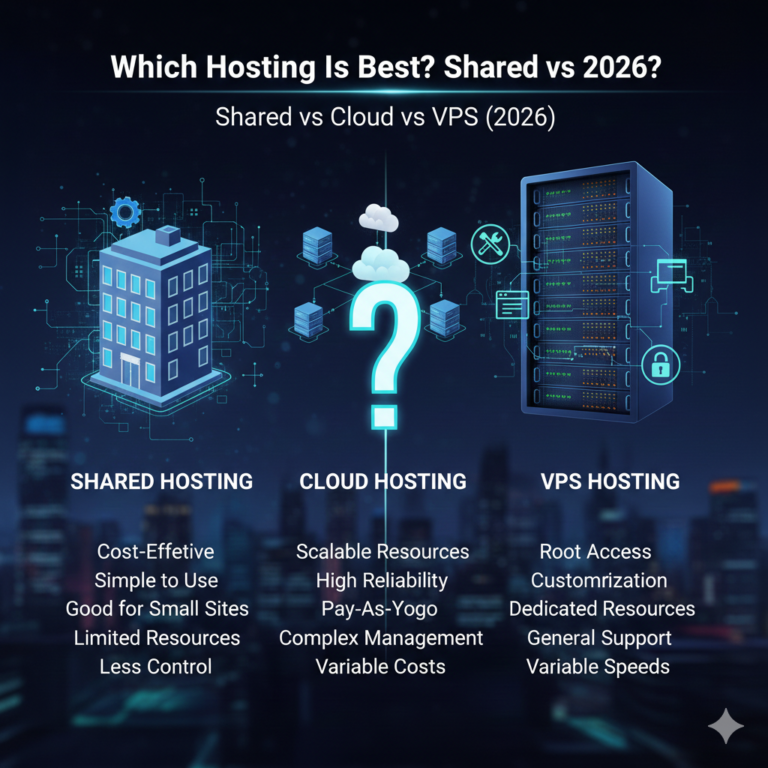
- Shared Hosting is like living in a college dormitory. You have your own room (your website), but you share resources like the bathroom, kitchen, and living area (CPU, RAM, bandwidth) with everyone else on your floor. If one roommate throws a massive party (a traffic spike), the whole floor gets noisy and crowded.
- VPS Hosting is like owning a condo. You are still in a larger building with other people, but you have your own dedicated amenities. You don’t share your kitchen or bathroom. What your neighbors do rarely affects you, and you have the freedom to renovate your interior however you like.
- Cloud Hosting is like staying in a network of interconnected hotels. If your room has a plumbing issue, you are instantly moved to an identical room next door. If you invite 50 friends over, the hotel instantly expands your suite to accommodate them, and you only pay for the extra space while you use it.
Comparison Summary
| Feature | Shared Hosting | VPS Hosting | Cloud Hosting |
| Best For | Beginners, Personal Blogs | Small Businesses, eCommerce | Growing Startups, SaaS, Apps |
| Performance | Low to Medium | High | High to Very High |
| Reliability | Low (susceptible to bad neighbors) | High (isolated environment) | Maximum (redundant servers) |
| Scalability | Limited | Moderate (requires upgrade) | Infinite (instant scaling) |
| Cost | $ | $$ | $ – $$$$ |
| Technical Skill | Beginner | Intermediate/Advanced | Intermediate/Advanced |
What Is Shared Hosting?
Shared hosting remains the most popular entry point for the internet. As the name implies, multiple websites reside on a single physical server. These hundreds (or sometimes thousands) of websites share the same pool of server resources, including memory, processing power, and disk space.
How Shared Hosting Works
In a shared environment, the hosting provider manages the server completely. You are given a control panel (usually cPanel or a custom dashboard) to manage your files and emails, but you have no access to the server’s core software. It is a “set it and forget it” solution designed for simplicity.
Pros and Cons
Pros:
- Affordability: This is arguably the cheapest way to get online, with plans often starting under $5/month.
- Ease of Use: Pre-configured environments mean you don’t need to be a system administrator to launch a site.
- Maintenance Free: The host handles security patches, server updates, and technical maintenance.
Cons:
- The “Bad Neighbor” Effect: If another site on your server gets hacked or experiences a viral traffic spike, your site’s speed may suffer.
- Security Risks: While rare, security breaches on the main server can theoretically impact all sites hosted on it.
- Limited Resources: You have strict caps on storage and bandwidth.
Who Should Choose Shared Hosting?
If you are just starting out, shared hosting is likely your best bet. It is the best web hosting for beginners who are building personal portfolios, small hobby blogs, or simple informational websites that don’t require complex software.
What Is VPS Hosting?
VPS (Virtual Private Server) hosting sits directly in the middle ground between shared and dedicated hosting. It uses virtualization technology to split a single powerful physical server into multiple isolated virtual compartments.
How VPS Hosting Works
Even though you are physically on the same hardware as other users, a “hypervisor” creates a virtual wall between you and them. You are allocated a guaranteed amount of RAM, CPU cores, and storage space.
Unlike shared hosting, where resources are a free-for-all, VPS resources are yours and yours alone. If your neighbor’s site crashes, yours keeps humming along perfectly.
VPS Hosting vs Shared Hosting
The primary difference in the VPS hosting vs shared hosting debate is control and isolation.
- Root Access: VPS usually provides “root access,” allowing you to install custom software, configure firewalls, and tweak server settings. Shared hosting does not allow this.
- Performance Stability: Because your resources are guaranteed, your site loads consistently regardless of global server load.
Ideal Users for VPS Hosting
VPS is the logical next step for businesses that have outgrown shared plans. It is ideal for eCommerce stores (like WooCommerce or Magento) that need stable speeds to process transactions, or developers who need specific server configurations.
What Is Cloud Hosting?
Cloud hosting has evolved from a buzzword into the dominant infrastructure standard for modern web applications. Unlike shared or VPS hosting, which rely on a single physical server, cloud hosting utilizes a cluster of interconnected servers.
How Cloud Hosting Works in 2026
Your website’s data is replicated across multiple servers in the cluster. If one server fails or experiences hardware issues, your site is automatically migrated to another server in the cluster with zero downtime.
Cloud Hosting vs VPS Hosting
When comparing cloud hosting vs VPS hosting, the differentiator is scalability.
- VPS Scalability: If you need more RAM on a VPS, you often have to upgrade your plan, which might involve a server restart or migration downtime.
- Cloud Scalability: Cloud resources can be scaled instantly (often automatically). If you go viral on social media, the cloud allocates more RAM and CPU to handle the traffic spike, then scales back down when the traffic subsides.
Who Should Choose Cloud Hosting?
Cloud hosting is essential for websites where uptime is non-negotiable. If you run a SaaS platform, a high-traffic news site, or a corporate application, the redundancy of the cloud makes it the superior choice.
Shared vs VPS vs Cloud Hosting: Feature Comparison
To help you make the right choice for 2026, let’s look at how these three stack up across critical performance categories.
Performance & Speed
- Shared: Performance is inconsistent. A “noisy” neighbor can cause your page load times to fluctuate.
- VPS: High, consistent performance. You get exactly what you pay for (e.g., 4GB RAM, 2 Cores).
- Cloud: Superior performance. The ability to distribute the load across multiple servers means your site can handle heavy processes without slowing down.
Security & Isolation
- Shared: The least secure. You are reliant on the host’s ability to lock down the server. If a hacker gains root access to the main server, all sites are vulnerable.
- VPS: High security. Your virtual environment is sandboxed. Even if another VPS on the same machine is compromised, yours remains safe.
- Cloud: Very high security. Most cloud providers offer advanced firewalls and distributed denial-of-service (DDoS) protection as standard features.
Scalability
- Shared: Very low. You hit a “ceiling” quickly. Once you exceed the plan’s limits, the host will ask you to leave or upgrade.
- VPS: Medium. You can upgrade, but it is not instant. It requires manual intervention.
- Cloud: Infinite. This is the cloud’s superpower. You can scale from 1 CPU core to 100 CPU cores in seconds.
Pricing & Billing Model
- Shared: Flat monthly or yearly fee.
- VPS: Flat monthly fee.
- Cloud: Usually a “Pay-as-you-go” model. You only pay for the resources (hours of CPU usage, GBs of bandwidth) you actually consume.
Pricing Comparison (2026)
When conducting a web hosting cost comparison, it is important to look past the introductory teaser rates.
Entry-Level Pricing
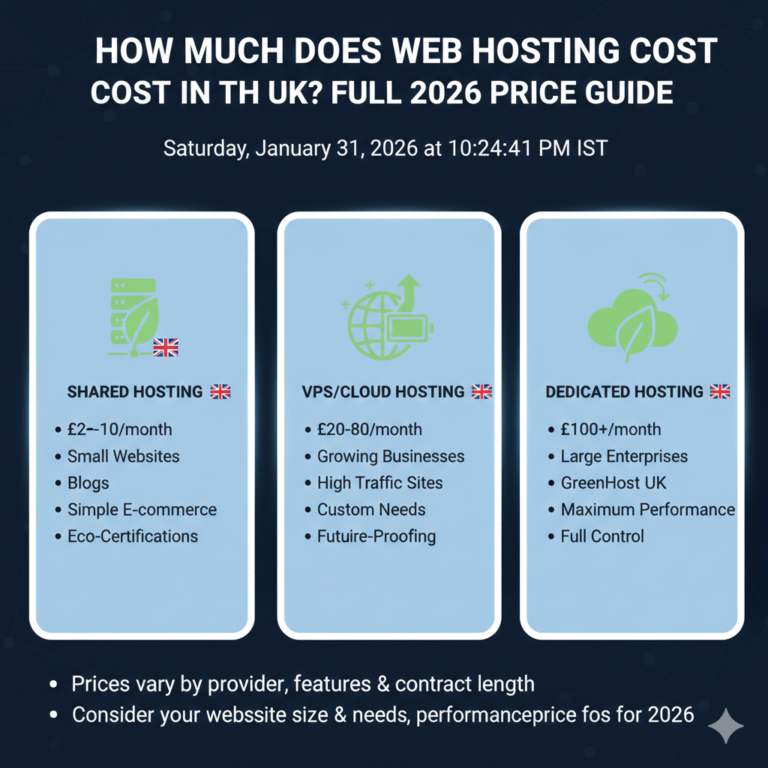
- Shared: $2.99 – $9.99 per month. Be wary of renewal rates, which often jump by 200-300%.
- VPS: $15.00 – $60.00 per month. Pricing depends heavily on whether the VPS is “Managed” (the host helps you) or “Unmanaged” (you do it all).
- Cloud: $5.00 – $50.00+ per month. The entry point is low, but costs can grow as your traffic grows.
Long-Term Cost Considerations
Shared hosting is the cheapest upfront but can cost you money in lost sales if your site is slow. Cloud hosting can be unpredictable if you don’t monitor your usage, but it offers the best ROI for high-performance sites.
Which Hosting Type Should You Choose?
Still undecided? Here is our recommendation based on common user profiles.
Best Hosting for Beginners
Stick with Shared Hosting. If you are launching a personal blog or a portfolio, you do not need the complexity or cost of VPS or Cloud. Focus on creating content first.
Best Hosting for Small Business
For a local business website (e.g., a restaurant, dentist, or law firm), a high-tier Shared Hosting plan or a small VPS is ideal. You need reliability, but you likely won’t have millions of visitors.
Best Hosting for WordPress Websites
If your site is growing and generating revenue, look for Managed WordPress Hosting. This is often built on Cloud infrastructure but managed like shared hosting. It offers the best of both worlds: speed and simplicity.
Best Hosting for High-Traffic Websites
If you have over 50,000 monthly visitors, you should be on Cloud Hosting or a robust VPS. Relying on shared hosting at this level will result in timeouts and frustrated users.
Best Hosting for eCommerce
Security and speed are money. Do not risk cheaping out here. VPS Hosting is the minimum standard for an online store to ensure customer data is isolated and checkout pages load instantly.
Common Mistakes When Choosing Hosting
- Choosing the Cheapest Option: There is almost always a catch. Extremely cheap hosts often overcrowd their servers, leading to terrible performance.
- Ignoring Scalability: Don’t just buy for today; buy for where you want to be in 12 months. Migrating a site later can be a headache.
- Overlooking Backups: Regardless of whether you choose Shared, VPS, or Cloud, ensure the provider offers automated daily backups.
- Confusing “Managed” vs. “Unmanaged”: If you buy an Unmanaged VPS to save money but don’t know how to use a command line, you will end up with a broken website you cannot fix.
Frequently Asked Questions (FAQ)
Q1. Which is better: shared hosting, VPS, or cloud hosting?
There is no single “better” option; it depends on your needs. Shared is better for cost, VPS is better for control, and Cloud is better for reliability and uptime.
Q2. Is shared hosting enough for beginners?
Yes, absolutely. Modern shared hosting is powerful enough to handle new websites with low to moderate traffic (up to ~10,000 visits/month).
Q3. When should I upgrade from shared hosting to VPS?
You should upgrade when your site starts feeling slow, you receive errors during traffic spikes, or you need to install custom software that shared hosting doesn’t support.
Q4. Is cloud hosting better than VPS hosting?
For reliability, yes. Cloud hosting eliminates the single point of failure (hardware issues) that can affect a VPS. However, a VPS can sometimes offer more raw power for a lower fixed price.
Q5. Which hosting is best for WordPress?
Managed Cloud Hosting is generally considered the gold standard for WordPress, offering speed, security, and specific WordPress optimizations.
Q6. Which hosting type is the most affordable?
Shared hosting is the most affordable, followed by entry-level Cloud hosting, then VPS hosting.
Q7. Can I switch between hosting types later?
Yes, most hosting providers allow you to migrate. However, moving from Shared to VPS/Cloud often requires a manual migration of files and databases.
Summary
Choosing between shared hosting vs VPS vs cloud hosting comes down to balancing your budget against your need for performance.
- Choose Shared if you are a beginner with a limited budget and low traffic.
- Choose VPS if you are a growing business needing consistent performance and server control.
- Choose Cloud if you are a mission-critical website demanding 100% uptime and infinite scalability.
In 2026, the cost of cloud and VPS technology has dropped significantly, making high-performance hosting accessible to more people than ever before. Don’t let your hosting hold you back—invest in a foundation that supports your growth.
Ready to find your perfect host? Check out our top-rated hosting providers for 2026 to get started.