Managed Cloud Hosting Explained: Features, Costs & Use Cases (2026)
If you have ever tried to manage a high-traffic website on a standard server during a traffic spike, you know the panic of downtime. It’s 2026, and digital expectations have never been higher. Users demand instant load times, 100% uptime, and seamless experiences, regardless of how many other people are visiting the site at the same time.
This pressure is why cloud hosting dominates the modern web landscape. But raw cloud power comes with a catch: complexity. Managing cloud infrastructure requires technical expertise that most business owners, creative agencies, and ecommerce founders simply don’t have time for.
That is where managed cloud hosting comes in. It bridges the gap between the raw power of cloud infrastructure and the ease of use of traditional hosting. But is it right for your specific needs? And how has the landscape changed in 2026?
In this guide, we will break down exactly what managed cloud hosting is, how it differs from other hosting types, and whether the investment makes sense for your business growth.
What Is Managed Cloud Hosting?
At its core, managed cloud hosting is a service where a provider handles the setup, administration, management, and support of a cloud-based server infrastructure for you.
Think of standard cloud hosting like renting an empty, high-tech apartment. You get the space and the utilities, but you have to furnish it, fix the plumbing if it breaks, and install your own security system. If the power goes out, you are the one calling the electric company.
Managed cloud hosting is like checking into a luxury hotel suite. The infrastructure is there, but so is the concierge, the housekeeping staff, and the security team. You get all the benefits of the space without worrying about maintenance.
How it works
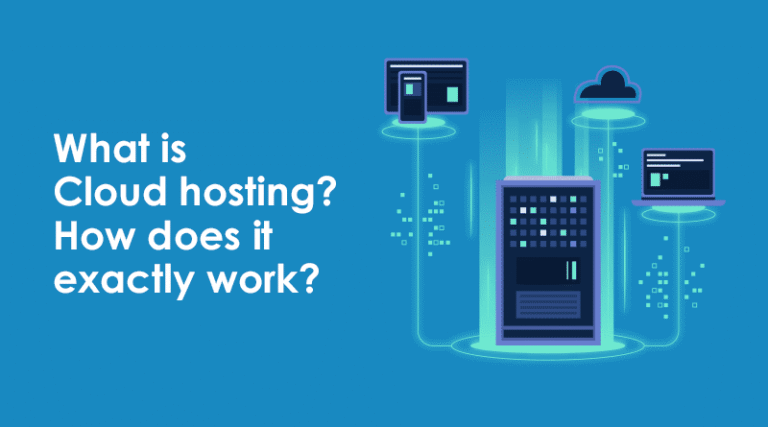
Instead of hosting your website on a single physical server (like shared or dedicated hosting), managed cloud hosting utilizes a network of virtual servers. These draw resources from a vast underlying pool of physical computing power. If one server goes offline, your site is instantly migrated to another, ensuring maximum reliability.
The Shared Responsibility Model
In 2026, the “Shared Responsibility Model” is the standard. The cloud provider (like AWS, Google Cloud, or DigitalOcean) manages the physical data centers. Your managed hosting provider (the company you pay) manages the server software, security patches, and performance optimization. You, the client, are simply responsible for your website’s content and application code.
How Managed Cloud Hosting Works
To understand how managed cloud hosting works, you need to look beyond the dashboard and into the infrastructure.
Cloud Infrastructure (Multi-Server Setup)
Traditional hosting relies on one physical machine. Managed cloud hosting decouples your data from hardware. Your website data lives on a storage cluster, while computing power (CPU and RAM) is pulled from a separate computing cluster. This separation allows for incredible flexibility.
Auto-Scaling & Load Balancing
This is the “magic” feature for growing businesses. If your marketing campaign goes viral and traffic surges by 500% in ten minutes, a traditional server might crash. A managed cloud environment detects the load and automatically allocates more CPU and RAM to handle the spike. A load balancer sits in front of your servers, distributing incoming traffic evenly so no single resource gets overwhelmed.
Role of the Hosting Provider vs. Website Owner
| Responsibility | Managed Hosting Provider | You (Website Owner) |
| Hardware Maintenance | ✅ | ❌ |
| Server OS Updates | ✅ | ❌ |
| Security Patches | ✅ | ❌ |
| Website Code/Content | ❌ | ✅ |
| Performance Tweaks | ✅ | ❌ |
Key Features of Managed Cloud Hosting
When you sign up for a plan, you aren’t just paying for server space. You are paying for a suite of services designed to keep your site fast and secure. Here are the standard managed cloud hosting features you should expect in 2026.
Auto-Scaling Resources
As mentioned, this allows you to pay for what you use. You don’t need to pay for a massive server 24/7 just to handle a potential Black Friday spike. The system scales up when needed and scales down when traffic normalizes.
High Availability & Redundancy
“High Availability” isn’t just a buzzword; it’s a guarantee. Because your site isn’t tied to one piece of hardware, hardware failure doesn’t mean website downtime. Redundancy means there are backup mechanisms in place for power, network, and storage.
Managed Security & Firewalls
Cyber threats are automated and relentless. Managed providers implement server-level firewalls, malware scanning, and intrusion detection systems. They also handle the complex task of patching operating system vulnerabilities before hackers can exploit them.
Automated Backups
Disaster recovery is built-in. Most providers offer daily automated backups stored in an off-site location. If an update breaks your site, you can restore a previous version with a single click.
Performance Optimization
Providers configure the server stack (Web server, PHP version, Database) specifically for speed. This often includes server-level caching (like Varnish or Redis) and Content Delivery Network (CDN) integration to serve images faster to global users.
24/7 Expert Support
This is often the primary selling point. Instead of general support agents, you get access to cloud engineers who understand Linux, server stacks, and application errors.
Managed Cloud Hosting vs. Traditional Hosting
Choosing the right hosting is about matching infrastructure to your business stage. Let’s compare managed cloud hosting vs shared hosting and other traditional types.
Cloud vs. Shared Hosting
Shared hosting is like living in a dormitory. You share a bathroom (CPU/RAM) with hundreds of others. If one person takes a long shower (uses too many resources), everyone else gets cold water (slow speeds).
- Verdict: Shared hosting is cheap but unreliable for business. Cloud hosting isolates your resources, guaranteeing performance.
Cloud vs. VPS Hosting
A Virtual Private Server (VPS) is a slice of a server. It is private, but standard VPS hosting is often unmanaged. You get root access, but if you break the server configuration, you have to fix it.
- Verdict: Managed cloud hosting offers the power of VPS but without the headache of system administration.
Cloud vs. Dedicated Hosting
Dedicated hosting gives you an entire physical server. It is powerful but inflexible. Scaling requires physically adding hardware, which means downtime.
- Verdict: Cloud hosting matches dedicated performance but offers superior scalability and instant upgrades.
When Cloud Hosting Wins
Cloud hosting wins whenever scalability and reliability are non-negotiable. If every minute of downtime costs you money, you need the cloud.
Managed Cloud Hosting Pricing in 2026
Price is often the biggest barrier to entry. Managed cloud hosting cost has stabilized, but it remains a premium service compared to shared hosting.
Entry-Level Pricing
For small businesses or startups, plans typically start between $25 and $50 per month. This usually gets you 1GB–2GB of RAM and a single processor core, which is sufficient for a well-optimized WordPress site or a small app.
Business & Ecommerce Pricing
For active ecommerce stores or SaaS platforms, expect to pay between $80 and $300 per month. These plans offer higher RAM (4GB–16GB), dedicated CPU cores, and priority support.
Usage-Based Billing Explained
Some providers use a “pay-as-you-go” model. You pay a small monthly fee for the base setup, and then pay hourly rates for extra resources consumed during traffic spikes. This is incredibly cost-effective for seasonal businesses.
Hidden Costs to Watch Out For
- Bandwidth Overage: If you go over your transfer limit, fees can add up.
- Premium Add-ons: Things like off-site backups, extra IP addresses, or premium CDNs might cost extra.
- Email Hosting: Unlike shared hosting, managed cloud rarely includes email hosting. You will need to pay separately for Google Workspace or Outlook.
Pros and Cons of Managed Cloud Hosting
Before you switch, weigh the managed cloud hosting pros and cons.
Advantages for Businesses
- Speed: Faster load times improve SEO rankings and conversion rates.
- Scalability: Grow without migrating servers.
- Security: Proactive protection against threats.
- Time Savings: No server maintenance means more time for marketing and product development.
Potential Drawbacks & Limitations
- Cost: It is significantly more expensive than shared hosting.
- Technical Limits: You may not have “root access” to the server, meaning you can’t install custom, obscure software that the provider doesn’t support.
- Email: As mentioned, you usually need a separate email provider.
Who Needs Managed Cloud Hosting? (Use Cases)
Is it overkill for you? Or a necessity? Here is who needs managed cloud hosting most:
Ecommerce Stores
If your site loads slowly, shoppers leave. If it crashes on Cyber Monday, you lose revenue. Managed cloud provides the speed and stability required for high-transaction environments (WooCommerce, Magento, etc.).
SaaS Platforms
Software-as-a-Service companies need high availability. If your app is down, your users can’t work. The cloud provides the necessary infrastructure reliability.
High-Traffic Blogs & Media Sites
Ad revenue depends on page views. Slow sites get fewer views. Managed cloud handles concurrent visitors effortlessly.
Businesses with Traffic Spikes
Event websites, ticket sales platforms, or seasonal businesses benefit from auto-scaling features that prevent crashes during rush periods.
Agencies & Developers
Agencies managing multiple client sites can use managed cloud to ensure all clients have fast, secure sites without hiring a full-time DevOps engineer.
Managed Cloud Hosting vs. Managed VPS Hosting
This is a common point of confusion. Let’s look at the managed cloud hosting vs managed VPS comparison.
While both are “managed,” the difference lies in infrastructure.
- Scalability: Cloud hosting scales across multiple servers instantly. VPS is confined to one physical parent server; scaling often requires a reboot or migration.
- Reliability: If a cloud node fails, your site moves to another instantly. If a VPS parent server fails, your site goes down until that hardware is fixed.
- Cost Structure: VPS is usually a flat monthly fee. Cloud can be flat or usage-based.
Best Use Case: Choose VPS for consistent, predictable workloads with a fixed budget. Choose Managed Cloud for mission-critical apps where uptime and scaling are paramount.
Security & Reliability in Managed Cloud Hosting
In 2026, data privacy is a massive concern. Managed cloud hosting security protocols are generally far superior to DIY setups.
Data Redundancy
Your data is usually mirrored across multiple storage devices. Even if a drive fails, your data remains safe.
DDoS Protection
Distributed Denial of Service (DDoS) attacks try to overwhelm your server. Managed providers have massive network capacity and specialized hardware to absorb these attacks without your site going offline.
Disaster Recovery
Beyond simple backups, many providers offer disaster recovery plans that can restore your entire infrastructure in a different geographic region if a natural disaster hits a data center.
Compliance Readiness
If you handle medical data (HIPAA) or credit cards (PCI-DSS), many managed cloud providers offer compliant infrastructure out of the box, saving you legal headaches.
Best Managed Cloud Hosting Providers (2026 Overview)
When searching for the best managed cloud hosting providers, the market is crowded. While specific companies change, the criteria for choosing one remain constant.
What to Look For in a Provider
- Tech Stack: Do they use the latest PHP versions, HTTP/3, and NGINX/LiteSpeed?
- Support Quality: Test their chat support before buying. Do they answer in 2 minutes or 2 hours?
- Data Center Locations: Choose a provider with servers close to your customers to reduce latency.
- Ease of Use: Is their control panel intuitive?
Key Evaluation Checklist
- Does it offer free SSL certificates?
- Is site migration included for free?
- Do they offer a staging environment for testing code?
- Is there a money-back guarantee?
Frequently Asked Questions (FAQ)
Q1. What is managed cloud hosting in simple terms?
It is a service where a company manages the technical aspects of cloud servers (security, updates, uptime) for you, so you can focus on your business. It combines the power of the cloud with the ease of use of a service.
Q2. How much does managed cloud hosting cost in 2026?
Entry-level plans start around $25/month. Robust plans for businesses typically range from $80 to $150/month. High-performance enterprise setups can cost $500+.
Q3. Is managed cloud hosting better than VPS hosting?
For scalability and uptime, yes. Cloud hosting uses multiple servers to prevent failure and handle traffic spikes, whereas a VPS is usually limited to a single physical server’s resources.
Q4. Is managed cloud hosting good for ecommerce websites?
Yes, it is arguably the best choice. It offers the speed needed for conversions and the auto-scaling needed to handle sales events like Black Friday without crashing.
Q5. Does managed cloud hosting include security and backups?
Yes. Almost all reputable managed providers include automated daily backups, firewalls, malware scanning, and free SSL certificates as part of the monthly fee.
Q6. Can beginners use managed cloud hosting?
Absolutely. The “managed” part means the provider handles the command-line work. You usually get a user-friendly dashboard to manage your website, similar to standard hosting.
Q7. Is managed cloud hosting worth it for small businesses?
If your website generates revenue or leads, yes. The cost is higher than shared hosting, but the return on investment comes from better reliability, security, and speed, which protects your brand reputation.
Final Verdict: Is Managed Cloud Hosting Right for You?
The hosting landscape in 2026 favors those who prioritize performance.
You should choose managed cloud hosting if:
- You run an ecommerce store or a business-critical website.
- You anticipate traffic growth or have seasonal spikes.
- You have zero patience for server downtime.
- You lack the technical skills to manage a Linux server yourself.
You should consider alternatives if:
- You are running a hobby blog with minimal traffic (Stick to Shared Hosting).
- You have a strict budget of under $10/month (Stick to Shared Hosting).
- You are a sysadmin who wants full root control to install custom environments (Look at Unmanaged Cloud/VPS).
Managed cloud hosting is an investment in peace of mind. It removes the technical barriers to growth, ensuring that your hosting solution propels your business forward rather than holding it back.