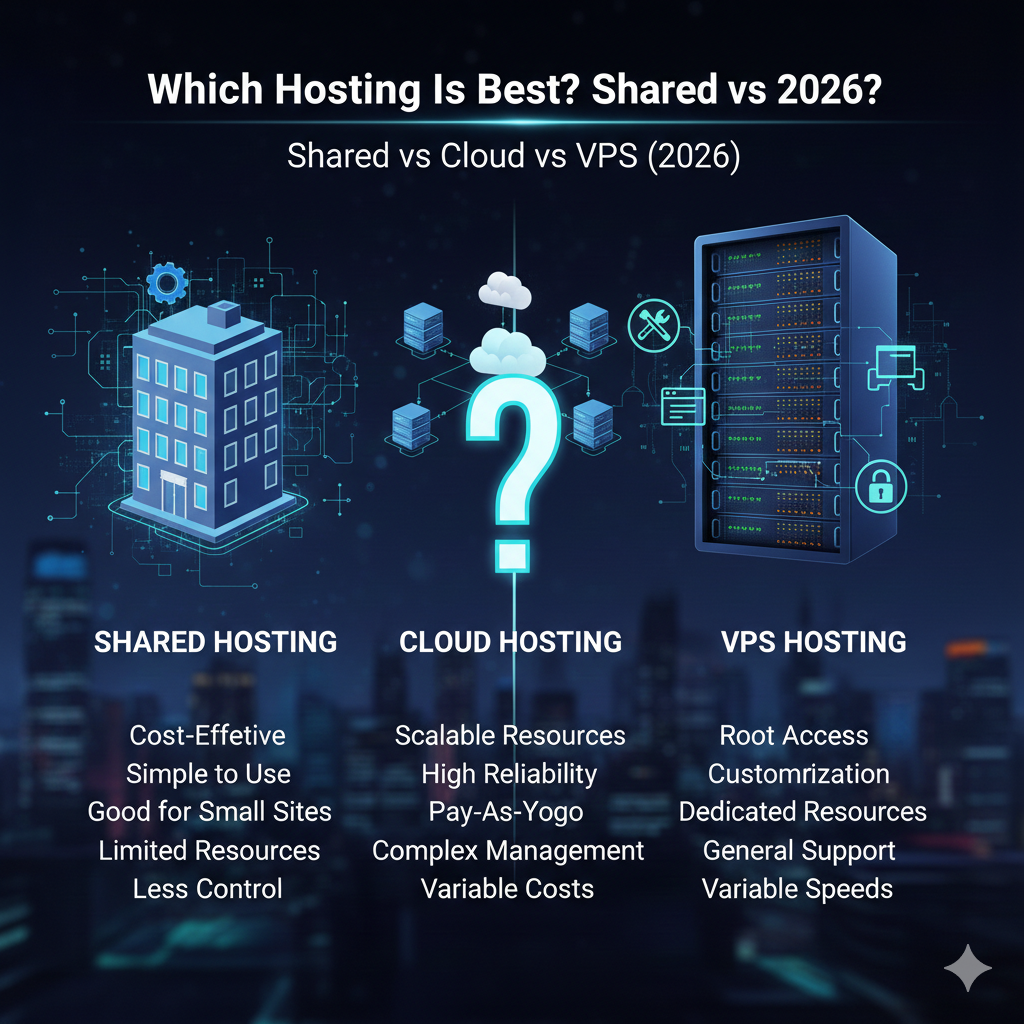
Which Hosting Is Best? Shared vs Cloud vs VPS (2026)
Affiliate Disclosure: This article contains affiliate links. If you purchase through these links, we may earn a commission at no extra cost to you.
Choosing the right web host is the foundation of your digital presence. In 2026, the performance gap between hosting types has widened, and user expectations for speed have never been higher. A slow site doesn’t just annoy visitors; it kills conversion rates and tanks SEO rankings.
But with so many acronyms and marketing terms, how do you choose? The debate of shared vs cloud vs VPS hosting is the most common hurdle for new and growing website owners. Each architecture offers a distinct balance of cost, power, and flexibility.
Shared hosting offers an affordable entry point for beginners. Cloud hosting promises infinite scalability for growing businesses. VPS (Virtual Private Server) hosting provides the control and power developers crave.
This guide breaks down the technical differences, pricing structures, and performance benchmarks for 2026. Whether you are launching a personal blog or scaling a high-traffic SaaS platform, we will help you identify the best hosting type for your specific needs.
What Is Shared Hosting?
Shared hosting is the entry-level standard for the web. Think of it like living in a dormitory or a large apartment complex. You have your own room (your website), but you share all the building’s utilities—water, electricity, and hallways—with hundreds of other residents.
How shared hosting works
In a shared hosting environment, a single physical server hosts hundreds, sometimes thousands, of websites. These sites compete for the same server resources, including CPU (processing power), RAM (memory), and disk space.
The hosting provider installs a control panel (like cPanel) that allows users to manage their files and databases without needing to understand Linux command lines. Because the resources are pooled, providers can offer these plans at rock-bottom prices.
Pros and cons
Pros:
- Cost-Effective: It is the cheapest hosting option in 2026, making it ideal for hobbyists.
- User-Friendly: Most technical maintenance, security updates, and server configurations are managed by the host.
- Pre-configured: Comes with one-click installers for WordPress and other CMS platforms.
Cons:
- Performance Issues: If a “neighbor” site gets a traffic spike or runs a buggy script, your site slows down (the “noisy neighbor” effect).
- Security Risks: While rare, vulnerabilities in the shared server software can potentially affect all sites on that server.
- Limited Scalability: You cannot add more RAM or CPU power on demand; once you hit the limit, you must migrate.
Best use cases
Shared hosting is the best hosting for small business brochure sites, personal portfolios, and new blogs with low traffic (under 10,000 monthly visitors). If you are learning shared hosting meaning and mechanics, this is the safest sandbox to start in.
[Check Pricing for Shared Hosting]
What Is Cloud Hosting?
Cloud hosting has revolutionized how we think about server reliability. If shared hosting is an apartment, cloud hosting is a network of Airbnb rentals scattered across a city. You aren’t tied to one location; if one becomes unavailable, you instantly move to another.
Cloud infrastructure basics
Cloud hosting explained simply: it utilizes a cluster of servers (the cloud) rather than a single machine. Your website’s data is replicated across multiple storage devices. If one piece of hardware fails, another takes over instantly, ensuring your site stays online.
Modern cloud solutions often use “load balancers.” These distribute incoming traffic across various servers to ensure no single machine gets overwhelmed. This architecture offers high redundancy and is the standard for mission-critical applications in 2026.
Scalability advantages
This is the primary selling point of scalable hosting solutions. In traditional hosting, upgrading means physically moving your site to a bigger server—a process that causes downtime.
With cloud hosting, you can scale resources vertically (adding more RAM/CPU) or horizontally (adding more servers) with a few clicks. During a Black Friday sale or a viral marketing campaign, you can instantly ramp up capacity and then scale back down when traffic normalizes.
Performance expectations
Cloud hosting generally offers faster Time to First Byte (TTFB) than shared hosting because resources are not as strictly contended. The distributed nature of the network also allows for better integration with Content Delivery Networks (CDNs), pushing content closer to global users.
What Is VPS Hosting?
VPS stands for Virtual Private Server. To continue our real estate analogy, a VPS is like owning a townhouse. You are still in a larger building (the physical server), but you have dedicated walls, your own entrance, and guaranteed amenities that no neighbor can steal.
Virtual private server overview
VPS hosting explained technically involves a hypervisor. This software splits a massive physical server into several smaller, virtual compartments. Unlike shared hosting, where resources are a free-for-all, a VPS guarantees you a specific slice of the pie.
If you pay for 4GB of RAM and 2 CPU cores, those resources are reserved strictly for you. Even if other VPS containers on the same machine are overloaded, your performance remains stable.
Resource isolation and control
The biggest virtual private server hosting benefits are isolation and “root access.” Root access gives you administrative control over the operating system. You can install custom software, configure firewalls, and tweak server settings that would be impossible on a shared plan.
Performance control
Because you have dedicated resources, VPS hosting offers consistent, high-performance web hosting. It bridges the gap between shared hosting and renting an expensive dedicated physical server. It is the preferred choice for developers who need a specific environment (e.g., a specific version of Python or Node.js) to run their applications.
[Compare Hosting Plans]
Pricing Comparison – Shared vs Cloud vs VPS
Price is often the deciding factor, but sticking to the cheapest hosting plans 2026 has to offer can cost you more in lost revenue if your site crashes. Here is a realistic breakdown of costs in USD.
Typical monthly costs
- Shared Hosting: $2.00 – $10.00 per month. This is the entry-level tier.
- VPS Hosting: $20.00 – $100.00+ per month. The price depends heavily on how much RAM and CPU cores you need. Managed VPS (where the host handles updates) costs significantly more than Unmanaged VPS.
- Cloud Hosting: $10.00 – $300.00+ per month. Cloud pricing is often “pay-as-you-go” or tiered based on usage.
Setup and renewal fees
This is a classic industry trap. A shared hosting plan might advertise “$2.99/month,” but that rate requires you to lock in for 36 months upfront. When that term ends, the renewal price often jumps to $10.99 or higher.
VPS and Cloud hosting tend to have more transparent, monthly pricing models, though discounts for annual commitments are still common.
Hidden costs
- Migration Fees: Moving from shared to VPS can be complex. Hosts may charge to move your site.
- Control Panel Licenses: On unmanaged VPS, you may need to pay extra ($15-$20/month) for a cPanel or Plesk license.
- Backups: Cloud and VPS providers often charge extra for automated daily backups.
Speed & Performance Comparison
When comparing the fastest hosting type, we look at three metrics: reliability, throughput, and latency.
Server response times
- Shared: Slowest. Response times fluctuate based on other users. During peak hours (like Friday evenings), your site may lag.
- VPS: Fast and Consistent. Because your RAM is guaranteed, your server responds immediately to requests.
- Cloud: Fastest potential. Top-tier cloud providers use high-performance hardware and optimize network routing, often resulting in the quickest load times globally.
Traffic handling
Shared hosting collapses under pressure. If you get mentioned on a major news site, a shared host will likely suspend your account for “exceeding resource limits.”
VPS handles moderate traffic (30,000–50,000+ visitors) well, provided you have configured caching correctly.
Cloud hosting is the champion of traffic spikes. The architecture is built to absorb massive influxes of visitors without crashing, making it the fastest hosting solution for viral content.
Uptime expectations
- Shared: 99.9% uptime is standard, but not always guaranteed.
- VPS: 99.9% uptime. Downtime usually occurs during scheduled maintenance or hardware failure on the parent machine.
- Cloud: 99.99% to 100% uptime. Due to data redundancy, hardware failure does not take your site offline.
Scalability & Resource Control
Growth is the goal of every business. Your hosting plan must be able to grow with you.
Upgrade flexibility
Scalable hosting for growing websites is crucial.
- Shared: Rigid. You hit a ceiling and must migrate to a different server type entirely.
- VPS: Moderate. You can upgrade to a larger tier, but it often requires a reboot and a brief downtime window to resize the partition.
- Cloud: Seamless. You can add resources instantly, often without any downtime at all.
Resource allocation
On a VPS, you decide how resources are used. If you want to dedicate 80% of your RAM to your database for faster queries, you can. On shared hosting, the provider decides these limits. Cloud hosting offers similar flexibility to VPS but often automates the allocation process based on real-time demand.
Security, Reliability & Maintenance
Security is a shared responsibility, but the architecture dictates the risk level.
Isolation level
In the shared vs cloud vs VPS hosting security debate, shared is the weakest link. If a hacker gains root access to the main shared server (rare, but possible), all sites are at risk.
VPS provides high isolation. What happens in one container stays in that container. Cloud hosting offers similar isolation but adds the benefit of physical separation—your data exists in multiple places, protecting against data loss.
Backup options
- Shared: usually offers basic backups, but restoring them can be difficult.
- VPS: You are often responsible for your own backups unless you pay for a managed service.
- Cloud: frequently offers “snapshots.” You can save the exact state of your server before an update and roll back instantly if something breaks.
DDoS protection
Secure web hosting solutions now require DDoS mitigation. Cloud hosting providers usually have massive bandwidth pipes and automated systems to absorb malicious traffic. Shared and VPS plans can be easily overwhelmed by a DDoS attack unless you route traffic through a third-party service like Cloudflare.
Which Hosting Type Is Best for Different Websites?
Your choice should depend on your technical skills, budget, and traffic goals.
Best for blogs & beginners → Shared
If you are starting a personal blog, a local restaurant site, or a testing ground, choose shared hosting. The cost is low, and the risk is minimal. It allows you to focus on content creation rather than server management.
Best for growing businesses → Cloud
For e-commerce stores, SaaS startups, and corporate sites, uptime is money. Cloud hosting offers the reliability you need. The ability to scale during marketing pushes makes it the best hosting for small business entities that plan to expand rapidly.
Best for developers & high traffic → VPS
If you are running a complex web application, a Minecraft server, or a high-traffic media site, you need the raw power and root access of a VPS. It provides the most “bang for your buck” regarding performance hardware.
[Start Your Website]
Pros & Cons Summary Table
| Feature | Shared Hosting | Cloud Hosting | VPS Hosting |
| Cost | Low ($) | Medium/High ($$-$$$) | Medium ($$) |
| Performance | Low/Variable | High/Scalable | High/Consistent |
| Reliability | Good | Excellent | Great |
| Scalability | Difficult | Instant/Seamless | Moderate |
| Technical Skill | None | Moderate | High (unless managed) |
| Best For | Beginners & Blogs | E-commerce & Startups | Developers & Apps |
FAQs – Shared vs Cloud vs VPS Hosting
Which hosting is faster: shared, cloud, or VPS?
Generally, cloud and VPS hosting are significantly faster than shared hosting. Cloud hosting typically holds the edge for global speed due to better infrastructure and load balancing, while VPS offers consistent speed for processing-heavy tasks.
Is cloud hosting better than VPS hosting?
“Better” depends on your needs. Cloud hosting is better for uptime and scalability (handling traffic spikes). VPS hosting is often better for cost-to-performance value if you have a predictable amount of traffic and need specific server configurations.
What is the cheapest hosting option in 2026?
Shared hosting remains the cheapest option, with introductory prices often under $3.00 USD per month. However, always check the renewal rates.
Can I upgrade from shared hosting later?
Yes. Most providers make it easy to upgrade from shared to VPS or Cloud hosting as your site grows. However, downgrading from VPS to shared is often much more difficult technically.
Which hosting type is best for WordPress?
For a new WordPress site, shared hosting is sufficient. For a high-traffic WordPress site (over 50,000 monthly visits), Managed Cloud Hosting or a robust VPS is recommended to handle the database queries efficiently.
Do I need technical skills for VPS hosting?
For “Unmanaged” VPS, yes—you need to know Linux command line and server administration. However, many providers offer “Managed VPS” where they handle the technical side for a higher monthly fee.
Which hosting offers better uptime guarantees?
Cloud hosting offers the best uptime guarantees (often 99.99%) because it doesn’t rely on a single point of failure. If one server crashes, your site stays live on another.
Conclusion
The battle of shared vs cloud vs VPS hosting doesn’t have a single winner—it has different tools for different jobs.
In 2026, the lines are blurring, but the core advice remains:
- Choose Shared if you have a limited budget and are just getting started.
- Choose Cloud if you need maximum uptime, scalability, and peace of mind for a business site.
- Choose VPS if you are a developer or power user who needs control and consistent performance.
Don’t let analysis paralysis stop you. The most important step is getting your site live. You can always migrate later as your digital footprint expands.