Best Hosting for Developers in 2026: Top Tools, APIs & Platforms
Hosting used to be simple: you bought a VPS, SSH’d in, and installed Apache. But for developers in 2026, the landscape has shifted entirely. We aren’t just looking for servers anymore; we are looking for intelligent infrastructure that integrates with our workflows, automates our deployments, and scales without manual intervention.
The rise of API-first platforms and DevOps-centric architecture means that the “best hosting for developers” isn’t necessarily the one with the cheapest monthly rate. It’s the one that treats infrastructure as code (IaC), offers robust CLI tools, and supports edge computing natively. Whether you are deploying a monolithic Rails app, a distributed microservices architecture, or AI-driven workloads, the platform you choose defines your development velocity.
This guide analyzes the top developer hosting platforms available this year, breaking them down by API capabilities, automation potential, and raw performance.
What Developers Need from Hosting in 2026
When evaluating developer hosting platforms, the criteria have evolved beyond simple uptime guarantees. Modern engineering teams require a different set of primitives to build scalable applications.
Full API Access
A graphical user interface (GUI) is fine for hobbyists, but professional developers need hosting with API access. You should be able to spin up instances, configure load balancers, and manage DNS records programmatically. If a platform doesn’t offer a comprehensive REST or GraphQL API, it creates a bottleneck for automation.
Automation & CI/CD
The era of FTP is long gone. The standard now is “git push to deploy.” Leading platforms must integrate seamlessly with GitHub, GitLab, or Bitbucket. Furthermore, they need to support custom CI/CD pipelines that allow for testing and staging environments before production rollouts.
SSH & Git Integration
While abstraction is helpful, sometimes you just need raw access. Direct SSH access for debugging and Git integration for version control are non-negotiable features for developer hosting features.
Container Support
Docker and Kubernetes have won the container wars. The ideal hosting provider should support containerized workloads natively, whether that’s through managed Kubernetes clusters or simple container-as-a-service (CaaS) offerings.
Scalability
Scalable developer hosting means the infrastructure grows with your traffic. This includes vertical scaling (adding RAM/CPU) and horizontal scaling (adding nodes), ideally handled via auto-scaling rules that react to load metrics.
How We Evaluated Developer Hosting Platforms
To determine the best cloud hosting for developers, we moved past marketing copy and evaluated these platforms based on five technical pillars:
- API Depth: We checked if the API covers 100% of the platform’s functionality or if certain features are locked behind the UI.
- Automation Capabilities: We looked for official Terraform providers, Ansible collections, and CLI tool maturity.
- Performance Benchmarks: We analyzed latency, boot times for instances, and global edge network availability.
- Global Infrastructure: We reviewed the number of regions and the availability of multi-region deployment options.
- Pricing Flexibility: We assessed whether the pricing model punishes success (unexpected overage fees) or supports sustainable growth.
Quick Comparison Table – Best Hosting for Developers
| Platform | API Availability | Container Support | Auto Scaling | Pricing Model | Best Use Case |
|---|---|---|---|---|---|
| DigitalOcean | Full REST API | Kubernetes & App Platform | Yes | Fixed/Usage | SMBs & Startups |
| AWS | Extensive | ECS, EKS, Fargate | Advanced | Pay-as-you-go | Enterprise & Complex Arch |
| Fly.io | GraphQL/REST | Native Machines | Yes | Usage-based | Distributed Apps & Edge |
| Vercel | Full API | Limited (Frontend focus) | Yes | Hybrid | Frontend & Static Sites |
| Render | Full API | Native | Yes | Fixed + Usage | PaaS Simplicity |
| Linode | Full API | Kubernetes (LKE) | Yes | Fixed Cap | predictable Linux VPS |
[Compare Developer Hosting Platforms]
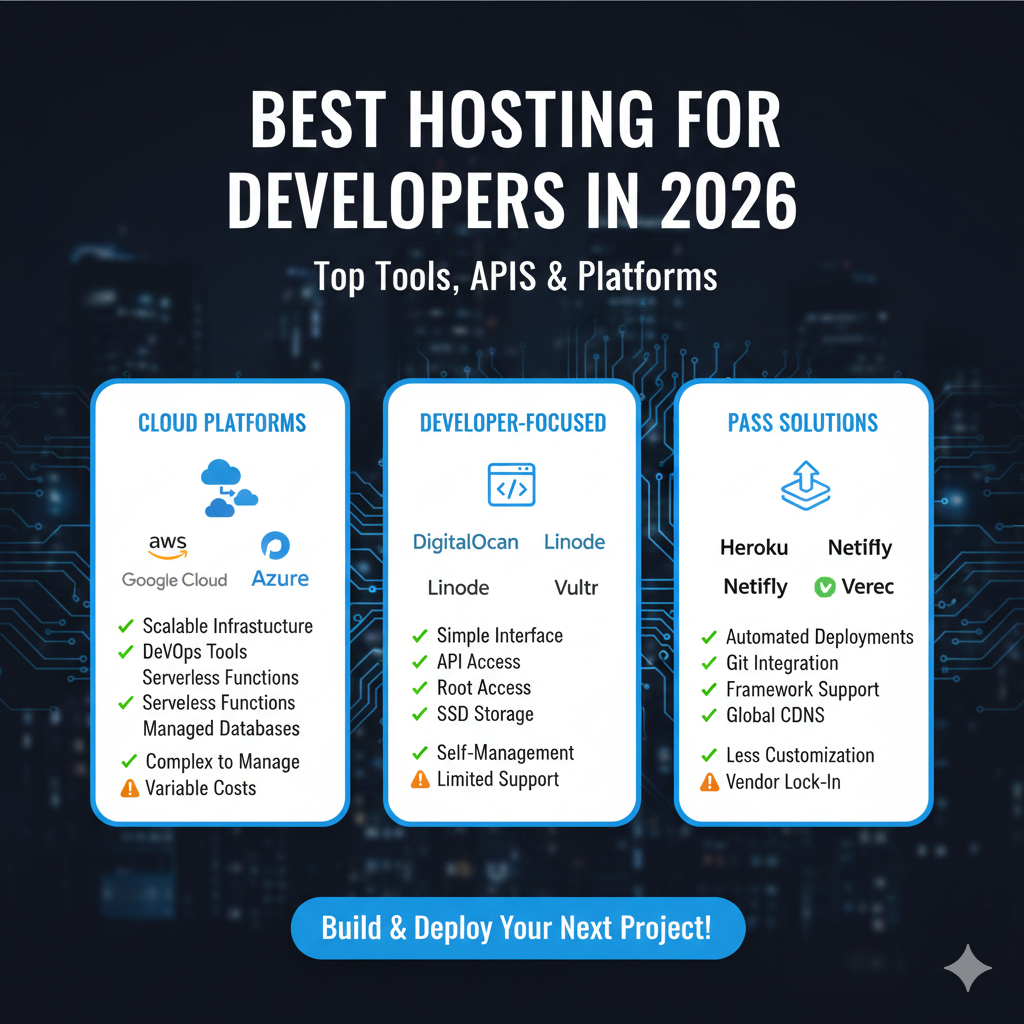
Best Hosting Platforms for Developers in 2026
Here is a deep dive into the specific providers leading the market for developer hosting platforms.
DigitalOcean
DigitalOcean (DO) remains a favorite for developers who want the power of the cloud without the complexity of the “Hyperscalers” (AWS/Google/Azure).
- Tools & APIs: DO offers a robust API and
doctl, a command-line tool that lets you manage Droplets (VMs), Kubernetes clusters, and databases from your terminal. - Pricing Model: Predictable monthly caps. You know exactly what a $20/month Droplet will cost you, which is a massive advantage over the opaque pricing of larger clouds.
- Pros: deeply documented tutorials, simple UI, managed databases, and straightforward Kubernetes (DOKS).
- Cons: Fewer advanced features (like machine learning services) compared to AWS.
- Best For: Startups and developers migrating from shared hosting to the cloud.
AWS (EC2 & Lightsail)
Amazon Web Services is the 800-pound gorilla of cloud hosting for developers. For this list, we look at two distinct services: EC2 (Elastic Compute Cloud) and Lightsail.
- Tools & APIs: The AWS SDK is available in almost every language. Automation via CloudFormation or Terraform is the industry standard.
- Pricing Model: Pay-as-you-go. It is highly granular but requires vigilance to avoid “bill shock.”
- Pros: Infinite scalability, unmatched ecosystem of services (Lambda, RDS, S3).
- Cons: extremely steep learning curve; complex IAM permission management.
- Best For: Enterprise applications and developers who need granular control over every aspect of the network stack.
Google Cloud Platform (GCP)
GCP is often preferred by developers for its data analytics and container capabilities, given that Google invented Kubernetes.
- Tools & APIs: Excellent CLI (
gcloud) and deep integration with Firebase for mobile developers. - Pricing Model: Pay-as-you-go with sustained use discounts.
- Pros: Best-in-class managed Kubernetes (GKE), superior global fiber network.
- Cons: Support can be expensive; documentation can be fragmented.
- Best For: Big data applications, AI/ML workloads, and container-heavy architectures.
Cloudways
Cloudways sits in a unique spot: it is a managed platform that sits on top of other clouds (DO, AWS, GCP). It removes the sysadmin work.
- Tools & APIs: Good API for managing servers and applications, specifically for PHP/Laravel/WordPress developers.
- Pricing Model: A markup on the underlying provider’s cost.
- Pros: No command line required to manage security patching or caching; easy vertical scaling.
- Cons: You don’t have root access in the same way you do with a raw VPS; slightly more expensive than going direct.
- Best For: Agencies and developers who want to code, not manage Linux kernels.
Vercel
While originally for static sites, Vercel has evolved into a comprehensive frontend cloud.
- Tools & APIs: The
vercelCLI is arguably the gold standard for developer experience. Deploying is often as simple as typingvercel. - Pricing Model: Generous free tier, per-user pricing for teams, and usage-based for bandwidth/functions.
- Pros: Zero-configuration CI/CD, instant global edge deployment, preview URLs for every git branch.
- Cons: can become expensive for high-bandwidth apps; vendor lock-in with some Next.js specific features.
- Best For: React/Next.js applications and frontend-heavy full-stack apps.
Render
Render positions itself as the modern alternative to Heroku. It offers a “Zero DevOps” cloud platform.
- Tools & APIs: A “Blueprints” feature allows you to define your infrastructure as code (IaC) via a
render.yamlfile. - Pricing Model: incredibly transparent, with hard caps to prevent run-away bills.
- Pros: Supports everything from static sites to Docker containers and managed Postgres/Redis; private networking is simple.
- Cons: Slower build times than Vercel; fewer regions than AWS.
- Best For: Full-stack developers who want a “set it and forget it” PaaS.
Fly.io
Fly.io is redefining API-driven hosting by transforming containers into micro-VMs that run globally. They are heavily focused on the concept that “compute should run close to the user.”
- Tools & APIs: The platform is built for builders. You can use
flyctlto launch apps in minutes. Their “Fly Machines” are hardware-virtualized containers that launch instantly and shut down when not in use. - Pricing Model: Usage-based down to the second. You pay for actual CPU/RAM consumption.
- Pros:
- Global Reach: Deploy in 18 regions from Sydney to São Paulo for sub-100ms response times.
- Sprites: Hardware-isolated sandboxes ideal for running AI-generated code safely.
- Elixir FLAME: Native support for modern RPC systems and clustered databases like CockroachDB.
- Private Networking: Built-in WireGuard mesh networking connects all your apps securely.
- Cons: Requires a shift in thinking regarding distributed systems; strictly CLI-first workflow.
- Best For: Distributed systems, AI agents requiring sandboxing, and apps needing extreme low latency.
[Start Cloud Project]
Linode (Akamai)
Since being acquired by Akamai, Linode has expanded its edge capabilities while keeping its core value proposition: simple, affordable Linux boxes.
- Tools & APIs: The Linode API and CLI are mature and stable. Excellent Terraform provider.
- Pricing Model: Flat rate pricing is their hallmark.
- Pros: Best customer support in the industry; massive documentation library; “Marketplace” for one-click app installs.
- Cons: UI feels slightly dated compared to DigitalOcean.
- Best For: Linux purists and developers who want raw compute power at a fair price.
API & Automation Capabilities Compared
For infrastructure automation hosting, the quality of the API is paramount.
REST and GraphQL APIs
DigitalOcean, Vercel, and Render provide REST APIs that are intuitive and well-documented (Swagger/OpenAPI specs). Fly.io stands out by offering a GraphQL API, allowing developers to fetch specific data structures efficiently, which is useful when building custom dashboards or internal developer portals.
Infrastructure as Code (IaC)
If you cannot define it in code, it doesn’t exist. AWS, GCP, and DigitalOcean have first-party support in Terraform. Render uses render.yaml files, while Fly.io uses fly.toml. These configuration files ensure that your infrastructure is version-controlled alongside your application code.
CLI Tools
A developer’s home is the terminal. The best platforms offer CLI tools that mimic the web console’s capabilities.
- Best CLI: Vercel (for ease of use) and Fly.io (for power users).
- Most Comprehensive: AWS CLI (steep learning curve but controls everything).
CI/CD, DevOps & Deployment Tools
CI/CD hosting platforms integrate deployment directly into the development lifecycle.
GitHub Integration
Vercel, Render, and DigitalOcean App Platform offer “Zero Config” deployments. You connect a GitHub repository, and every push to the main branch triggers a build and deploy. Pull requests automatically generate “Preview Environments,” allowing you to test changes on a live URL before merging.
Build Pipelines
For more complex workflows—such as running a test suite, linting code, or compiling assets—platforms like AWS (CodePipeline) and GCP (Cloud Build) offer robust, albeit complex, solutions. However, many developers in 2026 prefer using GitHub Actions to build the artifact and then pushing that container to a provider like Fly.io or Linode.
Zero-Downtime Deployments
Modern DevOps hosting tools handle “blue/green” or “rolling” deployments automatically. When you push new code, the platform spins up the new version, waits for it to pass health checks, switches the traffic, and then shuts down the old version. This ensures users never see an error page during updates.
Performance, Scalability & Global Reach
Load Balancing & Auto Scaling
Scalable developer hosting relies on load balancers to distribute traffic. AWS and GCP offer sophisticated Application Load Balancers (ALBs) that can route based on URL paths. DigitalOcean and Linode offer simpler, managed load balancers.
Auto-scaling is critical for handling traffic spikes. Fly.io allows Machines to scale to zero (turn off when not used) and scale up to thousands of instances instantly based on HTTP request volume.
Edge Networks
Latency kills conversion. Platforms like Vercel and Cloudflare Workers (often used in tandem with these hosts) push compute to the “Edge”—servers located geographically close to the user. Fly.io brings this capability to backend code, allowing full Docker containers to run in regions spanning the globe.
Pricing Models & Cost Optimization
Understanding cloud hosting pricing comparison is vital for long-term viability.
Pay-as-you-go vs. Reserved
AWS and GCP reward long-term commitments (1-3 years) with “Reserved Instances,” offering discounts of up to 70%. However, for startups, the flexibility of DigitalOcean or Linode’s monthly caps often prevents the financial risk of over-provisioning.
Bandwidth Pricing
The hidden killer in cloud hosting is data egress (bandwidth fees). AWS is notoriously expensive here. Providers like Linode and DigitalOcean include generous bandwidth pools (e.g., 1TB transfer) with the base compute price, making them far more economical for bandwidth-heavy applications like video streaming or large API payloads.
[Compare Developer Hosting Platforms]
Security, Compliance & Monitoring
IAM and Secrets Management
Secure cloud hosting requires strict Identity and Access Management (IAM). AWS offers the most granular control, allowing you to restrict access down to specific API calls. For storing API keys and database passwords, look for platforms with built-in “Secrets” management that injects environment variables securely at runtime, preventing credentials from being exposed in code repositories.
Logging & Metrics
You shouldn’t have to install third-party agents to know if your server is healthy. The best platforms provide real-time CPU, RAM, and HTTP latency metrics out of the box. For logs, integration with tools like Datadog or Grafana is a standard requirement for monitoring tools for hosting.
Best Hosting for Different Developer Use Cases
Startups & SaaS Platforms
- Recommendation: DigitalOcean or Render.
- Why: Speed to market is key. These platforms let you focus on product features rather than configuring VPCs.
Enterprise & Compliance
- Recommendation: AWS or GCP.
- Why: If you need SOC2 compliance, HIPAA alignment, or granular IAM roles for a team of 500 engineers, the complexity of AWS is necessary.
Global APIs & Distributed Systems
- Recommendation: Fly.io.
- Why: The ability to run full stack apps in multiple regions simultaneously ensures the lowest possible latency for global user bases.
Static Sites & Jamstack
- Recommendation: Vercel.
- Why: Unbeatable developer experience for frontend frameworks and global CDN performance.
AI Workloads & Agents
- Recommendation: Fly.io (Sprites) or GCP.
- Why: Hardware-isolated sandboxes (Sprites) allow you to run untrusted AI-generated code safely, while GCP offers specialized TPU hardware for training models.
Pros & Cons Summary Table
| Platform | Pros | Cons |
|---|---|---|
| AWS | Unmatched ecosystem, infinite scale, enterprise-ready. | Expensive, steep learning curve, complex billing. |
| DigitalOcean | Simple UI, predictable pricing, great documentation. | Limited advanced services (AI/ML), manual scaling. |
| Fly.io | Runs apps close to users, scale-to-zero, instant boot. | CLI-heavy workflow, newer paradigm to learn. |
| Vercel | Best frontend DX, zero-config CI/CD, global edge. | Vendor lock-in risk, expensive for high bandwidth. |
| Render | Simple PaaS experience, transparent pricing. | Slower builds, fewer regions than hyperscalers. |
| Linode | excellent support, flat pricing, reliable Linux VPS. | UI is functional but basic, requires more sysadmin work. |
FAQs – Hosting for Developers
Which hosting platform is best for developers in 2026?
There is no single “best” platform, but for most full-stack developers, Render and DigitalOcean offer the best balance of power and ease of use. For frontend developers, Vercel is the standard. For distributed systems engineers, Fly.io is the top choice.
What hosting offers the best API access?
AWS offers the most comprehensive API, covering every single feature of the platform. However, DigitalOcean and Fly.io offer APIs that are generally considered more “developer-friendly” and easier to integrate with for common tasks.
Is cloud hosting better than VPS for developers?
Generally, yes. Cloud hosting allows for easy scalability, managed services (like databases and load balancers), and API-driven management. A traditional VPS (Virtual Private Server) is often cheaper but requires manual management of scaling and redundancy.
Which hosting supports Docker and Kubernetes?
DigitalOcean, Linode, AWS, GCP, and Azure all offer managed Kubernetes services. Render and Fly.io support Docker containers natively without the complexity of managing a full Kubernetes cluster.
How much does developer hosting cost?
It varies wildly. You can host a static site for free on Vercel. A small VPS on Linode starts at $5/month. A complex enterprise setup on AWS can cost thousands per month. Always check bandwidth costs and “per-seat” pricing for teams.
What is the easiest hosting platform for DevOps?
Render and Vercel are the easiest. They automate the entire pipeline: you push code to Git, and they handle the build, testing, and deployment without any configuration files required for standard projects.
Can I automate hosting deployments?
Yes. All platforms listed in this guide support automation. You can use Terraform for infrastructure provisioning and GitHub Actions or GitLab CI to automate the deployment of application code.
Conclusion
Choosing the best hosting for developers in 2026 is about matching the platform’s philosophy to your project’s needs. If you are building the next global SaaS, the low-latency, distributed nature of Fly.io might be your competitive edge. If you are validating an MVP, the simplicity of Render allows you to move fast. And if you are scaling a unicorn, the boundless ecosystem of AWS awaits.
Don’t settle for a provider that just gives you a server. Choose a platform that gives you superpowers.