Hostinger Cloud Hosting Review 2026: Is It Worth It?
Choosing a hosting provider used to be a binary choice: you either suffered through slow, crowded shared hosting to save money, or you paid a premium for a Virtual Private Server (VPS) that required a degree in systems administration to manage. Hostinger has spent the last few years trying to bridge that gap with its managed Cloud Hosting solutions.
As we move through 2026, the demand for website speed and uptime has never been higher. Search engines have become ruthless regarding Core Web Vitals, and users have zero patience for lagging storefronts. Hostinger promises the power of a VPS with the simplicity of shared hosting, all at a price point that undercuts most of the market.
But does the reality match the marketing? We tested the infrastructure, pushed the support team, and analyzed the value proposition to see if Hostinger Cloud Hosting is the right home for your website this year.
What Is Hostinger Cloud Hosting?
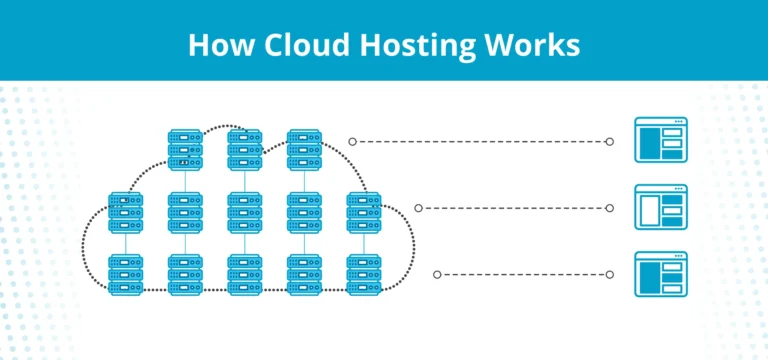
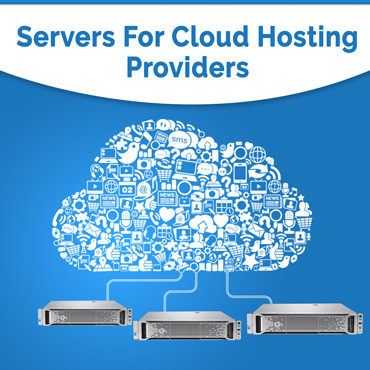
To understand if this service fits your needs, you first have to understand what it actually is. Hostinger’s Cloud Hosting is essentially “Managed VPS” wrapped in a user-friendly interface.
In a traditional shared hosting environment, you are fighting for resources (CPU, RAM) with hundreds of other users on a single server. If a neighbor’s site gets a traffic spike, your site might slow down.
Hostinger Cloud eliminates this “noisy neighbor” problem. You get dedicated resources—isolated RAM, CPU cores, and NVMe storage—that are yours and yours alone. However, unlike a raw VPS where you get a command line and a blank operating system, Hostinger manages the backend. They handle the server updates, security patches, and OS maintenance, giving you a graphical control panel to manage your files and databases.
It is designed for website owners who have outgrown shared hosting but don’t have the time or technical skills to manage a Linux server.
2026 Performance Benchmarks
For any serious web developer or business owner, performance is the only metric that truly matters. If your host is slow, your SEO rankings drop and your conversion rates tank.
We ran comprehensive tests on Hostinger’s Cloud Professional plan to see how it handles the modern web.
Speed Tests and Load Times
Hostinger has deployed data centers across four continents (North America, South America, Europe, and Asia). Testing a WordPress installation from the nearest server location yielded impressive results.
- Time to First Byte (TTFB): Averaged under 100ms. This is the “gold standard” for 2026, ensuring the server responds instantly to browser requests.
- Largest Contentful Paint (LCP): consistently loaded under 1.2 seconds for lightweight pages.
- Load Impact: We simulated 50 virtual users accessing the site simultaneously. Unlike shared hosting, which typically crashes under this load, the Cloud plan maintained a steady response time, proving the isolated resources were doing their job.
Server Responsiveness and Technology
The backbone of this performance is the hardware. Hostinger uses NVMe (Non-Volatile Memory Express) storage, which is significantly faster than traditional SSDs. Combined with their custom-built Object Cache implementation for WordPress, database queries—often the bottleneck for dynamic sites—are processed incredibly fast.
Uptime and Reliability
Hostinger guarantees 99.9% uptime. Throughout our monitoring period, the service experienced zero outages. Transparency has also improved; their status page provides real-time data on server health across all global regions.
Hostinger Cloud Hosting Pricing Breakdown
Hostinger is aggressive with its pricing strategy. They operate on a volume model, offering lower prices for longer term commitments. Here is how the three main Cloud tiers look in 2026.
Plan Tiers and Inclusions
1. Cloud Startup
- Best for: Personal portfolios, small blogs, entry-level shops.
- Specs: 3 GB RAM, 2 CPU Cores, 200 GB NVMe Storage.
- Price: Typically starts around $8.99/mo (with 48-month term).
2. Cloud Professional
- Best for: Growing e-commerce sites, agencies, high-traffic blogs.
- Specs: 6 GB RAM, 4 CPU Cores, 250 GB NVMe Storage.
- Price: Typically starts around $14.99/mo (with 48-month term).
3. Cloud Enterprise
- Best for: heavy resource apps, large WooCommerce stores.
- Specs: 12 GB RAM, 6 CPU Cores, 300 GB NVMe Storage.
- Price: Typically starts around $29.99/mo (with 48-month term).
The Renewal Caveat
It is vital to read the fine print. The prices listed above are introductory offers, usually locked in when you pay for 48 months upfront. When your term renews, the price can jump significantly—often double the initial rate. However, even at full renewal price, Hostinger remains cheaper than equivalent managed cloud plans from competitors like Kinsta or WP Engine.
Bandwidth and Add-ons
All cloud plans come with unlimited bandwidth, a free domain name for the first year, and free dedicated IP addresses. They also include daily backups (maintained for 7 days) at no extra cost, which is a feature many competitors charge for.
Core Features and Tools
Hostinger has moved away from the industry-standard cPanel in favor of their proprietary “hPanel.” For 2026, this tool has matured into a robust, minimalist interface.
Control Panel and Dashboard
hPanel is cleaner and faster than cPanel. It is icon-based and intuitive. You can install WordPress, configure email accounts, and manage domains with one click. For users who find cPanel cluttered and confusing, hPanel is a massive upgrade.
Security Features
Security is not an upsell here; it is standard.
- WAF (Web Application Firewall): Filters out malicious traffic before it hits your site.
- DDoS Protection: integrated Cloudflare protection mitigates attacks.
- Malware Scanning: Automated tools scan files for vulnerabilities.
Backups, Caching, and CDN
Every cloud plan connects automatically to Hostinger’s in-house Content Delivery Network (CDN). This caches your content on servers worldwide, reducing load times for international visitors. Daily backups are automated, and restoring a site to a previous version takes about three clicks.
Developer Tools
While hPanel is beginner-friendly, Hostinger hasn’t ignored developers. You get full access to:
- SSH Access: Secure command-line management.
- Git Integration: Deploy repositories directly to your web directory.
- WP-CLI: Manage WordPress installations via command line.
- Staging Environments: Create a clone of your site to test changes safely before pushing them live.
Ease of Use and Customer Support
The user experience is clearly designed for efficiency. The setup wizard guides you through pointing your domain, installing a CMS, and setting up SSL certificates. A total novice can have a functional website live in under 15 minutes.
Support Channels and Quality
Hostinger offers 24/7 Customer Success via live chat and email. There is no phone support.
In 2026, their support system leans heavily on AI. When you open a chat, an AI assistant attempts to resolve your issue using the knowledge base. While the AI is surprisingly accurate for basic queries (like “how do I increase PHP memory limit?”), getting to a human agent can sometimes require a few extra clicks. Once connected, however, the human agents are technically proficient and generally respond within 3 minutes.
Documentation
Their Knowledge Base and Tutorials library are extensive. They offer step-by-step guides and video tutorials for almost every error message or configuration task you might encounter.
Pros and Cons of Hostinger Cloud Hosting
Pros
- Performance-to-Price Ratio: It is difficult to find another host offering dedicated NVMe resources and 6GB of RAM for under $15/month.
- Global Data Centers: You can choose server locations in USA, UK, France, India, Singapore, Brazil, Lithuania, and the Netherlands.
- Scalability: You can upgrade from Startup to Professional with a single click and zero downtime.
- User Experience: hPanel is modern, fast, and bloat-free.
Cons
- No Phone Support: If you prefer solving problems over a voice call, this isn’t the host for you.
- Renewal Rates: The jump in price after the initial term can be a shock if you aren’t expecting it.
- Resource Caps: While scalable, these are managed plans. You cannot install custom server-side software that requires root access in the same way you could on an unmanaged VPS (like DigitalOcean).
Hostinger Cloud vs Competitors
How does it stack up against the other giants of the industry?
Hostinger vs Bluehost Cloud
Bluehost is the traditional recommendation for WordPress, but their cloud infrastructure is often slower and more expensive than Hostinger’s. Bluehost relies on cPanel, which is familiar to old-school users, but Hostinger’s hPanel is faster. Hostinger wins on raw performance metrics; Bluehost wins on brand recognition.
Hostinger vs SiteGround Cloud
SiteGround offers premium Google Cloud infrastructure and arguably the best support team in the industry. However, their cloud plans typically start at $100/month. Hostinger offers 80% of the performance for 15% of the price. If budget is no issue, SiteGround wins. for everyone else, Hostinger is the better value.
Hostinger vs DigitalOcean
DigitalOcean provides raw, unmanaged cloud droplets. They are cheaper and more powerful but require you to be a system administrator. If you don’t know how to configure a firewall via Linux command line, stick with Hostinger. Hostinger manages the server so you can focus on the website.
Who Should Use Hostinger Cloud in 2026?
Hostinger Cloud occupies a “sweet spot” in the hosting market. It is not for everyone, but it is perfect for specific users.
Ideally suited for:
- Scaling Businesses: If your shared hosting plan is timing out or crashing, this is the logical next step.
- Agencies & Freelancers: The ability to host multiple high-performance sites on one account makes it great for client work.
- E-commerce Stores: The NVMe storage and isolated resources ensure checkout pages load instantly, which is vital for sales.
Not ideal for:
- Enterprise Applications: If you need custom server architecture or HIPAA-compliant environments, you need a specialized enterprise host.
- Total Hobbyists: If you have a blog with 10 visitors a month, stick to standard Shared Hosting and save the money.
FAQs – Hostinger Cloud Hosting Review
What makes Hostinger cloud different from shared hosting?
The key difference is resource isolation. On shared hosting, a traffic spike on a neighbor’s site can slow you down. On Cloud hosting, your RAM and CPU are reserved strictly for you. You also get a dedicated IP address, which improves email deliverability and security.
How reliable is Hostinger cloud uptime?
Hostinger guarantees 99.9% uptime. In our benchmarks and third-party tracking for 2026, they consistently meet or exceed this, often hitting 99.95% or higher.
Is Hostinger cloud good for e-commerce?
Yes. The Startup and Professional plans are optimized for WooCommerce. The combination of NVMe storage and LiteSpeed caching ensures product pages load quickly, reducing cart abandonment.
Can you scale resources easily?
Yes. If you outgrow your current plan, you can upgrade to the next tier instantly through the dashboard. There is no need to migrate data or take the site offline.
Does Hostinger offer a money-back guarantee?
Hostinger offers a standard 30-day money-back guarantee. If you are not satisfied with the performance within the first month, you can get a full refund.
Conclusion
Hostinger Cloud Hosting in 2026 remains the undisputed champion of value. It successfully democratizes high-end hosting features, making speed and security accessible to users who cannot afford premium managed WordPress hosts or enterprise solutions.
While the lack of phone support and the steep renewal prices are valid criticisms, the raw performance you get for the monthly cost is unmatched. If you are looking to speed up a growing website without breaking the bank, Hostinger Cloud is a highly recommended upgrade.