Advantages and Disadvantages of Shared Hosting
Shared hosting can be a practical starting point for a blog, portfolio or small business website. Its main advantages are a lower infrastructure cost and less server administration. The trade-offs are resource limits, less configuration control and a greater dependence on how the provider manages its servers.
The right choice depends on your workload and the actual plan limits. There is no universal visitor count at which every website must move to a VPS, and a shared plan is not automatically unsuitable for an online store. This guide explains what to check before buying and when an upgrade becomes worthwhile.
What is shared hosting?
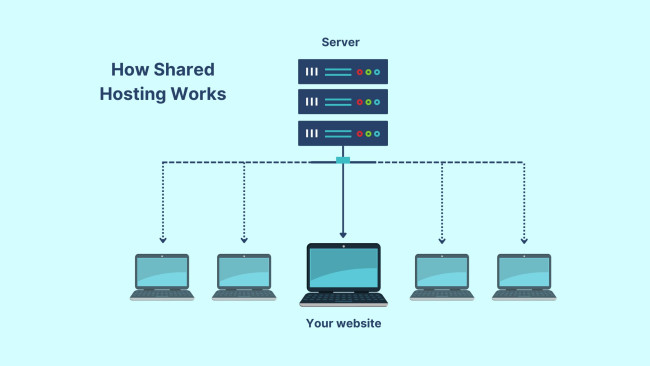
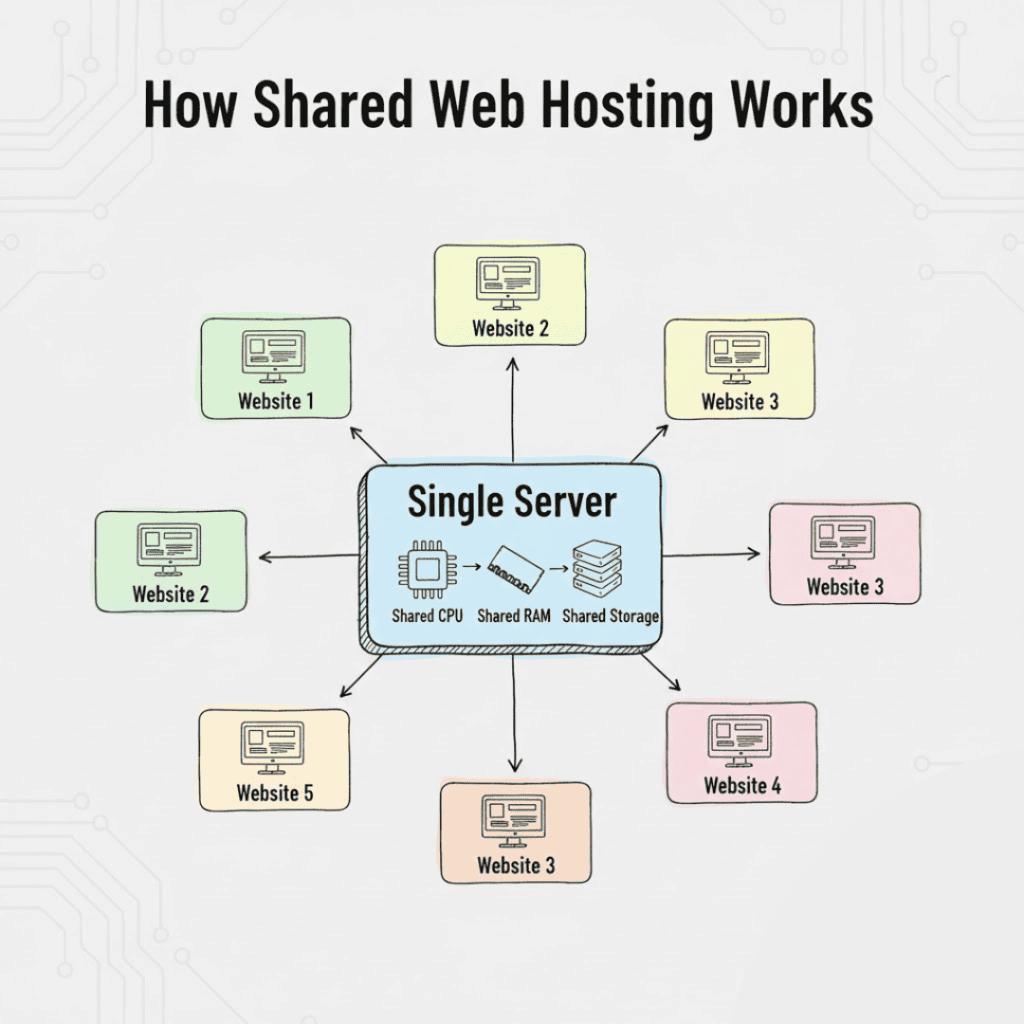
With shared hosting, multiple customer accounts use the same server infrastructure. Each account has its own website files and settings, while computing capacity and other infrastructure are shared. The provider manages the host server; the customer still needs to maintain the website and its accounts.
Plans may limit CPU usage, memory, disk I/O, concurrent processes, storage, database usage and data transfer. An “unlimited” label for one feature does not remove limits on the others. Read the resource and acceptable-use policies before comparing prices.
Advantages of shared hosting
Lower cost for a small project
Sharing infrastructure spreads its cost across customers. This can make shared hosting economical for a new site whose resource needs are modest. Compare the complete first-term charge, renewal rate, taxes and required extras rather than only a headline monthly price. A low monthly equivalent may require paying for a long term upfront.
A simpler management experience
Many plans provide a control panel for domains, files, databases and email, along with an installer for WordPress or other supported software. Check the tools actually included in the plan: email, backups, staging and migration help are not universal features.
Less server administration
The host normally operates the physical server, network and server software. You generally do not need to install the operating system or administer the web server yourself. Responsibility for website plugins, themes, passwords, permissions and independent backups still needs to be clear. “Managed” does not mean every website task is covered.
A quick route to publishing
A prepared environment can reduce setup work. You can connect a domain, install supported software and begin publishing without first designing a server configuration. Account verification, domain changes and migration work may still take time.
Disadvantages of shared hosting
Resource ceilings and variable performance
Heavy activity can exhaust a plan’s allocated capacity. Requests may slow down, be throttled or encounter resource-limit errors. Providers use different isolation and scheduling controls, so sharing a server does not guarantee poor performance; equally, an inexpensive plan does not promise unlimited processing power.
Measure your own site. Look at resource-limit events, response times during busy periods, database queries, caching and large background jobs. A cacheable information page and a logged-in checkout can place very different demands on the same plan.
Less control over the environment
Shared accounts usually do not include root access. The provider determines which system packages, server settings and background processes are allowed. Confirm the supported software versions, command-line access, scheduled tasks and application requirements before committing. A custom service may require a VPS or another hosting model.
Security depends on both the host and the website owner
Ask how customer accounts are isolated and how the host handles patching, malware incidents and backups. Sharing hardware does not mean that another customer can normally read your files. The provider’s isolation controls and your website configuration matter more than a blanket claim that one hosting category is always secure.
Keep software updated, use unique passwords and multi-factor authentication where available, restrict administrator access and maintain recoverable backups. If email delivery matters, check the mail service and its reputation controls separately.
Growth may require a different plan
A site can outgrow its CPU, memory or process allowance even if storage remains available. Upgrading may mean a larger shared tier, managed WordPress hosting, a VPS or another architecture. Check migration help, service interruption expectations and the ongoing administration cost before choosing the next step.
Advantages and disadvantages at a glance
| Area | Potential advantage | What to check |
|---|---|---|
| Cost | Lower initial infrastructure expense | Renewal pricing, payment term and add-ons |
| Setup | A ready-to-use environment | Supported applications and migration scope |
| Maintenance | Provider-operated server infrastructure | Who updates and restores the website |
| Performance | Enough capacity for an appropriately sized workload | CPU, memory, I/O and concurrent request limits |
| Control | Fewer server tasks to manage | Restrictions on software and configuration |
Who should consider shared hosting?
It can suit a personal blog, a brochure website, a portfolio or a small application that fits the supported environment. It can also suit some small stores when the plan has adequate resources and the required security features. Test realistic browsing, login and checkout activity rather than relying on a visitor allowance alone.
When should you consider an alternative?
Consider another plan when recurring resource limits remain after sensible optimisation, when your application needs unavailable system software, or when downtime and unpredictable latency create unacceptable business costs. A larger plan is not a substitute for fixing inefficient queries, broken plugins or an overloaded external service.
Read the VPS hosting guide to understand the additional control and administration involved. Compare support scope as well as specifications: an unmanaged VPS may introduce work that your shared host previously handled.
A buying checklist
- Record the full initial charge and the next renewal charge.
- Request the CPU, RAM, I/O, process, inode and database limits.
- Check application versions and any restrictions on scheduled or background jobs.
- Confirm backup frequency, retention, restore steps and possible restore charges.
- Check support hours, migration scope, refund terms and uptime exclusions.
- Find out how to export files, databases and email if you change providers.
Frequently asked questions
How many visitors can shared hosting handle?
There is no reliable number that applies to every plan and website. Caching, page complexity, database activity, concurrent users and server limits all affect capacity. Use monitoring and a realistic load test to judge a particular workload.
Is shared hosting bad for SEO?
Choose hosting that lets visitors and search engines reach a reliable, responsive website. The label “shared” alone does not establish whether a site is fast, available or well configured. Fix actual performance and availability problems rather than assuming a server category determines search rankings.
Can I upgrade later?
Usually, but the destination, cost and migration process depend on the provider. Keep your own backup and test important functionality after moving. Our website migration guide covers the planning involved.
Do I still need backups?
Yes. Confirm what the provider saves and test restoration. Keep an independent copy of important files and databases; an included backup feature is useful only if its retention and recovery process meet your needs.
Choosing your next step
Start with the simplest plan that meets your application, support and recovery requirements. Monitor it as your site grows and upgrade in response to measured limits. Explore our shared hosting guides for related topics.
Sources and further reading
- AWS: web hosting fundamentals
- CloudLinux: resource limits — an example of resource controls used by hosting providers; not every host uses CloudLinux.