Cloud Hosting vs VPS vs Shared Hosting: Which Is Best?
Launching a website involves dozens of small decisions, but few are as critical as choosing where that website lives. Your hosting provider is the digital foundation of your online presence. Choose the right one, and your site loads quickly, handles traffic spikes with ease, and remains secure. Choose the wrong one, and you might face frequent downtime, slow speeds, and frustrated visitors.
The challenge is that the hosting market is saturated with acronyms and technical jargon. You’ll see terms like “Shared,” “VPS,” and “Cloud” thrown around, often with overlapping price points and promises of “unlimited” performance. For a beginner or even an experienced business owner, distinguishing between these architectures can be confusing.
Yet, the difference isn’t just marketing fluff. The underlying infrastructure of these three hosting types dictates how your website performs under pressure, how much you pay, and how much control you have over the server environment. This guide breaks down the mechanics, costs, and ideal use cases for Shared, VPS, and Cloud hosting so you can make an informed decision for your project.
What Is Shared Hosting?
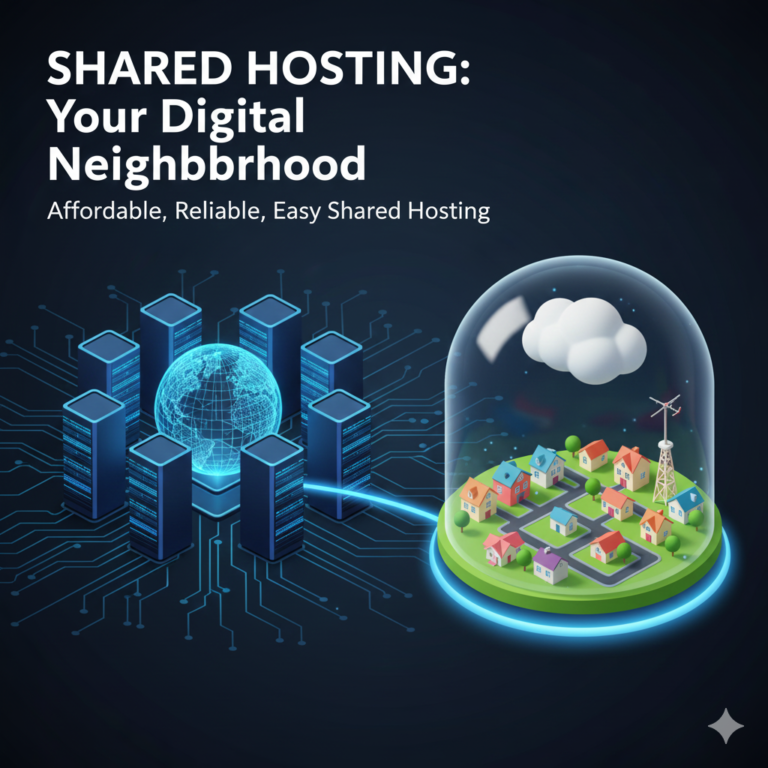
Think of shared hosting as living in a college dormitory. You have your own private room (your website), but you share all the essential resources—the kitchen, the bathroom, the living room—with dozens or even hundreds of other students. In technical terms, your website resides on a single physical server alongside hundreds of other websites.
How It Works
In a shared environment, the server’s resources, such as CPU (processing power), RAM (memory), and disk space, are pooled together. Every website on that server fights for a slice of that pie. Hosting providers use software to manage these accounts, keeping the data separate for security, but the underlying engine is communal.
The Advantages of Shared Hosting
It is incredibly affordable. Because the hosting company can stack so many customers onto a single machine, the cost per user is very low. You can often find introductory rates for as little as a few dollars a month.
It is beginner-friendly. Shared hosting almost always comes with a user-friendly control panel (like cPanel). You don’t need to know how to code or manage a Linux server. The host handles all the maintenance, security patches, and software updates for the server itself. You just upload your files and go.
The Disadvantages of Shared Hosting
The “Bad Neighbor” Effect. This is the biggest drawback. If another website on your server suddenly goes viral and receives a massive spike in traffic, it can hog the server’s CPU and RAM. This slows down your site, even though you didn’t do anything wrong.
Security Risks. While hosts work hard to isolate accounts, if a hacker gains root access to the main server through a vulnerability in another user’s site, your site could potentially be at risk.
Limited Growth. You have a strict ceiling on resources. If your business grows, you will eventually hit a wall where the site crashes because shared hosting simply cannot provide the power you need.
What Is VPS Hosting?
VPS stands for Virtual Private Server. If shared hosting is a dorm room, a VPS is like owning a condo or an apartment. You are still in a shared building (the physical server), but you have your own dedicated walls, your own fuse box, and your own amenities that no one else can touch.
How Virtualization Works
A VPS uses virtualization technology (a hypervisor) to split a single powerful physical server into multiple isolated virtual compartments. Unlike shared hosting, where resources are a free-for-all, a VPS guarantees you a specific amount of RAM, CPU cores, and storage. Even if your “neighbor” is overloading their VPS, your resources remain untouched and available to you.
The Advantages of VPS Hosting
Dedicated Resources. When you pay for 4GB of RAM on a VPS, you get 4GB of RAM. It is reserved specifically for your account. This leads to much more consistent performance and faster loading times compared to shared hosting.
Root Access and Control. A VPS generally gives you “root” (administrative) access. This allows you to install custom software, change server configurations, and tweak security settings to your exact specifications. This is a must-have for developers or businesses running complex applications.
Better Security. Because the virtualization software completely isolates your environment, you are far less vulnerable to issues affecting other sites on the physical machine.
The Disadvantages of VPS Hosting
Higher Cost. Because the provider can put fewer customers on a single server, the price is higher than shared hosting.
Technical Knowledge Required. While “Managed VPS” options exist, a standard VPS often requires you to handle some server administration. If you don’t know how to configure a firewall or update server software, you might find yourself out of your depth or paying extra for a managed service.
What Is Cloud Hosting?
If shared hosting is a dorm and VPS is an apartment, Cloud hosting is like staying in a vast network of interconnected hotels where you can rent as many rooms as you need, instantly. It doesn’t rely on a single physical server. Instead, it pulls resources from a massive cluster of servers working together.
The Infrastructure Difference
Cloud hosting is decentralized. Your website’s data is mirrored across multiple devices. If you need more power, the cloud draws it from the network. If one piece of hardware fails, your site doesn’t go offline; it simply shifts to another functioning node in the cluster.
The Advantages of Cloud Hosting
Incredible Scalability. This is the primary selling point. On a VPS, if you need more RAM, you often have to upgrade your plan and migrate. With cloud hosting, you can scale resources up or down in seconds. If you expect a traffic spike on Black Friday, you can increase your capacity for that day and drop it back down afterward.
Superior Uptime and Reliability. Since your site isn’t tied to one physical box, hardware failures rarely cause downtime. The built-in redundancy ensures that your site stays online even if a server crashes.
Flexible Pricing. Many cloud providers operate on a pay-as-you-go model. You only pay for the resources (bandwidth, storage, CPU) you actually use, rather than a flat monthly fee for a set limit you might not reach.
The Disadvantages of Cloud Hosting
Pricing Complexity. While pay-as-you-go is flexible, it can also be unpredictable. If you have a poorly optimized script on your site that consumes massive resources, or if you get hit with unexpected traffic, your bill at the end of the month could be significantly higher than expected.
Varied Performance. While generally faster, performance can depend heavily on the configuration of the cloud architecture. It often requires a skilled architect to set up a cloud environment that is fully optimized for speed.
Comparison at a Glance
To simplify the decision, here is how the three contenders stack up against each other across key metrics.
| Feature | Shared Hosting | VPS Hosting | Cloud Hosting |
|---|---|---|---|
| Cost | 💲 Lowest | 💲💲 Mid-Range | 💲💲💲 Variable |
| Performance | ⭐★ | ⭐⭐★ | ⭐⭐⭐ |
| Scalability | ⚠️ Limited | ⭐ Medium | ⭐⭐⭐ High |
| Control | ⭐ Low | ⭐⭐ High (Root Access) | ⭐⭐ High |
| Uptime | ⭐★ | ⭐⭐ | ⭐⭐⭐ |
| Best For | Small blogs, beginners | Growing businesses | High-traffic & scalable apps |
Price Comparison
Budget is often the deciding factor, but it’s important to look beyond the sticker price.
- Shared Hosting: Typically ranges from $2 to $10 per month. Be wary of renewal rates; many hosts offer a cheap introductory price (e.g., $2.99/mo) that jumps to $10.99/mo after the first year.
- VPS Hosting: Unmanaged VPS plans can start as low as $5 to $10 per month, but these are bare-bones. A decent Managed VPS, where the host handles updates and support, usually falls in the $30 to $60 per month range.
- Cloud Hosting: This varies wildly. You can start a small cloud instance for $5 per month. However, large enterprise cloud setups can easily run into the hundreds or thousands of dollars per month. The key difference is the “Unmanaged vs. Managed” factor. Unmanaged cloud (like raw AWS or Google Cloud) is cheaper but requires an IT team. Managed Cloud (like Cloudways or Kinsta) is more expensive but user-friendly.
Which Hosting Is Best For Your Situation?
There is no single “best” option, only the best option for your specific stage of growth.
For Small Personal Sites and Beginners
Shared Hosting is the undisputed winner here. If you are launching a personal blog, a portfolio, or a small brochure website for a local business, you likely won’t exceed the traffic limits. The ease of use and low cost make it the perfect sandbox for getting started.
For Growing Businesses and eCommerce
VPS Hosting is often the sweet spot. Once you start taking credit card payments or generating revenue, you cannot afford the security risks or performance dips of shared hosting. A VPS gives you the reliability of a dedicated environment without the complexity of a full cloud architecture. It provides a stable foundation for online stores with consistent traffic.
For High-Traffic and Enterprise Applications
Cloud Hosting is recommended. If your site receives over 50,000 visitors a month, or if your traffic fluctuates wildly (e.g., a ticket sales site or a viral news outlet), the cloud is essential. The ability to auto-scale ensures your site doesn’t crash during your most profitable moments.
Real-World Use Cases
Let’s look at a few practical scenarios to see which hosting fits best.
- The Hobbyist Blogger: Sarah writes a travel blog. She gets about 1,000 visitors a month. Verdict: Shared Hosting. It’s cheap, and she doesn’t need high performance.
- The Digital Agency: TechFlow creates websites for clients. They need to host 20 different client sites and want full control over the server settings. Verdict: VPS. The partition allows them to securely host multiple clients with guaranteed resources.
- The Viral App: A startup launches an app that uses AI to generate images. They have no idea if they will get 10 users or 10,000 users in the first week. Verdict: Cloud Hosting. They need the ability to scale up instantly if the app goes viral.
- The Seasonal Store: A shop selling Christmas ornaments does 90% of its business in November and December. Verdict: Cloud Hosting. They can pay for massive resources during the holidays and scale down to a tiny, cheap server for the rest of the year.
How to Choose Based on Needs
When you are ready to buy, ask yourself these four questions:
- What is my traffic expectation? Be realistic. If you are starting from zero, you don’t need a server capable of handling millions of hits. You can always migrate later.
- What is my technical skill level? If the phrase “SSH into the server” scares you, stick to Shared Hosting or pay extra for a Managed VPS/Cloud solution.
- How critical is uptime? If your website going down for an hour costs you money, avoid Shared Hosting. The redundancy of Cloud is your best insurance policy.
- What is my budget? Don’t overspend on infrastructure you don’t use. Start small, but choose a host that offers an easy upgrade path.
Making the Final Decision
The hosting landscape isn’t about finding the most powerful server; it’s about finding the right fit for your current needs.
Shared hosting serves as the entry point—affordable and simple. VPS hosting steps up as the reliable workhorse for businesses that need consistency and control. Cloud hosting stands as the modern solution for scalability and resilience, perfect for those with unpredictable traffic or mission-critical uptime requirements.
Assess where your project stands today. If you are just planting a flag in the digital ground, save your money and go Shared. If you are building a business, invest in the stability of VPS. If you are planning to conquer the world, build on the Cloud.
Frequently Asked Questions
Is cloud hosting better than VPS hosting?
Not necessarily “better,” but different. Cloud hosting is better for reliability and scalability because it doesn’t rely on one single server. However, a VPS can often provide better raw performance per dollar if your traffic is consistent and predictable.
Can I start on shared hosting and upgrade to cloud later?
Yes, most reputable hosting providers offer migration services. It is a common strategy to start on a cheap shared plan and migrate to a VPS or Cloud solution once the website starts generating traffic and revenue.
What hosting is best for eCommerce?
VPS or Cloud is highly recommended for eCommerce. Shared hosting poses security risks and speed issues that can kill conversion rates. If a customer is trying to check out and the site lags because of a “noisy neighbor,” you lose the sale.