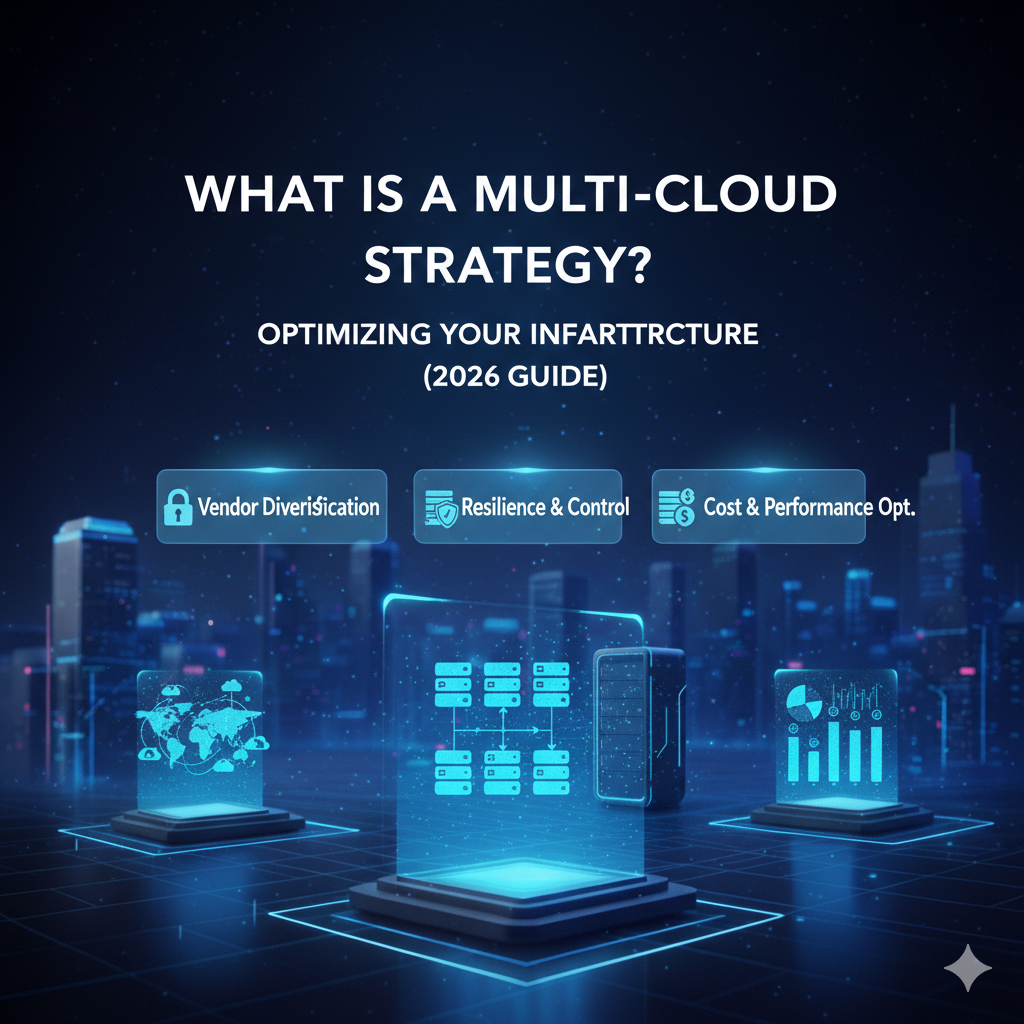
What Is a Multi-Cloud Strategy?
Cloud computing has moved beyond being just a buzzword; it is now the operating system of modern business. But as organizations grow, relying on a single cloud provider often feels limiting. You might find that one provider offers excellent analytics tools, while another has better pricing for storage. This is where the concept of a multi-cloud strategy comes into play.
For business leaders, the decision to adopt a multi-cloud approach isn’t just technical—it’s strategic. It impacts your budget, your risk profile, and your team’s agility. However, the terminology can be confusing. Is it the same as hybrid cloud? Is it just for massive enterprises?
In this guide, we will strip away the technical jargon and explain exactly what a multi-cloud strategy is, why businesses are flocking to it, and how to decide if it is the right move for your organization. By the end, you will have a clear understanding of the benefits, the trade-offs, and the best practices for success.
See also: The Evolution of Web Hosting: From Shared Servers to Cloud Infrastructure
What Is a Multi-Cloud Strategy?
At its simplest, a multi-cloud strategy is the deliberate decision to use cloud computing services from at least two different public cloud providers. Instead of putting all your digital eggs in one basket—like relying solely on Amazon Web Services (AWS), Microsoft Azure, or Google Cloud Platform (GCP)—you mix and match services from different vendors to meet specific business needs.
Think of it like investing. A savvy investor rarely puts all their capital into a single stock. They diversify their portfolio to minimize risk and maximize potential returns. A multi-cloud strategy applies this same logic to your IT infrastructure. You might use one cloud for your customer-facing application because of its speed, another for your internal data archiving because of its low cost, and a third for its advanced artificial intelligence tools.
How multi-cloud differs from hybrid cloud
The terms “multi-cloud” and “hybrid cloud” are often used interchangeably, but they are distinct concepts.
- Multi-Cloud: Refers to using multiple public clouds (e.g., AWS and Azure). It’s about diversity in public vendors.
- Hybrid Cloud: Refers to mixing a public cloud with a private cloud (on-premise infrastructure/your own data center). It’s about connecting your internal servers to the public internet.
It is possible to have a strategy that is both hybrid and multi-cloud—using your own data center plus two different public providers—but the core definition of multi-cloud focuses on the use of multiple external vendors.
How a Multi-Cloud Strategy Works
Implementing a multi-cloud strategy doesn’t mean you just sign up for three different accounts and hope for the best. It requires an architectural approach where workloads are distributed intentionally.
Using multiple cloud providers
In a multi-cloud environment, your IT team manages relationships with different vendors. They might spin up virtual servers in Azure to run your corporate email and productivity software (Microsoft 365), while simultaneously using AWS to host your e-commerce website. To the end-user—your employees or customers—this experience is seamless. They don’t know (or care) which cloud is powering the application they are using; they just know it works.
Workload distribution explained
Workload distribution is the “how” behind the strategy. There are generally two ways businesses distribute workloads:
- Siloed Workloads: This is the most common and simplest approach. Specific applications live entirely in one cloud. For example, your HR system runs on Cloud A, and your marketing analytics run on Cloud B. They don’t interact much, but you benefit from using the best host for each specific tool.
- Redundant Workloads: This is more complex but offers higher security. The same application runs on both Cloud A and Cloud B simultaneously. If Cloud A has an outage, the traffic automatically shifts to Cloud B, ensuring your business never goes offline.
Why Businesses Use Multi-Cloud
Why would a business choose to complicate its life by managing multiple vendors? The answer usually boils down to three strategic drivers: independence, performance, and risk management.
See also: Types of Web Hosting Explained: How to Choose the Right Solution
Vendor independence
Reliance on a single vendor creates a power imbalance. If you are 100% committed to one cloud provider, they have significant leverage over you regarding pricing and contract terms. Moving away becomes difficult and expensive—a situation known as “vendor lock-in.” A multi-cloud strategy gives you leverage. If one provider raises prices or changes their terms unfavorably, you have the infrastructure and knowledge already in place to shift workloads to a competitor.
Performance optimization
No single cloud provider is perfect at everything. One might have data centers closer to your customers in Asia, while another offers superior machine learning capabilities. By adopting a multi-cloud stance, you can “shop” for the best performance for each specific task. You optimize your infrastructure based on what the application needs, not just on what a single vendor happens to offer.
Risk reduction
Outages happen. Even the biggest tech giants experience downtime due to technical glitches, cyberattacks, or physical disasters. If your entire business runs on one cloud, and that cloud goes down, your business stops. By spreading your critical systems across multiple providers, you build an insurance policy into your architecture.
Key Benefits of a Multi-Cloud Strategy
Let’s dig deeper into the tangible benefits that drive ROI and operational stability.
Avoid Vendor Lock-In
Vendor lock-in is one of the biggest fears for CIOs and CTOs. When you build your applications using proprietary tools that only exist on one platform, migrating away becomes a massive, costly engineering project.
Flexibility across providers
Multi-cloud forces your technical team to build applications in a “portable” way. They use standard technologies (like containers and Kubernetes) that can run anywhere. This flexibility means you are never held hostage by a single vendor’s roadmap or pricing model. You retain the freedom of choice.
Improved Reliability & Uptime
In the digital age, downtime destroys trust and revenue.
Redundancy and failover
By mirroring critical data and applications across two clouds, you create redundancy. If a hurricane hits the data center hosting your primary cloud, your system can “failover” (switch) to the secondary cloud hosted in a different region or by a different provider. This ensures business continuity even during catastrophic events.
Better Performance & Reach
Latency—the delay between a user clicking a button and the action happening—is a killer for user experience.
Choosing regions and services per provider
Different cloud providers have data centers in different physical locations. If you have a large customer base in South America, but your primary cloud provider has limited presence there, your users will experience slow speeds. A multi-cloud strategy allows you to use a secondary provider that has a strong infrastructure in that specific region, ensuring all your customers get a fast, responsive experience.
Cost Optimization
While managing multiple clouds can add administrative overhead, it can also drive down hard costs if managed correctly.
Pricing competition and workload placement
Cloud providers are in a constant price war. Storage costs might drop on one platform while compute costs drop on another. A multi-cloud strategy allows you to engage in “arbitrage”—placing high-volume, low-priority data storage on the cheapest cloud, while reserving the more expensive, high-performance cloud only for the tasks that truly need it.
Common Multi-Cloud Use Cases
How does this look in the real world? Here are a few scenarios where multi-cloud shines.
Enterprise applications
Large corporations often end up multi-cloud by accident (Shadow IT) or through acquisition, but eventually, they formalize it. They might run SAP on Azure because of the strong partnership between Microsoft and SAP, while developing their customer-facing mobile apps on AWS. This allows them to use best-in-class environments for vastly different types of software.
Global web platforms
Streaming services and social media platforms require massive global reach. They cannot afford to be slow in any country. They often utilize multiple cloud providers to ensure that content is cached and delivered from a server that is physically close to the user, regardless of where they are in the world.
Disaster recovery setups
Many regulated industries (like banking and healthcare) are required to have robust disaster recovery plans. Using a secondary cloud purely as a backup location is a common use case. The data is constantly replicated to the second cloud, but the servers there remain “cold” (turned off) until an emergency strikes, keeping costs low while maintaining safety.
Compliance-driven workloads
Data sovereignty laws (like GDPR in Europe) require that user data remains within the physical borders of a specific country or region. If your primary cloud provider doesn’t have a data center in a specific country where you do business, you may need to adopt a second provider that does, simply to remain legally compliant.
See also: Avoiding The Ai Bubble 5 Hidden Costs Of Cloud Ai Hosting And How To Eliminate Them
Multi-Cloud vs Hybrid Cloud
It is essential to clarify the distinction between these two strategies, as business leaders often face a choice between them.
Key differences explained
- Infrastructure Source: Hybrid mixes your own hardware with the cloud. Multi-cloud mixes someone else’s clouds.
- Management Focus: Hybrid focuses on connecting legacy on-premise systems to the modern web. Multi-cloud focuses on leveraging the best services from the modern web market.
- Security Model: In hybrid, you are fully responsible for the physical security of your private data center. In multi-cloud, the physical security is handled by the vendors.
When to use each approach
- Choose Hybrid if: You have highly sensitive data that cannot leave your building due to regulation, or you have significant investments in existing hardware that you aren’t ready to throw away.
- Choose Multi-Cloud if: You want to avoid vendor lock-in, need global reach, want to access specific AI/ML tools from different vendors, and want to minimize the risk of downtime without managing your own hardware.
Challenges and Risks of Multi-Cloud
While the benefits are compelling, multi-cloud is not a silver bullet. It introduces friction that must be managed.
Increased complexity
Managing one cloud is hard; managing three is exponentially harder. Your team needs to understand the dashboard, billing portal, and technical quirks of AWS, Azure, and Google Cloud simultaneously. This requires a broader skillset and can slow down troubleshooting if not managed well.
Higher operational overhead
You can’t just hire an AWS expert anymore; you need generalists or multiple specialists. Moving data between clouds (egress fees) can also be surprisingly expensive. Furthermore, without strict oversight, you might end up paying for duplicate services across different providers.
Security and governance issues
Every cloud provider handles security differently. A permission setting in one cloud might mean something totally different in another. This “configuration drift” is a major security risk. If your security policy isn’t standardized across all platforms, you leave gaps that hackers can exploit. You need a unified view of your security posture, which is harder to achieve when data is scattered.
See also: Managed Cloud Hosting Explained Features Costs Use Cases 2026
Best Practices for a Successful Multi-Cloud Strategy
If you decide to move forward, how do you ensure success?
Centralized monitoring and management
You cannot log into five different portals to check your system health. You need a “single pane of glass”—a third-party management platform that connects to all your clouds and aggregates the data into one dashboard. This allows your team to see performance, cost, and alerts in one place.
Standardized tooling
Don’t use Amazon’s proprietary deployment tool for AWS and Azure’s tool for Azure. Use “cloud-agnostic” tools like Terraform or Ansible. These tools allow your engineers to write code once and deploy it to any cloud, reducing the learning curve and preventing lock-in.
Strong security policies
Adopt a “Zero Trust” security model. Focus on securing the data and the identity of the users, rather than just the network perimeter. Use automated compliance scanning tools that check all your cloud environments continuously to ensure no one has accidentally left a digital door open.
Cost tracking and optimization
Cloud bills are notoriously difficult to read. In a multi-cloud setup, they are a nightmare. Implement FinOps (Financial Operations) practices early. Tag every resource with a department or project code so you can track exactly who is spending what, regardless of which cloud provider they are using.
Is a Multi-Cloud Strategy Right for Your Business?
Multi-cloud is the future for most enterprises, but it might be overkill for a startup.
Business size considerations
If you are a small business or an early-stage startup, simplicity is usually your best friend. Sticking to one provider allows your team to move fast and master one ecosystem. The benefits of multi-cloud usually don’t outweigh the complexity costs until you reach a certain scale of revenue or complexity.
Technical readiness
Do you have a mature IT team? If your team is struggling to manage your current infrastructure, adding more providers will likely cause a collapse. Multi-cloud requires a high degree of automation and architectural maturity.
Cost vs benefit evaluation
Don’t do it just because it’s trendy. rigorous analysis. Will the money you save on “cheaper storage” be eaten up by the salary of the new engineer you need to hire to manage it? Ensure the strategic value (uptime, features, compliance) justifies the operational cost.
See also: Dedicated Server Vs Vps Vs Cloud Hosting 2026 Comparison Guide
Conclusion
A multi-cloud strategy represents a mature approach to IT infrastructure. It shifts the power dynamic from the vendor back to the business, offering unparalleled flexibility, resilience, and performance optimization. However, it is not a decision to be taken lightly. It trades the simplicity of a single vendor for the complexity of a diverse ecosystem.
For business leaders, the goal is to view multi-cloud not as a technical checklist, but as a business enabler. When implemented with strong governance and a clear strategy, it provides the robust foundation needed to scale, innovate, and weather the storms of the digital economy.
FAQs – Multi-Cloud Strategy
What is a multi-cloud strategy in simple terms?
It is the practice of using two or more different cloud computing services (like AWS and Google Cloud) to run your business, rather than relying on just one.
How is multi-cloud different from hybrid cloud?
Multi-cloud uses multiple public providers (e.g., AWS + Azure). Hybrid cloud combines a public provider with your own private on-premise data center.
Is multi-cloud more expensive?
It can be. While it allows you to shop for cheaper individual services, the cost of data transfer between clouds and the need for specialized staff can increase overall operational costs if not managed carefully.
Do small businesses need multi-cloud?
generally, no. Small businesses usually benefit more from the simplicity and speed of focusing on a single cloud provider. Multi-cloud becomes valuable as the business scales and needs become more complex.
What are examples of multi-cloud providers?
There isn’t a single “multi-cloud provider.” Instead, you use a combination of major vendors like Amazon Web Services (AWS), Microsoft Azure, Google Cloud Platform (GCP), IBM Cloud, and Oracle Cloud.
Related articles: