SSD vs NVMe Hosting: Compare the Storage Service Correctly
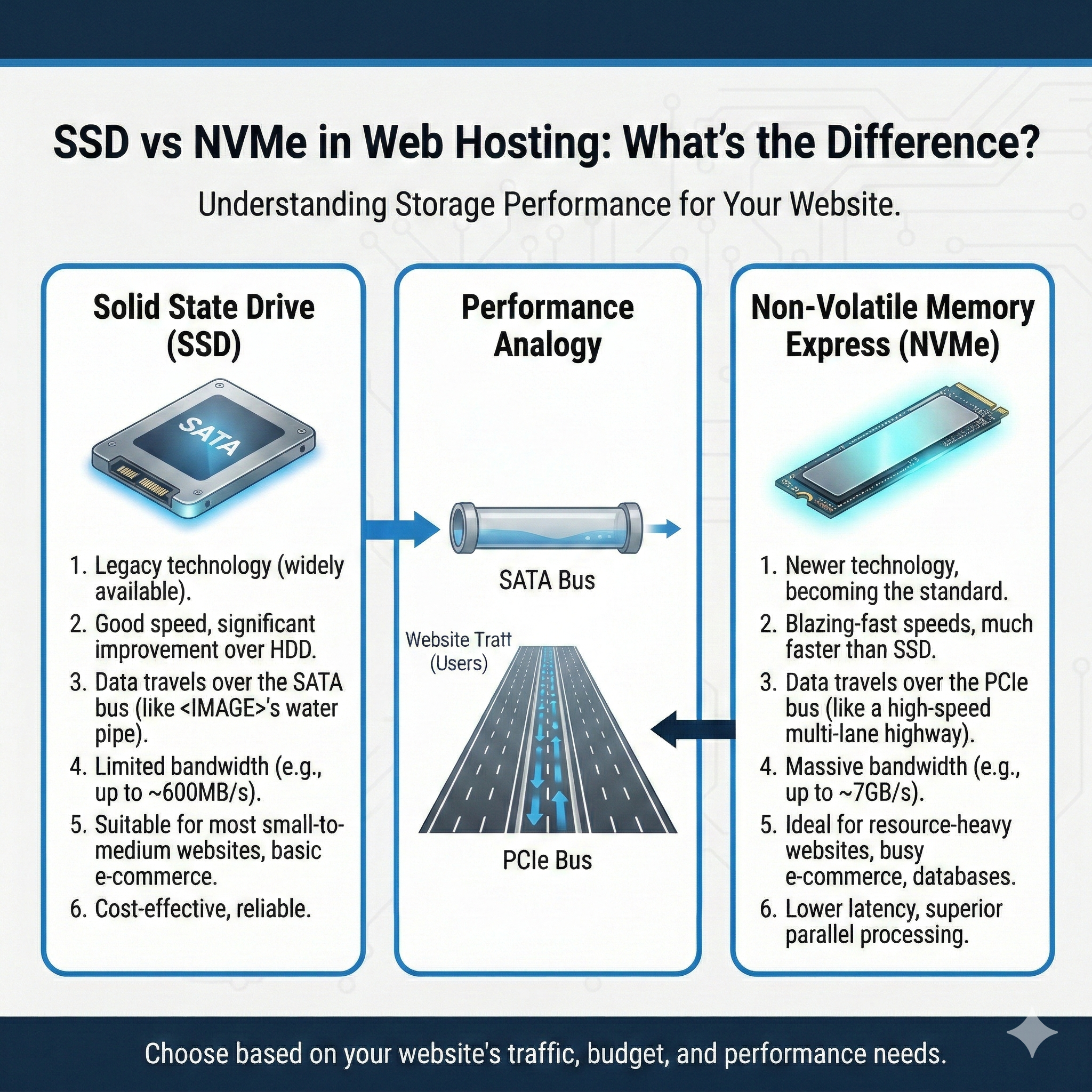
The question “SSD or NVMe?” mixes two different kinds of label. SSD describes solid-state storage. NVMe describes a protocol and interface family used to communicate with non-volatile storage. An NVMe drive can be an SSD.
In hosting advertisements, “SSD versus NVMe” often means SATA SSD storage versus NVMe SSD storage. Confirm that this is what the provider means before comparing the plans.
Use the right comparison
SATA and NVMe describe different storage communication arrangements. NVMe was designed for modern non-volatile storage and can support lower latency and greater parallelism than legacy storage interfaces.
NVM Express describes the specification family. That capability is not a promise that every page on an NVMe-branded hosting plan will load faster than one on a different plan.
The delivered service matters more than the drive badge
| Question | Why it matters |
|---|---|
| Local disk or network-backed volume? | The request path and failure arrangements differ |
| What I/O limits apply? | Your account may be capped below the hardware’s potential |
| What happens during contention? | Shared workloads can affect observed performance |
| Does the data persist after instance loss? | Fast storage is not necessarily the right durable home for important data |
| What is backed up and restored? | Replication or a fast drive does not replace a recovery copy |
Capacity, latency, IOPS and throughput measure different things. A large-file sequential transfer does not represent every database workload, and a headline benchmark may not describe your account’s limits.
Find out whether storage is the bottleneck
Look at the slow operation and its storage activity. Database reads, writes and file processing may be relevant, while a cached page may need little origin storage work at request time.
A slow external API, CPU-heavy operation or oversized frontend image can remain slow after a storage upgrade. Review the infrastructure map before attributing the whole page-load time to a drive.
Compare with the same workload
If you evaluate two configurations, keep the application, dataset, cache state and test conditions comparable. Record latency and errors during ordinary load and expected peaks.
Use only authorised test environments and the provider’s permitted methods. Do not run destructive or saturation tests against a live shared service. Our load-test runbook explains how to plan a controlled evaluation.
Check the migration and recovery details
An upgrade may involve moving data, changing a service tier or restarting the application. Ask about the supported process, backup requirements and rollback before you buy.
Keep a verified recovery copy and test the application after the move. The migration checklist covers the wider website transition.
Decide from the result
Choose the storage service that meets your workload, capacity and recovery needs at an understood cost. Avoid universal speed multipliers or claims that a storage interface alone improves search rankings.
If storage is not limiting the important user action, spend the effort on the component that is. If it is limiting the action, compare the measured improvement with the full upgrade cost.