Website Terms Explained: A Practical Glossary for Owners
This glossary is for the moment a provider or developer uses a term you need to act on. The definitions explain what the term describes and, where useful, what it does not promise.
Addresses and connections
Domain: a name such as example.com, registered for a period under a registrar’s terms. It is separate from website hosting.
DNS: the system that publishes records connecting names to services. Records can identify website addresses, mail handling and other information; DNS is not just one website IP setting.
Nameserver: a server answering DNS questions for a zone. Changing authoritative nameservers can affect all the services whose records need to exist there.
URL: a complete resource address, which can include a scheme, hostname, path, query and fragment. A domain is one part of many web URLs. See MDN’s URL explanation.
Subdomain: a name beneath another domain, such as shop.example.com. It can point to the same service or a different one.
TTL: a time value relevant to caching, including DNS record caching. Lowering it does not instantly erase answers already cached elsewhere.
Hosting and resources
Origin: the source service that generates or supplies content behind a delivery layer such as a CDN.
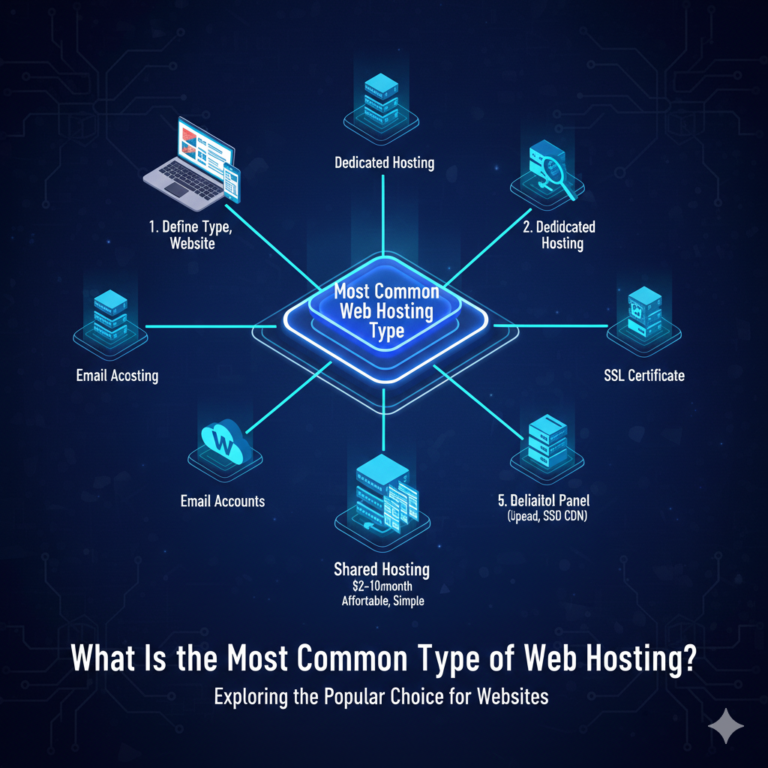
Shared hosting: an account in an environment where resources are shared with other accounts, subject to the plan’s limits.
VPS: a virtual server with a defined allocation and configuration model. Check which resources are shared or dedicated and who administers it.
Cloud hosting: a broad product label for services built on cloud infrastructure. It does not, alone, specify redundancy or automatic scaling.
Managed: administration work included within a stated scope. Always ask which server and application tasks it covers.
Storage: capacity for files or other stored data. Website files, databases, email and backups may have different limits.
Bandwidth and transfer: bandwidth is a transfer rate; data transfer is an amount over a period. Hosting pages sometimes use “bandwidth” for a monthly transfer allowance, so check the units.
The hosting model comparison explains these service distinctions in more detail.
Performance and availability
Cache: a stored response or result reused under defined rules. Caches can exist in a browser, at the server or elsewhere.
CDN: a distributed delivery network that can cache eligible content. Private or transactional responses need appropriate handling.
Latency: delay in a communication or operation. State what is being measured, such as network round-trip time, before comparing numbers.
TTFB: Time to First Byte, the wait until a response’s first byte arrives. Network and processing work can both contribute.
Core Web Vitals: user-experience metrics covering loading with LCP, responsiveness with INP and visual stability with CLS. They are not a complete assessment of a website.
Uptime: measured availability over a defined period and method. An SLA describes contractual commitments and remedies, which may have exclusions.
Use our performance guide to turn those labels into repeatable tests.
Security and recovery
TLS and SSL: TLS is the modern protocol commonly involved when a host advertises an “SSL certificate”. A valid certificate helps authenticate an endpoint and establish an encrypted connection.
HTTPS: HTTP over a secure connection. It does not establish that the site’s content or application is safe in every respect.
MFA: multi-factor authentication, which adds another factor to account authentication. Recovery methods also need protection.
Backup: a recovery copy with a defined scope and retention. Restoration is the process of bringing data or service back from it.
WAF: a web application firewall that applies rules to HTTP traffic. It is one control, rather than a substitute for maintained code.
Publishing and search
CMS: software for managing website content. WordPress is one example.
Theme and plugin: a WordPress theme shapes presentation; a plugin adds functionality. Both can affect behaviour and need maintenance.
Title and meta description: page metadata that can inform search presentation. Search engines may generate different result text.
Canonical: a signal identifying the preferred URL for duplicate or very similar content. It is different from redirecting a visitor.
Redirect: an instruction sending a client to another address. Status codes distinguish different behaviours; a permanent move should point to the relevant destination.
Sitemap: a file listing URLs for discovery. It does not guarantee indexing.
Analytics
Conversion rate: the share completing a defined action, measured against a stated denominator such as sessions or users.
Bounce rate: a metric whose definition depends on the analytics system. In GA4 it is the percentage of sessions that were not engaged sessions; see the official definition. It is not simply a count of single-page visits.
Traffic source: the attributed origin of visits under the tool’s rules. A “direct” classification does not prove someone typed the URL.
For the next practical step, use the website launch checklist or the hosting FAQ.