How to Select the Right Hosting for Your Blog or eCommerce Site
Launching a new website is an exciting venture. You have a vision, a brand name, and perhaps even a design in mind. However, beneath the glossy interface of every successful website lies a critical, often overlooked foundation: web hosting.
Think of hosting as the land your digital house is built on. If the land is unstable, your house might sink. Similarly, if your hosting is poor, your website will suffer from slow loading speeds, frequent downtime, and security vulnerabilities. These issues don’t just frustrate visitors; they directly impact your bottom line. A slow site drives customers away before they can click “buy,” and search engines penalize sluggish performance, pushing you down the rankings.
Many beginners make the mistake of choosing the cheapest option they find, only to regret it months later when their site crashes during a traffic spike. Others get overwhelmed by technical jargon—bandwidth, inodes, SSL certificates—and paralysis sets in.
In this guide, we will cut through the noise. We will explain exactly what web hosting is, compare the different types available, and help you decide between the best hosting for blogs and the best hosting for eCommerce websites. whether you are starting a personal passion project or a full-scale online store, this guide will equip you with the knowledge to make the right choice.
What Is Web Hosting and Why It Matters
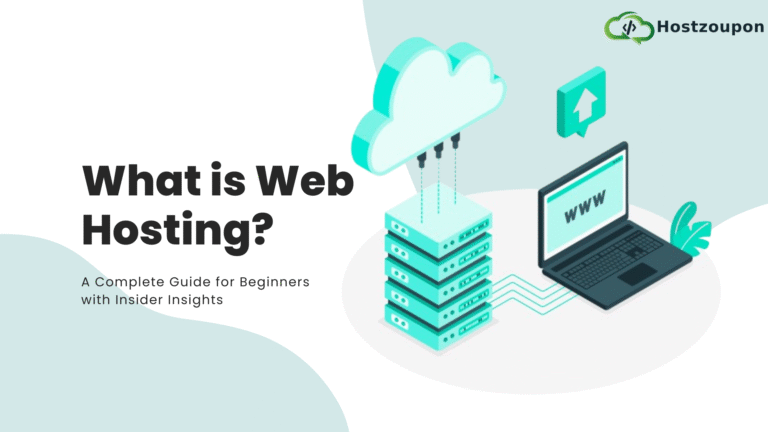
At its core, what is web hosting? When you create a website, the files that make up your site (images, code, text) need a place to live so they can be accessed by users on the internet. A web host provides the physical servers where these files are stored. When someone types your domain name into their browser, the host’s server delivers your website to their screen.
Choosing the right partner is not just about keeping the lights on. Why web hosting matters for SEO (Search Engine Optimisation) and user experience cannot be overstated. Google uses page speed as a ranking factor. If your host’s servers are slow, your site will load slowly, and your rankings will drop. Furthermore, uptime—the percentage of time your site is online—is crucial. A host with 99.9% uptime is standard, but anything less means your “digital shop” is closed for business frequently, costing you credibility and sales.
Types of Web Hosting Explained (Which One Should You Choose?)
Navigating the hosting market can feel like learning a new language. Let’s break down the main types of hosting so you can identify the best hosting type for beginners versus advanced users.
Shared Hosting
Imagine living in a shared student house. You have your own room, but you share resources like the kitchen and bathroom with housemates. Shared hosting works the same way. Your website resides on a server with hundreds of other sites, sharing CPU, RAM, and bandwidth.
- Pros: It is the most affordable option (often under £3/month) and beginner-friendly.
- Cons: If a “neighbour” site gets a massive traffic spike, your site might slow down.
- Best for: Personal blogs, small portfolios, and hobby sites.
VPS Hosting (Virtual Private Server)
VPS hosting is like owning a flat in a block. You still share the building (server), but you have your own dedicated resources that no one else can touch.
- Pros: Better performance, more control, and greater stability than shared hosting.
- Cons: More expensive and requires a bit more technical know-how.
- Best for: Growing blogs and small-to-medium business websites.
Cloud Hosting
This is the modern solution. Instead of relying on one physical server, your site is hosted on a network of connected virtual servers. If one server fails, another instantly takes over.
- Pros: Incredible reliability and easy scalability (you can add more resources instantly).
- Cons: Pricing can be variable based on usage.
- Best for: Fast-growing sites that need flexibility.
Dedicated Hosting
This is owning the entire house. You rent a physical server entirely for yourself. No sharing, total control.
- Pros: Maximum performance and security.
- Cons: Very expensive and requires server management skills.
- Best for: Large enterprises and high-traffic sites.
Managed WordPress Hosting
This is a concierge service specifically for WordPress sites. The host manages updates, security, and backups for you.
- Pros: Hassle-free, optimized for speed, excellent support.
- Cons: More expensive than standard shared hosting; often limits you to using WordPress only.
- Best for: Business owners who want to focus on content, not technical maintenance.
Best Hosting for Blogs vs Best Hosting for eCommerce Sites
Your hosting needs depend entirely on your goals. A simple food blog has vastly different requirements from an online clothing store processing hundreds of transactions daily.
Best Hosting for Blogs
For a content-focused site, your priority is readability and loading speed.
- Performance: You need decent speed to keep bounce rates low, but you likely don’t need heavy-duty processing power unless you have thousands of daily visitors.
- Recommendations: Shared hosting or Managed WordPress hosting is usually sufficient. Look for providers that offer built-in caching to serve articles quickly.
Best Hosting for eCommerce Websites
If you are selling products, the stakes are higher. Trust is your currency.
- Security: This is non-negotiable. You need robust firewalls, automated backups, and SSL certificates to protect customer data.
- Uptime: Every minute of downtime is lost revenue.
- Scalability: If you run a Black Friday sale, your traffic might triple overnight. Your host must handle this surge without crashing.
- Recommendations: Avoid standard shared hosting. Opt for VPS or specialized eCommerce hosting (like managed WooCommerce hosting) that can handle transaction loads securely.
Key Features to Look for in a Hosting Provider
When reviewing potential hosts, ignore the flashy marketing banners and look at the specifications. Here are the non-negotiables for a reliable web hosting provider.
Speed and Uptime
We mentioned this earlier, but it bears repeating: fast web hosting is essential. Look for hosts that offer:
- SSD Storage: Faster than traditional HDD drives.
- CDNs (Content Delivery Networks): This distributes your content across global servers so it loads quickly for users regardless of their location.
- Uptime Guarantees: Look for a 99.9% guarantee.
Security Features
Cyber threats are real. Your host should provide:
- Free SSL Certificate: This gives you the padlock icon in the browser bar (essential for SEO and trust).
- Daily Backups: If your site breaks, you need a one-click restore option.
- Malware Scanning: Proactive protection against hacks.
Customer Support
When your site goes down at 2 AM on a Sunday, you don’t want to talk to a chatbot. Look for 24/7 support via live chat or phone. Test them before you buy—send a pre-sales question and see how fast they respond.
Scalability
Can you upgrade your plan easily? A good host allows you to move from a shared plan to a VPS with a simple click as your traffic grows.
Pricing Transparency
Many hosts offer a low introductory rate (e.g., £2.99/month) that jumps significantly upon renewal (e.g., £10.99/month). Always check the renewal price before signing up.
How Much Does Web Hosting Cost?
Budgeting is tricky because prices vary wildly. Understanding the web hosting cost per month helps you avoid overspending.
- Shared Hosting: £2 – £10 per month.
- Best for: Tight budgets and new projects.
- VPS Hosting: £15 – £50 per month.
- Best for: Established businesses needing consistency.
- Dedicated Hosting: £80 – £300+ per month.
- Best for: Massive traffic sites.
Hidden Fees to Watch For:
- Domain Name: Some hosts include it for free for the first year; others charge extra.
- Migration Fees: Moving from another host? Some charge for this service.
- Backup Fees: Some budget hosts charge extra for automated backups.
While everyone loves a bargain, be wary of cheap web hosting for small business if it sacrifices support or security. The cost of a hacked site is far higher than a monthly subscription fee.
Best Web Hosting Providers for 2026 (Quick Comparison)
The hosting landscape changes frequently. Based on current performance metrics and user feedback, here is a quick look at the top hosting companies leading the pack.
Entry-Level Providers (Great for Blogs)
- Bluehost: Officially recommended by WordPress. It is incredibly easy to use, though renewal rates can be high.
- Hostinger: Excellent value for money. They offer great speeds at very low entry price points.
- SiteGround: Slightly more expensive than the two above, but their customer support and speed technologies are top-tier.
Premium Providers (Great for eCommerce & Business)
- WP Engine: The gold standard for Managed WordPress hosting. Expensive, but bulletproof security and speed.
- Kinsta: Powered by Google Cloud Platform. It is incredibly fast and scalable, perfect for high-traffic WooCommerce sites.
- Liquid Web: A powerhouse for VPS and dedicated hosting options.
Note: Always check the latest reviews for the best web hosting providers 2026 as service quality can fluctuate.
Common Mistakes to Avoid When Choosing Hosting
To save you future headaches, here are three pitfalls to avoid:
- Choosing Based on Price Only: As the saying goes, you get what you pay for. Extremely cheap hosting often means overcrowded servers and non-existent support.
- Ignoring Scalability: You might be small now, but if you go viral, can your host handle it? Migrating a live site to a new host is stressful; choosing a scalable host from day one is smarter.
- Poor Security Planning: Do not assume the host covers everything. If they don’t offer automatic backups, and you don’t set them up yourself, you are one glitch away from losing all your content.
Step-by-Step Checklist to Choose the Right Hosting
Ready to make a decision? Follow this simple checklist to find your perfect match.
- Define Your Website Type: Is it a text-heavy blog (low resource needs) or a media-rich online store (high resource needs)?
- Estimate Your Traffic: Be realistic. If you are starting from zero, shared hosting is fine. If you expect 50,000 visitors month one, go for VPS.
- Set Your Budget: Determine what you can afford monthly, but factor in the renewal price, not just the introductory offer.
- Plan for Growth: Check if the host offers seamless upgrades to higher-tier plans.
- Check the “Must-Haves”: ensure they offer free SSL, 24/7 support, and an uptime guarantee.
FAQ – Web Hosting Questions
Q1: What is the best hosting for a beginner blog?
For a beginner blog, shared hosting is usually the best starting point due to its affordability and ease of use. Providers like Bluehost or Hostinger are popular choices because they offer one-click WordPress installation and beginner-friendly dashboards.
Q2: Which hosting is best for eCommerce websites?
eCommerce sites require stability and security. VPS hosting or Managed WooCommerce hosting is recommended. Providers like Kinsta or SiteGround (GoGeek plan) offer specific features optimized for online stores, ensuring fast checkout processes and secure transactions.
Q3: How much does web hosting cost per month?
Web hosting cost per month varies by type. Shared hosting typically costs between £2 and £10. VPS hosting ranges from £15 to £50, while dedicated servers can cost over £100 per month. Always check the renewal price, as the initial low price is often a one-time introductory offer.
Q4: Is shared hosting good enough for a small website?
Yes, shared hosting is perfectly adequate for small websites, personal portfolios, and new blogs with low to moderate traffic (under 10,000 monthly visitors). It is the most cost-effective way to get online.
Q5: What hosting improves website speed and SEO?
To improve speed and SEO, look for fast web hosting that utilizes SSD storage, includes a Content Delivery Network (CDN), and has servers located near your target audience. Managed WordPress hosts like WP Engine are specifically optimized for speed, which positively impacts Google rankings.
Q6: Can I change my hosting provider later?
Absolutely. You are not locked into a host forever. Most reputable hosts offer free site migration services to help you move your website from your old provider to their servers without downtime.
Conclusion
Selecting the right web hosting might not be the most glamorous part of building a website, but it is undoubtedly the most important. The right host acts as a silent partner in your success, ensuring your site is fast, secure, and always available for your visitors.
Whether you need the robust power of hosting for eCommerce sites or the simplicity of hosting for blogs, taking the time to research your options now will save you time, money, and stress in the future. Don’t let a slow website hold you back.
Ready to build your online presence? Compare the top hosting providers today or start a free trial to see the difference speed and reliability can make for your business.