What Is DNS? Records, Caching and Safe Website Changes
DNS, the Domain Name System, publishes information associated with domain names. It helps a browser find the network destination for a hostname and supports other services such as email.
DNS does not store the website’s articles or move its database. It connects names to service information, while the application and hosting system handle the content.
How a lookup finds an answer
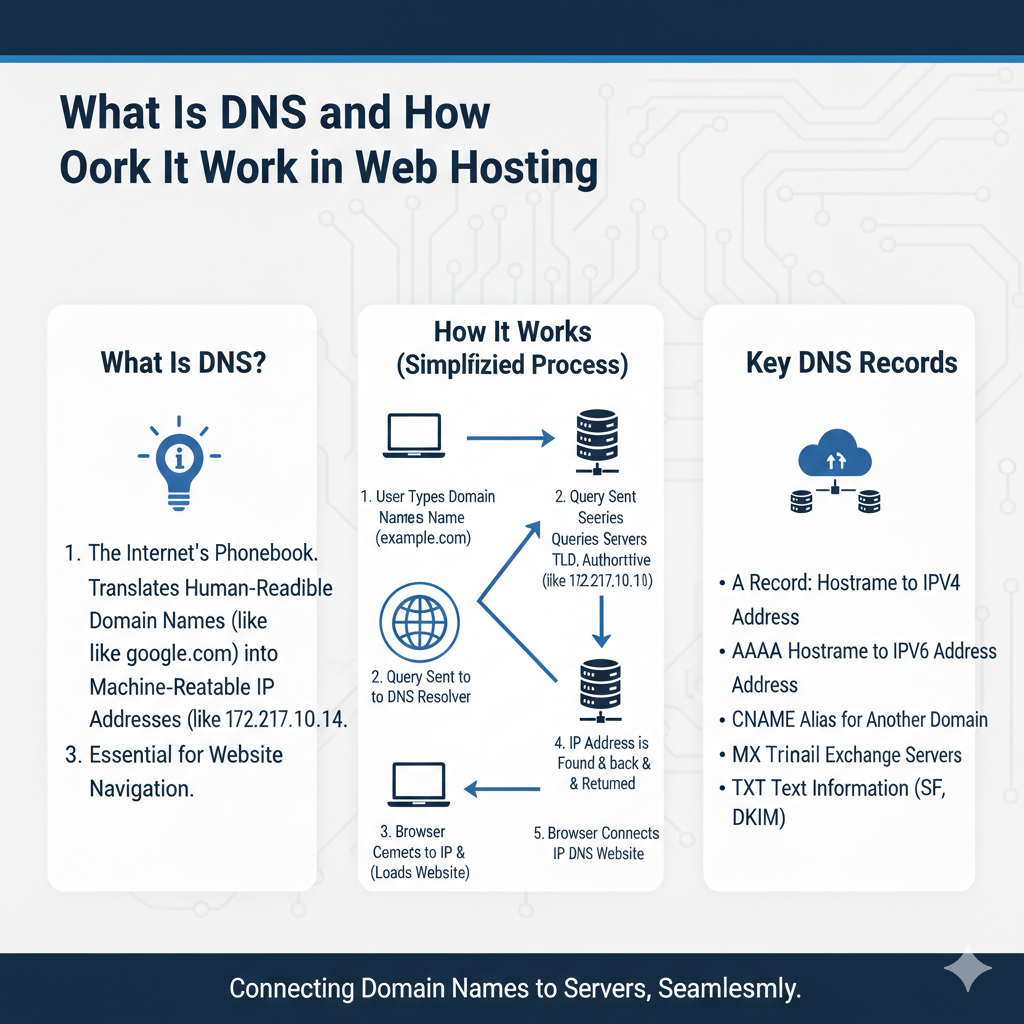
A device commonly asks a recursive resolver for a record. If a usable answer is cached, it can be returned without repeating the whole lookup. Otherwise, the resolver can follow referrals through the DNS hierarchy to the relevant authoritative service.
The authoritative service publishes the zone’s records. Cloudflare’s DNS introduction explains the resolver, root, top-level and authoritative roles. Not every browser visit repeats every step.
Records you may encounter
| Type | Purpose |
|---|---|
| A | Associates a name with an IPv4 address. |
| AAAA | Associates a name with an IPv6 address. |
| CNAME | Makes a name an alias of another name, subject to applicable DNS rules. |
| MX | Identifies mail-exchange destinations for a domain. |
| TXT | Stores text used by applications such as verification and mail authentication. |
| NS | Identifies nameservers in the relevant delegation or zone context. |
Use the selected service’s exact record instructions and the DNS provider’s supported configuration. The record reference provides further explanation. A CNAME is not an HTTP redirect and does not rewrite a visitor’s page address.
What TTL and “propagation” mean
A time to live controls caching of the relevant DNS data. Different caches can retain an older answer under its earlier TTL, so visitors may not all see a change simultaneously.
There is no universal 24-hour or 48-hour completion promise. Changing a TTL after an old answer was cached does not retroactively shorten that existing cache entry.
Keep registration, DNS and hosting distinct
The registrar manages registration and delegation arrangements. A DNS service publishes records. A host serves the website. One supplier can provide all three, but you can often change one without changing every other service.
A nameserver change can replace the active DNS zone. Record mail, verification and other required entries before making it; a working homepage does not prove everything else still functions.
Make a controlled change
Save the current records and the target service’s instructions. Identify which names must change, who authorises the edit and how the old service remains available during transition.
Check both relevant address families and the intended hostname. A stale AAAA record can leave some users reaching a different destination even when the A record is correct.
Validate the actual services
Inspect authoritative and resolver answers where appropriate, then test HTTPS, public pages and email. DNS success does not establish application or certificate correctness.
Use the migration checklist when moving hosting and the IP guide for address questions. Keep a rollback route and change only the records needed for the planned operation.