Best Value Database Hosting 2026: Balancing Cost, Uptime, and AI Readiness
The best value database hosting is the service that meets your workload, recovery and support requirements at a sustainable total cost. A low advertised price can be misleading if essential replicas, backups, data transfer or operational work sit outside it.
This 2026 buying guide combines cost planning with availability and AI-workload considerations. It is a decision framework, not a provider benchmark or a claim that one service is cheapest for every application. Check current plan documentation and test representative queries before buying.
Start with the workload
List the database engine and version your application needs, current data volume, expected growth, typical queries and busiest periods. Record whether the workload is transactional, analytical, vector search or a mixture. A small development database and a production checkout database should not automatically have the same architecture.
Useful measurements include query latency, connections, read/write activity, working-set size and storage growth. Test with realistic data and concurrency. An empty database benchmark says little about a production application with large indexes and background jobs.
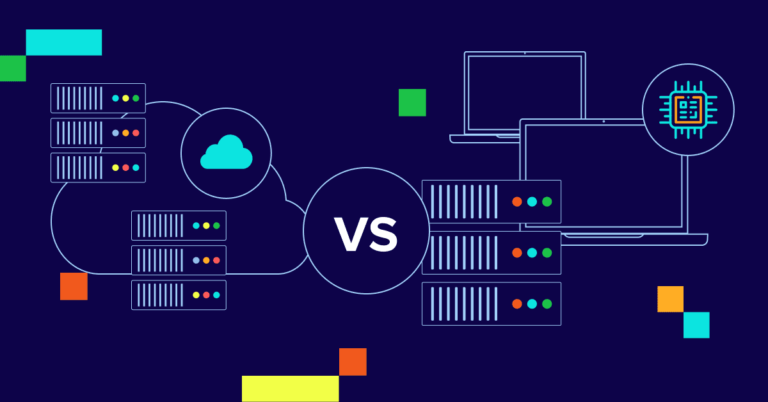
Compare managed and self-managed hosting
| Model | Potential value | Responsibility to check |
|---|---|---|
| Database on shared hosting | A simple option for a compatible small website | Database size, connections, query limits and export access |
| Self-managed VPS or dedicated server | Control over engine configuration and resource allocation | Patching, monitoring, backups, restoration and incident response |
| Managed database service | Provider-operated infrastructure and documented database features | Which maintenance, backup, failover and security tasks are included |
| Usage-based or serverless service | Capacity that can follow an uneven workload | Minimum charges, scaling behaviour, idle costs and billing limits |
Managed hosting reduces some operational work, but it does not remove responsibility for application queries, user permissions or choosing suitable recovery settings. Self-management can be sensible when the team has the necessary skills and the complete operating cost is competitive. Neither model is automatically the best choice for every startup or enterprise.
Calculate total cost rather than the base price
Build a monthly estimate with separate lines for compute, storage, I/O or request charges, backups, additional replicas, data transfer, monitoring and support. Add the staff time required to operate and recover the system. Use the provider’s actual billing units and minimum charges.
Prepare three scenarios: expected usage, a busy period and a recovery event. A restore may require temporary infrastructure; a regional copy may add both storage and transfer charges. Commitment discounts can change the calculation, but compare the commitment against realistic demand and the cost of changing plans.
Questions that reveal hidden costs
- What is billed while the database is idle?
- Are backups and point-in-time recovery included at the required retention?
- How are storage growth, I/O, connections and additional replicas charged?
- Does traffic between the database and application cross a billable boundary?
- What changes at the next capacity tier?
- What does exporting or restoring the full dataset cost?
Separate availability, failover and recovery
These solve different problems. High availability aims to keep the service accessible through infrastructure failures. A backup provides a recoverable copy of data. Replication alone may also copy an accidental deletion, so it is not a substitute for an appropriate backup and restore process.
For example, Amazon RDS documents Multi-AZ deployments for availability and failover, alongside separate snapshot and recovery features. That is one product example; confirm the architecture and capabilities of the service you actually select.
Define RTO and RPO before choosing a plan
Your recovery time objective (RTO) is the target time to restore an acceptable service. Your recovery point objective (RPO) describes how much recent data loss is acceptable, expressed as a time interval. These are objectives to design and test against, not guarantees created merely by purchasing a plan.
Decide what an outage would mean for your application, then test restoring a backup and reconnecting the application. Include credentials, network access, extensions and dependencies in the test. Record the measured recovery time and recovered data point.
Read the SLA and its exclusions
An uptime percentage is only part of a service-level agreement. Check the measurement period, eligible architecture, exclusions, claim procedure and remedy. Service credits do not necessarily compensate for lost business revenue. A high percentage does not prove that the application can tolerate an outage or that restoration will be fast.
Choose regional resilience deliberately
Multi-zone and multi-region designs are different. A standby in another availability zone can help with certain infrastructure failures; a regional recovery plan addresses a different failure scope. Cross-region copies can add latency, transfer cost and operational complexity.
Document where primary data, backups, logs and support access are handled. Confirm the relevant requirements with the people responsible for your organisation’s data governance. A data-centre location or a marketing label alone does not demonstrate that the complete deployment meets those requirements.
Assess AI features against an actual use case
“AI-ready” is not a single database specification. If you need similarity search, check vector storage, supported distance measures, index choices, filtering, query performance and backup behaviour. PostgreSQL’s pgvector extension is one example of vector similarity search; confirm whether the chosen host supports the extension and version you need.
Compare recall and latency on representative embeddings and queries. Measure index-building time, memory use and storage growth as well as retrieval quality. Embedding generation and model inference are separate parts of the application and can introduce their own costs and access requirements.
Keeping vectors beside operational data can reduce the number of systems to manage, but it does not guarantee a lower bill. A separate search service may be justified by workload isolation or features. Choose based on measured needs rather than buying an AI label in anticipation of an undefined future project.
Security and operations checklist
- Restrict network access and apply least-privilege database permissions.
- Confirm authentication options, encryption settings and key-management responsibilities.
- Document engine patching, supported versions and maintenance windows.
- Set alerts for capacity, errors, backup failures and unusual access.
- Test exports and recovery; decide who responds to incidents.
- Check which logs, audit features and support access controls are available in the selected tier.
Match the architecture to the project
A prototype or hobby site: keep the setup simple, understand free-tier or low-tier restrictions and retain an export. Choose a recovery approach appropriate to the value of the data.
A growing business application: test realistic load, budget for operational support and choose recovery targets the team can demonstrate. Compare a managed service with the full cost of self-management.
A vector-search application: validate retrieval quality and performance on your data. Include embedding storage, index overhead and model-service costs in the comparison.
A geographically distributed service: define latency, consistency and recovery requirements before adding regions. Test the application behaviour during failure and recovery.
A practical selection process
- Write down the engine, workload, growth, geography and recovery requirements.
- Shortlist compatible architectures and exclude plans missing essential features.
- Run the same representative workload against each serious candidate.
- Estimate expected, peak and recovery costs using current documentation.
- Test backup restoration, application reconnection and data export.
- Record the decision and review it when workload or business requirements change.
Frequently asked questions
Is the cheapest database plan the best value?
Only if it meets the workload and operating requirements. Add the cost of essential features, staff effort and recovery before comparing alternatives.
Does managed hosting include everything?
No. The service’s documented responsibility model defines the split. Verify backups, failover, patching, permissions and support individually instead of treating “managed” as a complete specification.
Do I need multiple regions?
Not every application does. Choose a regional recovery design when the failure scenarios and recovery requirements justify its cost and complexity. Keep backup and restoration requirements explicit in either case.
Is a vector-capable database enough for an AI application?
It covers one possible storage and retrieval component. You still need suitable data, embeddings, access controls, retrieval evaluation and application logic. Test the whole workflow.
Continue your research
Explore database hosting articles, VPS hosting guides and cloud hosting guides to compare the surrounding infrastructure choices.
Sources and further reading
- Amazon RDS: resilience, backups and availability
- Amazon RDS: features and shared responsibilities
- pgvector: vector similarity search for PostgreSQL