Starting on Shared Hosting: Your First Month Checklist
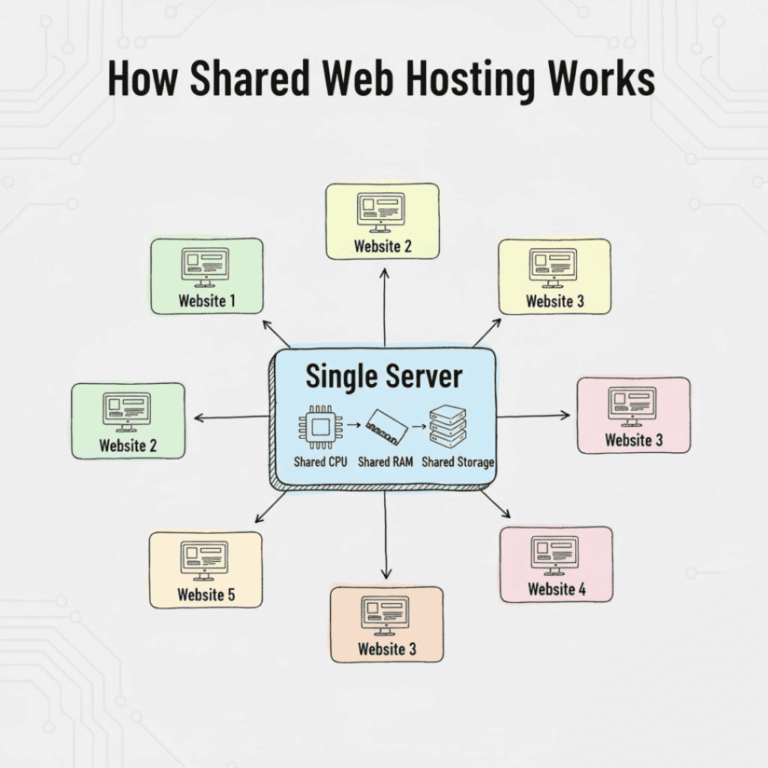
Shared hosting places multiple customer accounts on shared infrastructure, with the provider controlling the server environment. It can offer a practical starting point when the supported software and account limits fit the site.
If you need the basic definition and buying context, start with the shared hosting introduction. This guide focuses on what to do after choosing a plan, from initial access through the first review.
Before moving anything
Record the account owner, renewal date, support route and names of authorised administrators. Use separate access where available and keep recovery methods current. Confirm who controls the domain as well as the hosting.
List any existing website, mail and data that must be preserved. A new hosting account does not automatically transfer them. Keep an independent recovery copy before replacing an existing service.
Confirm software and account boundaries
Check runtime versions, database support, storage, scheduled jobs and other requirements. Shared hosting often restricts system-level changes. Confirm needed features before building around them.
Read the resource-limit guide and record the limits that apply to your plan. “Unlimited websites” or a visit estimate is not a promise of unlimited application execution.
Publish a small representative site
Use the supported installation path and only necessary extensions. Verify the public page, a form and any external integration. Test from a signed-out session as well as the editor.
Enable HTTPS through the supported workflow. The certificate and HTTPS guide explains validation and renewal. A working homepage does not establish that the entire site is ready.
Check mail and recovery separately
If email is needed, confirm whether it is included and how to configure it. Test incoming and outgoing delivery. Do not assume a domain transfer or website move also migrates historical mail.
Set up the intended backups and test a protected restore. Record what is covered and how to retrieve it if the hosting account is unavailable. Automated backups need a recovery check, not just an enabled switch.
Review the first weeks of operation
Look for errors, failed forms, storage growth and limit notifications. Compare actual use with the site’s intended work. Investigate a bottleneck before assuming a more expensive category is necessary.
Keep software maintenance assigned to an owner. Server maintenance by the host does not imply that your themes, plugins or custom code are managed.
Make the first renewal decision early
Check the ongoing price, extras and remaining commitment while there is still time to act. The stay-or-upgrade review helps decide whether the current plan remains suitable.
A successful first month leaves you with verified user journeys, recoverable data and known responsibilities. No fixed visitor capacity, ranking result or automatic security outcome follows from choosing shared hosting.