How Cloud Hosting Works: Requests, Failures and Scale Changes
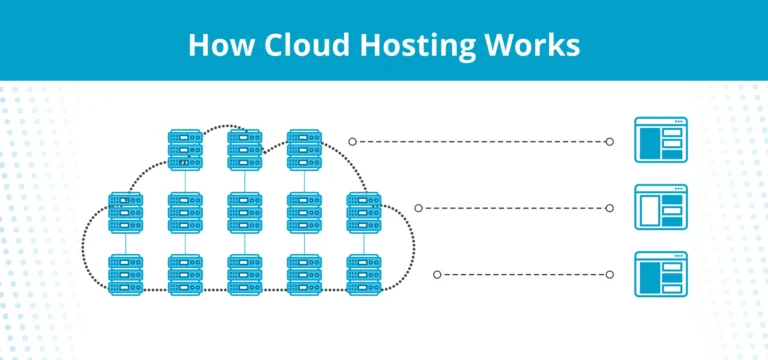
Cloud infrastructure can supply the parts of a resilient website, but those parts must form a working application design. Follow three events to see where the responsibilities sit: a page request, a failure and a traffic increase.
This guide describes possible arrangements, not a claim that every cloud plan includes them. Use your product’s documentation to establish the actual service boundary.
Event 1: a visitor requests a page
A browser reaches an endpoint after obtaining connection information for the hostname. That endpoint may be a CDN, proxy or load balancer before the application server.
A cache can answer an eligible request. Otherwise, the application may execute code, read a database and contact another service. These components can share an instance or run separately.
Map the route used by your site. The web-server guide explains the HTTP part; the cloud platform supplies the configured infrastructure around it.
Event 2: a component fails
| Failure | Capability to establish |
|---|---|
| Application worker | Detection, restart and safe handling of unfinished work |
| Compute instance | Replacement capacity, data access and routing |
| Database | Recovery or failover, consistency and connection handling |
| Zone or region | Deployment elsewhere, dependencies and a tested traffic switch |
A second web server cannot serve a database-dependent page if its only database is unavailable. A load balancer also needs healthy usable backends.
Google Cloud’s reliability guide illustrates different deployment scopes and their dependencies. The application and operating procedures remain part of the reliability assessment.
Replication and backup solve different problems
Replication can support availability under an understood design, but it may also propagate an unwanted change. A backup can support recovery to an earlier point, with its own retention, access and restore limitations.
Define the acceptable data-loss window and recovery time for the important task. Test the supported restore route using a protected copy instead of assuming a snapshot is enough.
Event 3: demand increases
Vertical scaling changes the allocation of a component. Horizontal scaling adds instances of a component. Both require supported capacity and can involve disruption or additional cost.
Application sessions, uploads, background jobs and database writes must still work correctly. Automatic scaling needs suitable signals, limits and a scale-down policy; the cloud label does not configure them.
Observe the whole task
Measure queues, response time, errors and completion of important actions. Resource graphs alone cannot establish that visitors can log in or complete an order.
Use the controlled load-test runbook to evaluate capacity and recovery. The uptime guide explains why a running instance is not proof of application availability.
Keep the design understandable
Record where each component runs, who maintains it and how it recovers. Review the map after a significant change so new dependencies do not become hidden single points of failure.
The first-quote checklist connects this design to the service you buy. Start with the simplest arrangement that meets the measured requirements, then add complexity for a specific reason.