Types of Web Hosting in 2026: A Complete Beginner’s Guide
Launching a website used to be a technical hurdle reserved for IT professionals. By 2026, building a digital presence is as essential as having a phone number, but the technology powering these sites has become significantly more complex.
If you are planning to launch a blog, an online store, or a business portfolio, the first decision you make—choosing a web host—is often the most critical. Your hosting provider dictates your site’s speed, security, and ability to handle traffic spikes.
Technology has evolved rapidly over the last few years. The web hosting landscape of 2026 is smarter, faster, and more decentralized than ever before. Artificial intelligence now manages server loads, and “green hosting” is no longer a niche marketing term but a standard requirement for many businesses.
This guide cuts through the jargon to explain exactly what options are available to you. Whether you are a total beginner, a scaling startup, or an established enterprise, understanding the different types of web hosting is the first step to building a successful online foundation.
What Is Web Hosting? (Quick Recap)
Before analyzing the specific types of web hosting available, it is helpful to understand what you are actually paying for.
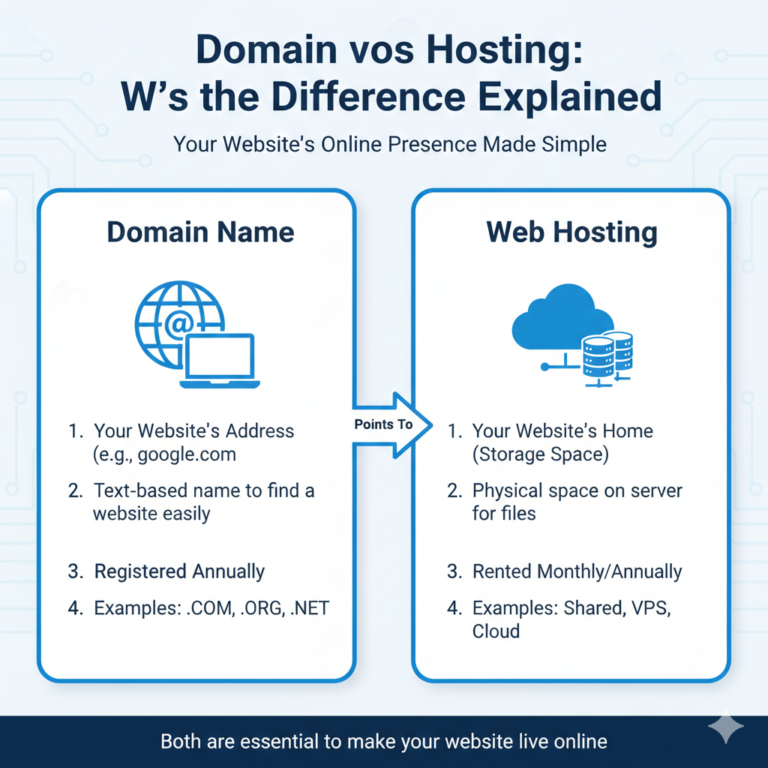
Think of your website as a house. The domain name (e.g., yourwebsite.com) is the street address that tells people where to go. Web hosting is the plot of land where your house sits. Without the land, you have nowhere to build.
When you purchase hosting, you are renting space on a physical server—a powerful computer that runs 24/7—to store your website’s files, images, and code. When a visitor types your domain name into their browser, that server transmits your website data to them.
Three key factors define the quality of that “land”:
- Storage: How much space you have for your files.
- Bandwidth: The amount of data that can flow between the server and your visitors (often described as the “pipe” size).
- Uptime: The reliability of the server to stay online without crashing.
Types of Web Hosting in 2026 (Explained)
The hosting market has segmented into distinct categories to suit different needs and budgets. In 2026, the lines between these categories are blurring thanks to virtualization technology, but the core classifications remain the best way to understand your options.
Here is a breakdown of the primary types of web hosting you will encounter.
3.1 Shared Hosting
Shared hosting remains the most popular entry point for new websites. As the name suggests, multiple websites reside on a single physical server. All the sites on that server share the same resources, including CPU power, memory (RAM), and disk space.
Think of this like living in a shared apartment. You have your own private bedroom (your website files), but you share the kitchen, bathroom, and living room (server resources) with roommates. If one roommate throws a massive party (gets a huge spike in traffic) or clogs the shower drain (uses too much processing power), your experience suffers.
Pros:
- Most Affordable: Because costs are split among many users, plans can be incredibly cheap, often under $5/month.
- User-Friendly: These plans almost always come with a pre-configured control panel (like cPanel) and one-click installers for platforms like WordPress.
- Maintenance-Free: The host manages the server hardware and basic security.
Cons:
- Performance Issues: Your site speed can be affected by other sites on the server (“bad neighbor effect”).
- Limited Resources: You have strict caps on storage and bandwidth.
- Security Risks: If a hacker gains access to the main server directory, it could potentially affect all sites on that server.
Best for: Personal blogs, hobby sites, and small business brochures with low traffic.
3.2 VPS Hosting (Virtual Private Server)
VPS hosting is the natural upgrade from shared hosting. It uses virtualization technology to split a single physical server into multiple private environments.
Continuing the housing analogy, a VPS is like owning a condo. You still share the physical building with others, but you have your own dedicated walls, private entrance, and specific allocation of amenities. What your neighbors do inside their condos rarely affects you.
In 2026, VPS hosting has become highly flexible. You are guaranteed a specific amount of RAM and CPU power that belongs only to you.
Pros:
- Reliability: Your resources are dedicated, so traffic spikes on other sites won’t slow you down.
- Root Access: You get greater control over server configuration and can install custom software.
- Scalability: It is usually easy to add more RAM or storage with a few clicks.
Cons:
- Cost: significantly more expensive than shared hosting.
- Technical Knowledge: While “managed” VPS exists, “unmanaged” plans require you to know how to maintain a server and configure security patches.
Best for: Growing websites, online stores, and businesses that have outgrown shared hosting but aren’t ready for a dedicated server.
3.3 Cloud Hosting
Cloud hosting has become the gold standard for reliability in 2026. Instead of relying on one single physical server, your website is hosted on a network of interconnected virtual servers that tap into a vast underlying resource pool.
If one server in the cluster fails or undergoes maintenance, another server instantly picks up the slack. It is like an electrical grid—if one power plant goes offline, the grid reroutes power so the lights stay on.
Pros:
- Incredible Uptime: Hardware failure rarely results in downtime because of the redundancy built into the network.
- On-Demand Scalability: You can scale your resources up instantly to handle a traffic surge (like a Black Friday sale) and scale back down afterward.
- Pay-as-You-Go: Many cloud providers charge you only for the resources you actually use, rather than a flat monthly fee.
Cons:
- Unpredictable Pricing: If you have a viral post or unexpected traffic, your bill can jump significantly.
- Complexity: Configuring true cloud architecture can be complex for beginners without a managed interface.
Best for: High-traffic websites, SaaS companies, and eCommerce stores that cannot afford any downtime.
3.4 Dedicated Hosting
Dedicated server hosting is the heavyweight champion of performance. You are renting an entire physical server that is dedicated solely to your website. You do not share processor power, RAM, or bandwidth with anyone else.
This is the equivalent of owning a detached house on a large private estate. You have total freedom to renovate, expand, and secure the property exactly how you see fit.
Pros:
- Maximum Performance: With all server resources at your disposal, page load speeds are lightning-fast.
- Total Control: You have full root access to configure the operating system and software.
- Enhanced Security: No risk of “bad neighbors” introducing malware to the server environment.
Cons:
- High Cost: This is typically the most expensive type of hosting, often costing hundreds of dollars per month.
- Maintenance Heavy: You are responsible for updates, security patches, and troubleshooting unless you pay extra for management.
Best for: Large enterprise businesses, massive eCommerce sites, and applications handling sensitive data (like medical or financial records).
3.5 Managed Hosting
Managed web hosting is not a server type, but rather a service model. It applies to VPS, Cloud, and Dedicated hosting. In this model, the hosting provider acts as your IT department. They handle the technical maintenance, updates, security scanning, and backups.
Pros:
- Peace of Mind: Experts handle the technical side, letting you focus on your business.
- Support: Access to specialized support teams who understand the hardware deeply.
Cons:
- Price: You pay a premium for the “white glove” service.
- Less Control: The host may restrict certain plugins or configurations to ensure stability.
Best for: Businesses that have the budget for premium performance but lack an in-house IT team.
3.6 WordPress Hosting
Given that WordPress powers a massive chunk of the internet, many hosts offer specific WordPress hosting. This can be shared, VPS, or cloud-based, but the environment is specifically tuned for WordPress sites.
The servers use caching mechanisms designed for the WordPress architecture, and security protocols are updated to defend against WordPress-specific threats.
Pros:
- Optimized Performance: Pages load faster due to server-level caching.
- Automatic Updates: The host keeps your WordPress core and plugins updated.
- Specialized Support: Customer service agents are usually WordPress experts.
Cons:
- Platform Lock-in: You can usually only run WordPress sites on these plans.
Best for: Any content creator or business building their site exclusively on WordPress.
3.7 Reseller Hosting
Reseller hosting allows you to use your allocated hard drive space and bandwidth to host websites on behalf of third parties. Essentially, you buy hosting in bulk and sell it to your own clients for a profit.
Best for: Web design agencies and freelance developers who want to offer hosting as an add-on service to their clients.
New & Emerging Hosting Types in 2026
By 2026, several niche hosting technologies have moved into the mainstream.
- AI-Powered Hosting: Modern servers now use Artificial Intelligence to predict traffic surges before they happen, auto-allocating resources to prevent crashes. AI also powers security firewalls, identifying and blocking bot attacks in real-time with higher accuracy than human admins.
- Green / Eco-Friendly Hosting: With data centers consuming vast amounts of global electricity, “Green Hosting” providers offset their carbon footprint by purchasing renewable energy credits or running centers directly on wind and solar power. In 2026, having a “carbon-neutral website” is a significant trust signal for consumers.
- Edge Hosting: Rather than hosting your site in one location (like “New York”), Edge hosting stores your site on hundreds of small servers located geographically closer to users. This reduces latency to almost zero, regardless of where your visitor is located.
Comparison Table: Types of Web Hosting
| Hosting Type | Performance | Scalability | Cost Estimate (2026) | Best Use Case |
| Shared | Low to Moderate | Low | $ – $$ | Personal blogs, new websites |
| VPS | High | High | $$ – $$$ | Growing businesses, apps |
| Cloud | Very High | Very High | $$ – $$$$ | High-traffic sites, eCommerce |
| Dedicated | Maximum | Moderate | $$$$ | Enterprise, heavy data processing |
| Managed WP | High | Moderate | $$ – $$$ | WordPress blogs & stores |
Which Type of Web Hosting Should You Choose?
Making the final decision comes down to your specific stage of growth.
- Best hosting for beginners:Shared Hosting. If you are just starting and expect low traffic (under 10,000 visits a month), there is no need to overspend. Bluehost or Hostinger shared plans are standard starting points.
- Best hosting for small businesses:VPS or Managed WordPress. If your website generates leads or sales, you cannot afford the slowness of shared hosting. A VPS ensures your business site loads quickly for customers.
- Best hosting for eCommerce websites:Cloud or Specialized WooComerce Hosting. Online stores need speed and stability. If your site crashes during a sale, you lose money. Cloud hosting ensures you stay online during shopping spikes.
- Best hosting for high-traffic websites:Dedicated or Enterprise Cloud. If you are receiving hundreds of thousands of visitors, you need dedicated resources to process that data efficiently.
Cost Comparison of Web Hosting Types (2026)
Pricing has adjusted with inflation and technology improvements. Here is what you can expect to pay in the current market.
- Entry-level (Shared): $3.00 – $10.00 per month. Note: Usually requires a 12-36 month contract for the lowest price.
- Mid-range (VPS / Managed WP): $25.00 – $80.00 per month.
- Enterprise (Dedicated / High-tier Cloud): $150.00 – $500.00+ per month.
Common Mistakes When Choosing Web Hosting
- Choosing the cheapest option blindly: A $1.99/month host might save you money now but cost you thousands in lost sales if your site loads slowly.
- Ignoring scalability: Migrating a website is a headache. Choose a host that lets you upgrade from Shared to VPS easily as you grow.
- Overlooking support: When your site goes down at 3 AM, you need 24/7 chat or phone support. Do not settle for “email ticket only” support for a business site.
Frequently Asked Questions (FAQ)
Q1. What are the main types of web hosting in 2026?
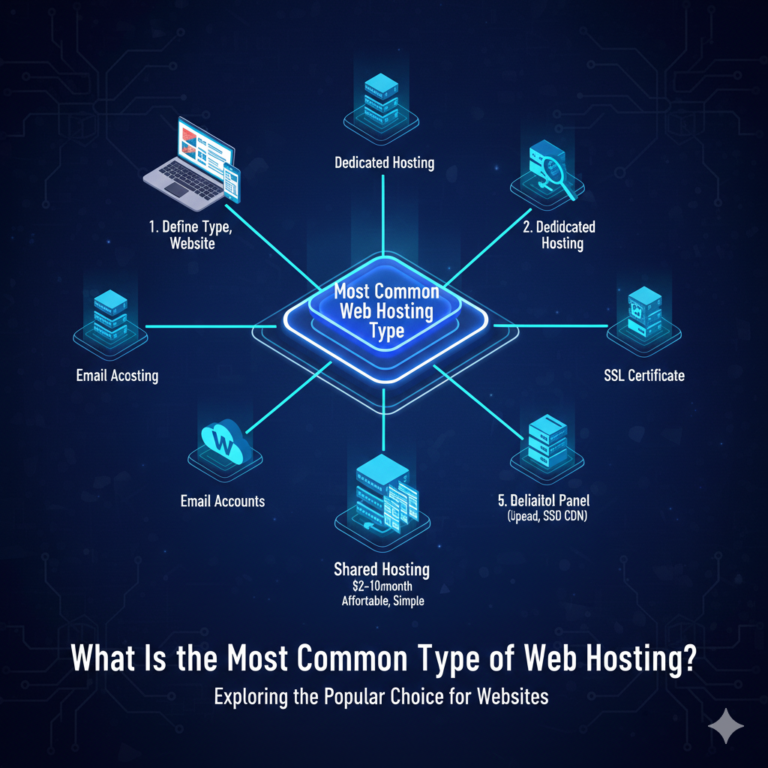
The main types are Shared, VPS (Virtual Private Server), Cloud, Dedicated, and Managed WordPress hosting. Emerging types like Edge hosting and AI-powered hosting are also gaining popularity.
Q2. Which type of web hosting is best for beginners?
Shared hosting is the best choice for beginners because it is the most affordable and requires very little technical knowledge to set up.
Q3. What is the difference between shared and VPS hosting?
In shared hosting, you share resources (CPU/RAM) with other sites, meaning their traffic can slow you down. In VPS hosting, you have a private allotment of resources that are yours alone, offering better stability and speed.
Q4. Is cloud hosting better than VPS hosting?
Cloud hosting is generally considered “better” for reliability because it relies on a network of servers rather than one physical machine. If a VPS server fails, your site goes down; if a Cloud node fails, another takes over.
Q5. What is the most affordable type of web hosting?
Shared hosting is the most affordable, with entry-level plans often starting around $3 per month.
Q6. Which web hosting type is best for WordPress websites?
Managed WordPress hosting is best because the server environment is specifically optimized for WordPress code, resulting in faster load times and tighter security.
Q7. Can I upgrade my hosting type later?
Yes, most reputable hosting providers allow you to upgrade seamlessly (e.g., from Shared to VPS) as your website traffic grows.
Building Your Digital Foundation
Choosing the right web hosting might feel like a technical chore, but it is actually a strategic business decision. The “land” you build on determines how high you can build your skyscraper.
For most beginners in 2026, a quality Shared or Managed WordPress plan offers the perfect balance of cost and performance. As you grow, VPS and Cloud solutions are ready to take your site to the next level.
Do not rush the decision. Assessing your traffic needs and budget now will save you the headache of a complex site migration later.
Ready to get started? Compare the top-rated hosting providers of 2026 here [Link] and launch your site today.