Web Hosting Security in 2026: A Complete Guide to Protect Your Website
If you own a digital property—whether it’s a personal blog, a bustling ecommerce store, or a corporate portfolio—the safety of that asset rests on one foundational element: your web host.
In 2026, the cybersecurity landscape looks radically different than it did just a few years ago. Cyberattacks have evolved from manual hacking attempts into sophisticated, AI-driven campaigns capable of scanning millions of websites for vulnerabilities in seconds. The cost of a breach is no longer just financial; it destroys trust, ruins SEO rankings, and can legally implicate business owners for mishandling user data.
Web hosting security is your first line of defense. It is the fortress wall that keeps the barbarians at the gate. But many website owners mistakenly believe that simply purchasing a hosting plan guarantees safety. This misconception is often the reason small businesses fall victim to ransomware and data theft.
This guide is designed for website owners, startups, and ecommerce managers who need to understand the realities of protecting their online presence. We will break down exactly what web hosting security entails, the specific threats looming in 2026, and the actionable steps you must take to lock down your digital assets.
What Is Web Hosting Security?
At its core, web hosting security refers to the measures, protocols, and technologies used to protect a hosting server and the websites stored on it. Think of it as the physical security of a building. If the building (the server) isn’t secure, the individual apartments (websites) inside are vulnerable, no matter how good the locks on their front doors are.
Hosting-Level vs. Website-Level Security
It is critical to understand where the host’s job ends and yours begins. Security is not a one-sided affair; it requires a partnership.
- Hosting-Level Security: These are the defenses managed by the provider. They include physical security of data centers, network firewalls, server cooling and maintenance, and protection against massive attacks that target the infrastructure itself.
- Website-Level Security: This is your domain. It includes managing strong passwords, updating your Content Management System (CMS) like WordPress, installing security plugins, and ensuring your code is clean.
The Shared Responsibility Model
Most hosting providers operate under a “Shared Responsibility Model.” The host guarantees the security of the cloud (the infrastructure), while you are responsible for security in the cloud (your data and applications).
A common myth is that a “secure host” means you cannot be hacked. This is false. You can have the most secure hosting in the world, but if you set your admin password to “password123,” your site will be compromised. Real security requires both a fortified server and a vigilant site owner.
Biggest Website Security Threats in 2026
To defend your site, you must know what you are fighting. The threat landscape in 2026 is dominated by automation and speed.
Malware & Ransomware Attacks
Ransomware has moved beyond targeting just large corporations. Automated bots now infect small business websites, encrypting their databases and demanding payment to restore access. Modern malware is stealthy; it can live on your server for months, siphoning customer data or using your site resources for crypto-mining without you noticing until it’s too late.
DDoS Attacks
Distributed Denial of Service (DDoS) attacks overwhelm a server with fake traffic, causing it to crash. In 2026, these attacks are larger and cheaper to launch than ever before. Competitors or malicious actors can rent “DDoS-as-a-Service” for a few dollars to take a site offline during peak sales periods.
Brute-Force Login Attacks
Hackers rarely guess passwords manually. They use scripts to test billions of username and password combinations. If your hosting environment doesn’t have login limiting or bot detection, a brute-force attack will eventually crack weak credentials.
Data Breaches & Phishing
A breach occurs when unauthorized individuals gain access to sensitive data—emails, credit card numbers, or personal IDs. Phishing attacks often target website administrators, tricking them into handing over server access credentials.
Supply Chain Vulnerabilities
Your website relies on third-party themes, plugins, and APIs. Hackers now target these third-party developers. If a popular plugin you use gets compromised at the source, the malicious code is pushed to your site during the next “update,” bypassing traditional firewalls.
Essential Web Hosting Security Features to Look For
When shopping for secure web hosting, ignore the marketing fluff and look for these five non-negotiable technical features.
1. SSL Certificates (HTTPS)
Secure Sockets Layer (SSL) encrypts the data moving between a user’s browser and your server. In 2026, this is the bare minimum. Google Chrome and other browsers will flag your site as “Not Secure” without it, destroying user trust immediately. Ensure your host offers free, auto-renewing SSLs (like Let’s Encrypt).
2. Web Application Firewall (WAF)
A WAF sits between your website and the internet. It filters incoming traffic, blocking malicious requests like SQL injections or cross-site scripting (XSS) before they even reach your website files. A robust, host-managed WAF is one of the best defenses against bot traffic.
3. Malware Scanning & Removal
Prevention is ideal, but detection is mandatory. Top-tier hosts provide automated daily scanning that looks for suspicious file changes. Crucially, look for a host that offers removal services. Many budget hosts will simply take your site offline if they detect malware, leaving you to clean it up yourself.
4. Automated Backups
Backups are your safety net. If a catastrophic hack occurs, the ability to restore a clean version of your site from yesterday is priceless. Look for hosts that offer off-site backups (stored on a different server) that run automatically every day.
5. DDoS Protection
Does the host have network-level mitigation? They should be able to absorb a massive spike in traffic without your site slowing down. This requires substantial infrastructure investment, which is why extremely cheap hosting often fails during high-traffic attacks.
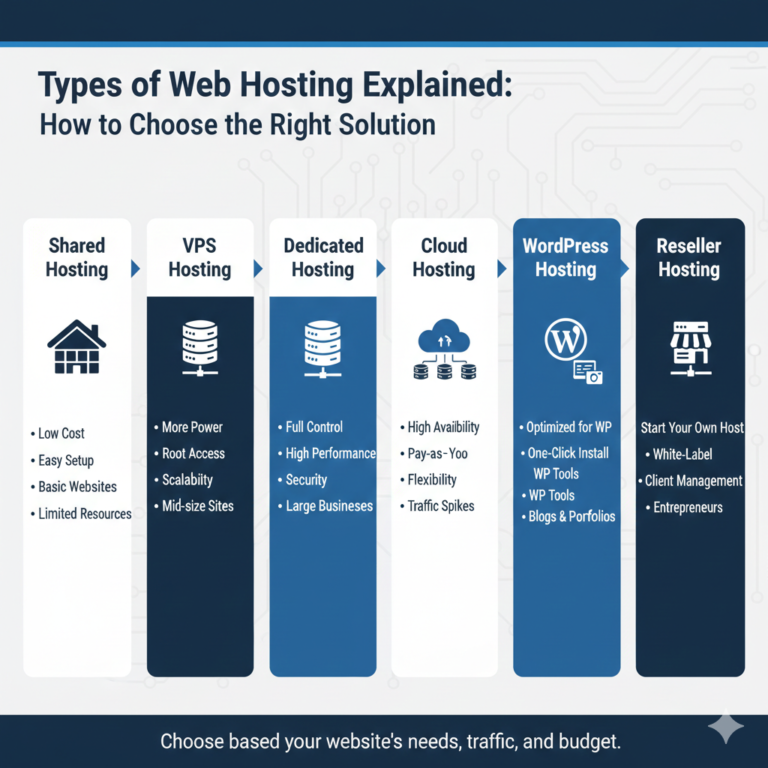
Shared vs. VPS vs. Cloud Hosting: Security Comparison
Not all hosting environments offer the same level of isolation. Your choice of hosting type significantly impacts your risk profile.
Shared Hosting Risks
In shared hosting, you share a server with hundreds of other websites. While modern operating systems try to isolate accounts (using technologies like CloudLinux), the “bad neighbor” effect is real. If another site on your server gets hit with a massive DDoS attack, your site may slow down or crash. Furthermore, if the server’s main IP address gets blacklisted due to a neighbor sending spam, your emails might end up in spam folders too.
Verdict: Least secure. Suitable only for hobby blogs or non-critical sites.
VPS Isolation Benefits
Virtual Private Server (VPS) hosting partitions a physical server into private virtual environments. You have your own dedicated resources (RAM, CPU) and an isolated operating system. Even if a neighbor on the same physical hardware gets hacked, the breach is extremely unlikely to cross the virtualization barrier to affect you.
Verdict: Highly secure. The standard for serious businesses.
Cloud Hosting & Redundancy
Cloud hosting uses a network of servers rather than a single physical machine. If one server fails or comes under attack, your site can be instantly migrated to a healthy node. This redundancy offers superior uptime and resilience against hardware-focused attacks.
Verdict: Most resilient. Ideal for high-traffic sites needing consistent availability.
Which Hosting Type Is Safest?
For most small-to-medium businesses in 2026, Cloud VPS or Managed Cloud Hosting offers the best balance of performance and security isolation.
How to Secure Your Website at the Hosting Level
Once you have chosen a provider, you need to configure your environment. Here is how to secure a website from the server side.
Choosing a Secure Hosting Provider
Do your due diligence. Read the Terms of Service. Does the host take responsibility for hardware security? Do they offer 24/7 support from security experts? Avoid hosts that have had major, publicized breaches in the last 12 months where they failed to communicate transparently.
Enabling SSL & HTTPS
Don’t just install the certificate; force HTTPS. Configure your server (via the .htaccess file on Apache or Nginx config) to redirect all HTTP traffic to HTTPS. This ensures no user ever accesses an unencrypted version of your site.
Configuring Firewalls
If you have a VPS or dedicated server, you are often responsible for the firewall (like iptables or UFW). Ensure only necessary ports are open (usually ports 80 and 443 for web traffic, and a custom port for SSH). Close everything else to reduce your attack surface.
Setting Up Regular Backups
Don’t rely solely on the host’s backups. Set up your own schedule. If your host backs up weekly, you should back up daily. Ensure your backups are stored in a separate location, such as a cloud storage service like Amazon S3 or Google Drive, so that a server-wide failure doesn’t destroy both your live site and your backups.
Monitoring Uptime & Threats
Use external monitoring tools (like UptimeRobot or Pingdom). If your site goes down at 3 AM, you need to know immediately to determine if it’s a maintenance issue or a DDoS attack.
Website-Level Security Best Practices (Beyond Hosting)
Your host secures the house; you must secure the furniture. Follow these website security best practices to harden your internal defenses.
- Strong Passwords & 2FA: This is non-negotiable. Every user with administrative access must use a complex password and, more importantly, Two-Factor Authentication (2FA). This prevents 99% of brute-force successes.
- Regular Software Updates: Outdated software is the #1 entry point for hackers. Update your CMS core, plugins, and themes immediately when patches are released.
- Secure Plugins & Themes: Only download extensions from reputable repositories. Avoid “nulled” (pirated) premium themes, as they almost always contain pre-installed malware.
- Limiting Admin Access: Follow the Principle of Least Privilege. Give users only the access they need. A guest writer does not need Administrator privileges; an Editor role is sufficient.
- File Permissions & Server Hardening: Ensure your file permissions are set correctly (typically 644 for files and 755 for folders) to prevent unauthorized writing to your server.
Best Secure Web Hosting Providers in 2026
While we don’t endorse specific brands in this guide, look for providers that market themselves specifically on their security stack. The best secure web hosting companies in 2026 generally share these traits:
- Managed Security: They don’t just sell you space; they manage the patching and firewall rules for you.
- Containerization: They use advanced isolation technology (like Docker containers) even on lower-tier plans.
- Transparency: They publish real-time status pages and post-mortem reports after incidents.
Managed vs. Unmanaged: For 90% of business owners, Managed Hosting is the safer choice. Unless you are a trained relentless system administrator, the risk of misconfiguring an unmanaged server is high. Managed hosts have teams dedicated to watching the latest vulnerabilities and patching them before you even wake up.
Common Web Hosting Security Mistakes to Avoid
Even with good intentions, site owners make critical errors.
- Relying Only on Free Security: Free plugins are great, but they often lack the real-time firewall capabilities of premium versions.
- Ignoring Backups: Assuming “the host has it covered” is a fatal error. Always have your own copy.
- Using Outdated CMS Versions: Running a WordPress site on a version from 2023 is asking to be hacked.
- Choosing Cheap Hosting: You get what you pay for. Hosting that costs less than a cup of coffee likely cuts corners on security infrastructure.
- No Incident Response Plan: When a hack happens, panic sets in. You need a plan: Who do you call? How do you restore backups? How do you notify customers?
How Much Does Web Hosting Security Cost in 2026?
Budgeting for web hosting security cost is essential.
- Basic/Free: SSL certificates are usually free. Basic security plugins have free versions.
- Mid-Range (Managed Hosting): Expect to pay $30-$100/month. This usually includes premium WAF, automated backups, and malware removal guarantees.
- Enterprise: For large ecommerce sites, security costs can run into the hundreds or thousands per month, covering dedicated hardware firewalls, penetration testing, and 24/7 dedicated security teams.
Cost vs. Risk: Compare the monthly cost of secure hosting ($50) against the cost of a data breach (average cost for small businesses is often over $25,000 in damages and lost business). Security is an investment, not an expense.
Frequently Asked Questions (FAQ)
Q1. What is the most secure type of web hosting in 2026?
Dedicated hosting or isolated Cloud VPS hosting remains the most secure because your resources are completely separated from other users. Managed WordPress hosting on cloud infrastructure is also highly secure due to provider oversight.
Q2. Is shared hosting safe for small websites?
It can be, provided the host uses strict account isolation (like CloudLinux) and you implement strong website-level security. However, it carries inherently higher risks than VPS or Cloud hosting.
Q3. Do I need SSL if my site doesn’t sell anything?
Yes. SSL protects user privacy, prevents data tampering, and is a ranking factor for Google SEO. Browsers also display warning messages on non-SSL sites, which scares away traffic.
Q4. How often should website backups be taken?
For static brochure sites, weekly is fine. For blogs or ecommerce sites where content/orders change daily, you need daily (or even hourly) backups.
Q5. Can web hosting providers prevent hacking completely?
No. No system is 100% impenetrable. A host can secure the server, but if you give your password to a phishing scammer, the host cannot stop them from logging in.
Q6. What happens if my hosting gets hacked?
If the breach is at the server level, the host will handle the restoration. If your specific site is hacked, your host may suspend your account to protect others. You will then need to scan, clean, and restore your site from a clean backup.
Q7. Is managed hosting more secure than unmanaged hosting?
generally, yes. Managed hosting places the burden of server security updates, firewalls, and monitoring on experts. Unmanaged hosting relies entirely on your skills as a system administrator.
Final Checklist: Website Security in 2026
Don’t wait for a breach to take action. Use this checklist to audit your current setup.
Hosting Security Checklist:
- Does my plan include a Web Application Firewall (WAF)?
- Is SSL active and forced on all pages?
- Are backups automated, daily, and stored off-site?
- Is the host running the latest PHP/server software versions?
Website-Level Checklist:
- Is Two-Factor Authentication (2FA) enabled for all admin users?
- Are all plugins and themes updated to the latest versions?
- Have unused themes and plugins been deleted?
- Is the admin username something other than “admin”?
Ongoing Monitoring:
- Set up uptime monitoring alerts.
- Schedule a monthly security audit of user accounts and file permissions.
By treating web hosting security as a priority rather than an afterthought, you ensure that your website remains a trusted, profitable, and available asset well into the future.