Server Virtualization in Hosting: Allocation, Isolation and Limits
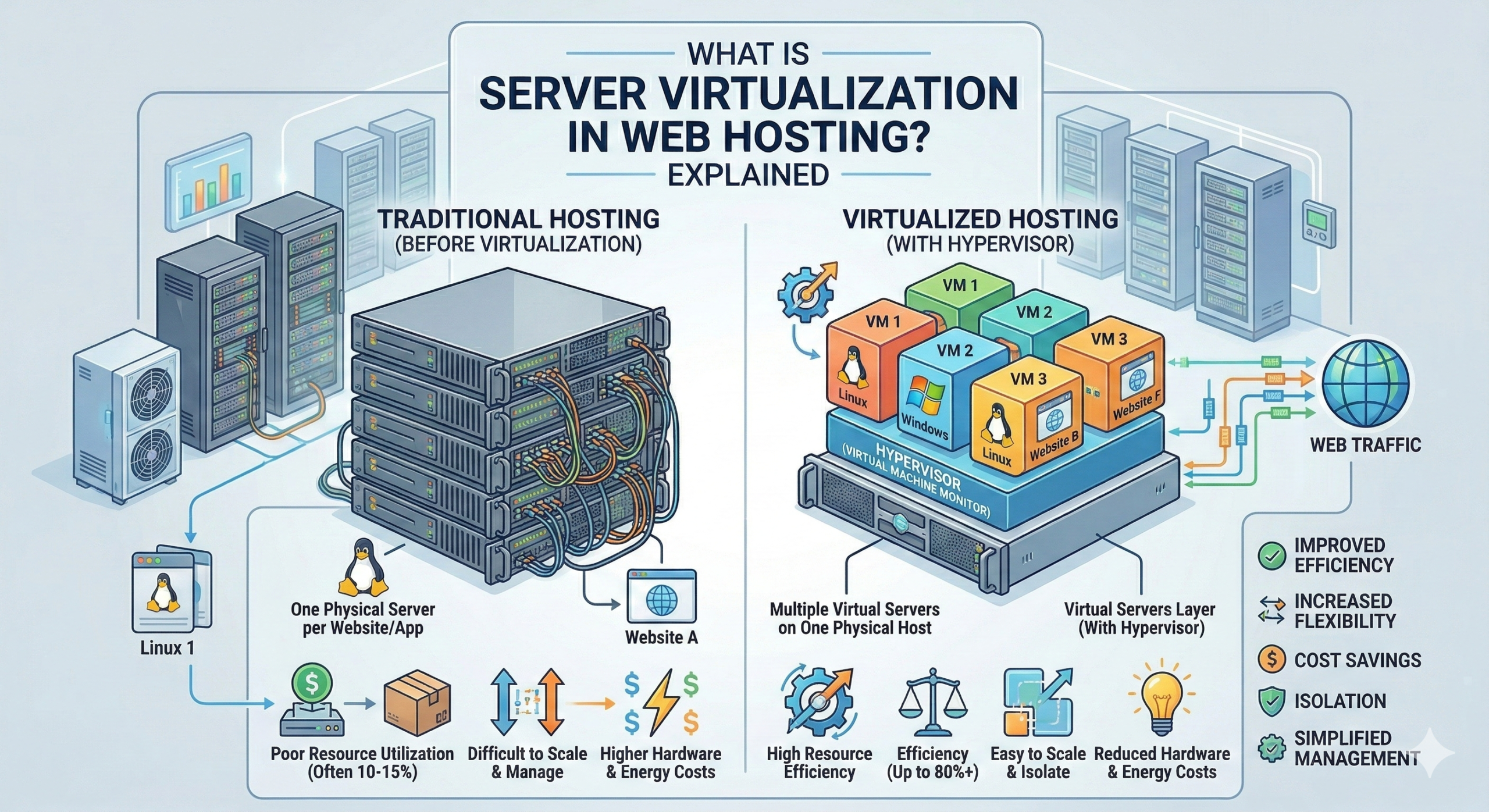
Server virtualization lets a physical system support multiple virtual machines. Each VM presents a computing environment to its guest operating system, with resources assigned through the platform.
This is useful for hosting, but the word “virtual” does not tell you how much processing capacity is reserved, who maintains the software or what happens when the underlying machine fails.
What the hypervisor does
The hypervisor manages the relationship between virtual machines and the physical system. It mediates access to resources such as processing, memory and devices according to the platform’s implementation and configuration.
AWS’s virtualization introduction describes the basic model. For a hosting purchase, the important next step is to read the actual allocation and management terms.
Separate the virtual machine from its resource policy
| Resource | Question for the provider |
|---|---|
| vCPU | Is capacity shared, reserved or burstable? |
| Memory | What is allocated, guaranteed and limited? |
| Storage | Where does data persist, and what I/O limits apply? |
| Network | What capacity and transfer rules apply? |
A VPS can offer an independent guest environment while still sharing physical CPU scheduling, network links or storage infrastructure. Read the CPU guide before treating a vCPU count as exclusive physical cores.
Isolation has a scope
Virtual machines separate guest environments, but they do not eliminate every shared dependency or security risk. The host platform, management access and virtual networking still need appropriate controls.
A failure in one guest does not necessarily stop another, yet an underlying hardware or platform problem can affect several guests. Avoid the blanket claim that another customer’s activity can never influence your service.
Not every isolated service is a VM
Containers commonly isolate processes while sharing a host kernel. Traditional shared hosting can also apply account restrictions and isolation controls. These arrangements are not identical to independent guest operating systems.
Product labels do not fully describe the implementation. Ask which software you can run, what access you receive and what security and maintenance responsibilities remain yours.
Cloud features require more than virtualization
Virtual machines can be part of a cloud platform, but replication, health checks, load balancing and automatic scaling are additional capabilities that need a suitable configuration.
Increasing a VM’s allocation can require a restart or migration, depending on the product. Adding instances also requires the application to handle shared data, sessions and background work correctly. Do not assume either operation is automatic or interruption-free.
Plan recovery around the whole service
A snapshot or cloned VM can be useful, but recovery also depends on data consistency, external services and access. Confirm what is included and how to restore it if the original machine is unavailable.
The VPS guide explains the operating duties, and the recovery checklist covers evidence to collect. Virtualization gives you an allocation mechanism; a reliable hosting service still needs clear limits, maintenance and tested recovery.