What Is Bandwidth in Web Hosting? Explained Simply
You’ve probably seen hosting providers advertise plans with “unlimited bandwidth” or “generous bandwidth allowances.” But what does bandwidth actually mean for your website?
Understanding bandwidth is crucial when choosing a hosting plan. It directly impacts how your site performs, how many visitors you can handle, and whether you’ll face unexpected overage fees. If you’re running a small blog or a growing ecommerce store, knowing your bandwidth needs helps you avoid paying for resources you don’t need—or worse, choosing a plan that can’t support your traffic.
This guide breaks down everything you need to know about bandwidth in web hosting. We’ll cover what it is, how it works, how much you actually need, and practical ways to optimize your usage. By the end, you’ll have the knowledge to make informed decisions about your hosting plan and keep your site running smoothly.
What Does Bandwidth Mean?
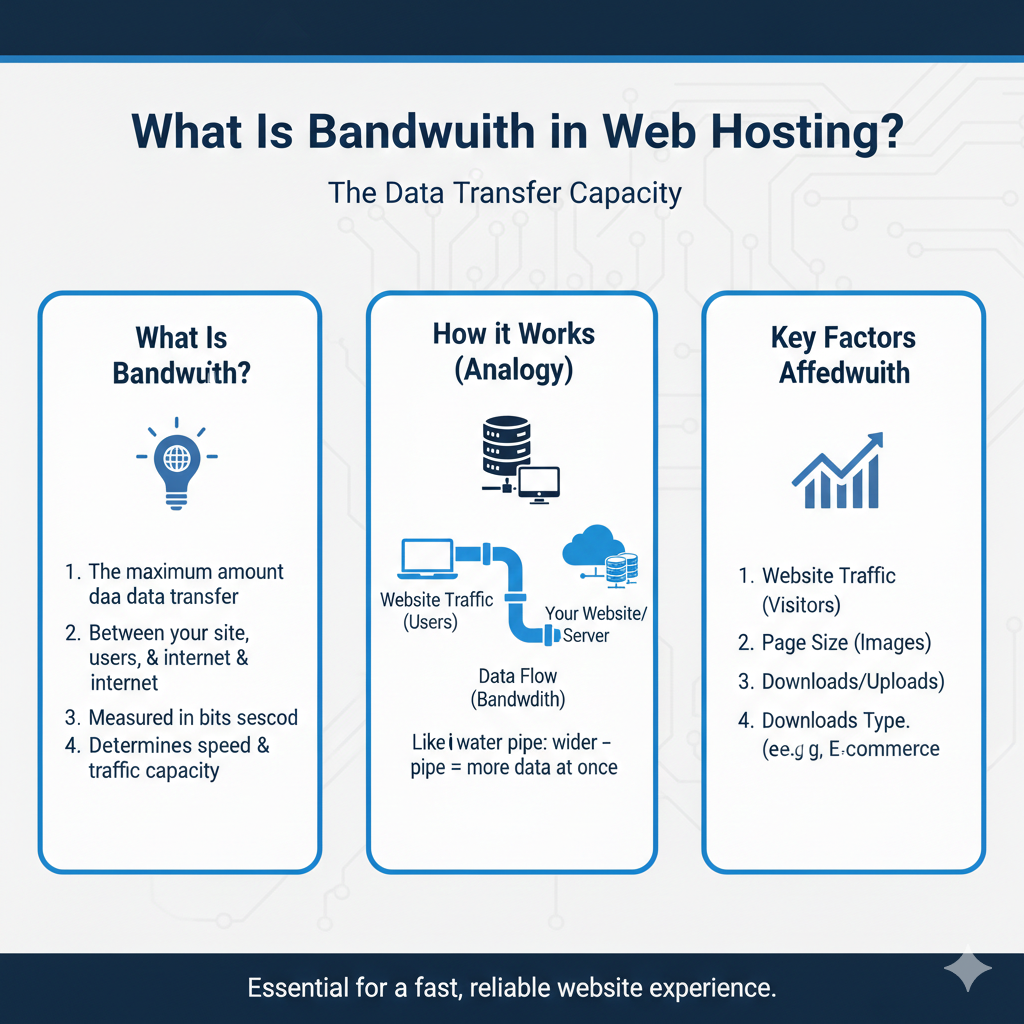
Bandwidth refers to the amount of data transferred between your web server and your visitors over a specific period, usually measured monthly. Every time someone visits your website, their browser requests files from your server—HTML, CSS, images, videos, and other content. The server then sends these files to the visitor’s device. All of this data transfer counts toward your bandwidth usage.
Think of bandwidth like a water pipe. The wider the pipe, the more water can flow through it at once. Similarly, higher bandwidth means more data can be transferred simultaneously, allowing your site to handle more visitors without slowdowns.
Another helpful analogy is highway traffic. A single-lane road can only handle so many cars before congestion occurs. A multi-lane highway moves traffic more efficiently. Bandwidth works the same way—more capacity means smoother data flow and better performance during traffic spikes.
If you’re new to hosting, understanding these web hosting basics will help you make better decisions about your website’s infrastructure.
How Bandwidth Works in Hosting
When a visitor lands on your website, their browser sends a request to your web server. The server responds by sending the requested files—images, scripts, stylesheets, and other resources—back to the visitor’s browser. Each of these transfers uses a portion of your allocated bandwidth.
Here’s a simple example: if your homepage is 2MB in size and you receive 1,000 visitors in a month, each viewing that single page, you’d use approximately 2GB of bandwidth (2MB × 1,000 = 2,000MB or 2GB).
But most visitors don’t just view one page. If the average visitor views three pages during their session, and each page is 2MB, that same 1,000 visitors would consume 6GB of bandwidth.
This calculation becomes more complex when you factor in:
- Different page sizes across your site
- Images and media files
- Downloads (PDFs, software, etc.)
- Return visitors loading cached vs. new content
Monitoring your bandwidth usage helps you understand your site’s actual needs and avoid unexpected charges or performance issues.
Difference Between Bandwidth and Storage
One of the most common points of confusion for website owners is the difference between bandwidth and storage. While they’re both measured in gigabytes, they serve completely different purposes.
Storage refers to the total amount of disk space available on your server to store your website’s files, databases, emails, and backups. Think of it as the size of your digital filing cabinet. Once you upload a file, it occupies storage space continuously until you delete it.
Bandwidth measures the data transferred to and from your server over time. It’s not about what you store, but about how much data moves between your server and your visitors.
Here’s a comparison table to clarify:
| Feature | Bandwidth | Storage |
|---|---|---|
| Measures | Data transfer | Stored files |
| Usage | Monthly allowance | Continuous occupation |
| Affected by | Traffic volume | File quantity and size |
| Resets | Each billing cycle | Never (until files deleted) |
| Example | 50GB monthly transfer | 10GB disk space |
Understanding these hosting fundamentals ensures you choose a plan that matches both your storage needs and traffic expectations.
How Much Bandwidth Does a Website Need?
The bandwidth your website requires depends on several factors: your site type, average page size, visitor count, and how visitors interact with your content.
Personal Blog or Portfolio
A small blog with modest traffic typically needs minimal bandwidth. If you’re getting 5,000 visitors monthly and your average page size is 1.5MB, you’d need roughly 7.5GB of bandwidth. Most shared hosting plans easily accommodate this level of usage, making them cost-effective for beginners.
Small Business Website
A business site with product information, contact forms, and image galleries might serve 15,000 to 30,000 visitors monthly. With an average page size of 3MB and visitors viewing multiple pages, you might need 50-100GB of bandwidth. A quality shared hosting plan should handle this comfortably.
Ecommerce Store
Online stores typically have larger bandwidth requirements because of:
- High-resolution product images
- More pages per visitor session
- Shopping cart functionality
- Checkout processes
An ecommerce site with 50,000 monthly visitors and an average page size of 4MB could easily consume 200-400GB of bandwidth monthly. These sites often benefit from VPS hosting resources that provide dedicated bandwidth and better performance.
High-Traffic or Media-Heavy Sites
News websites, video platforms, photography portfolios, and other content-rich sites have significantly higher needs. A site streaming video content or offering file downloads might need 500GB or more monthly. These situations often require dedicated servers or cloud hosting solutions with scalable bandwidth.
Calculating Your Needs
Use this simple formula:
Monthly Bandwidth = Average Page Size × Pages Per Visit × Monthly Visitors
For example:
- Average page size: 3MB
- Pages per visit: 4
- Monthly visitors: 20,000
3MB × 4 × 20,000 = 240,000MB (approximately 234GB)
Add a 20-30% buffer for growth and unexpected traffic spikes, and you’d want a plan offering at least 300GB of bandwidth.
Unlimited Bandwidth – Is It Really Unlimited?
Many hosting providers advertise “unlimited bandwidth,” which sounds appealing. But is it truly unlimited? Not exactly.
The term “unlimited bandwidth” is primarily a marketing strategy. What providers actually offer is “unmetered bandwidth within acceptable use limits.” This means you won’t have a hard monthly cap, but there are still practical limitations.
Fair Usage Policies
Hosting companies implement fair usage policies to prevent abuse. If your bandwidth usage significantly exceeds typical levels for your plan—say you’re using resources equivalent to 100 average customers—the host may contact you about upgrading to a more appropriate plan.
Server Limitations
Physical server constraints exist regardless of marketing language. Each server has a maximum capacity for data transfer, processing power, and simultaneous connections. If your site consumes excessive resources, it could affect other sites on the same server (in shared hosting environments), prompting intervention from the host.
The Reality
For most small to medium websites, unlimited bandwidth plans work perfectly well. You’re unlikely to hit usage levels that trigger fair use policy reviews. However, rapidly growing sites, viral content, or unexpected traffic surges can change this equation quickly.
Understanding server performance factors helps you recognize when you’ve outgrown a shared environment and need more dedicated resources.
How Bandwidth Affects Website Speed
There’s often confusion about the relationship between bandwidth and website speed. While related, they’re not the same thing.
Bandwidth vs. Speed
Bandwidth is capacity—how much data can be transferred in a given period. Speed is how quickly that data transfers from point A to point B.
Think of bandwidth as the number of lanes on a highway, and speed as the speed limit. More lanes (bandwidth) allow more cars (data) to travel simultaneously, but the speed limit (connection speed) determines how fast each car moves.
The Role of Latency
Latency is the delay before data transfer begins, often called “ping time.” Low latency means faster initial response. High latency creates noticeable delays, especially for interactive elements.
A site with ample bandwidth but high latency might still feel sluggish because each request takes longer to initiate. Conversely, insufficient bandwidth with low latency leads to congestion—quick response times initially, but slowdowns as multiple requests pile up.
Bandwidth and Performance
Adequate bandwidth prevents bottlenecks. When you have enough capacity, multiple visitors can access your site simultaneously without competing for resources. Insufficient bandwidth creates queuing—visitors wait for data transfer capacity to become available.
For optimal performance, you need:
- Sufficient bandwidth for your traffic levels
- Low latency (often improved by hosting performance optimizations)
- Fast server processing
- Efficient code and optimized content
Quality cloud infrastructure often provides better performance across all these factors compared to budget shared hosting.
How to Reduce Bandwidth Usage
Optimizing your bandwidth usage offers multiple benefits: lower hosting costs, better performance, faster load times, and improved user experience. Here are proven strategies to reduce consumption:
Compress and Optimize Images
Images typically account for the majority of page weight. Compressing images without sacrificing visible quality can reduce file sizes by 50-80%.
Tools and techniques include:
- Using next-gen formats like WebP
- Compressing JPEGs and PNGs before upload
- Implementing responsive images that serve appropriately sized versions
- Lazy loading images below the fold
A single uncompressed image might be 2MB, while the optimized version could be 200KB—a 90% reduction. Multiply this across every image on your site, and the bandwidth savings become substantial.
Implement a Content Delivery Network (CDN)
A CDN stores copies of your site’s static files (images, CSS, JavaScript) on servers distributed globally. When someone visits your site, content loads from the nearest server rather than your origin server.
Benefits include:
- Reduced bandwidth usage on your primary server
- Faster load times for visitors worldwide
- Better handling of traffic spikes
- Improved reliability
Many CDNs offer free tiers suitable for small to medium websites.
Enable Caching
Caching stores frequently accessed data in temporary storage, reducing the need to regenerate or retrieve it repeatedly.
Types of caching to implement:
- Browser caching: Stores static resources on visitors’ devices
- Server-side caching: Saves generated HTML to serve repeat visitors faster
- Database caching: Reduces database queries for repeated requests
Effective caching can reduce bandwidth usage by 40-60% for returning visitors.
Choose Optimized Hosting
Some hosting types are more efficient with bandwidth than others. Cloud hosting and VPS environments often include:
- Better resource allocation
- Built-in caching mechanisms
- Optimized server configurations
- Content delivery integration
While these plans cost more than basic shared hosting, the performance improvements and bandwidth efficiency can justify the investment as your site grows.
Minimize HTTP Requests
Each file on your page—every image, script, and stylesheet—requires a separate HTTP request. Reducing requests lowers bandwidth usage and improves load times.
Strategies include:
- Combining CSS and JavaScript files
- Using CSS sprites for multiple small images
- Removing unnecessary plugins and scripts
- Implementing critical CSS inline
Optimize Video Content
Video consumes enormous bandwidth. If your site includes video:
- Host videos on platforms like YouTube or Vimeo rather than your server
- Use adaptive bitrate streaming
- Compress video files appropriately
- Consider replacing autoplay videos with static images and click-to-play
A single minute of HD video can consume more bandwidth than an entire text-based page, so optimization here yields significant savings.
FAQs About Bandwidth
What happens if I exceed my bandwidth limit?
Most hosting providers handle bandwidth overages in one of several ways. Some suspend your site until the next billing cycle, displaying an error message to visitors. Others charge overage fees, typically per gigabyte beyond your limit. Some automatically upgrade you to a higher plan. Check your hosting agreement to understand your provider’s specific policy. Setting up monitoring alerts helps you catch approaching limits before they impact your site.
Is bandwidth the same as internet speed?
No, though they’re related. Internet speed refers to how quickly data transfers over your connection, measured in megabits per second (Mbps). Bandwidth in hosting refers to the total amount of data that can be transferred over a period, usually monthly, measured in gigabytes (GB). Think of internet speed as how fast water flows through a pipe, while bandwidth is the total volume of water that can flow through that pipe in a month.
How do I calculate my bandwidth needs?
Start by determining your average page size using tools like GTmetrix or Google PageSpeed Insights. Multiply this by the average number of pages viewed per visitor (check your analytics). Then multiply by your monthly visitor count. Add 20-30% as a buffer for growth and unexpected traffic. The formula is: Average Page Size × Pages Per Visit × Monthly Visitors × 1.25 = Recommended Monthly Bandwidth.
Do small websites really need unlimited bandwidth?
Most small websites don’t need unlimited bandwidth, but it provides peace of mind and room for growth. A typical small site uses 10-50GB monthly. However, unlimited plans protect against unexpected traffic spikes—if your content goes viral or gets featured on a major platform, you won’t face overage fees or suspension. For sites with predictable, modest traffic, a metered plan with adequate allocation is usually more cost-effective.
Does bandwidth affect SEO?
Indirectly, yes. While bandwidth itself isn’t a ranking factor, insufficient bandwidth leads to slow load times during traffic spikes, which Google considers when ranking sites. If your bandwidth limits cause frequent slowdowns or outages, users will have poor experiences, increasing bounce rates and decreasing engagement—both signals that can harm rankings. Adequate bandwidth ensures consistent performance, which supports your SEO efforts.
Choosing the Right Bandwidth for Your Website
Bandwidth is a fundamental aspect of web hosting that directly impacts your site’s performance, user experience, and costs. While it might seem technical at first, the core concept is straightforward: bandwidth measures how much data transfers between your server and your visitors each month.
For most website owners, the key takeaways are:
- Calculate your needs based on traffic, page size, and visitor behavior
- Choose hosting plans with adequate bandwidth plus growth room
- Be skeptical of “unlimited” claims, but recognize they work fine for typical sites
- Optimize your site to reduce bandwidth consumption and improve performance
- Monitor usage regularly to anticipate when you’ll need to upgrade
Whether you’re launching a personal blog or scaling an ecommerce empire, understanding bandwidth helps you make informed hosting decisions that balance cost, performance, and reliability. Start by assessing your current needs, implement optimization strategies, and choose a hosting provider that offers the flexibility to grow with your site.